The pricing page for an AI CRM almost never tells the whole story. Two products advertised at similar headline prices can produce monthly bills that differ by an order of magnitude, because the visible per-user fee is only one of three cost layers running in parallel.
Today, we’ll break down how AI CRM pricing actually works in 2026. Some buyers learn the structure the hard way: after the first invoice arrives higher than expected. Understanding the three layers before signing saves money and removes a category of unpleasant surprise.
The three pricing layers in modern AI CRM


Every AI CRM on the market combines some mix of these three layers. The proportions vary, but the structure is consistent.
Layer 1: The base CRM seat cost
This is the headline number on the pricing page. It covers the core CRM (contacts and pipelines, with basic reporting and integrations) on a per-user, per-month basis. For small business CRMs, the base seat cost in 2026 runs from $14 to $50 per user per month. Salesforce starts higher, at $25 for Starter Suite and climbing to $165 per user per month for Enterprise Edition before any AI is added.
The base layer is the easiest to compare across vendors. It's also the layer that gets the most marketing attention, which is why buyers anchor on it and underestimate the total.
Layer 2: The AI add-on or tier multiplier
This is where the math starts getting interesting. AI features rarely come included in the base price. Vendors handle the AI premium in one of three ways:
- A dedicated AI tier or plan. The customer upgrades to a higher seat price that bundles AI features. Capsule's AI plan at $36 per user per month is a clean example: a predictable flat fee that includes all AI features.
- A separate AI add-on bolted onto the base seat. Salesforce Agentforce works this way, at $125 per user per month on top of an Enterprise seat. The combined cost lands at $290 per user per month before any consumption fees.
- A higher plan tier where AI is one of several upgrade triggers. HubSpot puts most Breeze AI capabilities behind Professional or Enterprise plans, which start at $800 per month for Marketing Hub Pro (three seats included). The AI is included once the team is on the right tier, but the tier itself is a major commitment.
The AI multiplier is where buyers most often underestimate cost. A $25 base seat with a $125 AI add-on isn't a 25% premium for AI – it's a 6x increase in the per-seat bill!
Layer 3: The usage-based AI costs
The newest and least understood layer. Many vendors now charge for AI actions on top of the seat-based pricing, using credit systems, per-action fees, or outcome-based pricing.
In a credit model, the business buys a block of credits, then spends them when an AI agent performs work. One public example prices credits at $500 per 100,000 credits, with a standard agent action using 20 credits. That works out to roughly $0.10 per action. A single AI conversation can involve several actions, so the final cost depends on how much the agent has to do.
Outcome-based pricing works differently. Instead of charging every time an agent takes a step, the vendor charges when the AI produces a defined result, such as a resolved support conversation or a qualified lead passed to sales. One CRM vendor announced this model in April 2026, with pricing at $0.50 per resolved conversation and $1 per qualified lead recommended for outreach.
This layer is harder to budget than user seats because it follows activity, not headcount. A quiet month may produce a small AI bill. A busy month with heavy prospecting, support automation, or AI-assisted follow-up can cost much more. The risk is that the bill moves with volume, and many small businesses do not see that clearly when comparing CRM plans.
Before choosing a CRM, ask how AI usage is measured, what is included in the base plan, what triggers extra charges, and whether the vendor provides spend controls. AI features can save real time, but the pricing needs to be understood as part of the CRM’s total cost, not treated as a free bonus.
Practical use cases of AI CRM pricing
The combined effect of the three layers shows up in the total monthly bill. Three realistic scenarios for a small business considering AI CRM in 2026:
- Scenario 1: Five-user small business on Capsule's AI plan. Five users at $36 per user per month equals $180 per month flat. No usage-based add-ons and no tier prerequisites. Predictable.
- Scenario 2: Five-user small business on HubSpot Sales Hub Professional with Breeze AI. Sales Hub Professional starts at $100 per user per month, so five users equals $500. Breeze Assistant is included. If the team uses Breeze Prospecting Agent for outreach to 200 qualified leads per month, that adds $200 in outcome-based fees. Total: $700 per month, before any Breeze Intelligence credits.
- Scenario 3: Five-user team on Salesforce Enterprise Edition with Agentforce. Five Enterprise seats at $165 per user per month equals $825. Agentforce add-on at $125 per user per month equals another $625. Combined: $1,450 per month before Flex Credits. If the team uses AI agents for customer service or sales automation, Flex Credits could add another $500 to $2,000 per month. Total realistic range: $2,000 to $3,500 per month.
The same team running the same workload ends up with a 10x difference in monthly cost depending on platform choice. That gap usually doesn't appear in the pricing comparison until the contracts are already signed.
What to ask before signing an AI CRM contract
The pricing structure questions matter as much as the feature questions. Four worth asking every vendor before committing:
1. What's the all-in cost for our team size at expected usage?
Push the vendor past the per-user headline. Ask for a quote that includes seat costs and AI add-ons or tier upgrades, with a realistic estimate of consumption-based fees at the team's expected activity level.
2. What happens if we exceed the included AI usage?
Credit-based and consumption-based pricing both have overage behaviors. Some vendors auto-upgrade the plan, locking the customer into the higher tier for the rest of the contract. Others switch to pay-as-you-go rates that can be much higher than the bundled rate. The behavior matters when usage spikes.
3. Are there any prerequisites we need to buy before the AI works?
Salesforce's Agentforce, for example, requires Enterprise Edition plus often Data Cloud activation. The advertised AI price is the smallest piece of the total. Always ask what other licenses are required.
4. How does the AI cost scale with the team size, contact volume, and activity?
Different vendors scale on different axes. HubSpot scales on contacts in some products. Salesforce scales on credits per action. Capsule scales on users. The scaling axis determines which platform fits the business's growth path.
How Capsule's AI pricing compares
Capsule's AI plan runs at $36 per user per month on a flat seat basis. There's no usage-based component, no credit system, no shady pricing, and no separate AI add-on. The features included cover the work most small businesses actually need from AI in their CRM.

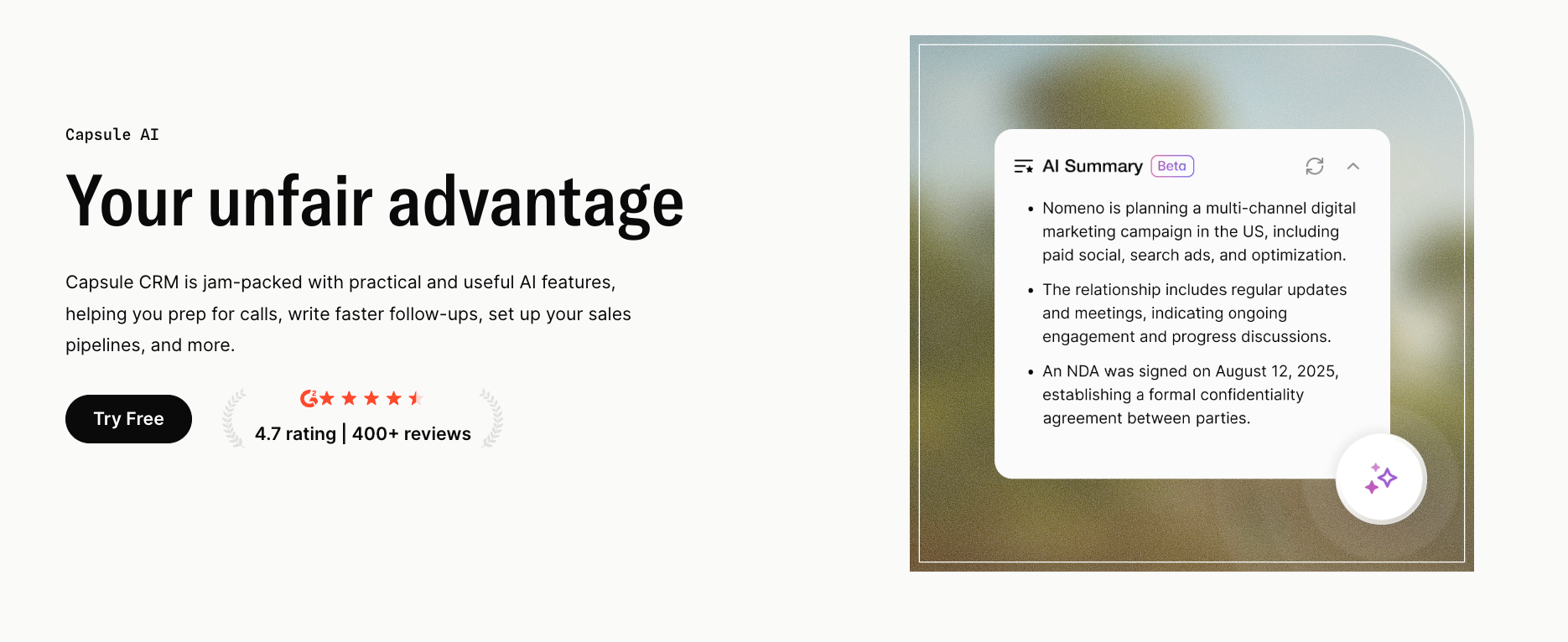
AI Summaries condense long contact, opportunity, and project histories into short briefs. Anyone can open a record before a call and quickly see where the relationship stands. It’s especially useful in small teams where the person handling the next conversation may not be the person who handled the last one.
AI Email Assist helps draft client-facing emails from a simple prompt, including routine follow-ups and next-step confirmations. It quietly removes the blank-page moment after a call, when the salesperson knows what needs to be said but still has to turn it into a clear message. The user can adjust and send it while the conversation is still fresh.
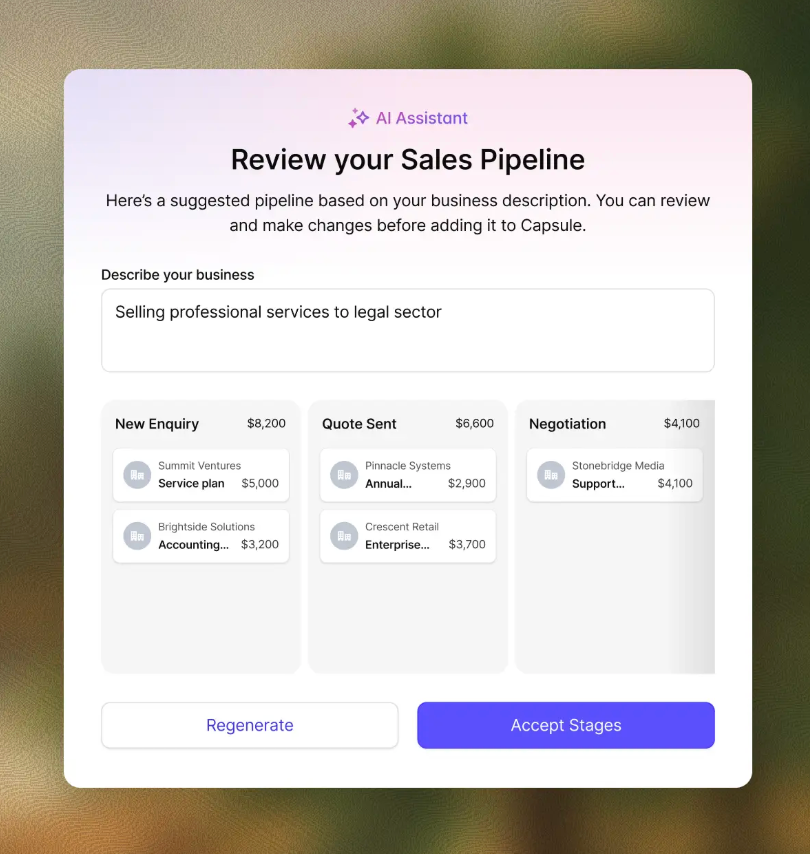
AI Pipeline Generator creates a starter sales pipeline from a description of the business and its sales process. This gives teams a head start when they know how sales happen in the real world, but haven’t converted that process into a CRM structure. They avoid the blank-page problem and get a pipeline they can fine-tune over time.

AI Business & Contact Enrichment fills in useful prospect details from information such as an email address or website. Capsule says it can add and maintain company information such as revenue, headcount, and industry, which reduces the manual research usually needed when a new lead enters the CRM. Your sales team gets a richer starting point before outreach, segmentation, or qualification begins.
For a five-user small business, the total Capsule AI bill is $180 per month. For the same business on Salesforce Enterprise plus Agentforce, the realistic range starts at $1,450 and climbs from there.
Different products, different positioning, different fit. The right one depends on what the business really needs the AI to do.
The pricing mistake most small businesses make
A small business reads the headline price on an AI CRM page and signs a contract that turns out to cost three to ten times more than expected once usage-based fees and prerequisite licenses are factored in.
The fix is structural: treat AI CRM pricing as a three-layer system from the start. Calculate the realistic total at the team's expected activity level, and push every vendor for a quote that includes all three layers explicitly. The pricing comparison only makes sense when it covers what the business is going to pay, not what the marketing page suggests.
A simple, flat-seat pricing model removes most of this complexity.
Small teams can start with Capsule’s free plan to test the core CRM with two users and 250 contacts, then use the 14-day trial to explore paid features, including AI, before committing to an upgrade.