Most CRMs promise to help sales reps sell more, but often the admin ends up getting in the way. Instead of speeding things up, they slow every action, making it difficult for teams to reach their goals.
The right CRM feels invisible: it keeps reps selling, not managing software.
This guide breaks down which tools actually help, and how to pick one that fits your team without overcomplicating the process.
Why the right CRM matters for sales reps
Nearly 30% of all sales growth comes from using an effective CRM. When implemented well, it blends seamlessly into the team’s daily workflow.
Key values of a sales CRM
- Lead capture: Without a central system, leads aren’t properly attributed and often get stuck in emails, spreadsheets, and post-its. A CRM centralises every interaction.
- Pipeline advancement: Reps need to know exactly which deal is at what stage, what’s needed to push it forward.
- Follow-ups: Timely touch-points separate winners from runner-ups. You need a CRM that reminds you to log the call and tracks the email, so nothing is missed.
- Closing: When lead management, pipeline visibility, and timely follow-ups all work together, the rep’s final conversion rate improves.
Key metrics that improve with the right CRM
- Time saved / less admin: Reps spend less time chasing data and hunting spreadsheets.
- Pipeline visibility: When reps and managers can see clearly where deals are, business bottlenecks vanish. Shared dashboards enable alignment.
- Data-entry & task pain reduced: Reps are freed from manual logging and repetitive admin, meaning they can focus on selling.
Sales reps simply can’t afford to skip a CRM. In the world of shorter attention spans and more informed buyers, your team needs a system that works for them, not against them. With the right CRM, your salespeople can spend more time on high-impact activities and ultimately close more deals.
Feature checklist with traffic-light system
To avoid over-buying features that don’t serve your reps, we’re using a prioritisation scheme:
🔴 Red = Must-have (critical for sales rep productivity)
🟡 Yellow = Nice-to-have (adds value, but not essential)
🟢 Green = You can skip for now (good to have later or if budget allows)
Below are key features, rated accordingly:
- Contact & lead management: 🔴 Must-have. Every sales rep needs a central database of prospects and customers.
- Visual sales pipeline/opportunity stages: 🔴 Must-have. A clear pipeline view enables reps to drag-and-drop deals, prioritise tasks, and advance stages easily.
- Email/calendar integration & activity tracking: 🔴 Must-have. Auto-logging of outreach and follow-ups saves reps time and keeps data consistent.
- Mobile access/field access: 🔴 Must-have. For reps on the go, being able to access deals, update tasks, and log activities from mobile is essential.
- Workflow automation: 🟡 Nice-to-have. Automating reminders, follow-ups, and routine tasks adds efficiency, but may not be critical for a smaller team.
- Reporting & dashboards: 🟡 Nice-to-have. Provides visibility into rep performance, pipeline health, and deal flow, which is valuable but may be secondary for lean teams.
- Scalability & integrations – 🟡 Nice-to-have. As your process grows, integration with other tools and the ability to scale become more important.
- Advanced analytics / AI forecasting: 🟢 Can skip for now. Useful for larger teams or complex sales, but not urgent for every sales rep team.
- Custom roles/permissions / enterprise-security: 🟢 Can skip for now. Critical in enterprise settings with more users and governance needs, less so for smaller rep teams.
- Marketing- or service-oriented extras: 🟢 Can skip for now. Features like built-in ticketing, social listening, or full marketing suites are nice but not essential for purely sales-focused rep teams.
You should adjust these ratings based on your team size, maturity, budget and process.
Best CRM solutions for sales reps
Capsule CRM - best CRM software for sales professionals
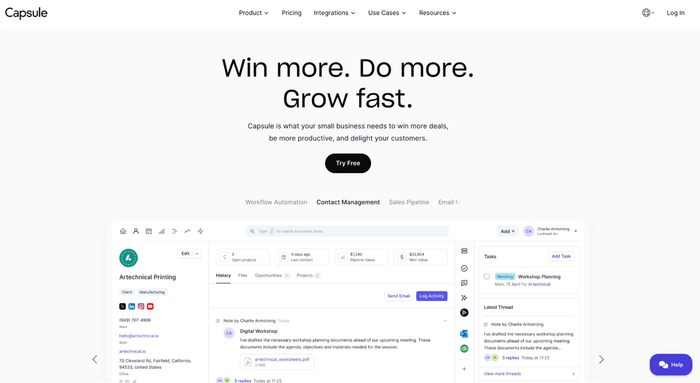
We’re starting with Capsule CRM because when sales reps need simplicity and minimal overhead, this tool ticks all the boxes. For teams that want to sell – not wrestle with software – Capsule is the best CRM software to test and implement.
Key features (and how they map to our traffic-light list):
- Contact & lead management → strong. Capsule offers a clean interface, tags, custom fields, and unified contact records.
- Visual sales pipeline/opportunity stages → very good. Capsule supports drag-and-drop pipelines and custom milestones for opportunities.
- Email/calendar integration & activity tracking → very good. Capsule integrates with various add-ons.
Capsule CRM is great for small to mid-sized sales teams who need to get going fast. Onboarding is straightforward, administrative overhead is minimal, and reps can start using a relational-database-style tool in minutes.
Implementation tip
- Start by mapping your sales stages (what your reps consider “qualified”, “proposal”, “negotiation”, “won”) and build that in Capsule’s pipeline.
- Then import your contacts/leads into workspaces. Enable the Gmail or Outlook integration (so email threads get captured).
- Set up the mobile app for your field or remote reps.
- Finally, train your reps on the pipeline view and tasks – keep it light and immediately valuable.
With Capsule CRM, your reps spend less time on admin, fewer distractions, and more time selling. You’re giving them a tool that works for them, not against them.

Hubspot CRM
For small businesses looking to improve team performance without heavy setup or cost, HubSpot CRM remains one of the most popular entry points. Its free tier delivers a lot of value upfront: a CRM integrated with marketing tools and email/calendar sync that keeps customer interactions in one place.
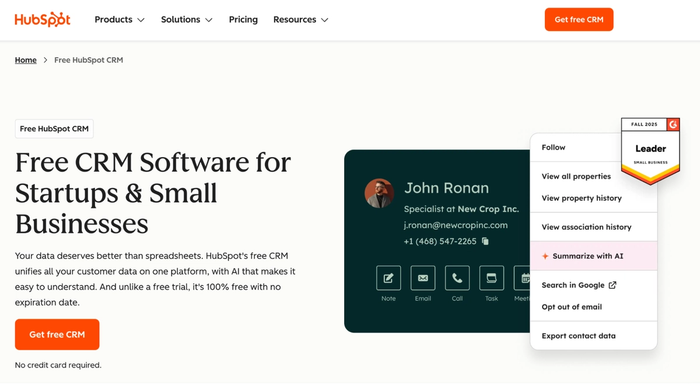
Built-in email tracking gives visibility into who’s opening messages, when, and how often: and that’s a small but powerful edge for any sales rep.
However, HubSpot’s free plan also introduces some hurdles. Key functions like advanced automation, custom reporting, and workflow branching are gated behind premium tiers, which can become costly as teams scale. Customer support on the free plan is limited to community and documentation access, which can slow down problem-solving when you need direct help.
That said, HubSpot CRM still earns its reputation among the best CRM tools for small teams, starting with inbound sales. It’s reliable and deeply CRM-integrated across marketing and service hubs. For teams that outgrow it or want a simpler experience, Capsule CRM is often a better fit. It’s faster to onboard and easier to manage.
Pipedrive
Pipedrive was built from the ground up with the sales rep in mind. Unlike many CRM solutions that try to serve every department, Pipedrive narrows its focus to managing customer relationships through a structured sales process.
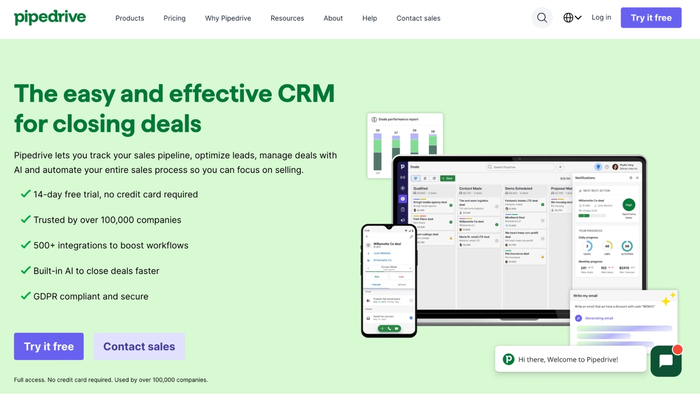
Its hallmark is a visual pipeline board where you can drag-and-drop deals across stages: aligning exactly with how your team actually sells.
Behind that clean interface, Pipedrive supports contact and lead management, activity logging, and a range of sales automation tools.
For small businesses focused on growing revenue rather than managing complex marketing workflows, Pipedrive offers an intuitive platform without the clutter. It integrates well with other tools in the CRM ecosystem and supports mobile workflows so reps can update deals on iOS and Android devices even when they’re on the move.
That said, if your strategy demands deep marketing automation or full support for service-and-ticketing workflows, you may eventually need a broader CRM. Keep that in mind as you evaluate whether Pipedrive fits your long-term roadmap.
Zoho CRM
Zoho CRM stands out as one of the most flexible management software options for growing sales teams. It’s designed to support your entire sales strategy: from capturing leads to closing deals and nurturing long-term clients.
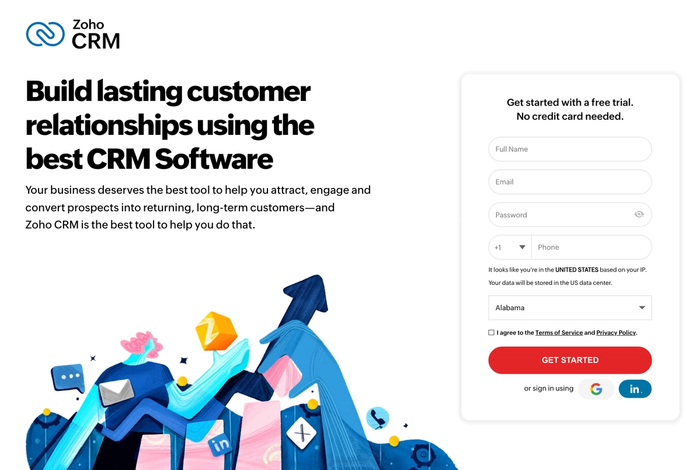
The platform allows full control over modules and fields, and layouts, so sales professionals can build a workspace that mirrors their actual workflow instead of adapting to rigid software. This level of control makes Zoho especially attractive for teams that want both structure and freedom in how they manage deals.
At its core, Zoho excels in contact management and record organisation. You can segment contacts and track sales activities across calls, emails, meetings, and campaigns. Its dashboards turn that activity into useful insights about your sales team’s efficiency.
What also makes Zoho CRM stand out is its strong automation engine. You can design workflows to handle repetitive tasks, such as lead assignment or deal updates, helping sales reps focus on conversations rather than clicks.
The trade-off is that Zoho’s breadth means a slightly steeper learning curve than simpler CRMs. But for small and mid-sized teams that want a highly adaptable, automation-friendly system with real reporting depth, Zoho CRM is one of the most complex management software choices available.
Nutshell
Nutshell CRM combines contact- and deal-management with an easy-to-use interface, helping teams track leads and review sales data without delay.
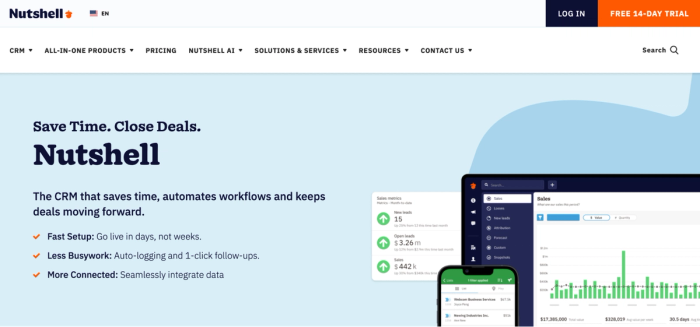
Because Nutshell places customer relationship management at the forefront, you can see the full sales funnel, from inbound leads through opportunities to closed deals, giving sales managers better visibility over future revenue.
Nutshell also integrates email marketing-style sequences directly into the CRM, allowing your entire team to nurture customer relationships and send templated outreach from within the platform. And while it doesn’t promise “AI-powered” insights in the same league as some large enterprise platforms, many users say it cuts down the time sales representatives spend on non-selling work and helps boost productivity with strong marketing automation.
One of its strongest appeals for smaller teams is affordability combined with a clean UI and quick onboarding: it ranks among the most user-friendly CRM solutions in its class.
On the flip side, some users point out that deeper custom-reporting and support for complex automation workflows are less mature than in larger systems, so if you have a very advanced sales process or rely heavily on multiple apps + integrations, you may find limitations.
Take care of customer relationship management today
A CRM chosen for sales reps should keep the focus sharp:
nail the core productivity features (our 🔴must-haves) before getting distracted by every extra bell and whistle.
If your tool doesn’t help reps spend less time on calls, move deals forward, log outreach cleanly, and hit sales goals, it’s missing the point.
Start with a CRM that empowers your team to sell: not one that piles on administrative burden. At the end of your day, the tool should drive better sales outcomes.
For many lean sales teams, Capsule CRM is a solid launching pad: fast to onboard, minimal setup, and built for reps first. But remember: the “best CRM” isn’t the most feature-rich: it’s the one that delivers for your process, your team, and your growth path.
Frequently Asked Questions
The best sales CRM is one that aligns with your sales process and helps generate leads. Look for sales tools that reduce time-consuming tasks and integrate with other business tools. A free CRM may work for a small team, but the ideal choice scales with your growth and supports forecast sales.
A CRM centralises customer relationships, tracks sales activities and automates repetitive tasks, freeing reps to focus on sales calls and lead generation. Efficient CRM solutions help streamline the entire sales cycle and improve sales outcomes.
Make the CRM genuinely helpful for your reps. It should make managing contacts easier, help them find new leads, support sales targets, and fit naturally into their daily tools. Show them it saves time instead of adding tasks: once they see that, adoption follows.
Training should be short, practical, and tied to real sales calls, lead tracking and deal progress. Focus on how the CRM reduces administrative burden and allows your team to generate sales reports with ease.