
Up to 30% of the records in a typical CRM are duplicates, and cleaning them after a move costs several times more than before it. That's the quiet risk in switching: you carry years of mess into a fresh system, or lose a live deal in the handoff.
Switching CRMs can feel like open-heart surgery. It doesn't have to.
A migration is a project with a clear order of operations, and this guide lays out a 4-week plan to move your data and your team, with every open opportunity intact.
What does a CRM migration involve?
A CRM migration is the process of moving your data from one CRM system to another: contacts, companies, open deals, history, notes, and the custom fields that hold your specifics.
It's more than a data transfer, though. You're also moving your team's habits, so a migration is part data project and part change project.
The data side is mechanical: export the data from one CRM, map the fields, clean what's dirty, and import it into the new one.
The people side is human: the team needs training, and the workflows they rely on need rebuilding before go-live.

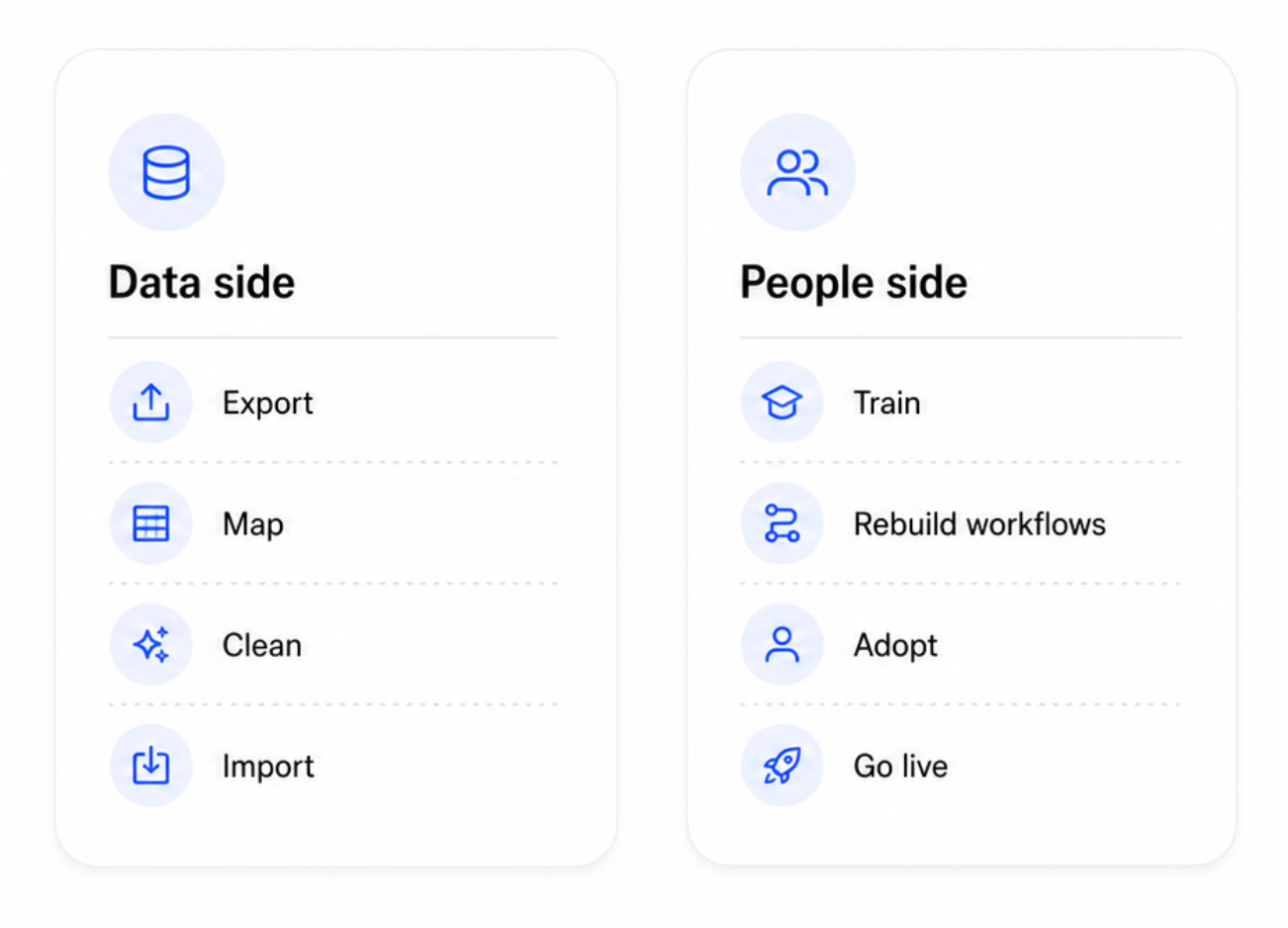
Skip either half and the migration stalls. Move data nobody trusts, or roll out a clean system nobody adopts, and you've spent weeks to land in the same place.
Transferring data from one CRM is also a chance to fix what's broken. The process forces you to confront duplicates and dead records you'd otherwise keep ignoring, and a tidy contact database is worth the effort on its own. The aim is a cleaner version of the old system, with the dead weight left behind.
Before you start: choose the right CRM first
Nothing costs more than a migration you redo in six months. So before any data moves, choose a CRM for where the business is going, and check it against where it's been.
For a small business leaving a legacy CRM or a cluttered spreadsheet, the shortlist is short: a cloud-based CRM that's easy to adopt, priced for your size, and able to hold your data structure with no heavy customization. Check that the new CRM software handles your must-haves – the pipeline, custom fields, reporting, and the integrations you live in – before you commit.
You can run the migration yourself with the new system's import tools, or pay a migration service to do it for you. For many small teams with a single source system, the DIY route plus this plan is plenty. A paid service pays off mainly at large data volumes, or when complex data sits spread across many systems. Either way, the migration strategies that work share the same backbone: clean first, then test before you trust.
The 4-week migration plan
Four weeks is a comfortable pace for a small business with a manageable data volume. Compress it if your data is clean, stretch it if it's complex. Each week has one focus, and the order counts for more than the speed.
Our CRM data migration checklist breaks the process into weekly, assignable tasks you can easily track.
Week 1: audit and decide
Start by looking. Export everything from your existing CRM and audit it:
- how many records,
- how many duplicates,
- how many dead or stale contacts,
- which fields are used.
Many teams find 10 to 30% duplicates and a long tail of records with no activity in years.

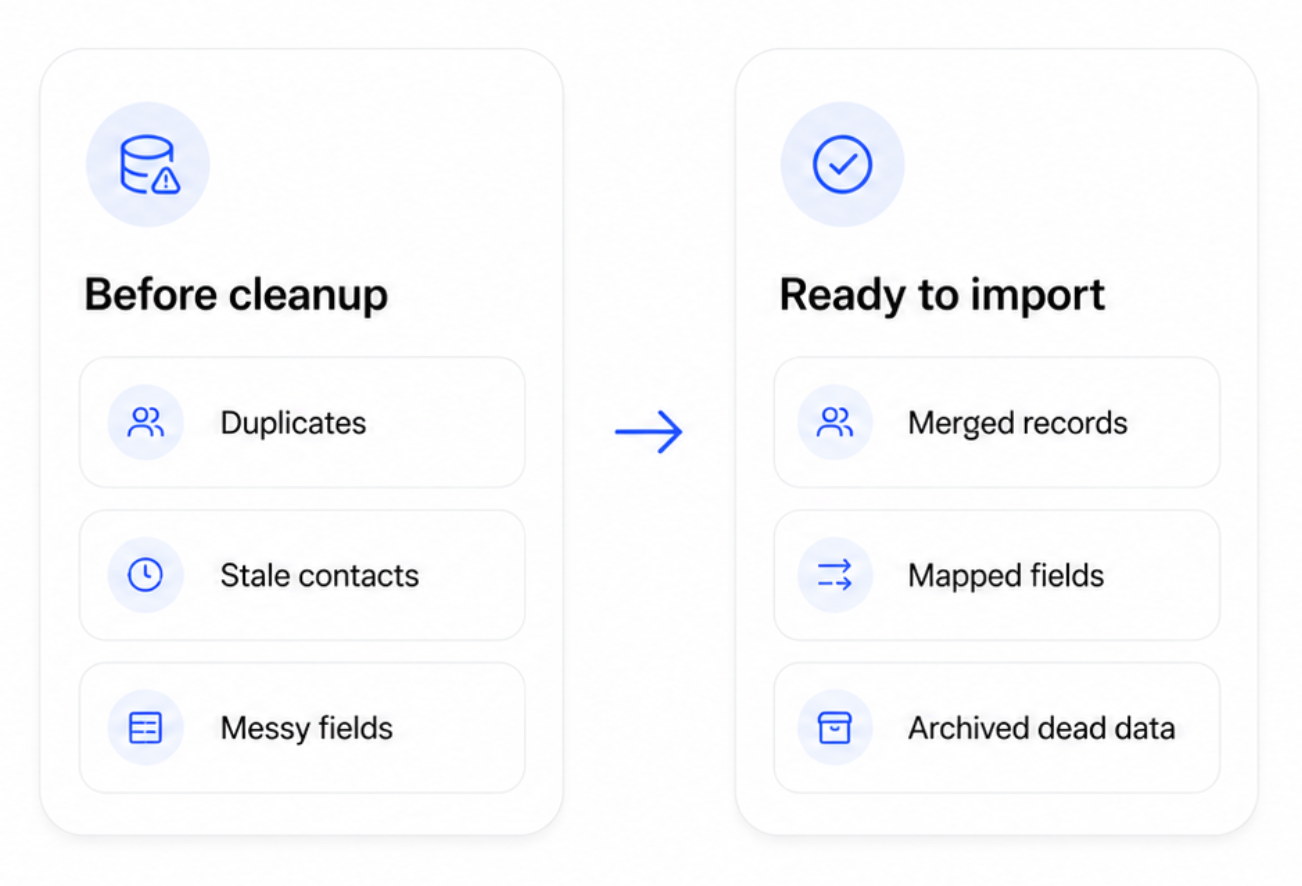
Decide what to migrate and what to archive. You don't owe every old record a seat in the new system.
Then assign one owner for the migration project, set a go-live date, and write a one-page migration plan: scope, dates, and who does what. Write down your data needs as you go. That short list keeps the migration honest and stops scope creep before it starts. This week is cheap, and it saves you from the expensive mistakes that show up later.
Week 2: map and clean
Now, prepare the existing data.
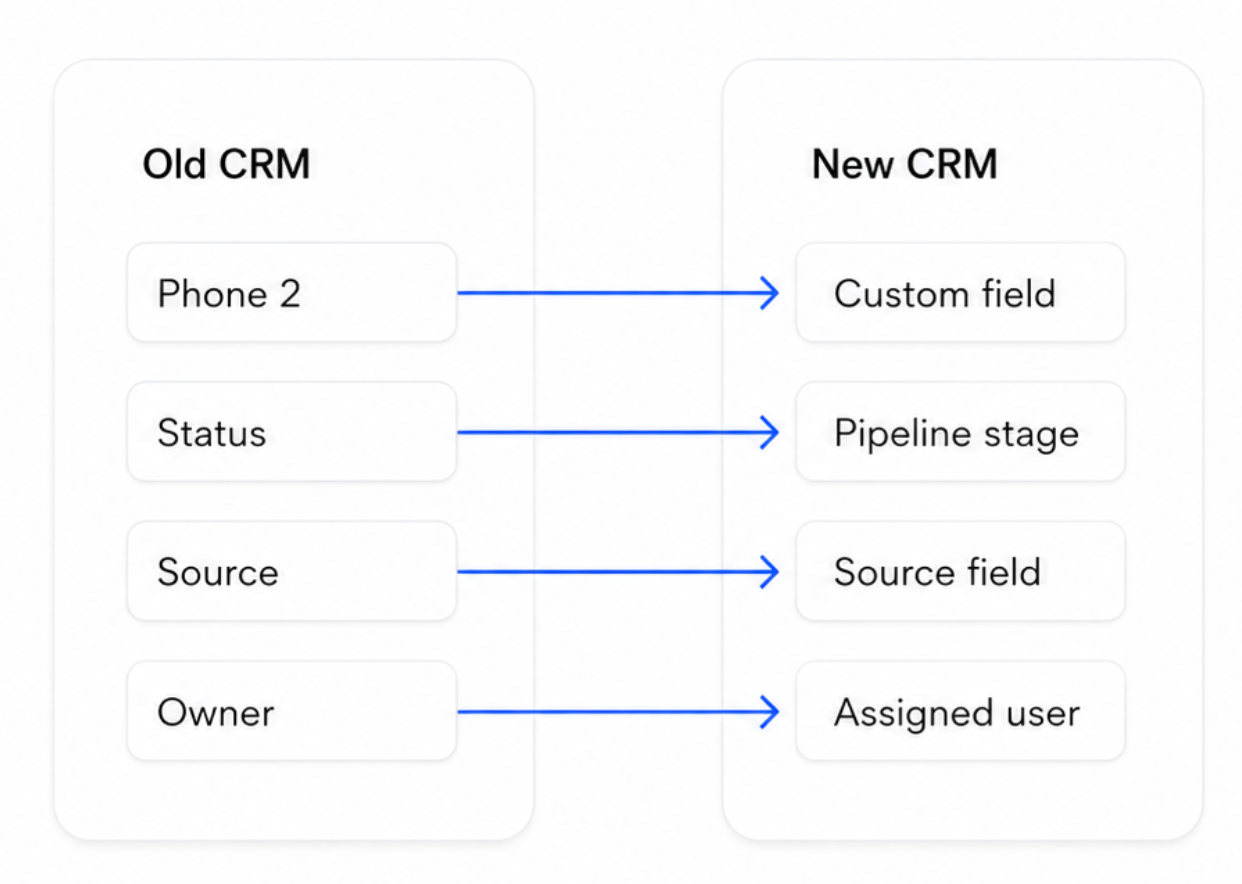
First, take care of data mapping. Lay your old fields next to the new system's fields and decide where each one lands. The fields in your old CRM rarely match the new one exactly, so this is where you catch mismatches before they become problems.
Then clean, and clean before the move. Dirty data the old CRM tolerated will break things in the new one, and cleaning it now costs a fraction of cleaning it after go-live. Dedupe, fix formatting, fill missing data where you can, and drop the records you flagged to archive.
A quick worked example: your old "Phone 2" field maps to a Capsule custom field, your free-text "Status" maps to a pipeline stage or a DataTag, and three near-duplicate contacts merge into one. Settle the data structure questions now, on paper, and the import itself becomes boring – which is exactly what you want it to be.

Week 3: test, then transfer
Don't trust a full import on the first try. Run a test migration: load a small sample, say 20 to 50 records, into the new system and check it closely. Did every field land in the right place? Are the open deals attached to the right contacts? A single misordered import can orphan every deal in your pipeline, so verify the relationships as well as the row counts.
When the sample checks out, run the full data transfer. Import in the right order – companies first, then contacts, then deals – so nothing is orphaned, and keep your export file as a backup.
After the import, reconcile. The counts in the new system should match what you meant to move, and a spot-check of high-value records should show complete, accurate data. Run your key sales reports in both systems and compare the totals. If the pipeline value and deal counts match, your transfer held.
Mind data security as you go. Export files hold customer data, so keep them somewhere secure and delete them once the migration is complete.
Week 4: train, cutover, go live
The data's in. Now move the people.
Train the team on the new system before go-live, never after. A 60-minute walkthrough plus a one-page cheat sheet covers most of it for a small team, and getting the team to use the CRM from day one is the half of the project that decides adoption. Rebuild the handful of automations and reminders they lean on with workflow tools, so the new CRM feels at least as capable as the old one from the first login.
For the cutover, freeze the old CRM as read-only and have everyone start in the new CRM on the agreed date. Keep the old one accessible for a few weeks as a safety net, then retire it once you trust the new system.
The day you can delete the old login is the day the move truly worked. 👏
Don't lose a deal: protecting your pipeline
The riskiest gap in any migration is the window between your final export and go-live.
New leads arrive, deals move stages, calls get logged, and those changes live only in the old CRM unless you catch them. That's how a live deal vanishes mid-switch.
A few habits close the gap:
- Migrate open deals last, and verify each one by hand. There usually aren't many, and they're the records you can least afford to lose. Map them on a separate tab and check them off one by one as they land.
- Run a final top-up right before cutover to capture anything that changed since the big import.
- Keep the old CRM read-only afterward, so if a deal looks off, the source of truth is one click away.
- Hold a quick daily check-in during cutover week. It catches a stalled sync or a missing record before it becomes a real problem.
Treat your open pipeline as sacred and a migration costs you zero deals, which is the whole point of doing it carefully. Deals rarely get lost in the import itself. They get lost in the silence around it, when nobody's watching the seams.
Your CRM migration checklist
The plan above doubles as a migration checklist. The downloadable version breaks each week into tasks you can assign, with a data mapping tab and a pre-launch QA tab so nothing ships unverified.
Download your CRM migration checklist

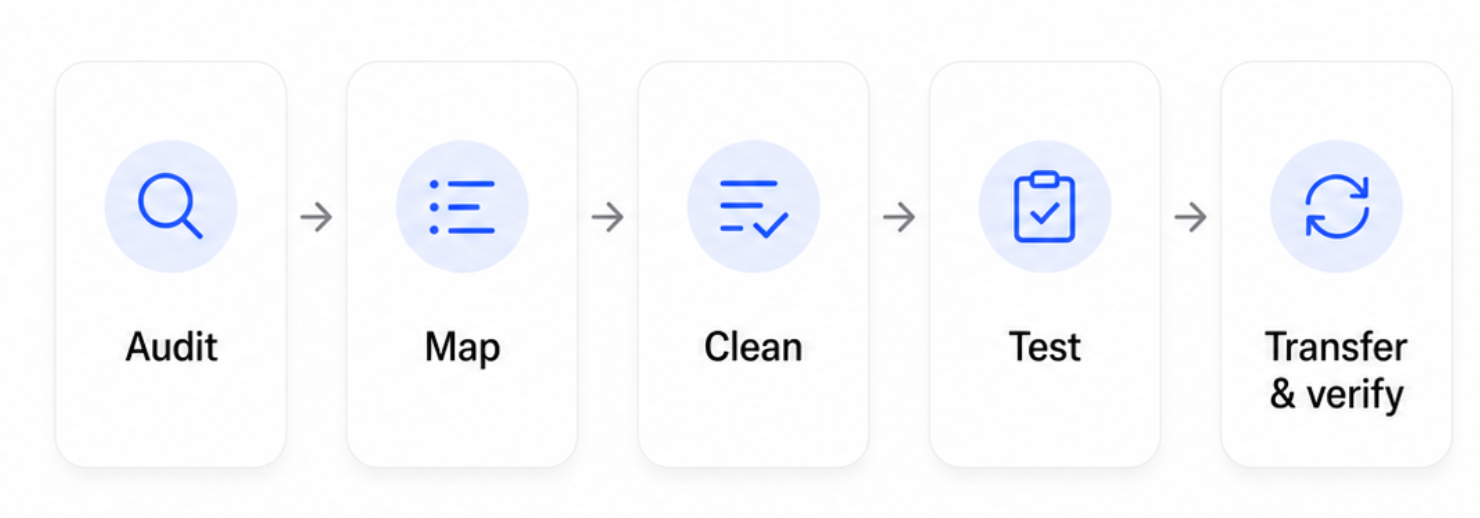
At a high level, a CRM data migration checklist comes down to five moves:
- audit and decide what to keep,
- map old fields to new,
- clean the records,
- test on a sample,
- then transfer and verify.
Run them in that order and the rest of the project takes care of itself. Skipping straight to the import is the shortcut that reliably costs you data.
Migration best practices and common challenges
A few CRM migration best practices separate the smooth moves from the painful ones:
- Clean before you move. Migrating dirty data just relocates the problem.
- Map first, import second. Know where every field lands before you press go.
- Test on a sample. A test migration surfaces mapping errors while they're cheap to fix.
- Keep a backup. Your export file is your undo button.
- Avoid your busy season. Pick a quiet stretch, far from quarter-end.
- Communicate early. A team that knows why and when adopts faster.
The common challenges are predictable: duplicates and missing data, fields that don't map cleanly, lost deal history, broken integrations, and a team that quietly keeps using the old system. Every one of these is easier to handle inside the plan above than as a surprise after go-live.
Most migration challenges trace back to rushed prep.
The import itself rarely fails! The success of your migration is decided in weeks 1 and 2, long before you press import. Watch manual data entry in the first weeks on the new system too, because old copy-paste habits can re-dirty a clean database fast, and re-test every connected tool before you flip the switch, since broken integrations show up at the worst time.
Above all, give the move a real owner and a real deadline. A migration that's someone's side project drifts for months, while one with a name and a date attached gets finished.
How long does a CRM migration take?
It depends on data volume and complexity.
A small business moving to a new CRM with clean records and a single source can finish in the 4 weeks above, sometimes less. A larger organization consolidating several systems with messy, complex data should plan for 8 to 12 weeks.
The duration is driven less by the import, which is fast, and more by the cleanup and testing around it. Week 2 may feel slow, but that's the week that saves you months of rework.
Migrating to Capsule
If your new CRM is Capsule, the move is built to be simple. You can import contacts, companies, and opportunities from a spreadsheet, so your cleaned export file goes straight in. Capsule's custom fields and DataTags recreate the data structure from your old CRM, so the fields you relied on come across intact.

You don't need an expensive migration service to get started. The free plan lets you run a test migration with a sample before you commit, and Capsule's support team helps when you hit a snag. Map your old fields, import in order, and verify – the same plan as above, in a system designed to be easy to adopt. For email and marketing, Transpond connects so your contacts power campaigns from day one.
The import is the migration tool, and you can drive it yourself in an afternoon. A safety net comes built in: anything removed during cleanup can come back with restore from trash, and powerful search makes the post-import spot-checks quick. Your data also stays portable after the move. One-click export means it's yours to take at any time, which is exactly the standard you should hold any CRM to after going through a switch once.
Switch with confidence
A migration is a project you run once and benefit from for years: audit and decide, map and clean, test and transfer, train and go live. Plan your 4 weeks and start with the audit – the system you land on will be cleaner than the system you left.