
Your CRM knows which customers need attention, how much business is in your pipeline and what happened during the last sales call. Getting that information into another tool, however, has traditionally involved searching through records or copying details between applications.
Model Context Protocol (MCP) changes how AI assistants interact with that information. It allows compatible AI tools to access CRM data and perform supported actions through a shared connection standard.
The real value for small businesses comes from making CRM data easier to access. Sales teams can ask about their pipeline in plain English and get answers grounded in the information they've already collected.
Quick answer: MCP stands for Model Context Protocol, an open standard that connects AI assistants to external software. In a CRM, MCP allows tools such as ChatGPT and Claude to retrieve customer information and, where supported, create or update records through natural-language requests.
What is Model Context Protocol (MCP)?
Model Context Protocol is an open standard for connecting AI applications to external data sources and tools.
Without an integration, an AI assistant generally has no direct access to the latest information in your CRM. You might need to explain your pipeline, paste in customer notes, or upload a spreadsheet before it can help.
MCP provides a structured way for the assistant to request that information from connected software. It can also make actions available, such as creating a contact or logging a note, depending on the CRM's implementation and your permissions.
You don't need to learn the technical details to use it. Once your CRM and AI assistant are connected, you can make requests in everyday language.
For example:
"Which opportunities worth more than $5,000 are expected to close this month?"
A question that once meant opening several CRM records can become a quick conversation. Your AI assistant finds the matching deals and explains what stands out.
MCP doesn't replace your CRM database. Your customer records still live in your CRM, while the AI assistant uses the connection to access relevant information.
How does MCP work with CRM software?
An MCP connection involves three main components: an AI assistant, an MCP server and the CRM application.
Each component has a specific role in the connection:
- AI assistant: Understands your request and decides which tools to use. Examples include ChatGPT and Claude.
- MCP server: Makes approved CRM functions available to the assistant. Capsule's MCP server is one example.
- CRM application: Stores customer information and processes supported requests. In this case, that's Capsule CRM.
The assistant interprets what you're asking, the MCP server provides access to the available functions and your CRM handles the underlying data. What the assistant can retrieve or change depends on the permissions and capabilities of the connection.
The process is easier to understand with a sales example.
Let’s say that you're preparing for a customer meeting and want to know about the latest interactions with an account.
- You ask your AI assistant to summarize the account's recent activity.
- The assistant identifies which CRM tools it needs.
- The MCP connection retrieves the relevant records, subject to your access permissions.
- The assistant uses the returned information to prepare a summary.
- You can ask follow-up questions without having to search through each CRM record yourself.

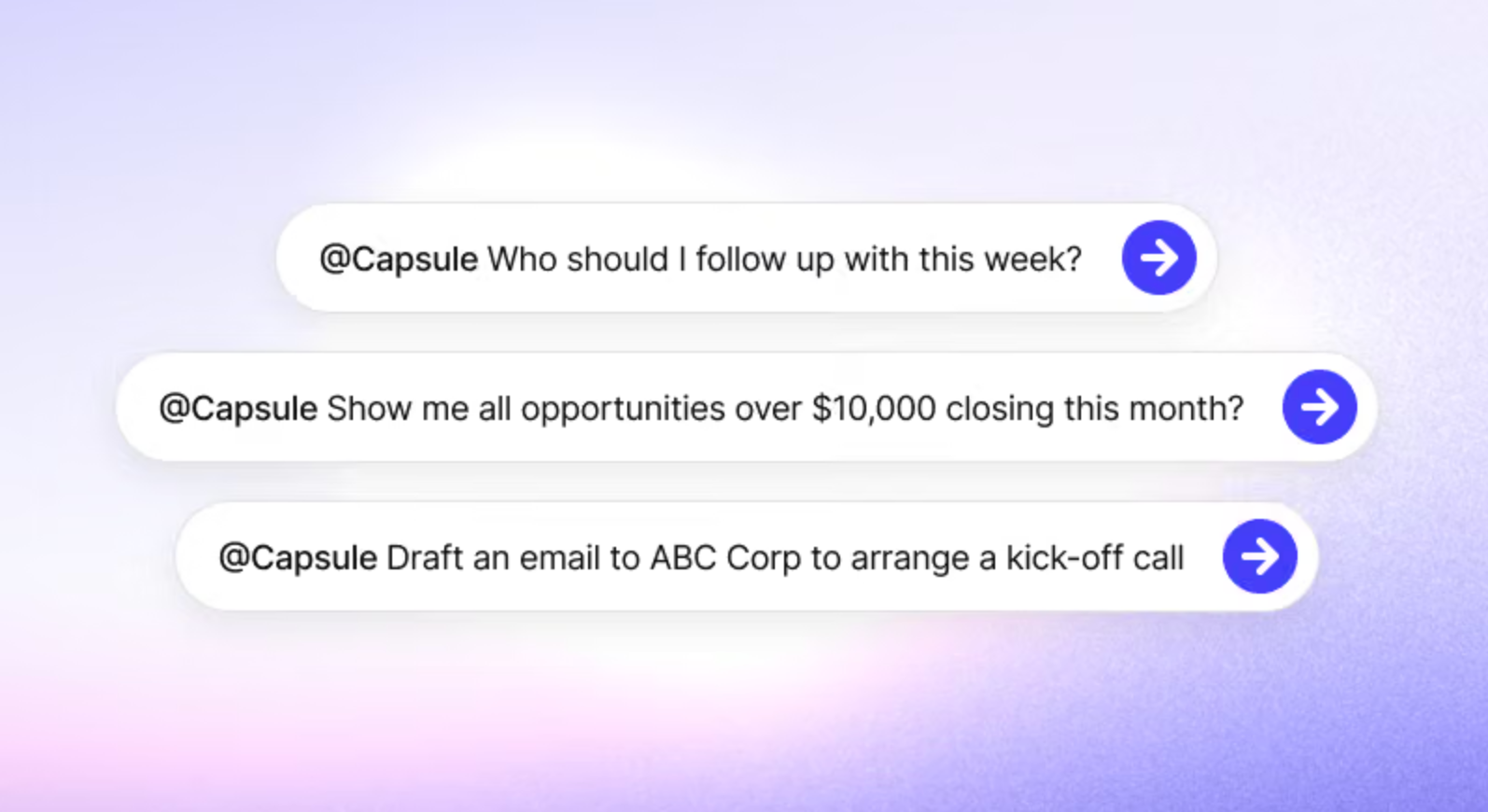
An important distinction is that MCP provides the connection. The AI assistant still needs to interpret your request correctly, and the CRM determines which data and actions are available.
For example, a CRM might let an assistant read opportunity details but restrict which existing fields it can change. Having an MCP connection doesn't automatically mean the assistant can edit every record.
What can you do with an MCP-enabled CRM?
CRM MCP integrations can support several everyday activities. Their exact capabilities depend on the CRM provider, the connected AI tool and the permissions granted.
#1 Get the customer information you need in seconds
Sales details aren't always in one place. Before following up, you might need to check past conversations, outstanding tasks, or open deals. With MCP, your AI assistant can pull everything together in one request.
For example:
"Summarize our relationship with Acme Corp, including recent notes, open opportunities and outstanding tasks."
The assistant can draw on the records available through the connection to create a more focused account briefing.
When several people manage the same account, anyone joining a customer conversation can quickly catch up using the CRM history, without asking colleagues for a full rundown.
Good contact management still matters, of course. An AI assistant can only retrieve information that exists and is available through the connection.
#2 Review your sales pipeline
Pipeline reviews are another natural use case because they often involve asking similar questions each week. An MCP-enabled assistant can help you investigate opportunities by value, owner, expected close date or other supported criteria.
Try asking:
- "Which opportunities are expected to close this week?"
- "How much potential revenue is in our current pipeline?"
- "Which accounts have had no logged activity for 60 days?"
- "Show me opportunities above $10,000 that are still in the qualification stage."
An AI assistant can turn CRM records into clear summaries and answer specific questions. It also helps your team get more value from existing sales pipeline data.
#3 Create records and log follow-up activity
Some CRM MCP connections also let AI assistants create or update records. After a discovery call, you could ask:
"Create a contact for Sarah Jones at Brightwave, add my meeting notes and set a follow-up task for Friday."
If the connection supports these actions, the assistant can update your CRM directly. You can then review the changes.
For Capsule users, this extends to creating contacts, opportunities, projects, notes and tasks. Capsule MCP can also update values in existing Custom Fields, although it doesn't support unrestricted editing of all record details.

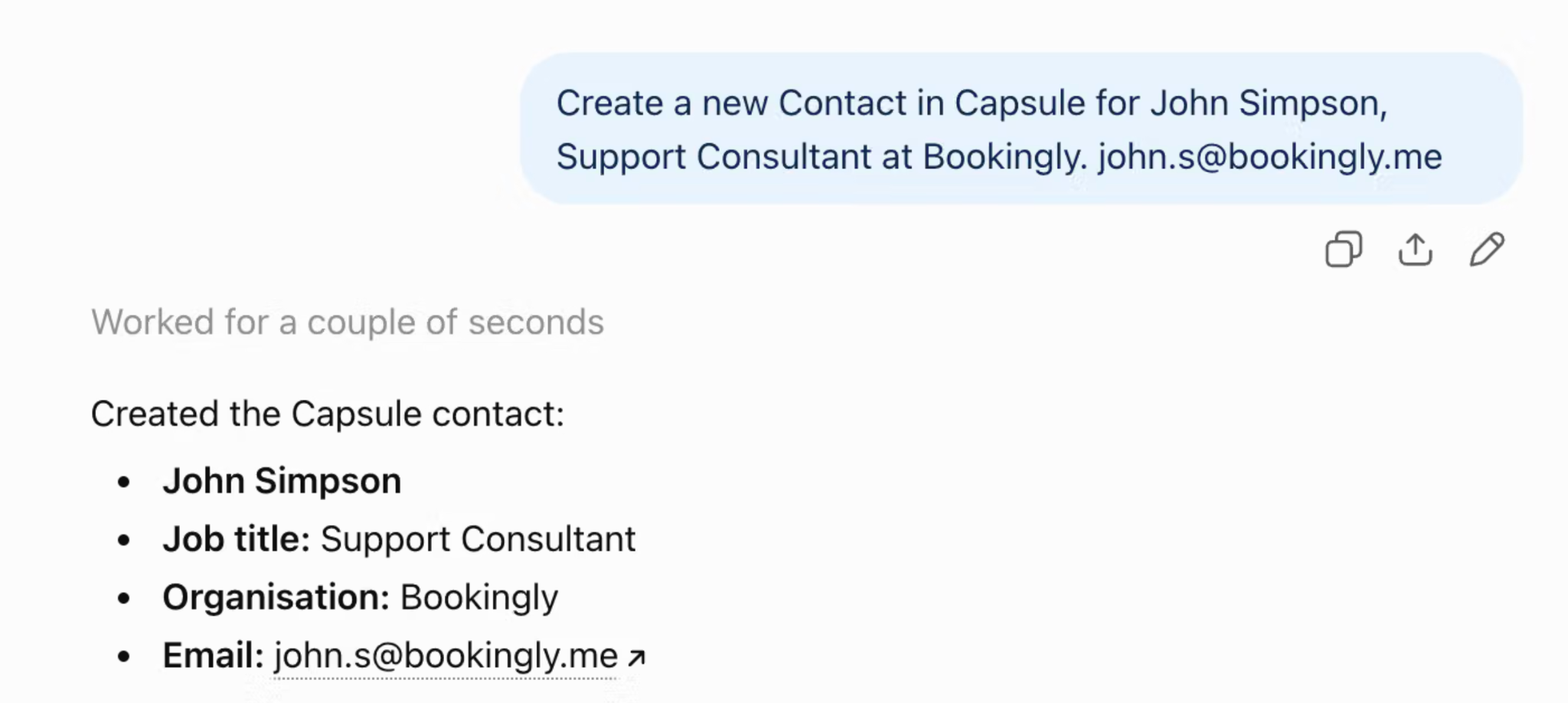
Whether an assistant can change existing records depends on the particular integration. MCP support should never be interpreted as unlimited editing access.
For businesses already using CRM tasks and calendars, the benefit is being able to create follow-ups while working in an AI assistant, with the resulting tasks stored in the CRM.
#4 Prepare for customer meetings
Got a customer call tomorrow but can't remember where you left off? Let your AI assistant catch you up.
Ask:
"I'm meeting Acme Corp tomorrow. What did we discuss last time, which deals are still open, and what needs my attention?"
Your assistant can check CRM records and flag pending proposals, overdue tasks or questions from previous calls.
It's a quick way to prepare, especially when you manage several accounts. Just double-check important details, such as pricing and deadlines, before the meeting.
MCP vs API: what's the difference?
MCP and APIs are related, but they serve different purposes.
An API allows software systems to exchange information or perform defined operations. Developers commonly use APIs to create integrations between applications.
MCP provides a standardized interface through which AI assistants can discover and use tools exposed by connected systems. An MCP server may use the CRM's API behind the scenes, but the user can interact with the assistant through natural language.
The main difference is how you interact with the software.
Traditional CRM APIs connect software systems through predefined endpoints and programmed requests. Developers use them to build integrations, automate workflows and exchange information between applications. Reading or changing CRM records depends on the API endpoints and permissions available.
CRM MCP connections give AI assistants a standardized way to discover and use approved tools. Instead of programming each interaction yourself, you can make a natural-language request and let the assistant determine which available tools to call. Access still depends on the functions exposed through the MCP server and your CRM permissions.
For routine integrations that follow predictable steps, a traditional API is often the better fit. MCP is particularly useful when you want an AI assistant to handle different requests without building a separate interface for each one.
Adding a new lead to your CRM can happen in different ways. A traditional API integration follows a predefined workflow, such as creating a contact after someone submits a website inquiry. MCP takes a more conversational approach. You ask an AI assistant to create the lead, and it uses the available CRM tools to complete the request.
APIs are well suited to routine processes, while MCP gives AI assistants the flexibility to handle different requests. Both can work alongside CRM automation, depending on what your team needs.
Is MCP secure for customer data?
Connecting AI to customer information deserves careful attention. A CRM may contain personal details, commercial agreements, and confidential notes that shouldn't be available to everyone.
Security depends on the provider's implementation, its authentication methods and the permissions assigned to users.
Before enabling a CRM MCP connection, check how users authenticate, which records they can access and whether the assistant can create, update or delete information.
A few questions are worth answering:
- Does the AI assistant follow each user's existing CRM permissions?
- Can users approve actions before changes are made?
- Which records and fields can the assistant update?
- Can administrators revoke access when needed?
- How does the AI provider handle data retrieved from connected applications?
For example, Capsule MCP respects existing Capsule user permissions. The assistant can only access records available to the authenticated user, and the ChatGPT integration offers controls over action approvals.
You should also review the AI provider's data-handling policies and approval settings. Access controls within the CRM are important, but they don't replace your responsibility to manage customer data appropriately.
How does Capsule MCP work?
Capsule CRM has its own MCP server, allowing supported AI assistants to access CRM information through an authenticated connection.

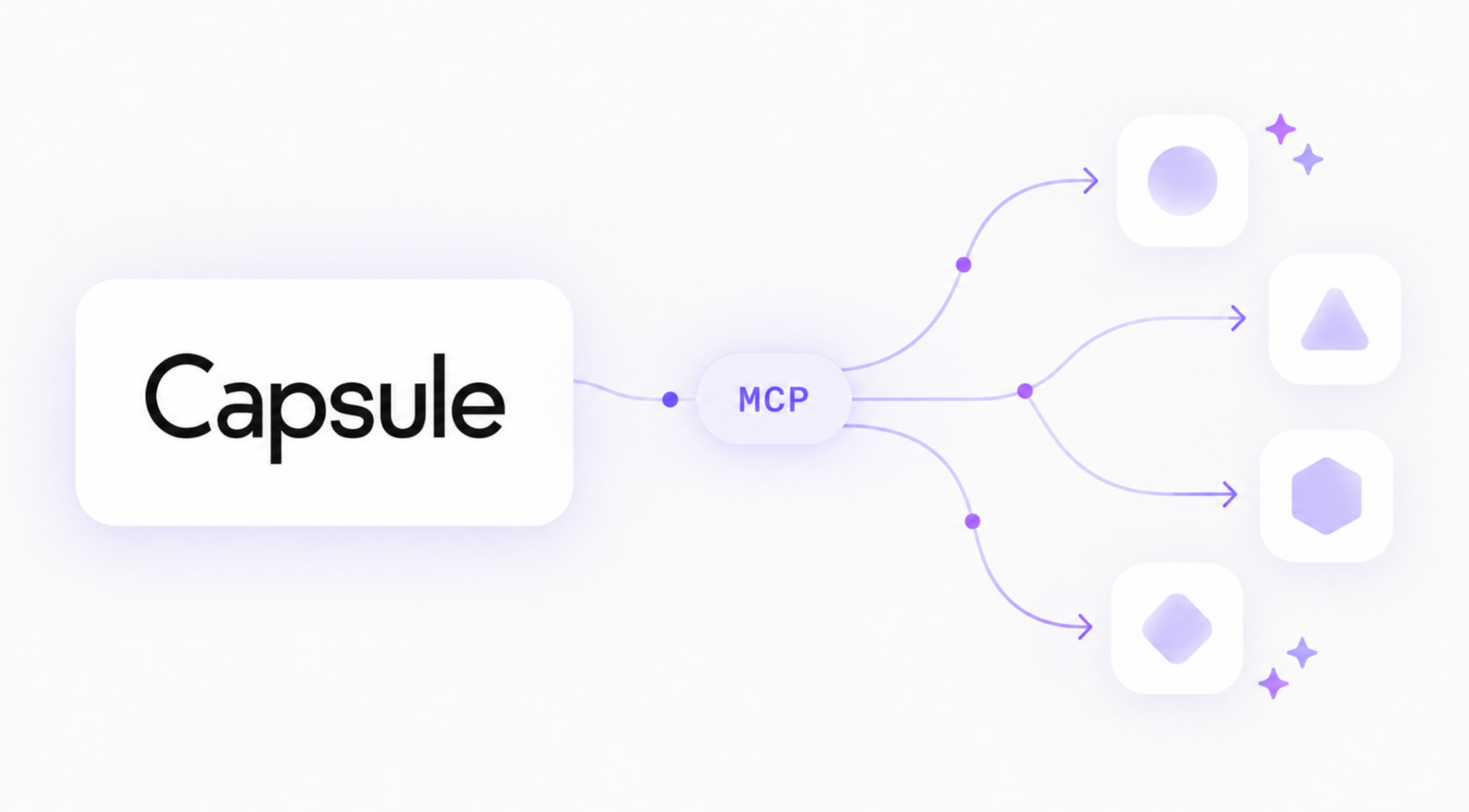
Once connected, you can ask questions about Contacts, Opportunities, Projects, Tasks and other supported areas of your account.
Capsule also supports selected write actions. Depending on the tool, you can create contacts, opportunities, projects, tasks and notes, or update existing Custom Field values.
Capsule MCP supports several common CRM activities, although some changes to existing records remain restricted.
What you can do with Capsule MCP
- Find contacts: Search for and retrieve existing contact information.
- Review your pipeline: Access opportunities and their associated details.
- Check tasks and activity: Retrieve tasks and logged CRM activity.
- Create records: Add new contacts, organizations, opportunities, projects and tasks.
- Add notes: Record notes against supported CRM records.
- Update Custom Fields: Change values in existing Custom Fields where supported.
What Capsule MCP doesn't currently support
Some record management operations aren't available through the connection. For example, you can't rename existing contacts, change record owners or delete existing CRM records through Capsule MCP.
These restrictions matter when deciding which workflows to automate. You can use an AI assistant to create new records or update supported Custom Fields, but broader changes may still require working directly in Capsule.
Capsule deliberately limits certain write operations. Updating a Custom Field value, for example, is different from having permission to change every property of a contact or opportunity.
You can see the supported operations in Capsule's AI Connectors Tool Reference.
How can you connect an AI assistant to Capsule?
Capsule offers an official ChatGPT integration that lets you ask questions about CRM records and perform supported actions through ChatGPT.
After connecting and authorizing your Capsule account, you can ask the assistant to find customer information, review your pipeline or create supported records.
Capsule also provides MCP connection options for Claude and other compatible AI clients. Setup and availability can vary depending on the client and the connection method.
The AI Connectors functionality is available on Capsule's Growth, Advanced and Ultimate plans. For detailed setup instructions, follow the guide on how to connect ChatGPT to Capsule CRM.
If you'd like to learn more about the original release, Capsule also explains the thinking behind the technology in Introducing Capsule MCP.
Do small businesses need MCP in their CRM?
Not every small business needs MCP today, but that's changing fast. As AI assistants become part of everyday work, connecting them to business tools is becoming more relevant.
MCP adoption is already growing rapidly. In July 2026, the official Model Context Protocol project reported nearly 500 million SDK downloads per month, up from more than 97 million in December 2025. These figures measure developer activity, not the number of businesses using MCP, but they show how quickly the ecosystem is expanding.
For small businesses, the appeal is simple: less time spent searching through CRM records and more direct access to customer information. A sales manager can review pipeline activity before a meeting, while an account manager can catch up on a customer's history in seconds.
Still, MCP is only as good as the data it can access. Missing notes, outdated contacts and incomplete deal records can lead to incomplete answers.
Our advice? Start small. Pick a task you do regularly, such as preparing for customer calls, and test how well an AI assistant handles it through your CRM connection. As MCP support expands, you'll have more opportunities to bring AI into your existing workflows.
There's no need to change how your entire team works overnight.
Bringing AI closer to your customer relationships
MCP gives businesses another way to work with CRM information. You can continue managing customer relationships in your CRM while using an AI assistant to access data and complete supported tasks.
For Capsule users, that means being able to explore customer information, review sales opportunities and create selected records directly from tools such as ChatGPT.
Your CRM remains the home for customer information. MCP simply makes it possible to interact with that information in a different way.
Interested in trying it? Explore the Capsule CRM and ChatGPT integration to see how you can ask questions about your customer records and manage supported CRM activities through natural language.