Service businesses often lose time searching for the last job note or the status of an ongoing call. That single gap can stall a project or trigger a chain of follow-ups your team doesn’t have the bandwidth for.
Unfortunately, no business grows through guesswork. Fortunately, a CRM removes that friction.
With 2026 bringing tighter schedules and more automation across service work, that kind of structure becomes a quiet advantage: the difference between reacting late and staying ahead.
If your service business runs on calls, visits, and quick decisions, the right customer relationship management software keeps everything moving. Today, we'll show you the shortlist worth your time.
What to look for in a CRM for a service business
Contact & client history management
Nothing slows a service team down faster than hunting for the last conversation or service note. A single view supports personalized service and helps teams avoid mix-ups that damage customer satisfaction. Strong contact management also reduces the need for manual data entry.
Pipeline or workflow management
Service companies don’t think in “deals”; they think in stages of work. A good CRM should map the real flow: prospect → onboarding → service delivery → follow-up or renewal. Drag-and-drop custom workflows help you stay on top of every step. This improves handovers and gives teams key insights into bottlenecks that slow projects down.
Task & appointment scheduling
Most service teams run on calendars. When appointments get out of hand, clients notice sooner than you think. Look for a CRM that lets you schedule appointments, assign jobs, set reminders, and plan recurring tasks all in one place. Strong scheduling tools keep your service teams aligned and support predictable delivery across multiple channels.
Team collaboration & shared visibility
Service work often passes from one team member to another: sales reps, coordinators, technicians, and account managers. A good CRM platform gives everyone shared access to customer information, status updates, and notes. This is how teams avoid the classic “Who last spoke to them?” confusion and build stronger customer relationships through handovers.
Automation capabilities
Repetitive tasks drain hours: onboarding emails, follow-up pings, task creation, and reminders. Modern CRM solutions reduce the load with built-in automation. Automating small steps across the sales pipeline and service delivery helps maintain consistency.
Scalability, integrations & flexibility
Service-driven industries evolve fast. A CRM must adapt as you add more clients, more staff, more files, and more tools. Look for integrations with email, calendars, project management, accounting, and communication apps. As your business grows, you’ll want a unified platform rather than a stack of disconnected tools.
Ease of use & affordability
Complicated software kills adoption. A user-friendly CRM with a free plan or simple pricing works better for service businesses that don’t want a steep learning curve. Easy onboarding and intuitive navigation help teams spend more time delivering work and less time learning software. Tools that minimise friction support business growth without adding operational drag.
Data security and compliance
Service businesses hold sensitive customer details, from contact data to service records. A CRM must protect all the data you store: with secure access controls, proper permissions, and compliance frameworks. When customer interactions and CRM records are handled safely, you reduce operational risk.
Best customer relationship management tools for a service business
Capsule CRM
When you run a service-driven company, you need a CRM that helps you deliver on promises, not just chase sales. Capsule hits that sweet spot. It gives you the core CRM tools, so you and your team can stay responsive and client-focused.
Features for service businesses
Contact & interaction history
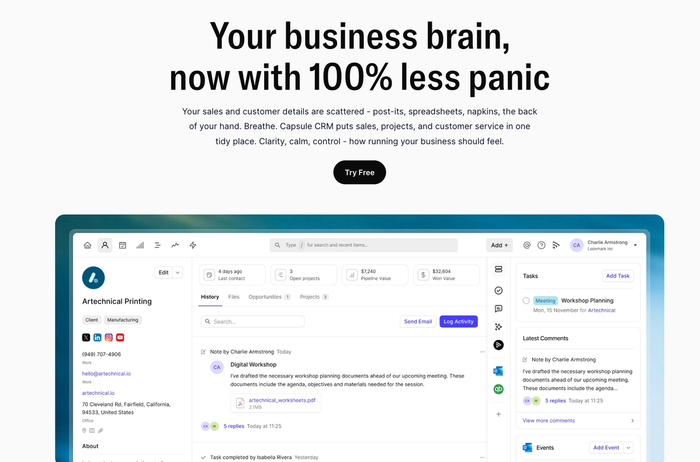
Capsule stores full client records with contact details, emails, notes, files, and activity logs. Every interaction stays attached to the customer profile. Team members gain instant access to service history without digging through inboxes or shared folders.
Use case: When a client calls with a past issue or renewal request, the full context appears at once.
Custom pipelines and service workflows
Capsule offers visual pipelines with drag-and-drop stages and lets you model workflows that fit your business model. Workflows match real service delivery, not only deal closing. Stages can reflect onboarding, active service, review, renewal, or long-term account management. You can build a custom pipeline such as: “lead → onboarding → service delivery → follow-up/renewal.”
Use case: A consulting firm can track prospects through onboarding and move active clients through delivery and review stages without creating parallel systems.
Task & appointment scheduling
Built-in task management covers deadlines, reminders, repeating tasks, and calendar views. Recurring work stays visible for everyone in the team.
Use case: A maintenance company schedules quarterly checkups early –> the system surfaces tasks automatically.
Automation & consistent follow-ups
Capsule supports automated tasks, follow-up triggers, and email workflows. Repetitive steps move forward with no manual input.
Use case: After closing a service job, a follow-up task appears automatically for a satisfaction check. Retention improves through regular contact.
Ease of use for small service teams
Capsule focuses on fast setup and clean navigation: teams can learn the interface quickly, and daily use feels natural rather than forced. A free plan supports early-stage operations.
Use case: A growing agency adds new hires with zero weeks of training or dependency on external support.
Scalability and integrations
Capsule connects with common business tools such as email, accounting, calendar, and automation platforms. Pipeline depth, user access, and data volume expand as operations grow – platform limits rarely force early migration.
Use case: A small service firm grows into a multi-team operation without replacing its CRM stack.
Balanced setup without enterprise overload
You get the essentials: contact database, pipeline, tasks, email integrations... but not the heavy, confusing system that many enterprise CRMs bring.
That makes Capsule a balanced fit for service businesses that value clarity and flexibility.
Service companies rely on history, timing, handovers, and recurring work. Capsule supports all four without forcing teams into sales-first logic.
It’s a compact but capable CRM platform that helps service teams grow with no unnecessary friction.

Zoho CRM
Zoho CRM offers a solid CRM system that many small and mid-size service businesses turn to for managing leads and customers.
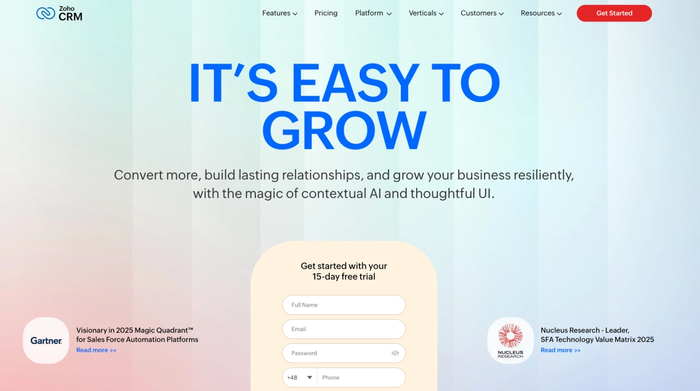
Accessible via both browser and mobile, Zoho keeps your contact data available anytime, anywhere.
Key features for service businesses
- Lead and contact management with full customer data storage. Zoho organizes leads, contacts, deals, and communication history in one place, letting teams track interactions and service history from a unified database.
- Pipeline and sales process customization. Users can map a workflow or sales pipeline that matches their business flow, moving opportunities through stages from prospecting to service delivery or follow-up.
- Integration and ecosystem connectivity. Zoho CRM integrates with many third-party tools and other apps in the Zoho suite, which supports broader operations beyond just CRM; helpful when you need more than basic contact tracking.
Considerations
- The free plan is limited. It can work for very small teams or as a test CRM, but you’ll likely need a paid tier to unlock full functionality.
- Because Zoho offers many CRM features, the initial setup and customization can feel complex and may require time before the platform fits your exact service workflows.
- Some advanced or AI-powered features (like predictive analytics or automation) may only be available in higher plans, which can increase cost if you need those capabilities.
- As features expand, the interface and settings can feel overwhelming, especially for teams new to a CRM: adoption requires effort and maybe dedicated training.
Zoho CRM works well for small to medium service businesses seeking an affordable, full-featured CRM system that supports customer data and growth over time. However, if you value a simpler CRM with less overhead, Capsule may offer a more service-oriented experience.
HubSpot CRM
HubSpot CRM delivers a powerful free CRM platform that many service businesses use as a starting point.
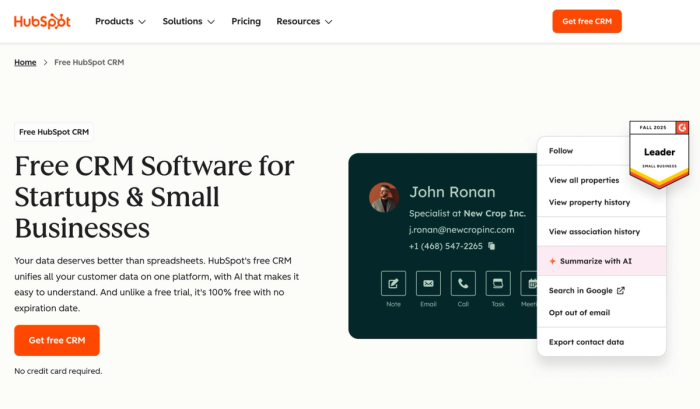
It offers a unified view of contacts, deals, and interactions: handy for teams that deal with many clients or projects.
Key features for service businesses
- Free CRM plan with generous limits. HubSpot allows unlimited users and up to a million contacts in its free tier, helping small service teams build a customer database without upfront cost.
- Unified customer data and centralized CRM data storage. All interactions, contact history, deals, and company details live in one place.
- Pipeline and task management for sales and service workflows. You can configure pipelines or ticket-type flows to track leads or service requests and move them through stages.
- Marketing automation and support for marketing campaigns. Basic tools like email marketing, live chat, landing pages, and tracking help service businesses run outreach and nurture clients directly within the CRM.
Considerations
- Limited advanced features on the free plan. Automation, custom reporting, and more advanced CRM functionality require paid hubs or plans, which can quickly raise costs.
- Free features come with branding and usage caps. Emails and landing pages in the free plan carry HubSpot branding, and email sends or marketing limits may constrain aggressive campaigns.
- It can get expensive as you scale. As you add users, contacts, and require more advanced tools, HubSpot’s subscription costs rise, which may challenge small or mid-size service firms on tight budgets.
- Some complexity when customizing workflows or expanding functionality. Initial setup and handling more advanced features takes more effort and may introduce a steeper learning curve.
HubSpot CRM works well when you want a widely used, free CRM system that supports lead management and basic service workflows. For a service business prioritizing simplicity and light-footprint CRM, Capsule tends to deliver more tailored ease and fewer growing pains.
Nutshell CRM
Nutshell CRM delivers a simple but solid sales-oriented CRM system that many small to mid-size teams appreciate.
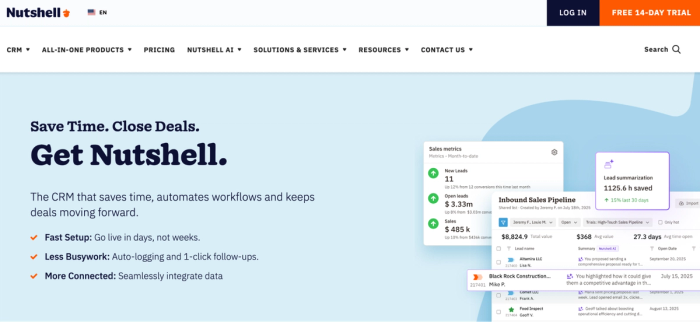
Acting as a single source of truth, it combines the history of interactions and pipeline visibility to ensure sales teams are always on track.
Key features for service businesses
- Unified customer data and contact management. Nutshell stores leads, contacts, companies, and full interaction history in one dashboard.
- Email & outreach automation plus marketing-adjacent tools. Built-in email syncing, templates, sequences, and even marketing automation features allow for consistent client communication.
- Reporting dashboards and analytics for team performance & insights. Nutshell offers reporting and sales data insights so teams can monitor progress and make data-driven improvements.
Considerations
- No free CRM tier for long-term use. Nutshell requires paid subscription plans to unlock most of its core functionalities, so it may not be ideal for freelance-scale or bootstrapped service providers.
- Customization and advanced workflows are limited. For businesses needing complex service workflows or multiple pipelines, Nutshell can feel restrictive compared to more flexible CRM platforms.
- Lacks built-in project management or invoicing capabilities. Tasks beyond contact and pipeline management (like project tracking or quoting) often require external tools.
- Reporting depth and marketing-automation power are basic compared with larger platforms. Teams focused on intricate segmentation, deep analytics, or full-scale marketing campaigns may find Nutshell’s features a bit lightweight.
Nutshell CRM effectively supports smaller sales teams that need their pipelines and contact data to be neat and tidy. For service businesses, however, Capsule is often a better long-term choice because it offers broader business CRM functions.
Nimble CRM
Nimble CRM offers an easy-to-use platform that many small teams lean on when they care about relationships more than heavy sales machinery.
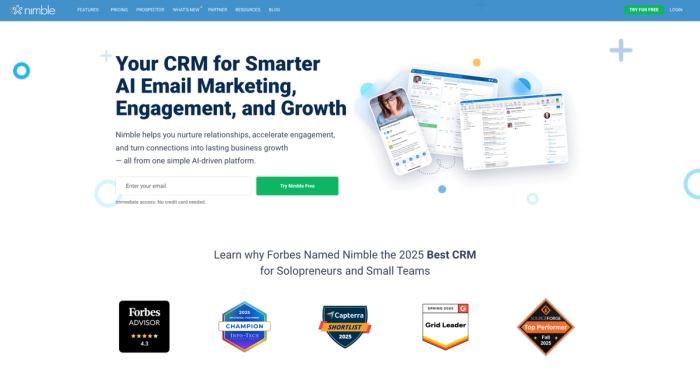
Contact history, emails, and social notes are instantly accessible in a central repository, so your team gains a 360-degree view of every client.
Key features for service businesses
- Custom pipelines and deal tracking fit for smaller workflows. Visual pipelines and deal tracking tools help manage leads or service requests with clarity and simplicity.
- Automation for follow-ups, email sequences, and outreach. Built-in workflow tools, email sequences, and task automation help ensure clients get timely, personalised communications.
- Social-media and enrichment integrations for richer contact context. Nimble pulls extra data from social profiles and web sources for improved customer relationships.
Considerations
- Costs start from a paid subscription. Unlike some free CRM options, Nimble charges per user, which can limit bootstrapped teams.
- Limited advanced reporting and automation compared to enterprise CRMs. Nimble's capabilities may prove too basic for organizations that rely heavily on in-depth data analysis.
- Storage and contact limits unless you pay more. Basic storage and record limits can be restrictive for businesses with large client bases.
- Not ideal for heavy project management or support-ticket workflows — For service businesses needing complex project tracking or customer-support flows, Nimble may require additional tools.
For small and mid-sized teams that need to organize contacts and manage a simple pipeline, Nimble is suitable. But when a business prioritizes streamlined service workflows and needs CRM functionality tailored for service delivery, Capsule offers a much better, more focused solution.
monday CRM
With its highly visual interface and inherent flexibility, monday CRM offers a solution that is widely favored by small and medium-sized businesses.
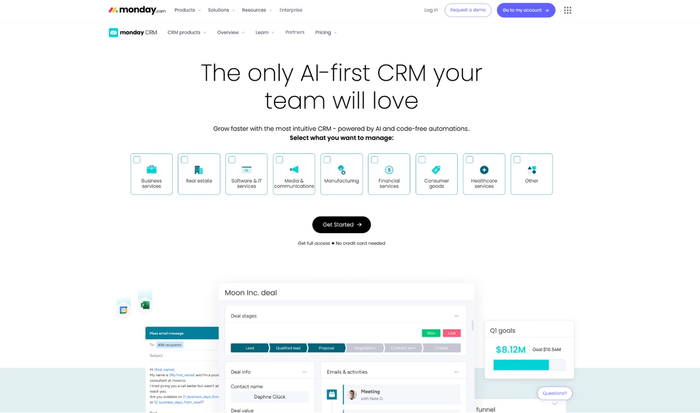
Most of your customer and sales data lives in one simple, central place with monday CRM.
Key features for service businesses
- Pipeline builders and workflow flexibility. You can build custom pipelines or workflows to reflect real service steps, not just traditional sales funnels.
- Automation and task routing. Built-in automations assign leads or tasks, trigger reminders, sync emails, and reduce manual follow-ups.
- Dashboarding and reporting for team performance and business insights. Dashboards and real-time analytics show where deals stand, track team activity, and surface insights that support smarter operations.
Considerations
- No truly free CRM for long-term use. monday CRM requires at least a paid plan; its free trial or minimal user options don’t support larger teams or serious growth.
- Some advanced features are only with higher tiers. Features like full automation, advanced reports, or integration depth may only unlock if you upgrade beyond basic plans.
- Initial setup and customization might take time. Custom workflows and adapting boards to service-oriented processes occasionally require effort and configuration before smooth use.
- Less “out-of-the-box” service-CRM focus. monday CRM blends project- and sales-focused features, which may feel like extra overhead if you only need a lean CRM for client contact.
Choose monday CRM for its flexibility and visual tools that help small teams manage contacts and various operations. Opt for Capsule if you need a streamlined, service-centric system that offers minimal setup and stronger scalability.
Questions to check before committing to a CRM
- What will this CRM help me store and track: will it hold all your customer data (contacts, history, interactions, notes, calls)?
- Which business functions will use the CRM (only sales, or also support, service delivery, marketing, and follow-ups) e.g., can it support sales operations and ongoing service workflows?
- How will the CRM help with customer segmentation? Can you group customers by type, contract, services, frequency to support personalized care or follow-up campaigns?
- Will the CRM support personalized communications and follow-ups (emails, reminders, phone calls)?
- Which popular CRM features does it offer beyond contact storage: pipeline/ workflow tracking, task scheduling, automation, reporting, integration with other tools?
- How easy is it for a small business or a small team to adopt and use the CRM?
- Can you start without heavy setup or training?
- Is the CRM scalable: able to grow with your business so you can drive business growth without migrating to a new system as you expand?
- Does the CRM give valuable insights and reporting dashboards to help you analyze performance, spot trends, and make informed decisions?
- What happens if your team grows or changes?
- Can the CRM handle more users, more data, or shifting processes without you losing track of clients or operations?
- What is the total cost (licences, upgrades, integrations) relative to your needs? Are you paying only for what you use, or overspending on tools you won’t need?
- Will using a CRM really help us move the needle?
Once you’ve answered those questions (and those answers are honest and clear) you’re in a good spot to move confidently forward with choosing a CRM. Once one or two tools pass that test, run a small pilot or trial, test with your actual client data and daily processes, and you’ll know which sales CRM meets your needs.
Over to you
Running a service business means handling calls, client requests, deadlines, follow-ups, client relationships, industry insights, marketing efforts, service history and team hand-offs every single day: too many moving parts for a complicated CRM to simplify. When the CRM itself adds complexity, it breaks workflows instead of supporting them.
That’s why a lean, well-designed CRM matters more than feature overload. For many service based businesses, Capsule CRM delivers the right balance: easy to use, strong contact and history tracking, flexible service-oriented workflows, and scalable CRM functionality that grows with your team.