
Most CRMs expect momentum to come from closing deals fast.
However, marketing agencies build momentum differently.
Work continues after the contract, clients stay involved, and priorities shift while campaigns run live.
That mismatch creates friction. Sales-first CRMs focus on pipelines and win stages, yet agencies spend their time managing relationships and delivery across months of active work. When a tool cannot reflect how campaigns evolve or how many people shape a single client account, it starts to work against the team.
Agencies also operate with moving parts that standard CRMs do not recognize. The system needs to remember history, not just outcomes.
This article looks past generic CRM feature lists. The focus stays on what actually supports agency work: long-term client relationships and workflows that help teams stay aligned while results take shape.
What a CRM for a digital marketing agency must do differently
Agencies usually realize something feels off long before they blame the CRM. Information has to be handled between tools. Context lives in people’s heads. Teams rely on Slack threads and memory to keep work moving. That friction is the signal, and a sales-shaped system sits underneath agency work.
Client-first structure, not deal-first pipelines
Most CRMs force agency work into deals that close and disappear. Retainers do not close, campaigns do not end cleanly. Clients stay active while scopes change. When everything revolves around a deal stage, ongoing work becomes invisible. A CRM for an agency needs to treat the client as the constant and the work as something that evolves around them.
Relationship depth over volume
Agencies rarely deal with one person per client. Stakeholders come and go while decision power shifts. Long conversations stretch across sales, delivery, and renewal phases. When a CRM optimizes for lead volume, it loses the thread that actually matters. Without deep relationship tracking, teams repeat conversations, miss signals, and rely on personal notes instead of shared understanding.
Campaign and delivery awareness
Many CRMs stop being useful the moment a contract is signed. Campaigns then live somewhere else, and delivery updates often move to project tools while the results sit in analytics platforms. That split creates blind spots. A CRM should hold campaign context, link conversations to outcomes, and show how work flows from sale to onboarding to execution without forcing teams to jump systems.
Lightweight workflows that match agency pace
Heavy automation sounds helpful until it slows everything down. Agencies move fast and adjust often. Overbuilt workflows lock teams into rigid steps that no longer match reality. Simple workflows win here. Clear onboarding flows, visible follow-ups, renewal reminders, and expansion signals support workflows instead of dictating them.
Clean reporting clients actually care about
Agencies do not struggle with a lack of data – they struggle with relevance. Endless dashboards distract teams and confuse clients. What works is clarity around progress, performance, and next steps. A CRM should support internal visibility while making it easy to surface the few insights clients actually ask about.
This framing matters because it filters tools early. A CRM that cannot handle these realities will always feel like friction, no matter how popular it looks on paper.
Best CRM for digital marketing agencies
Capsule CRM
Capsule CRM works especially well for agencies that need clarity around ongoing client work rather than sales milestones.
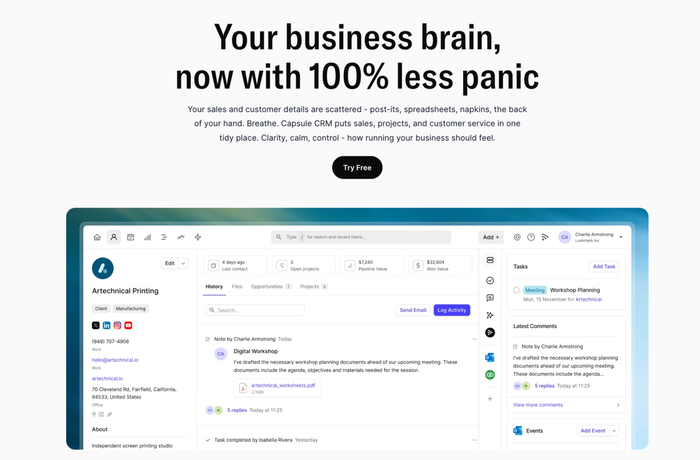
It feels light in daily use but deep enough to hold context that matters over weeks and months of campaigns.
What Capsule CRM delivers for digital marketing agencies
- True account focus. Capsule keeps everything connected to the client record, not to a disappearing deal. Agencies find it easier to track repeated interactions, requests, and campaign history in one place.
- Flexible workflow structuring. You shape pipelines around real agency processes instead of forcing work into a sales mold. That means onboarding flows, active campaign stages, and renewal steps that reflect how work actually unfolds.
- Inbox and CRM synchronization. Messages from Gmail or other mail tools flow into Capsule with context attached. Teams stop losing client replies or having important decisions siloed in personal inboxes.
- Actionable task context. Tasks in Capsule always link back to a specific client or opportunity. Team members see why a task exists and what came before, so follow-ups always make sense.
- Reporting that supports decisions. Capsule surfaces activity that influences client health and delivery pacing without overwhelming you with charts. Leaders get a clear view of where accounts stand and what needs attention next.
- Low maintenance, real usability. Capsule requires very little setup and stays simple as your agency grows. There’s no long onboarding just to start using it for real work.
Why agencies appreciate Capsule CRM
- Agencies value a CRM that reflects their ongoing work instead of treating clients like one-time transactions.
- Teams consistently note that Capsule never feels like it obstructs workflows, even when things shift mid-campaign.
- Users often say the interface stays intuitive as client lists expand, so adoption stays high without training overhead.
What users are saying about Capsule
Across reviews, there’s a repeated theme of relief rather than hype.
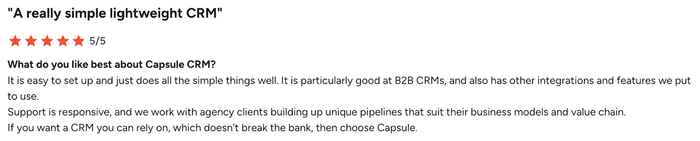
People highlight that Capsule feels intuitive from day one.
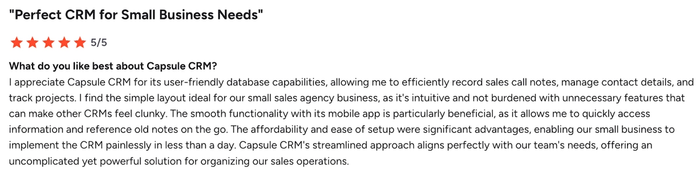
They speak about being able to use it daily without wrestling with clutter or excessive menus. Clients mention that support responds in a way that makes the tool more usable over time.
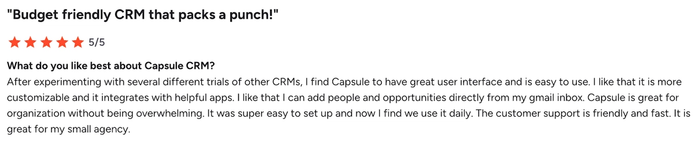
Those experiences underline how well Capsule fits teams that need reliable context and simple tracking without unnecessary complication.
Pricing that matches agency needs
Capsule offers a free tier so agencies can explore real workflows before committing. Paid plans stay grounded in value, not feature bloat, which matters for teams watching budgets. You only move up when real usage drives a need for expansion.
If your agency is tired of CRM systems that make work harder instead of clearer, give Capsule CRM a closer look. Its design supports client work from first contact through ongoing delivery, without slowing your team down.

HubSpot CRM
HubSpot is a free-firstfree-first CRM that helps marketing agencies organize customer data while scaling into more advanced sales and marketing workflows.
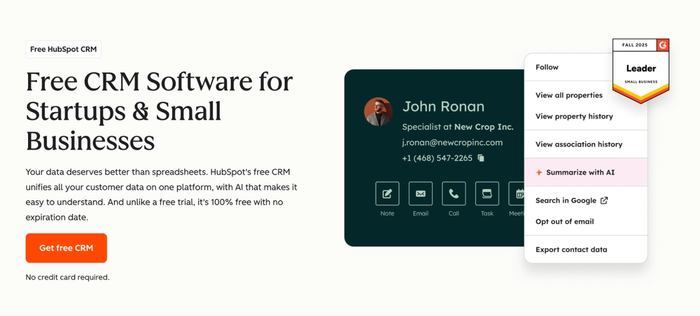
It starts as a lightweight system to capture leads and track interactions and can grow into a broader platform with marketing automation and deeper insights once you add paid hubs.
Pros for digital marketing agencies
- Generous free tier with real contact tracking. You can store and manage all your customer data without paying, keeping client interactions visible as you start building campaigns.
- Strong contact and deal visibility. Built-in tracking of contacts and pipelines helps teams see where potential customers are in the journey and keeps communication history in one place.
- Good foundation for automation. Once you upgrade, HubSpot supports visual workflow automations and email triggers that map to marketing activity rather than just sales tasks.
- Wide integration ecosystem. The platform connects with many third-party apps and tools agencies already use, so marketing efforts and client communication data stay aligned.
Cons for digital marketing agencies
- Feature limitations on the free plan. Core automation and reporting capabilities are restricted until you pay for higher tiers, which can slow down campaign work.
- Pricing scales quickly. Advanced marketing and sales automation tools sit behind much higher price points that can strain agency budgets as needs grow.
- Complex pricing structure. Add-ons and additional hubs make it harder to predict costs compared to simpler CRM solutions.
- It canCan be overkill for focused agency use cases. For teams that just need lightweight CRM and basic workflow automation, the broader HubSpot platform includes tools you might never use.
Pricing
HubSpot CRM pricing starts at zero cost forever, with core contact management available without expiry or seat limits. Paid plans begin at roughly $15–$20 per seat per month for starter functionality, with professional and enterprise tiers climbing into the hundreds or thousands per month as you add marketing automation or large contact volumes.
Zoho CRM
Zoho CRM is a flexible customer relationship management platform that helps marketing teams capture and track client data while coordinating sales and marketing efforts.
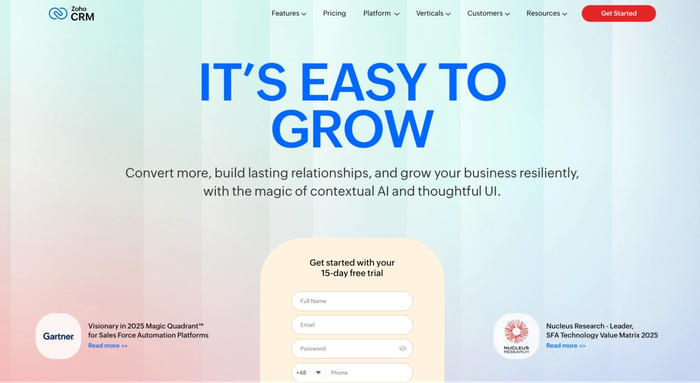
Agencies use Zoho CRM to manage leads, track client interactions, and automate routine processes like email follow-ups and workflows.
Pros for digital marketing agencies
- Built-in lead and contact management. Zoho CRM centralizes lead tracking so agencies can see all client data and interaction history in one system.
- Automation tools for repetitive tasks. Workflow automation and automated follow-ups reduce manual work, freeing teams to focus on campaign strategy.
- Customizable dashboards and analytics. Agencies get configurable reporting to understand pipeline status and performance trends.
- Wide ecosystem of integrations. The platform connects to email, productivity suites, and third-party apps so teams can keep tools in sync.
Cons for digital marketing agencies
- Feature distribution across tiers. Some marketing automation and advanced customization features sit only in higher-priced plans, which can limit agencies on tighter budgets.
- Learning curve for new users. With extensive capability comes complexity, and teams may need time to become proficient.
- Support quality varies by plan. Standard support can be inconsistent, and priority help often requires premium plans.
- Performance can lag under heavy use. Users in some reviews mention occasional slowdowns when handling large datasets or peak activity.
Pricing
Zoho CRM includes a free plan for up to three users with basic features. Paid plans start from about $14 per user per month on the Standard tier and scale upward with more capabilities in Professional, Enterprise, and Ultimate editions.
Pipedrive CRM
Pipedrive is a customer relationship management software built around visual sales pipeline tracking and activity-focused workflows that help teams stay on top of deals.
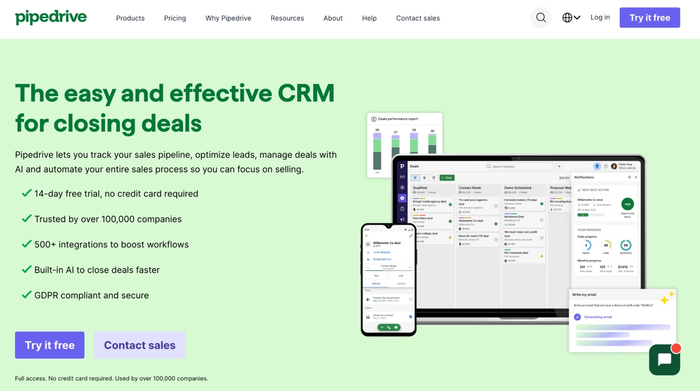
Many agencies turn to Pipedrive when they want clear visibility into lead movement and deal progress, but it started as a sales-centric CRM rather than a full marketing automation hub.
Pros for digital marketing agencies
- Visual sales pipeline makes lead movement obvious. Pipedrive’s pipeline view lets you follow prospects through stages with a drag-and-drop interface that keeps deal progress visible to everyone.
- Simple contact and activity tracking. You can record interactions and tasks against contacts so agency teams avoid losing context on client communication.
- Workflow automation reduces repetitive work. Built-in automations let you trigger actions like follow-up tasks so teams spend less time on manual reminders.
- Wide integrations with productivity tools. Pipedrive connects with many third-party apps for email, project work, calendars, and more, reducing friction across agency systems.
Cons for digital marketing agencies
- No free plan beyond trial. Unlike some crm platforms that offer a free forever tier, Pipedrive only provides a time-limited trial, so the ongoing cost is unavoidable.
- Not built with marketing automation at the core. Agencies that run advanced automated email campaigns or full marketing workflows may find the native tools limited compared to dedicated marketing automation platforms.
- Costs can rise with add-ons. To extend lead generation and campaigns beyond basic pipelines, you may need paid add-ons that push total spend higher.
- Focused more on sales than full agency operations. Project management and broader client service features are secondary to pipeline and deal tracking, which may lead agencies to supplement with other tools.
Pricing
Pipedrive does not offer a free plan after the trial period, but you can start with a 14-day free trial on any tier. Paid plans typically start around $14 per user per month for basic pipeline management and rise through higher tiers with more automation and reporting features.
Monday CRM
Monday CRM is a visual, customizable CRM built on monday.com’s Work OS that blends customer relationship management with team workflows and project context.
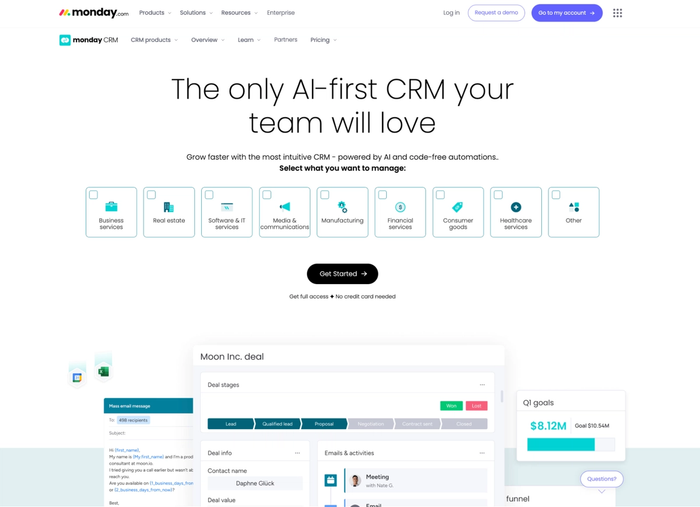
Agencies often pick Monday CRM when they want a system that tracks leads and sales funnels while also linking work to boards and workflows they already use across teams.
Pros for digital marketing agencies
- Flexible visual pipeline and boards. You can adjust the pipeline view to match how your agency manages leads and opportunities, making it easier to track status without rigid templates.
- Custom workflows that match agency processes. Monday CRM supports no-code automations so repetitive steps like moving leads or sending reminders can happen without manual oversight.
- Unified workspace for cross-team collaboration. Teams that handle client work, lead tracking, and project updates enjoy staying in one tool rather than switching between siloed apps.
- Real-time updates and dashboards. Customizable dashboards help account managers and sales reps see progress and bottlenecks as they happen, not after the fact.
Cons for digital marketing agencies
- CRM features can feel secondary to broader work tools. Because the platform spans project and ops use cases, the CRM may not be as deep in pure lead management as dedicated platforms.
- Advanced tools often require higher-tier plans. Some automation and reporting capabilities that agencies want live behind pricier Pro plans.
- No true free CRM plan beyond trial. You get a 14-day trial, but ongoing CRM use requires a paid subscription, which may not appeal to smaller teams.
- Learning curve with customization options. The flexibility that makes Monday CRM powerful can also take time to set up exactly right for both sales and delivery needs.
Pricing
Monday CRM pricing starts around $12 per user per month when billed annually, with more advanced plans near $17–$28 per user per month depending on features and automation needs. There’s a free trial to test Monday CRM before committing, but continued access to core CRM features requires a paid plan.
Copper CRM
Copper CRM is a cloud-based CRM software designed to help teams manage leads, track deals, and strengthen customer relationships with deep integration into Google Workspace.
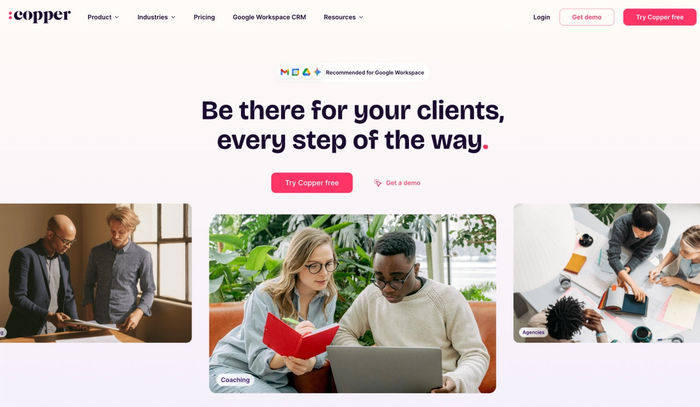
It’s built so sales teams and account managers spend less time switching apps and more time understanding client interactions, with pipeline views and email tracking tied directly to everyday tools.
Pros for digital marketing agencies
- Smooth Gmail and Calendar integration. Copper pulls contact and meeting data from Gmail and Google Calendar into the CRM automatically, reducing manual entry and keeping client histories in one place.
- Visual sales pipeline and deal tracking. Agencies can follow leads and opportunities through stages that reflect real work, making it easier to spot where prospects sit in the sales funnel.
- Built-in workflow automation. You can set rules that trigger follow-ups or task creation so routine work happens without team members repeating basic steps.
- Contact enrichment and activity capture. Copper automatically enriches contact profiles and logs interactions from connected apps, helping teams retain context on conversations.
Cons for digital marketing agencies
- Best experience tied to Google Workspace use. Teams not relying on Gmail and Google apps may find the experience less seamless than advertised.
- Scalability limitations on complex workflows. Copper handles core lead and deal tracking well, but it can feel stretched in agencies needing very intricate automation or segmentation.
- Cost increases as features scale. Advanced capabilities like bulk emails, deeper automation, and custom reporting sit in higher-tier plans that push pricing upward.
- Reporting depth is basic compared to specialized tools. While it offers pipeline insights and summaries, detailed marketing reports may require integrations with other platforms.
Pricing
Copper’s pricing starts at a Starter plan around $12 per user per month when billed annually and scales through Basic, Professional, and Business tiers with higher contact limits, workflow automation, and reporting features.
Nutshell CRM
Nutshell is an all-in-one CRM software platform that helps teams manage leads, track deals, and centralize client data while adding marketing and pipeline tools into the same system.
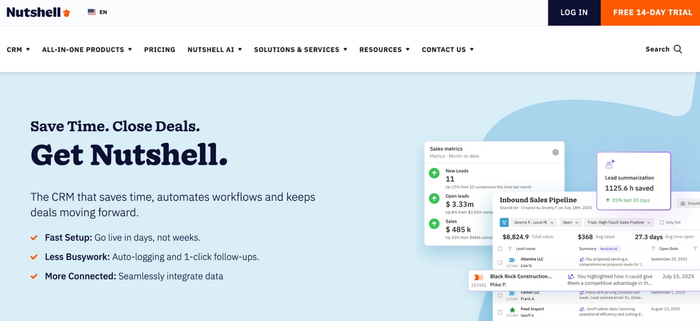
Many small and growing teams choose Nutshell because it simplifies the sales process, and it includes tools to run email campaigns and gather insights alongside core CRM functions.
Pros for digital marketing agencies
- Clear lead tracking with a visual pipeline. Nutshell makes the sales funnel visible so teams can follow potential customers from first contact through conversion without confusion.
- Unlimited contacts and data with simple pricing. Agencies can store all client data and interaction history without worrying about storage caps or hidden fees.
- Integrated email marketing and web forms. Built-in tools let agencies capture leads from forms and send targeted emails.
- Customizable reporting and insights. Agencies can generate reports that reflect real business performance without sifting through cluttered dashboards.
Cons for digital marketing agencies
- Less advanced automation than specialized marketing tools. Nutshell’s automated workflows are effective for routine follow-ups but may fall short of full marketing automation platforms.
- Limited customization options for some advanced needs. Users occasionally note that templates and customization don’t extend as far as they’d like.
- Email features can feel basic for complex campaigns. Handling multiple addresses or sequences across contacts isn’t as flexible as dedicated email campaign tools.
- It mayMay lack enterprise-level features for large agencies. Teams needing extensive segmentation or financial management capabilities might find it simpler than required.
Pricing
Nutshell offers a 14-day free trial so agencies can test real workflows before paying. Paid plans start at about $13 per user per month for basic pipeline and contact management and can scale to $59–$79 per user per month for advanced automation, reporting, and AI-enhanced features.
Checklist: questions to ask before picking a CRM for marketing agencies
Here are 12 thoughtful questions agencies should ask before choosing the right CRM software – framed around real needs like managing customer relationships and improving team collaboration:
- Does this CRM support marketing campaigns and let us link campaign activity directly to client records?
- How well does the system handle managing customer relationships across long engagements rather than just individual transactions?
- Can it scale with both small and large accounts, or will we quickly outgrow this as our client base grows?
- Does this qualify as a modern agency CRM that aligns with how digital agencies work day-to-day, not just traditional sales processes?
- How easy will it be for customer service teams and account managers to access shared client history in the same place?
- Does the CRM provide robust sales tracking as well as support for marketing and lead generation activities?
- Can we integrate data from tools like Google Ads and web forms so lead and campaign data flows into the CRM automatically?
- Does it help us generate leads or at least make it easier to track and manage leads through the sales funnel?
- Will the platform improve team collaboration by connecting workflows across sales, marketing, and account teams?
- Does it offer competitive pricing relative to the value provided for agencies, especially when compared with the best CRM tools in the market?
- Can it deliver meaningful insights and reports that help us understand both business processes and client satisfaction?
- Is this the right CRM for marketing agencies, meaning it balances traditional CRM capabilities with features tailored to agency workflows rather than forcing us into rigid sales processes?
These questions help clarify not just whether a CRM works, but whether it genuinely supports how your agency wins, manages, and grows client relationships.
Final verdict: which CRM fits which type of agency
For small to mid-sized agencies, the right CRM software needs to give clarity without friction. Teams that juggle client communication and sales tracking benefit most from a comprehensive tool that keeps contact history and pipeline movement simple and visible.
Retainer-heavy agencies should prioritize systems that reflect long-term client relationships. A CRM that preserves context over months of engagement helps teams stay aligned around customer satisfaction and ongoing marketing processes.
Growth-focused agencies need a platform that can scale with lead volume and campaign complexity. Automated workflows and meaningful insights support expansion without bogging down advertising agencies in manual work.
Across these use cases, Capsule emerges as the best CRM for marketing-centric agencies because it balances clean relationship management with just enough power to support real work. It avoids unnecessary complexity while helping teams improve collaboration and stay focused on what matters: serving clients and growing the business.
It can be the most powerful tool for your agency. Try it today.