
A sales team can stay informal for quite a while. One person keeps track of opportunities in their head, another owns the spreadsheet, and the founder knows which deals matter because they are still close to almost every conversation.
Growth makes those shortcuts way harder to maintain. More leads arrive, several people speak to the same accounts, forecasts matter more, and nobody is quite sure whether an opportunity has stalled or simply hasn’t been updated.
Sales operations is the discipline that brings structure to that work.
For a small business, it means deciding how sales information is recorded, how opportunities move forward, who owns what, which numbers the team reviews, and where routine work can be handled automatically.
Today, we’ll cover all that.
What are sales operations?
Sales operations cover the processes, data, technology and reporting that help a sales team work consistently.
In a small business, sales ops will usually include CRM management, pipeline structure, lead and opportunity ownership, reporting, forecasting, data quality and selected automations. Those responsibilities may sit with a sales manager, founder or operations lead rather than a dedicated Sales Operations Manager.
The goal is straightforward: give the team enough structure to know what is happening across the pipeline without creating unnecessary admin.

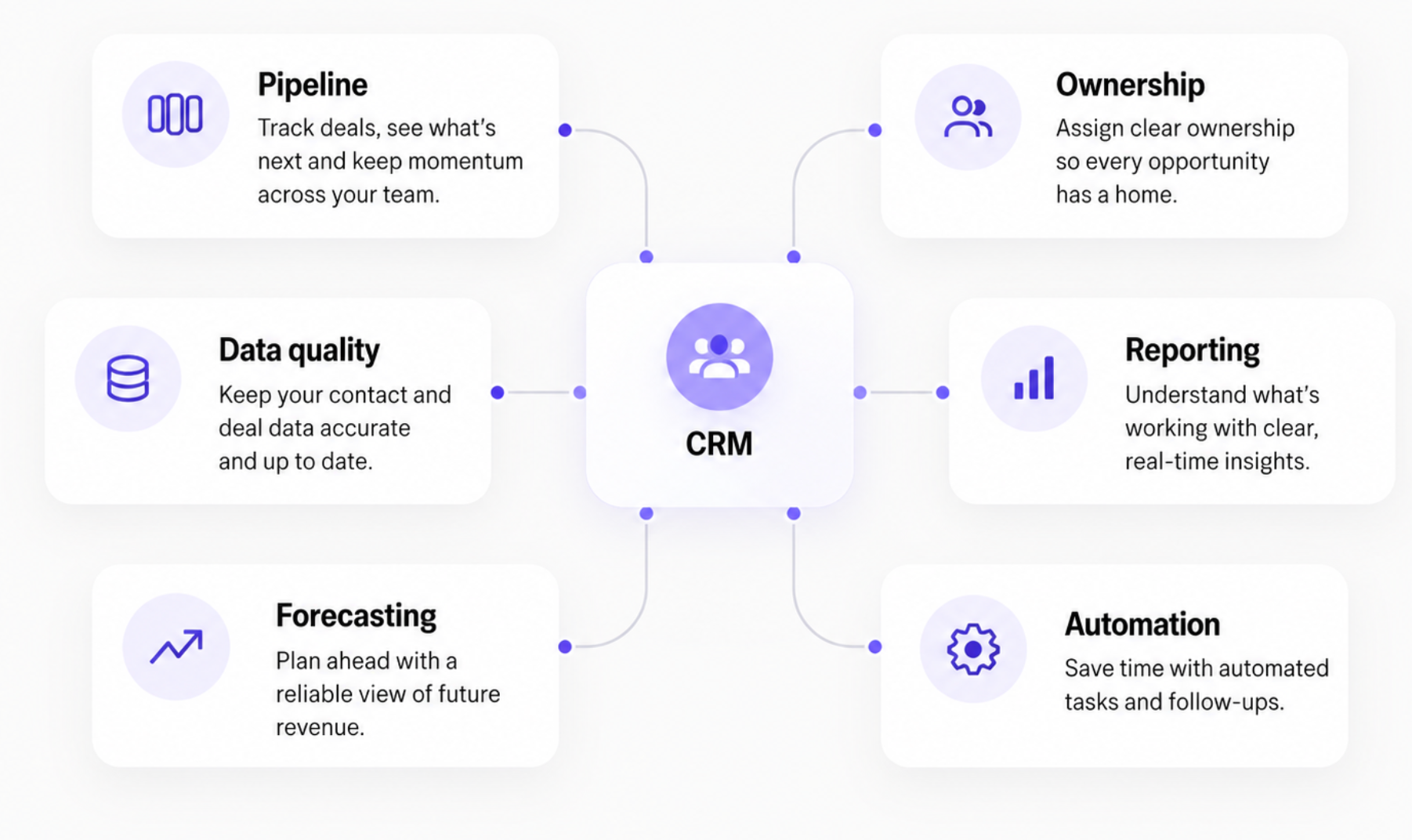
What does sales operations cover?
The remit varies from company to company, but most sales operations work falls into a few connected areas.
- Sales process management defines how an opportunity progresses from first contact to a closed deal. The stages need to reflect real buyer progress and mean the same thing to everyone using them.
- CRM administration and data quality make sure customer and opportunity information is usable. That includes decisions about required fields, record ownership, duplicate data and how consistently activity is recorded.
- Pipeline management gives managers a reliable view of active opportunities. Capsule has a separate guide to building your first sales pipeline if the pipeline itself still needs to be defined.
- Reporting and forecasting turn the information in the CRM into something the team can act on. Sales operations does not need dozens of dashboards; it needs reports that answer the questions managers regularly ask.
- Workflow design and automation reduce repetitive administration once the underlying process is stable. Capsule's guide to Workflow Automation covers the practical automation side in more detail.
These areas feed into one another. A forecast cannot be trusted if close dates are not updated. Reporting becomes less useful when pipeline stages are vague. And then, automation can create more problems than it solves when ownership rules haven’t been agreed first.
Who handles sales operations in a small business?
A dedicated sales ops role usually comes later.
In a smaller team, the work is often split between a sales manager and whoever looks after the CRM. In an owner-led business, the founder may still make most of the decisions around process and reporting. A general operations person may own the technology and data while the sales manager sets pipeline rules.
The title matters less than the ownership.
Someone needs to know who is responsible for questions such as:
- Which information must be recorded on every opportunity?
- When should a deal move to the next pipeline stage?
- Who receives a new inbound lead?
- How often is the pipeline reviewed?
- Which opportunities belong in the forecast?
- Who fixes duplicate or incomplete CRM records?
- Which tasks can safely be automated?
If the answer changes depending on who is asked, that is usually where the first sales ops work is needed.
The S.U.R.G.E. Framework
For a small business, sales operations often come down to making sure opportunities are managed consistently, the right information is available and salespeople know what needs to happen next.
The difficulty is that these things are connected. A poorly defined pipeline makes reporting less useful. Incomplete CRM records affect forecasting. Unclear ownership leads to missed follow-ups, even when the team has the right tools.

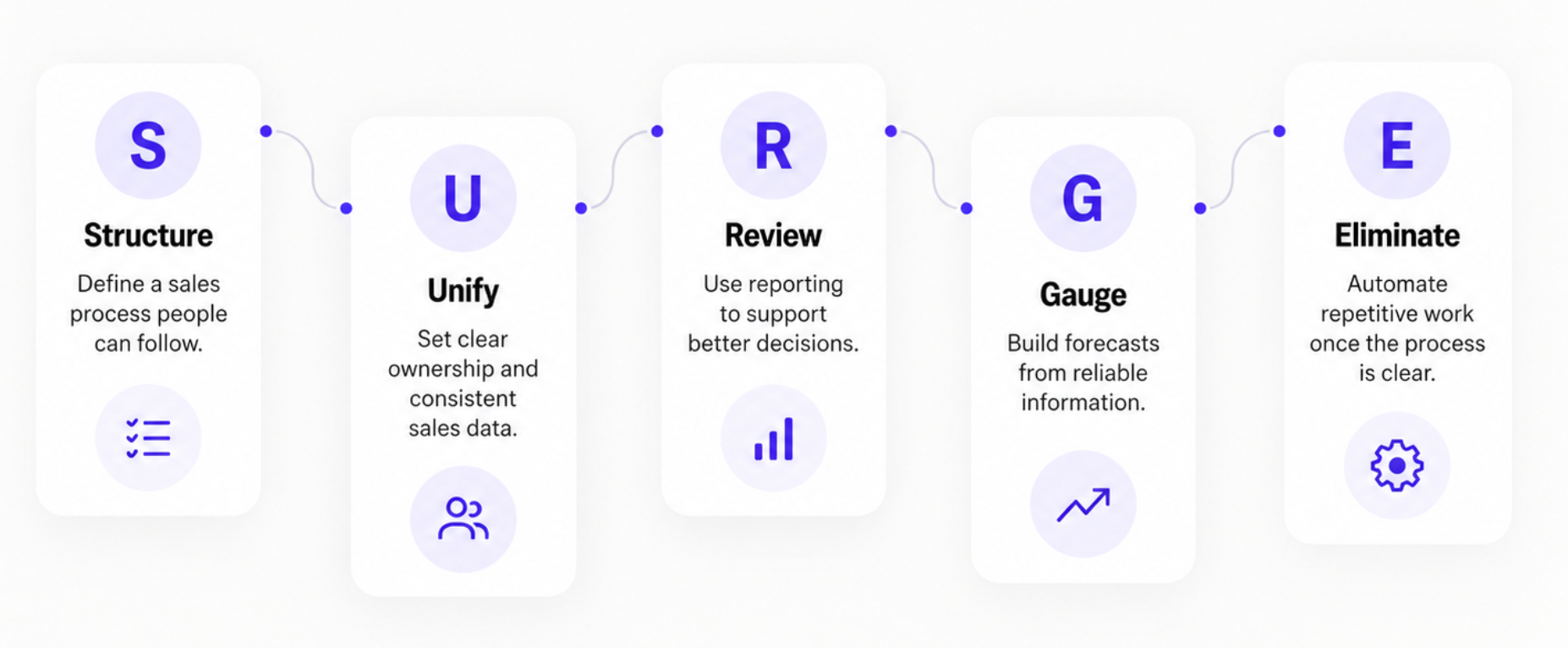
The S.U.R.G.E. Framework organizes sales operations into five areas that small businesses can work through:
- S → Structure: Define a sales process people can follow.
- U → Unify: Establish clear ownership and consistent sales data.
- R → Review: Turn sales reporting into useful decisions.
- G → Gauge: Build forecasts around reliable information.
- E → Eliminate: Automate repetitive work once the process is clear.
S → Structure your sales process
Sales operations becomes difficult when the documented process bears little resemblance to how the team actually sells.
A good starting point is to review recent opportunities and identify the steps that consistently mattered. These might include qualifying a lead, understanding requirements, sending a proposal, and reaching a decision. The aim is to create a process specific enough to support consistent reporting without forcing every opportunity through unnecessary steps.
For many small businesses, 5 to 8 meaningful pipeline stages are enough. Our guide to what a sales pipeline does provides examples of how these stages can be organized.
The key distinction is between a stage that describes an event and one that describes an opinion.
A stage called Proposal sent has a clear event attached to it. Advanced opportunity is more subjective unless the team agrees exactly what makes an opportunity advanced.
Each stage should have three basic definitions.
- Entry condition: What must happen before the deal enters this stage?
- Required information: What should the CRM record contain at this point?
- Next action: What needs to happen to move the deal forward?
For example, an opportunity entering Proposal sent might need an expected value, decision-maker details and an agreed follow-up date.
These definitions make pipeline reviews more productive because managers can spend less time interpreting stages and more time understanding why opportunities are progressing or stalling.
U → Unify ownership and sales information
One of the biggest myths in sales is that more data means better insights.
Adding CRM fields often creates extra admin and complicates reporting, especially when teams haven't agreed on what information matters.
The goal is to capture what helps people manage deals, make decisions and move customer conversations forward.
The same goes for ownership. When multiple people handle leads and customers, responsibilities need to be clear. Leads can be assigned by availability or product line, while existing customers stay with their account manager.
Whatever the approach, anyone should be able to open the CRM and see who's responsible for what.
Do:
- Assign an owner to every active opportunity.
- Record the next action and when it's due.
- Keep deal values, expected close dates and stages up to date.
- Capture enough context for another team member to continue the conversation.
Don't:
- Add mandatory fields without knowing how they'll be used.
- Treat a long activity history as a substitute for a clear next step.
- Rely on informal agreements about who is following up.
- Maintain separate spreadsheets for information that should be in the CRM.
When someone takes over a deal, they should be able to pick up where the previous person left off, with a clear picture of what's happened and what comes next. Keeping CRM records consistent also makes it easier to spot trends and make informed decisions, as explained in our guide to analyzing sales data.
R → Review what the numbers are telling you
Sales reporting works better when there's a clear reason to look at the numbers in the first place. Before building another dashboard, think about the questions that come up during a typical sales meeting.
For a small team, that might mean checking what's expected to close this month, which opportunities have gone quiet and whether deals are moving through the pipeline as expected. Conversion rates and win-loss reasons can add context, particularly when the same problems keep coming up.
What are sales ops warning signs worth investigating?
1. Deals repeatedly miss their expected close dates.
A forecast built around dates that nobody has confirmed with customers won't tell you much. If opportunities keep rolling into the following month, it's worth checking how those estimates are made.
2. Opportunities have no scheduled next action.
Who is supposed to follow up after a proposal goes out? And when? If the answer depends entirely on the salesperson, promising leads can end up sitting untouched for weeks.
3. Conversion drops at a particular pipeline stage.
Say plenty of prospects request proposals, but few become customers. The issue could lie much earlier in the conversation, with pricing, qualification or a decision-maker who was never involved.
4. Reports require manual cleanup every week.
Missing values, outdated stages, duplicate records. A little housekeeping is inevitable, but rebuilding the same report by hand every week suggests the CRM isn't capturing information consistently.
Not every unusual number calls for a new process. Sometimes a conversation with the person managing the deal is enough to explain it.
Our sales report template can help you bring the numbers together and make regular reviews easier to manage.
G → Gauge revenue with a more realistic forecast
Software can make forecasting easier, but it can't compensate for unreliable opportunity information. If close dates are outdated, deal values are unrealistic or salespeople interpret pipeline stages differently, the forecast will reflect those inconsistencies.
A small business can improve forecasting by establishing a few shared rules for reviewing opportunities expected to close in the coming weeks or months.
Start with three questions:
- Is the expected value realistic? It should reflect the likely purchase, not simply the largest possible deal.
- Is the close date supported by evidence? A confirmed customer decision timeline is more useful than a date chosen because it falls at the end of the month.
- Is there a genuine next step? An opportunity with no agreed action may be less likely to close than its pipeline stage suggests.
Regular pipeline reviews help managers challenge assumptions and update expected revenue when circumstances change.
It's also worth comparing previous forecasts with actual outcomes. Deals that repeatedly move into the following month may indicate a qualification problem, unrealistic closing timelines, or opportunities being left open longer than they should be.
A forecast doesn't have to be spot-on every time, as long as the team understands the numbers and what's changed.
E → Eliminate repetitive work through automation
Automation works best when the rule behind an activity is already clear.
If every proposal should have a scheduled follow-up, creating that task automatically can reduce manual work and help prevent opportunities from being overlooked. If new leads follow agreed ownership rules, assignment can become another repeatable workflow.
Capsule's Workflow Automation supports processes such as assigning opportunities and triggering tasks or reminders.
Some practical starting points include:
- Creating follow-up tasks when opportunities reach specific stages.
- Assigning new opportunities according to predefined rules.
- Reminding owners about overdue activities.
- Triggering internal tasks after an opportunity is won.
However, automation shouldn't be used to resolve decisions the team hasn't made.
If nobody agrees on when an opportunity should advance to the next stage, automating that change won't make pipeline data more reliable. Similarly, automatic lead assignment won't help much if account ownership is still unclear.
A sensible sequence is to document the process, use it manually long enough to identify exceptions, and then automate the parts that remain consistent.
Where should a small business start?
The five parts of S.U.R.G.E. don't need to be implemented as one large project.
If pipeline stages are inconsistent, start with Structure. If deals regularly go without follow-up, examine ownership and next actions under Unify. If weekly reports raise more questions than they answer, Review may be the priority.
Forecasting and automation become easier when those foundations are reliable, but the order should reflect where the business is experiencing the most friction.
What should you fix first?
There's no single order for improving sales operations. It depends on what's slowing your team down and how you're managing sales today.
If deals are still tracked in spreadsheets, getting everything into one CRM is a sensible first step. If the CRM is already part of the daily routine, unclear pipeline stages or unreliable reports may be a bigger concern. And sometimes the data is in good shape, but people are spending hours on tasks that could easily be automated.
To see where you stand, start with five questions:
- Can everyone see active deals and who's responsible for them?
- Does each pipeline stage mean the same thing to everyone?
- Is it clear what needs to happen next to move a deal forward?
- Can managers check the pipeline without first fixing the data?
- Where does the team regularly lose time to delays or repetitive admin?
You may find that several things need work. Start with the one causing the most friction in day-to-day sales, then build from there.
Make sales easier to manage with Capsule
As your business grows, keeping track of everything gets harder. More deals are moving through the pipeline, and the information people need isn't always where they expect to find it.
A little structure can make a huge difference. You want everyone to know what's happening with each deal, without spending half their day updating spreadsheets or chasing colleagues for answers.
Capsule helps you bring your sales process into one place. Your team can keep track of customer relationships, see what needs following up and get a clearer picture of how sales are progressing. Built-in reporting and automation also help cut down on the admin that tends to pile up as a business grows.
It's a straightforward way to get your sales operations in better shape, with room to adapt as your needs change.