The 9:57am problem
It's 9:57. You've got a call at 10 with a lead whose name you definitely know. And now you're frantically scrolling through old emails, old notes, anything that'll tell you how the last conversation ended, or whether you still owe them a follow-up you never sent. It's a tale as old as time. Well, nearly.
If that sounds familiar, you're in the right place. No, you're not disorganized. You're just running a business, which tends to mean jumping between six different things at once, none of which is "sit and read up on a contact for twenty minutes before a call."
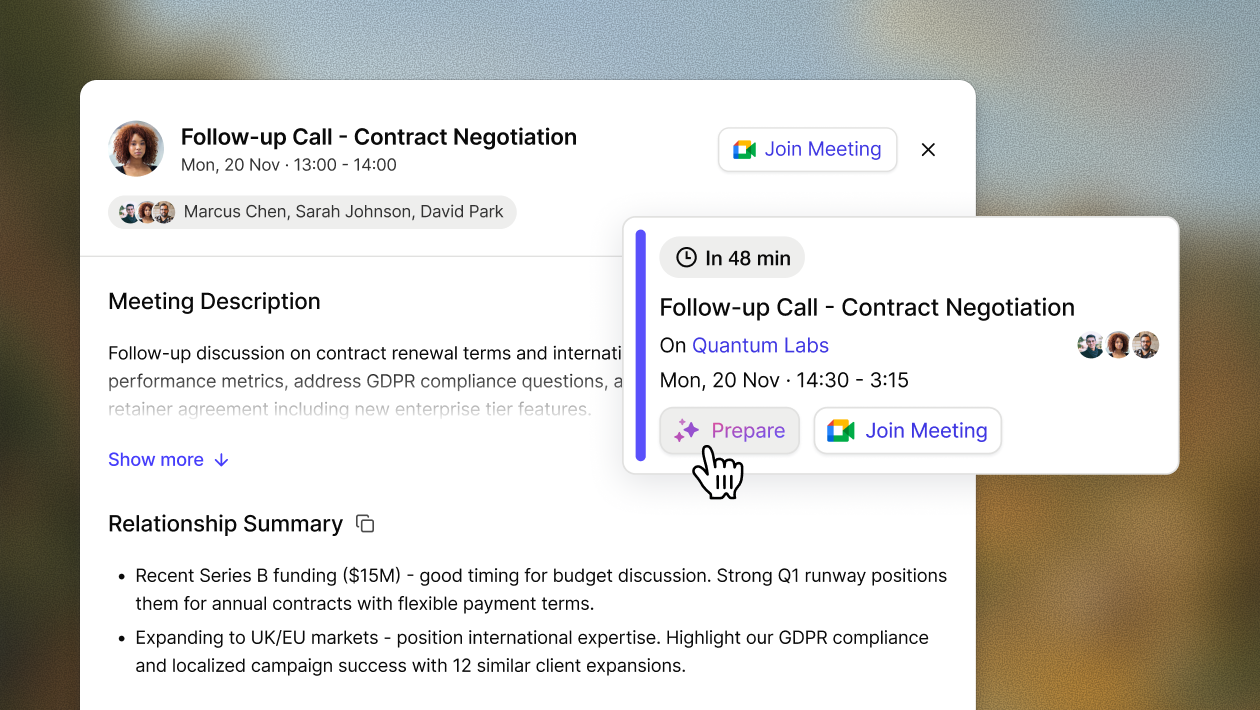
That's the gap we built AI Meeting Prep to close. It's a new AI-powered briefing in Capsule that gets you up to speed on a contact before you're on the call, not five minutes in, still trying to pinpoint what's going on.

Who needs a briefing before every call?
If your day is meetings, firefighting, and then, somewhere in there, the job you were actually hired to do, the AI Meeting Prep tool is about to revolutionize your working day.
You don't need a PA reading briefing notes down the phone to you each morning (although if you've got one, we're jealous). AI Meeting Prep is for the small and growing business owners, account managers, and one-person-does-everything teams who'd love to walk into every call as prepared as if they'd spent an hour on it. Without having to spend an hour on it.
Anyone who works with customers, suppliers, and any other external contacts can save themself the last-minute scramble and get all the need-to-knows in moments.
What does AI Meeting Prep actually do?
It sounds good. Maybe even too good to be true… So what does it actually offer? Here's what you get:
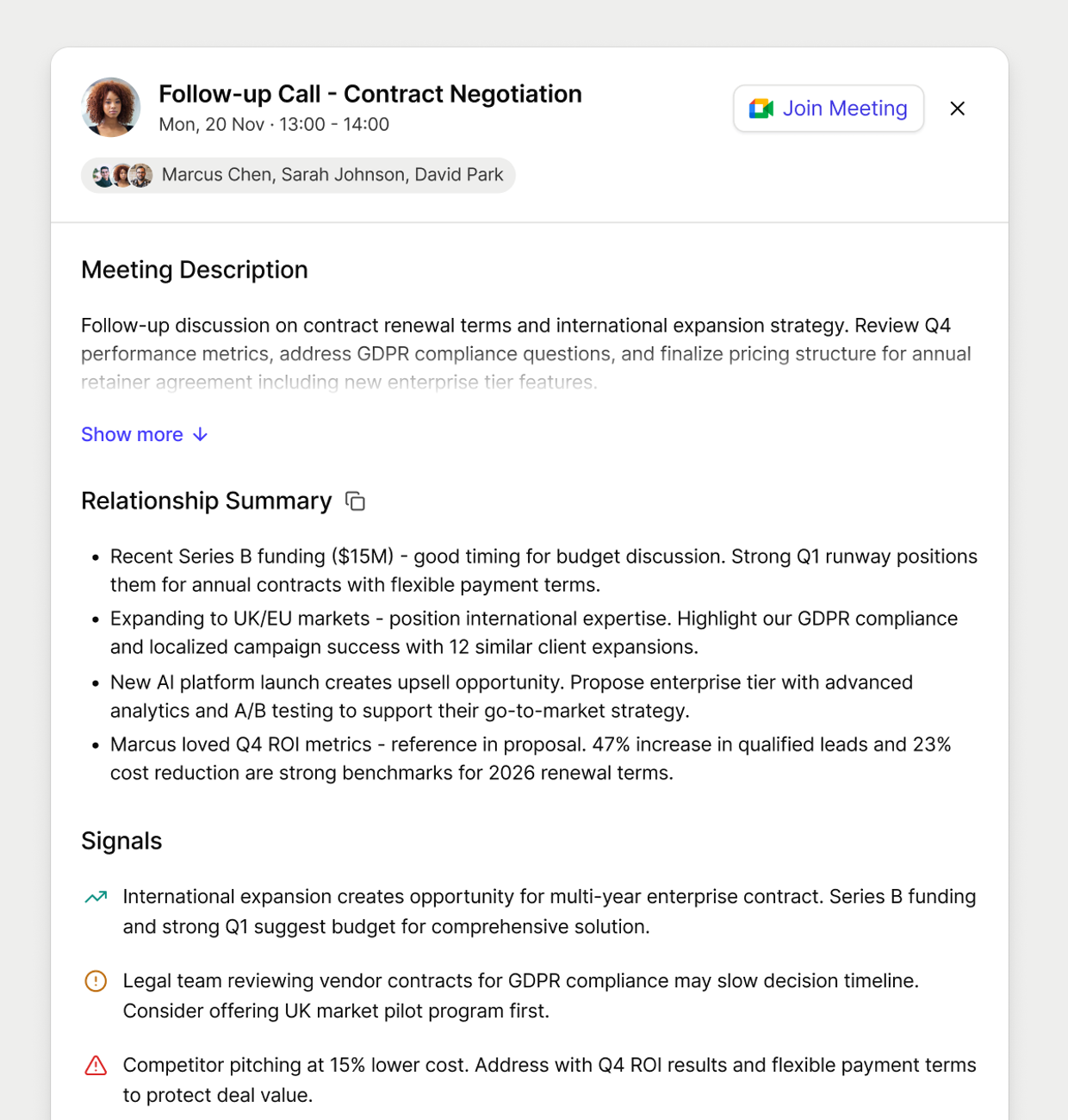
- A snappy summary of your relationship with the contact, so you're not starting from a blank page.
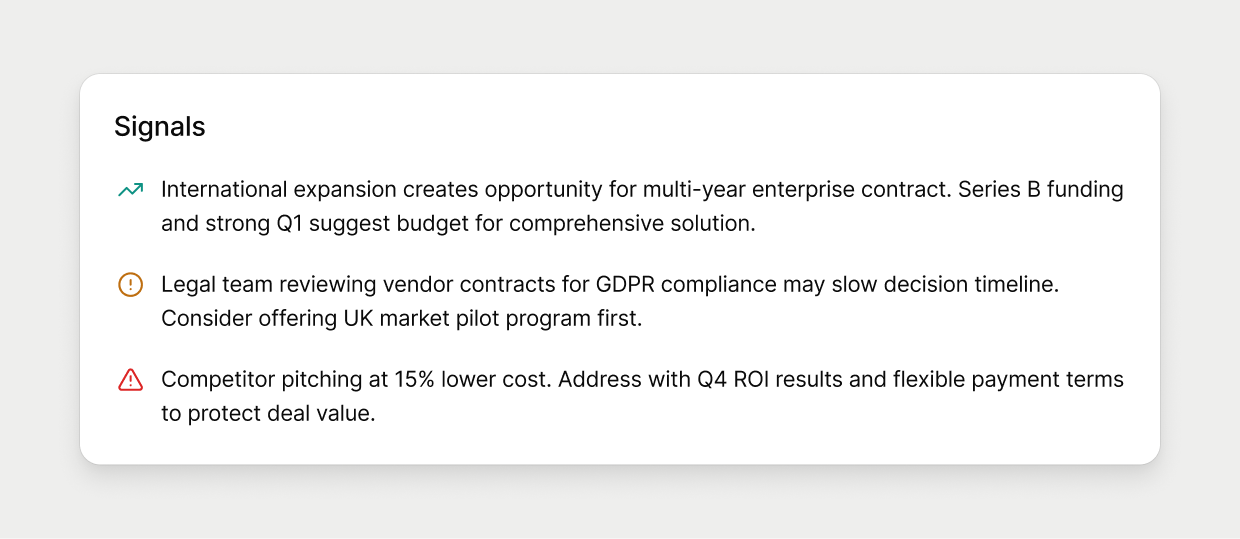
- Color-coded signals flagging opportunities, risks, and things worth watching. You know what you can nail on the call and not meet any nasty surprises along the way.
- A sense of control. If you know the relationship, you can read the room and handle anything they throw at you.

It's all built from what's already in Capsule CRM: contact history, Opportunities, Projects, and your team's activity too. It's not just your own notes; it's everything your whole team has logged. And it stays open during the meeting, so if something comes up you need to check, it's already there rather than something you have to go hunting for.
Prep your whole day over a coffee before your first call, or grab a quick brief between back-to-backs. It's ready when you need it.
How do I launch AI Meeting Prep?
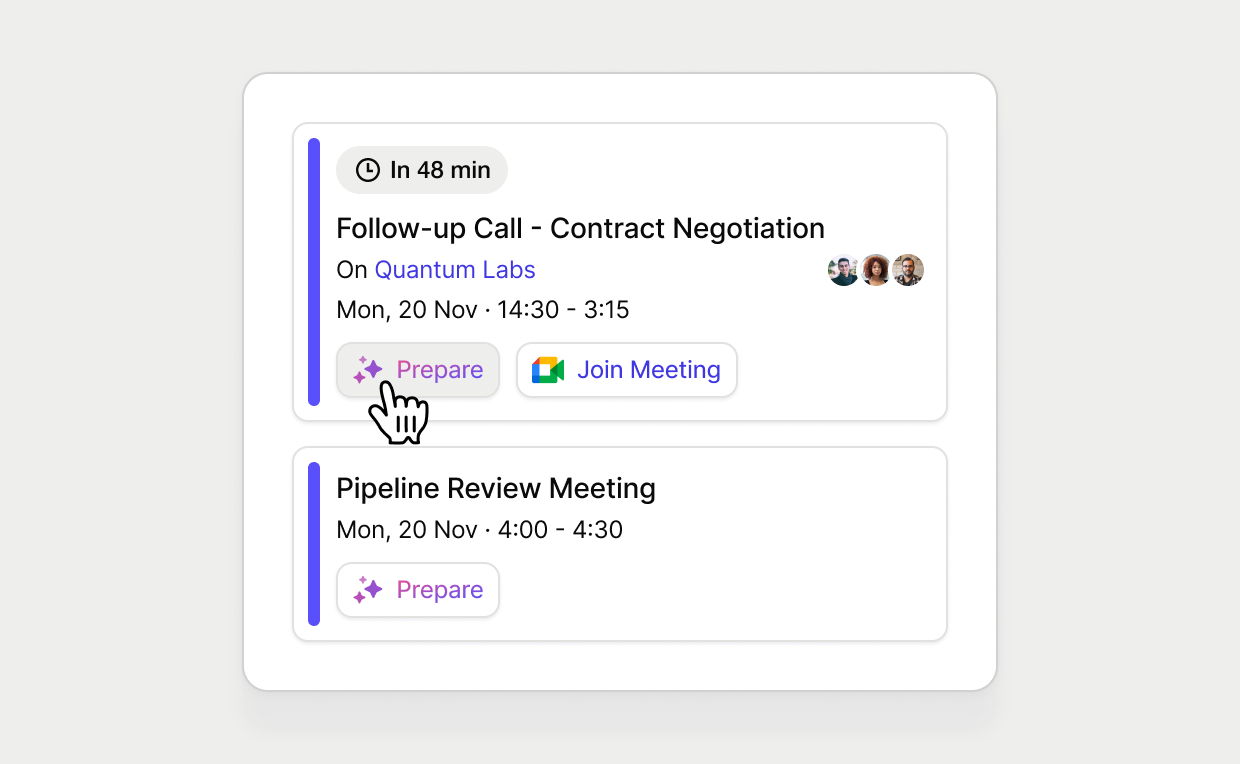
AI Meeting Prep appears automatically on any day you've got external calls scheduled, as long as you've connected Google Calendar or Outlook Calendar to Capsule and enabled AI in your account settings. Once that's done, there's nothing else to set up. It'll just be there like an eagerly-awaiting Border Collie at your heel. One that miraculously knows each contact, Opportunity, and Project's history.

AI Meeting Prep is available to Capsule customers on the Growth plan and up.
AI Meeting Prep vs AI Summaries: What’s the difference?
Fair question. I mean, they're both AI-powered, and they both live in Capsule. So here's the real distinction: it comes down to timing and scope.
AI Meeting Prep is forward-looking. You pick an upcoming meeting on your calendar, and it pulls together a broad snapshot from everything linked to that contact: Opportunities, Projects, activity, and tasks. It's built entirely from what's already on record, no new information added, so you walk into the call already up to speed.
The AI Summaries tool works the other way. It's retrospective: an on-demand deep dive that summarizes what's actually been going on with a specific contact, organization, Opportunity, or Project, pulling from up to the last 50 logged activities and notes on that record. Reach for it any time you want to properly catch up, not just before a meeting.
Same AI-powered family with different jobs.
AI Meeting Prep: Start every call with confidence
The five-minute countdown doesn’t scare you anymore. No longer are you coasting through the first five minutes, pretending to listen, when really, you’re scrambling through previous notes. No, that’s all in the past.
From today, you can press ‘Start call’, smug in the knowledge you already know how this one’s going to play out.
Go ahead and tell everyone you’re psychic, or just really good at reading people. Between you and me, we both know it was Capsule’s AI Meeting Prep. The quick, clear brief, built from your own CRM data. Don’t worry, I can keep a secret.
Log in to Capsule CRM to get your AI Meeting Prep before your next external call.
New here? Try Capsule CRM free for 14 days and see what your calls look like with a proper brief behind them.