
Managing rental properties takes constant coordination. When renewal dates clash with ongoing repairs, or when invoices sit buried in inboxes, the workload grows fast. The more units you handle, the harder it becomes to keep track of every detail. Even a small portfolio can start to feel unmanageable.
At some point, every manager realizes the same thing: information needs a single home. That’s when the search for a CRM for property management begins.
In this guide, you’ll see which CRM tools truly fit property managers and why the right one makes daily work simpler.
Why do property managers need a CRM?
When Mark bought his first few rentals, a spreadsheet felt like more than enough. He tracked leases in one tab, tenant details in another, and maintenance notes in a third.
And it worked... until he expanded. That’s when reminders got missed, and tenants started calling twice about the same issue.
This is when Mark hit the wall, and that’s when systems started to matter more than sheer effort.
A property management CRM gives structure to what used to feel unpredictable.
Here’s how the right property management software reshapes daily work:
- Centralizes property information. It stores tenant records, maintenance history, due dates, and payment data together, so property managers never waste time piecing details from emails or spreadsheets.
- Strengthens task management. Every job, from repairs to renewals, appears on a clear list with owners and deadlines, helping teams finish work faster.
- Stabilizes property management operations. Instead of reacting to problems, managers see what needs attention first and allocate time or contractors with precision.
- Improves accountability. Each action leaves a traceable record, which means everyone (owners, tenants, and staff) knows what was done and when.
- Supports better planning. With data organized and up to date, property managers can forecast costs and track occupancy.
For anyone managing several properties, a CRM doesn’t just tidy up information. It gives back control and time: two things every property manager eventually runs out of.
Best CRM software for managing properties
In this part, we’ll look at the CRM platforms built to handle the moving parts of a real estate business, from tenant records to follow-ups.
Capsule CRM: the best CRM for property management
For many property managers, the hardest part is keeping everything organized once multiple leases start rolling in. Capsule CRM solves that by turning daily admin into a single, connected system that anyone on the team can actually use.
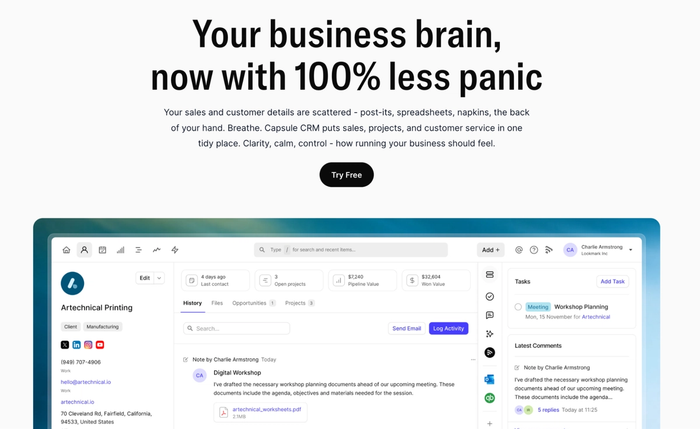
The platform feels intuitive from day one, which is why small real estate teams adopt it quickly. It fits naturally into existing property management operations without the need for extra tools or long onboarding.
Key features for property managers
- Keeps every contact tied to a property, making it easy to see who’s responsible for what.
- Tracks tasks and deadlines in one task management dashboard, helping managers stay ahead of renewals and repairs.
- Custom fields adapt to your property data: lease type, inspection schedule, or insurance status.
- Works smoothly on desktop and mobile, so field teams can update records or upload notes on-site.
- Connects with accounting and communication tools like QuickBooks and Gmail, reducing manual entry.
- Sends automatic reminders for payments, inspections, and insurance renewals before issues escalate.
Reviews
Users on G2 rate Capsule 4.7 out of 5 stars, calling it “a very easy and streamlined database that can be used in many ways.” One property management team noted, “Once everyone was familiar with the platform, we then explored the many ways in which it can benefit our property business.”
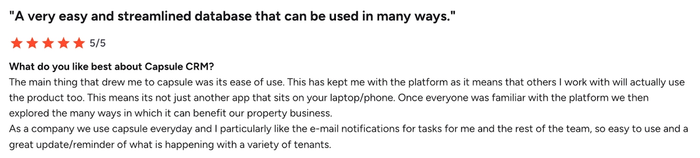
They praised Capsule’s email notifications as “a great update and reminder of what is happening with a variety of tenants,” proving how practical it is in a real estate setting.
Pricing
Capsule offers a 14-day free trial, giving property managers full access to the platform before choosing a plan. Paid tiers (Starter, Growth, Advanced, and Ultimate) scale with your portfolio size, so smaller landlords and larger agencies both get the features they need without paying for what they don’t.

Zoho Bigin
Before you commit to one system, it’s worth exploring a simpler option designed for smaller teams and lighter workflows in the real estate industry.
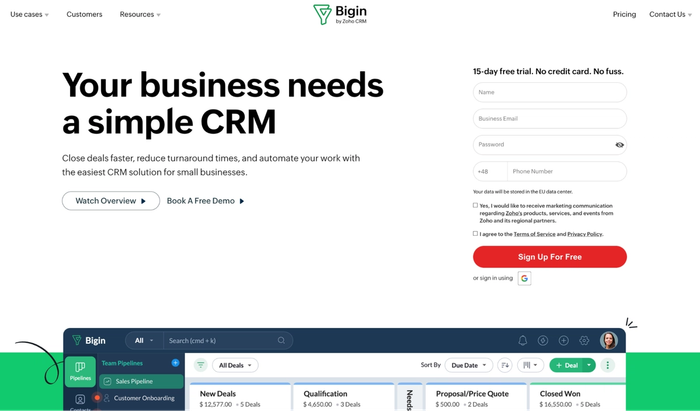
Zoho Bigin works well for tracking leads today, but its limitations become clear when you try to scale with full property management features.
Key features
- Lead management and pipeline tracking are designed for simple workflows.
- Contact and customer management that lets you store and view tenant or client data.
- Task management-style automation: activity cards and simple workflows reduce manual updates.
- Mobile-friendly interface and lightweight integrations make it accessible for teams on the go.
Considerations for the real estate industry and property teams
- While Bigin supports core operations, full-scale property management features such as detailed maintenance tracking and property-specific accounting may be limited.
- Its workflow and customization depth may not meet the needs of larger or rapidly growing property teams that require complex tracking or reporting.
- Integrations beyond the standard sales pipeline tools may require workarounds or external add-ons when applied to property management operations.
- Although it’s cost-effective for small teams, scaling beyond basic tasks can highlight its limitations in real-estate use cases (e.g., multiple property types, renewal dashboards, service-vendor management).
Bigin can serve as a lightweight CRM for a real estate business looking to move beyond spreadsheets, especially for lead tracking and simple tenant interactions. But if you’re managing many units or full-scale property operations, you’ll want to check carefully whether it offers everything you need.
Streak CRM
If your inbox is your hub and you’re managing a handful of units, Streak CRM might feel like a natural fit.
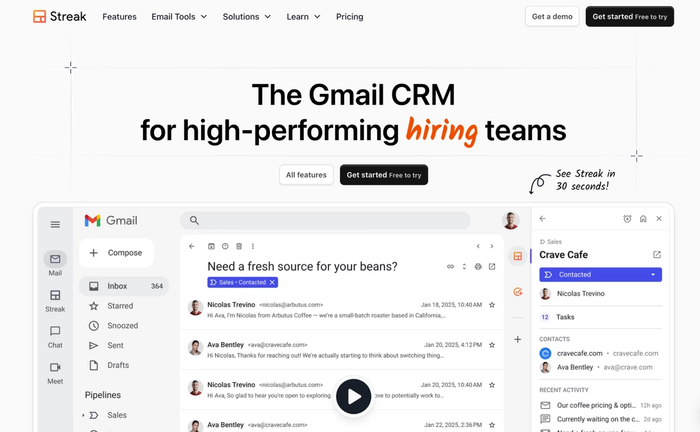
Designed for real estate professionals who rely on email and pipelines rather than heavy software systems, it aligns with the way many brokers and landlords already work.
Key features
- Tracking and managing lead generation directly in Gmail, so new tenant or owner contacts get captured without switching apps.
- Managing contacts, messages, and client history inside your inbox to strengthen client relationships without hunting through multiple platforms.
- Visual pipelines that reflect deals or tenancies, letting you see progress and next steps at a glance.
- Task management is built into Gmail, so reminders, follow-ups, and tenant communication live beside your everyday email flow.
Considerations for property teams and the industry
- While it handles lead management well, it lacks the deeper property performance tracking (for example, maintenance logs, vendor workflows, or complex dashboards) that full-scale property managers need.
- Customisation and reporting remain basic; scaling beyond a few units or simple workflows causes limitations in real-estate operations.
- It works best for Gmail users within small teams. If you have many users or need unlimited users across multiple properties and roles, you may quickly hit the ceiling.
- Because it is lightweight, it lacks built-in modules specific to landlords or agencies (for example, asset management, property-specific finance, or vendor coordination).
Streak CRM is a solid fit if you’re a solo landlord or a small team in the real estate industry focused on email-based workflows and strengthening client relationships. But if you’re managing multiple properties or want full-scale operations tracking, you'll want to check its limits carefully.
HubSpot CRM
When property teams look for reliable real estate CRM software, HubSpot CRM stands out as a full-featured option.
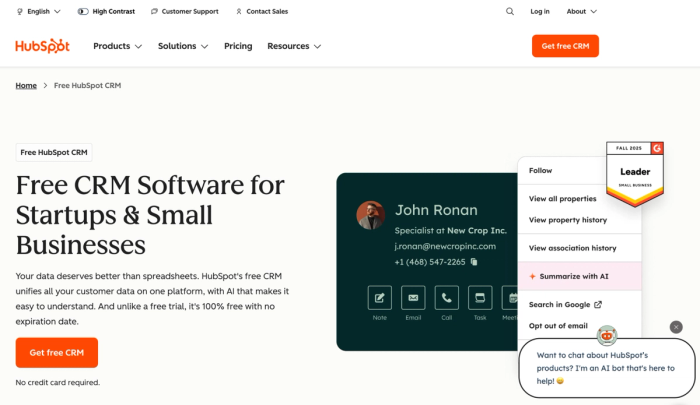
It offers deep sophisticated marketing tools and many accounting software integrations, but you should be aware of some trade-offs if your business is growing.
Key features
- Comprehensive contact management: you can create detailed records, log calls and tasks, and use automatic enrichment to keep data fresh.
- Built-in pipelines and deal tracking: property listing or tenant moves can be visualised and tracked like any other sales process.
- Marketing and lead generation tools: forms, email campaigns, and analytics help you nurture prospects and measure which sources deliver value.
- Integration with accounting software: through the HubSpot Marketplace, you can link tools like QuickBooks Online and Xero, enabling smoother operations between sales and finance.
Considerations for property managers
- The cost of scaling is significant. While the free CRM tier is generous, moving into advanced features or adding many users quickly drives up the cost.
- For a real estate business requiring property-specific workflows (maintenance tracking, multi-unit dashboards), you may find HubSpot lacks some industry-tailored modules without heavy customisation.
- Implementation may require more time and technical effort than simpler CRM platforms, which means a steeper onboarding curve.
- If your property portfolio is small and your priorities are straightforward, tenant and unit tracking, you may be paying for more functionality than you’ll use.
HubSpot CRM works well for agencies combining property sales with broader marketing and client management goals. For smaller operations that want fewer moving parts, a leaner CRM could be more practical.
Rentec Direct
Rentec Direct serves property managers who need a dedicated tool for tenants, leases, and owner portals.
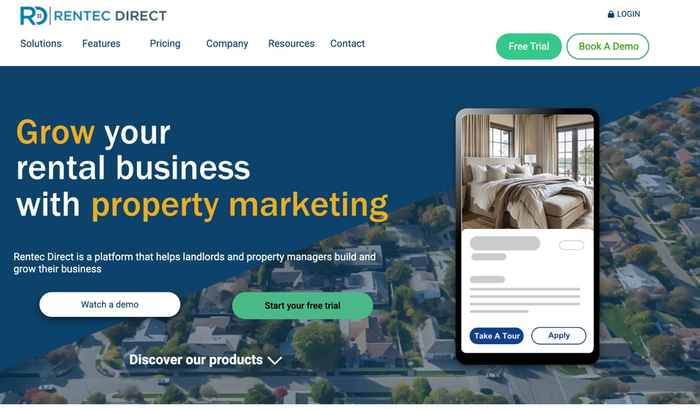
It works fine for operational oversight, though it can’t match the workflow sophistication or end-to-end CRM power of more advanced platforms.
Key features:
- Lease management and renewal tracking built into a property-oriented platform.
- Owner and tenant portals where property owners can view income, expenses, and unit details.
- Online rent payments (ACH/credit) and basic accounting features are integrated into the system.
- Built-in tenant screening and listing syndication to reduce admin for managers.
Considerations:
- While the platform assists property operations, the customer relationship management features (for example, advanced contact tracking, marketing outreach, or custom CRM pipelines) remain basic.
- The system’s ability to automate tasks across multiple stakeholder workflows is limited compared to CRM-first solutions.
- It focuses on property owners, tenants, and units, but for more extensive contact management (leads, vendor networks, growth of a property business) you may find it restrictive.
- Some users report the need for double data entry when using this platform alongside a CRM or other workflow tools because the system doesn’t always integrate deeply.
Rentec Direct works well for property logistics and routine management. Still, if your vision includes expanding relationships or managing leads beyond operations, Capsule bridges that gap with a stronger CRM focus.
DoorLoop
DoorLoop suits landlords and property teams that focus on rental workflows.
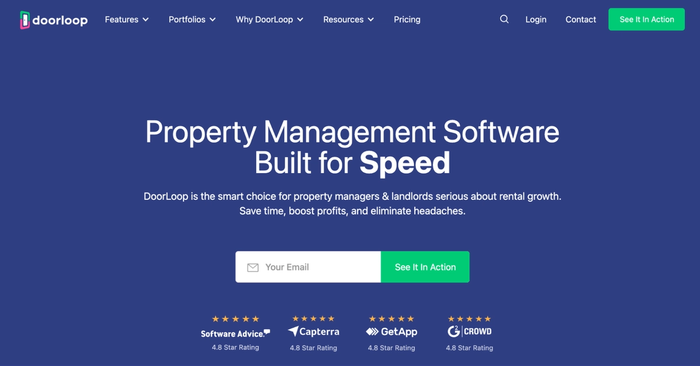
Same as Rentec, it doesn’t reach full CRM capability, but for organizing leases and communication across owners and tenants, it performs reliably.
Key features
- Tracks lease renewals and lease agreements directly in the system, letting you see upcoming expirations and assignment statuses.
- Built-in automation features such as online rent collection, reminders, and maintenance workflows reduce manual overhead.
- Provides actionable insights through dashboards and reports that show unit-level performance, rent trends, and owner income/expense summaries.
- Helps streamline operations by combining tenant portals, owner portals, accounting, and maintenance in one platform.
- Offers strong support for property owners via transparent owner statements, real-time access, and built-in financial modules.
- Includes basic CRM-adjacent features (a tenant database, vendor records, and communication logs), which help with interactions but lack deep relational management.
Considerations
- The property management features focus heavily on operations (rent collection, maintenance, accounting) rather than advanced CRM elements like custom pipelines or lead conversion workflows.
- While you can track tenants and owners, the contact management layer isn’t as rich as dedicated CRM platforms (e.g., limited marketing or multi-stage lead tracking).
- If you’re trying to automate tasks that span across teams (leasing, marketing, owner acquisition, vendor management), you may find the platform constrained compared to CRM-oriented tools.
- Users report some missing flexibility for complex workflows (for example, linking leases to campaigns or tracking owner referral programs), meaning a full-scale CRM might still be needed.
DoorLoop is purpose-built for smooth property operations like lease tracking, renewals, and accounting. But those looking to connect property workflows with broader relationship management should consider platforms such as Capsule that bridge both areas.
How to choose the right CRM for your property portfolio
✓ Portfolio size check
- If you manage 1–20 properties, look for a user-friendly system that covers your daily tasks and keeps things simple.
- If your portfolio ranges from 20–100 units, choose a platform that supports growth and includes essential features for operations and data.
- Regardless of size, pick a tool that scales so your growth plan doesn’t force you into a full CRM migration later.
✓ Integration readiness
- Verify the CRM connects with your existing tools (accounting software, email, calendar) so you avoid double data entry and reduce human error.
- Check for built-in connections to marketing platforms, finance tools and tenant portals so customer relationship management stays smooth across teams.
✓ Mobile access and customisation
- Make sure the system works well on mobile devices, letting your team update contact details or task status while on-site.
- Look for custom fields and workflows so you can adapt the CRM to your property management operations instead of enforcing a rigid process.
✓ Long-term usability and team handover
- Choose a platform that is user-friendly and can be managed by a future team member or family member without heavy CRM training.
- Check for support resources, onboarding guides, and video tutorials so your team can maintain consistent, transparent communication and follow automated workflows.
✓ Focus on performance trends and efficiency
- The right CRM should deliver actionable insights into your properties, tenants, and owners so you can review property performance over time.
- It should help you automate tasks, free up time from repetitive admin, and improve overall efficiency in your daily operations.
This checklist helps you move from assessing features and integrations to choosing a platform that truly supports your property business long term.
Conclusion
When your desk is a tangle of spreadsheets, it’s a clear sign your portfolio deserves better. With Capsule CRM, every tenant, every property, and every task live in one place that you actually use. You’ll gain back the time to focus on what matters: building strong owner relationships and improving tenant satisfaction.
Explore Capsule’s free 14-day trial now and experience how effortless organized property management can feel.
Frequently Asked Questions
As a general rule, the best system is the one that organizes everything in a central place, reduces repetitive tasks, and prepares you as your business evolves. A tool that supports team oversight, integrates marketing channels, and gives you powerful tools for contact and portfolio tracking will serve you well and improve processes internally.
Yes. With the right setup, a CRM becomes the hub for building relationships, tracking tenant history, and enabling transparent communication. It can support automated campaigns or follow-ups to keep tenants informed without you doing all the manual work.
Maintenance falls into the “daily operations” bucket. A CRM that tracks recurring tasks, assigns jobs to the team, and gives you relevant information on each property lets you stop chasing details.
When your portfolio grows, you’ll want connections with accounting systems, email platforms, marketing tools, and workflows that link to lead sources. These integrations drive cost savings by eliminating double entry and give your business a better picture of spend, performance, and prospect pipelines.
Definitely. If you have a small number of units and want a CRM that’s user-friendly, offers a paid plan that grows with you, and helps you shift from spreadsheets to a central system, Capsule is built with that scenario in mind. It supports automated workflows, team hand-off, strong contact management and ensures your system remains useful as your business grows.