
A solo immigration attorney, a 12-lawyer commercial litigation firm, and an in-house legal team at a mid-market SaaS company all sit under the "legal services" umbrella.
Their CRM needs don’t.
The solo attorney is fighting intake chaos and missed deadlines. The litigation firm is trying to keep referral relationships warm across partners who barely talk to each other. The in-house team is tracking vendor contracts, internal stakeholders, and outside counsel spend.
Most "best CRM for legal services" pieces flatten this into one ranked list and recommend the same five tools to everyone. That’s how firms end up paying for advanced software when they only need a clean contact database, or paying for a basic CRM when they actually need better project management.
This guide separates legal CRM by the work the practice does.
What "CRM for legal services" means in practice
The label gets used in three meaningfully different ways across the legal industry.
- Front-of-funnel CRM. Lead capture, intake forms, conflict checks, consultation scheduling, prospect follow-up, and referral tracking. This is what most solo attorneys and small firms mean when they say they need a CRM. The work happens before a client signs an engagement letter.
- Relationship CRM. Tracking long-term client relationships across multiple matters and years. Used heavily by transactional practices, family law firms with returning clients, and any firm where business development depends on staying visible to former clients and referral sources.
- Matter and client management hybrid. A CRM bundled into practice management software. Such tools include contact records as part of the broader workflow, alongside time tracking, billing, and document management.
Many firms need one of these more clearly than the others. Confusion starts when a firm buys software designed for one job and tries to make it do the other two. A heavy practice management suite is overkill if all you need is structured intake. A relationship CRM won’t invoice your clients. The honest first question isn’t "which CRM is best" but "what part of the work is currently breaking."
How legal services CRM differs from generic sales CRM
Conflict checking is non-negotiable
Every new prospect has to be checked against current and past clients before any meaningful intake can happen. A generic CRM treats every lead as a clean record. A legal CRM has to support, or integrate with, a process that flags potential conflicts before someone starts taking notes about a case.
The matter, not the contact, is often the unit of work
A single client may have three open matters, two closed matters, and a pending consultation. A standard sales pipeline assumes one contact = one deal. Legal work breaks that model. Either the CRM handles multiple matters per contact natively, or the firm needs a workaround that holds up over time.
Privilege and confidentiality shape everything
Notes attached to a prospect or client record may be privileged. The CRM has to support proper access controls, audit trails, and data handling that align with bar association obligations. Generic CRMs can be configured for this, but the work is real, and getting it wrong has consequences beyond a bad customer experience.
These needs quickly separate legal-ready CRMs from general-purpose sales tools. The platforms below either manage those demands directly or leave room for a dedicated legal system to handle them.
Best CRM for solo attorneys and very small firms (1–5 lawyers)
This group needs clean intake, conflict-aware contact records, follow-up discipline, and a system one person can keep current with no admin function.
Capsule CRM
Capsule fits a solo or very small firm that has outgrown spreadsheets and inbox-based tracking, but isn’t ready to commit to a full practice management platform. A solo attorney doesn’t need matter-level billing bundled with their CRM. They need a place where every consultation request, every referral, every former client lands as a structured record, with the next follow-up visible and assigned.

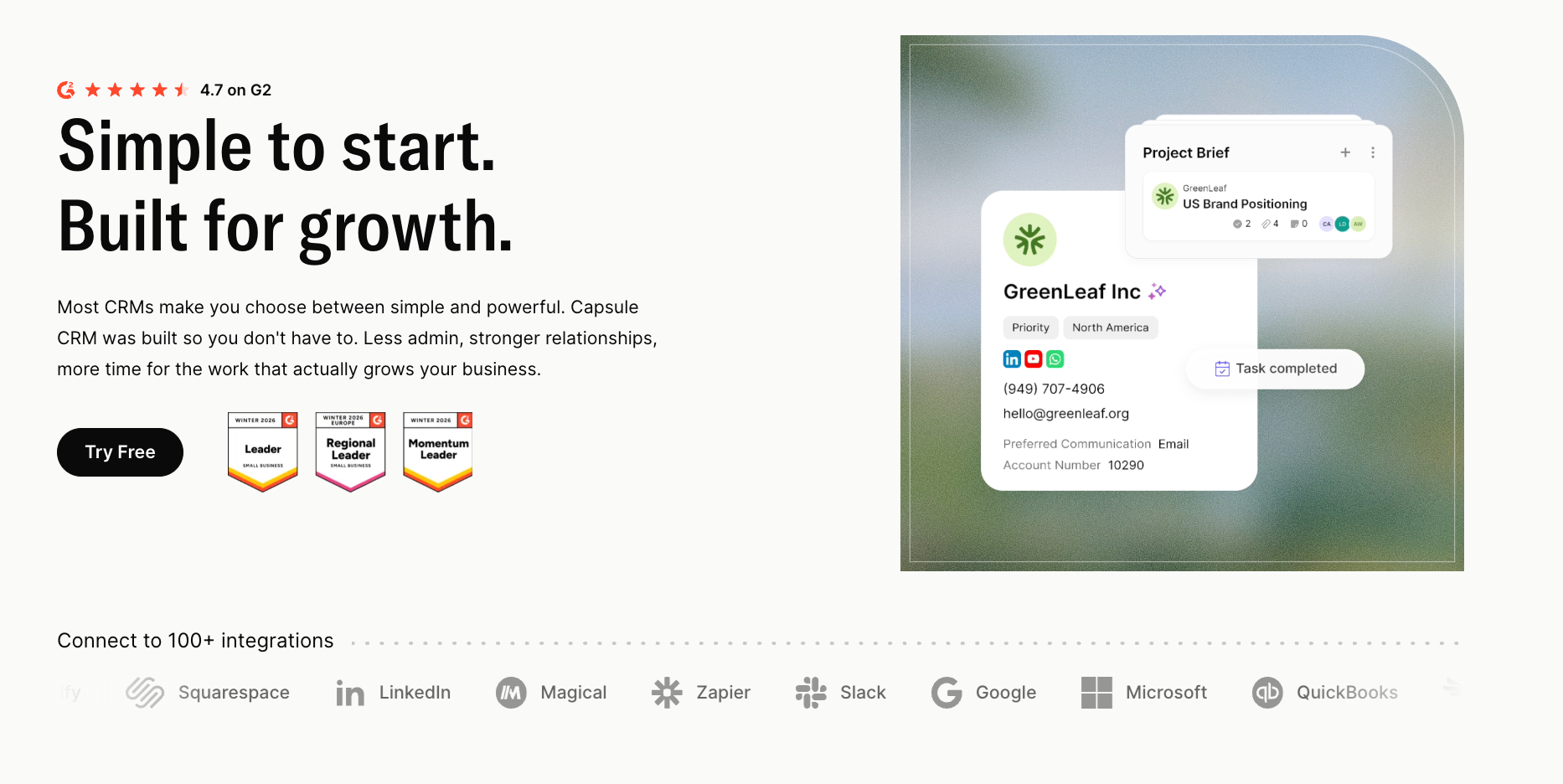
Capsule's contact management gives each person and organization a full timeline of communication, notes, files, and active opportunities. For a solo attorney, that timeline is the difference between "I think I spoke to this person about a real estate matter last spring" and "Here is exactly what we discussed, what I quoted, and why they didn’t move forward."
Custom fields handle the data points that actually matter for legal intake: practice area, referral source, matter type, jurisdiction, conflict status notes, anticipated fee range. None of this is hardcoded into generic CRM software.
Tracks handle the parts of intake that always fall through. When a new consultation is logged, a sequence of tasks fires automatically: send retainer agreement, confirm payment received, set conflict check reminder, schedule kickoff call, file engagement letter.

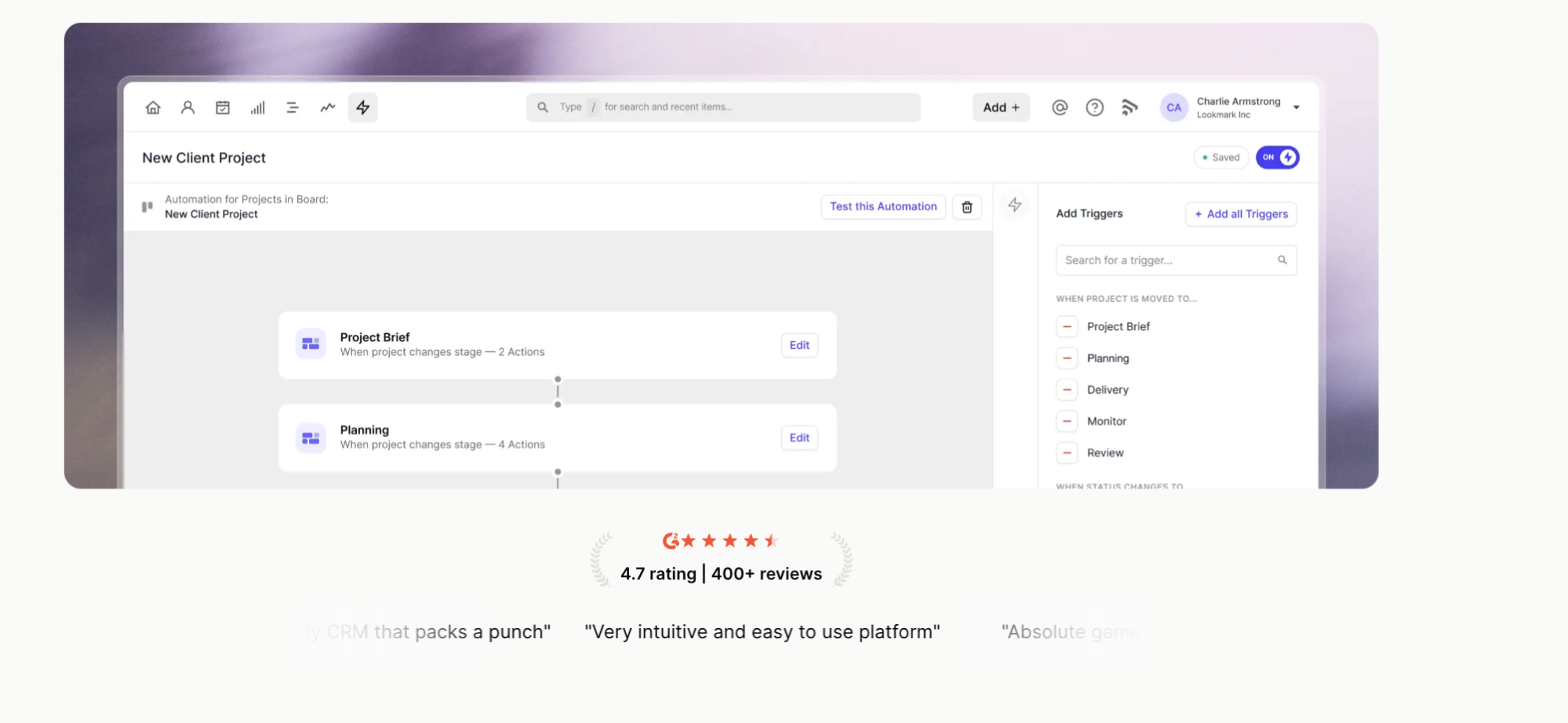
For follow-up after a matter closes, Capsule's tasks can be set against a contact with a date months or years out, so a wills client gets a five-year review prompt, or a corporate client gets a renewal check-in tied to the anniversary of their formation date.
Capsule AI adds a few practical features for a small legal practice.
AI Summaries condense a long client relationship history into a brief that takes thirty seconds to read before a call. AI Content Assistant drafts client-facing emails using the actual relationship history. Capsule integrates with Xero and QuickBooks, keeping client context intact and handing invoicing off to the accounting tool.
Pricing: Free plan for up to two users and 250 contacts. Starter from $18/user/month. AI features from $36/user/month.
Try Capsule free for 14 days, no credit card required.
Clio Grow
Clio Grow is the intake-and-leads sibling of Clio's broader practice management suite.

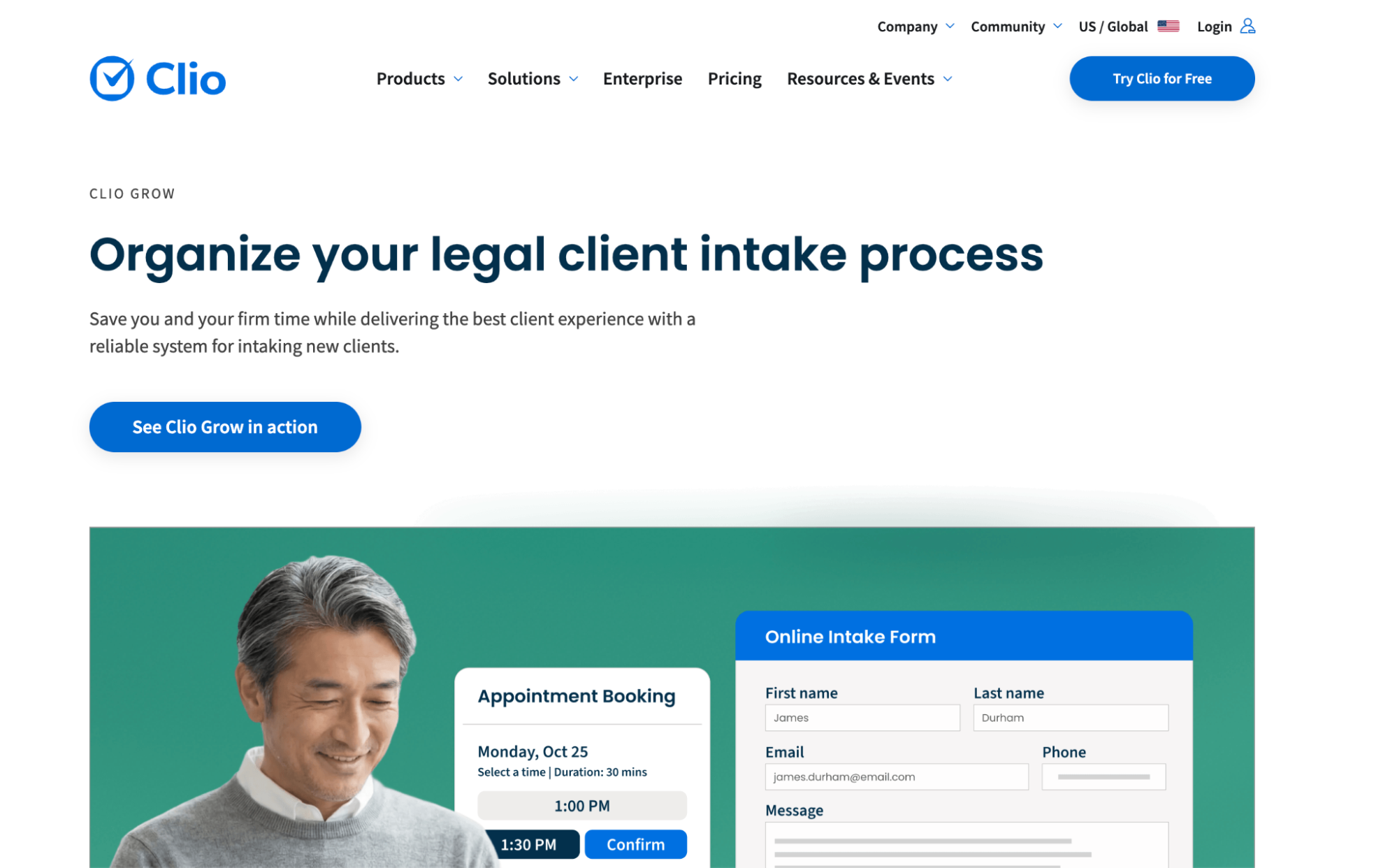
For solo attorneys who already use Clio Manage for matters and billing, Grow extends that ecosystem into the pre-engagement phase. A lead in Grow becomes a matter in Manage with one click, carrying intake notes, documents, and conflict check data across. Built-in conflict checks, document automation for engagement letters, and an online intake form that integrates with Clio's calendar handle the operational side.
The trade-off is lock-in to Clio's ecosystem. Grow isn’t particularly useful as a standalone product; its value compounds inside the Clio stack. Firms that prefer best-in-class tools across categories may find it limiting. Firms already standardized on Clio find it the obvious choice.
Pricing: From $49/user/month, often bundled with Clio Manage.
MyCase
MyCase bundles CRM, matter management, billing, and client portals into one platform.

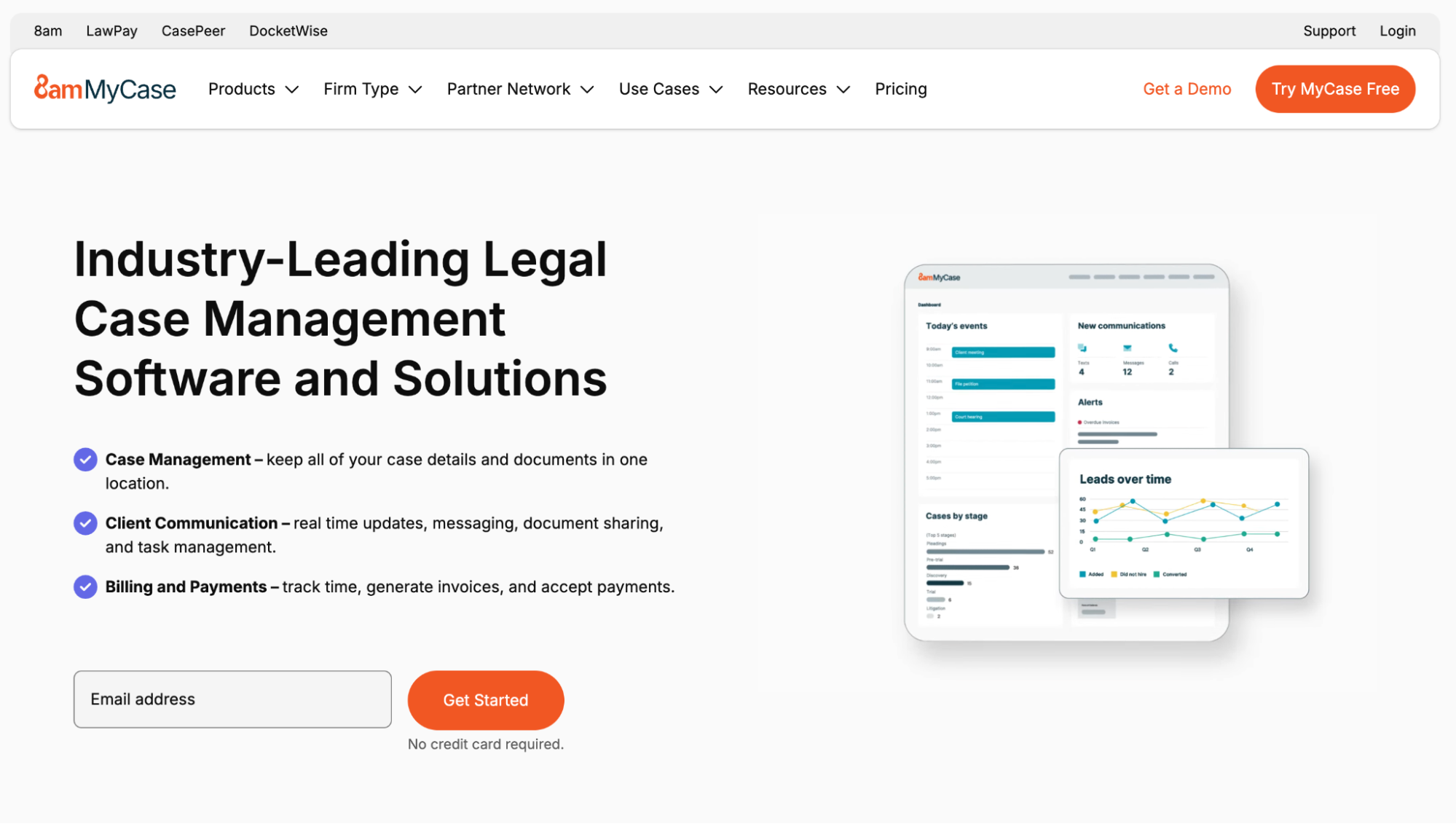
The intake module handles lead capture, automated follow-ups, and conversion to matter status when an engagement letter is signed.
The appeal is consolidation. There is no separate CRM, separate billing platform, or separate document management. The client record is visible in the same place as the matter, the invoices, and the documents. For a one or two-person practice that prioritizes consolidation over depth, MyCase fits. The CRM features are functional but limited compared to a dedicated tool, and the reporting is more basic than firms eventually want. The ceiling arrives faster than expected for firms that grow into sophisticated client development.
Pricing: From $39/user/month for the Basic plan.
Lawmatics
Lawmatics is purpose-built CRM and marketing automation for law firms, with a heavier focus on intake than Clio Grow.


The product is strongest where small firm intake gets messiest: multi-touch lead nurture, drip campaigns for prospects who don’t convert immediately, and automated follow-up sequences after consultations. For practices where leads typically take weeks or months to convert (estate planning, family law, immigration), such a nurture infrastructure makes a measurable difference.
The learning curve might be a disadvantage, though. Lawmatics is more configurable than most legal CRM options, which means more time spent setting it up correctly. Solo attorneys who want something running by the end of the day will find the setup heavier than expected. Firms willing to invest a week in proper configuration get a system that runs intake at a near-agency level.
Pricing: From $149/month, billed per firm.
Section 2: CRM for small and mid-sized firms (6–30 lawyers)
This group needs cross-attorney visibility into client relationships, structured referral management, partner-level pipeline reporting, and access controls that work with no IT overhead.
Capsule CRM
Yes, you can see Capsule… again.
Capsule scales into this size for firms that want a CRM layer on top of their existing practice management system. The shared contact database becomes the critical feature at this size.

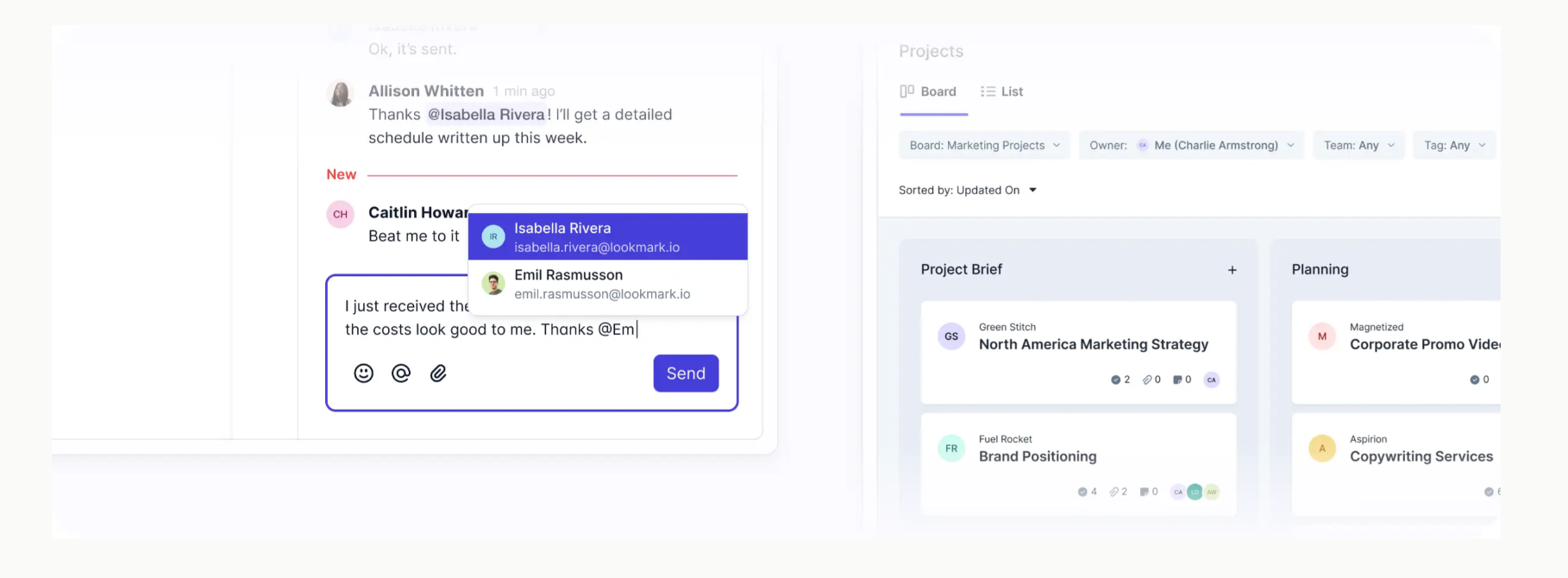
When a partner picks up the phone to a prospect, they need to know if anyone else at the firm has had contact with that person, what the conversation was about, and if a conflict exists. Capsule's team-shared records handle that visibility, with access permissions that do not turn into a full-time admin job.
Multiple sales pipelines let the firm separate new business from cross-sell, referrals from former clients, and high-value strategic prospects from standard inbound leads. A litigation partner does not need to see the wills-and-estates pipeline cluttering their dashboard. Capsule keeps each pipeline cleanly scoped.
Capsule's reporting shows which referral sources generate the most revenue, which practice areas have the strongest pipeline coverage, and where deals are stalling.

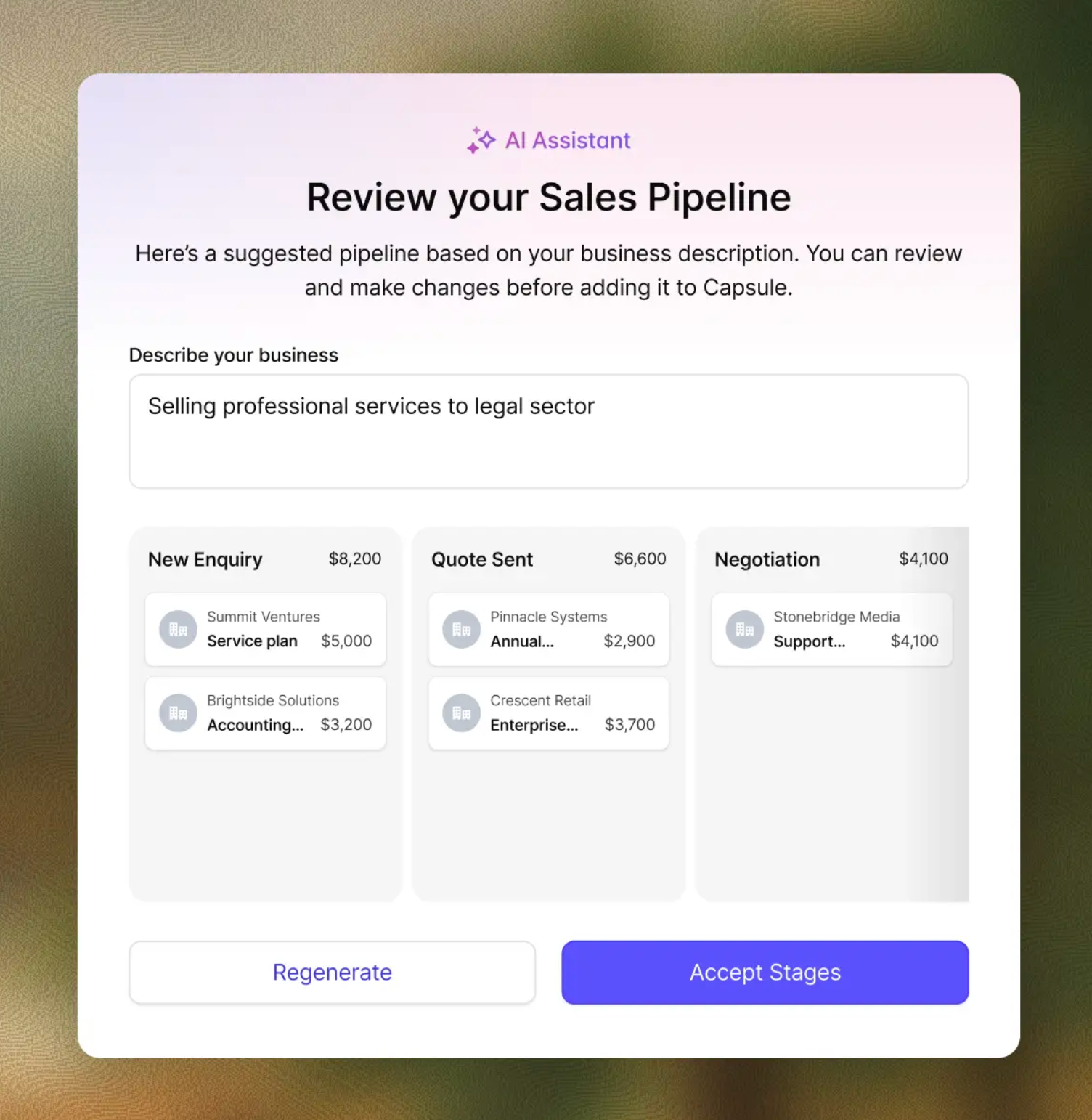
Capsule's AI Pipeline Generator earns its keep when a firm is setting up its first proper BD process. Most small and mid-size firms have never formally mapped their intake or referral workflow into stages. The AI gives a working draft, and the team has something operational within a day. Custom fields and tags handle segmentation for targeted outreach by matter type, industry, or referral status.
Pricing: Free plan available. Starter from $18/user/month. AI features from $36/user/month.
PracticePanther
PracticePanther bundles CRM with full practice management for small to mid-size firms.

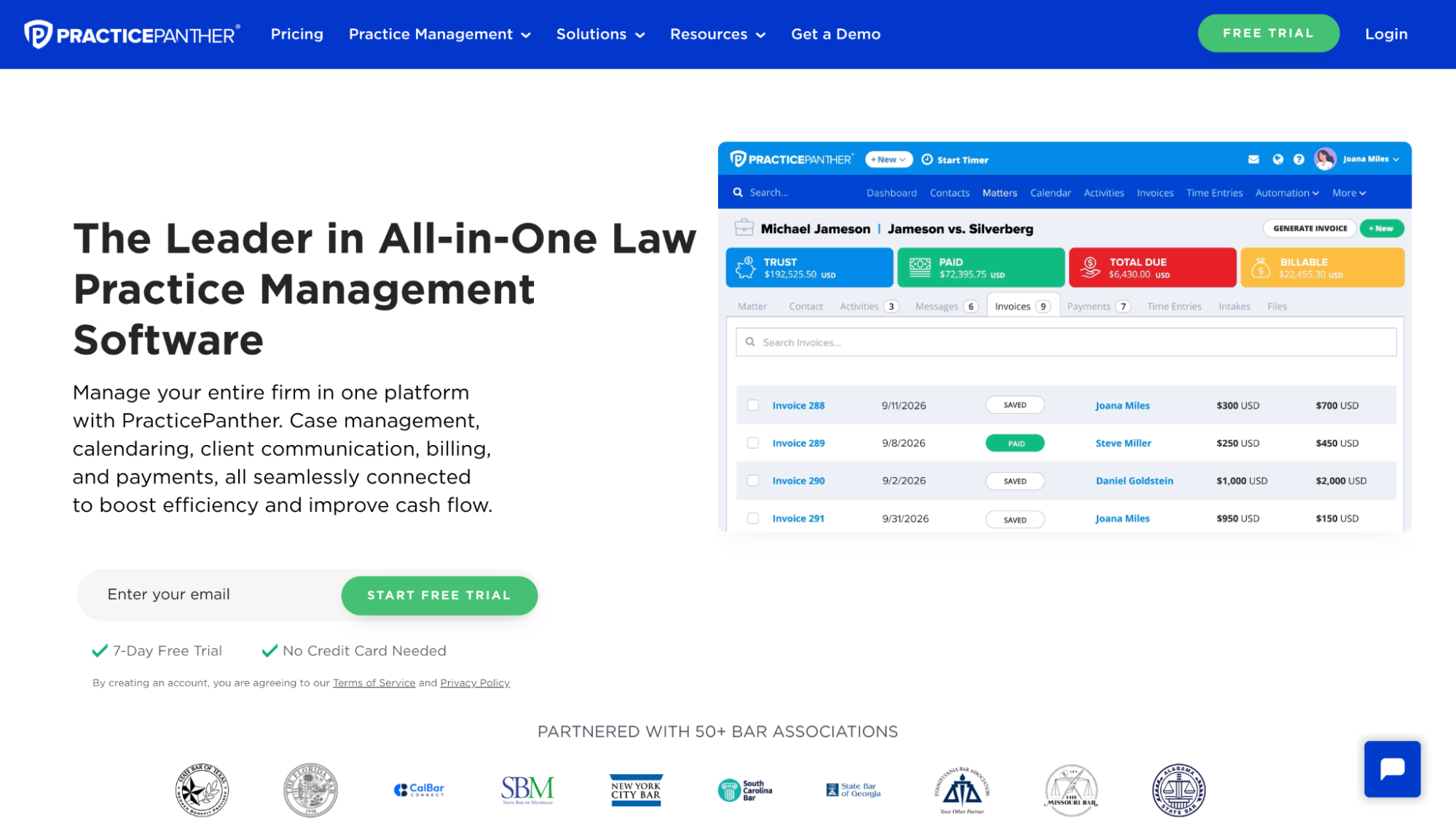
The intake side handles lead tracking, automated emails, and conversion to matter status, and the rest of the platform manages billing, documents, calendars, and trust accounting. The platform is well-known for being easier to roll out than the larger practice management suites, particularly for general practices where matter types are varied but not deeply specialized.
The CRM side is functional, not ambitious. It handles intake and basic follow-up cleanly. Firms that want sophisticated business development workflows, referral source attribution, or detailed pipeline reporting tend to outgrow it.
Pricing: Starts at $49/user/month for the Solo plan.
Filevine


Filevine is a heavier practice management platform with strong CRM capabilities, used heavily by personal injury and mass tort firms.
The product is built for high-volume, multi-stage matter workflows. Intake is treated as a structured pipeline with automated lead routing and conflict checks. The trade-off is fit. Filevine is overbuilt for a general practice or transactional firm. The cost, the configuration time, and the operational expectations all assume a firm that processes leads at scale. A 15-lawyer commercial litigation boutique may find Filevine more robust than necessary for its day-to-day needs.
Pricing: Custom pricing on request; typically a significant per-user commitment.
Section 3: CRM for in-house legal teams
What this group actually needs: relationship management across internal stakeholders, vendor and outside counsel tracking, contract repository integration, and reporting to executive teams. This is the most underserved category in legal CRM. Most products are built for client-facing firms, and in-house teams adapt them.
Capsule CRM
Capsule also works well here for smaller in-house teams of one to ten attorneys plus support staff, particularly when the main need is relationship and stakeholder management rather than heavy legal operations software.
The general counsel of a 200-person company has relationships with the CEO, the CFO, three sales VPs, two operations directors, the head of HR, plus external counsel at multiple firms across different specializations. Each of those relationships has history, ongoing matters, pending requests, and commitments.
Capsule treats each as a structured contact record with full timeline visibility.

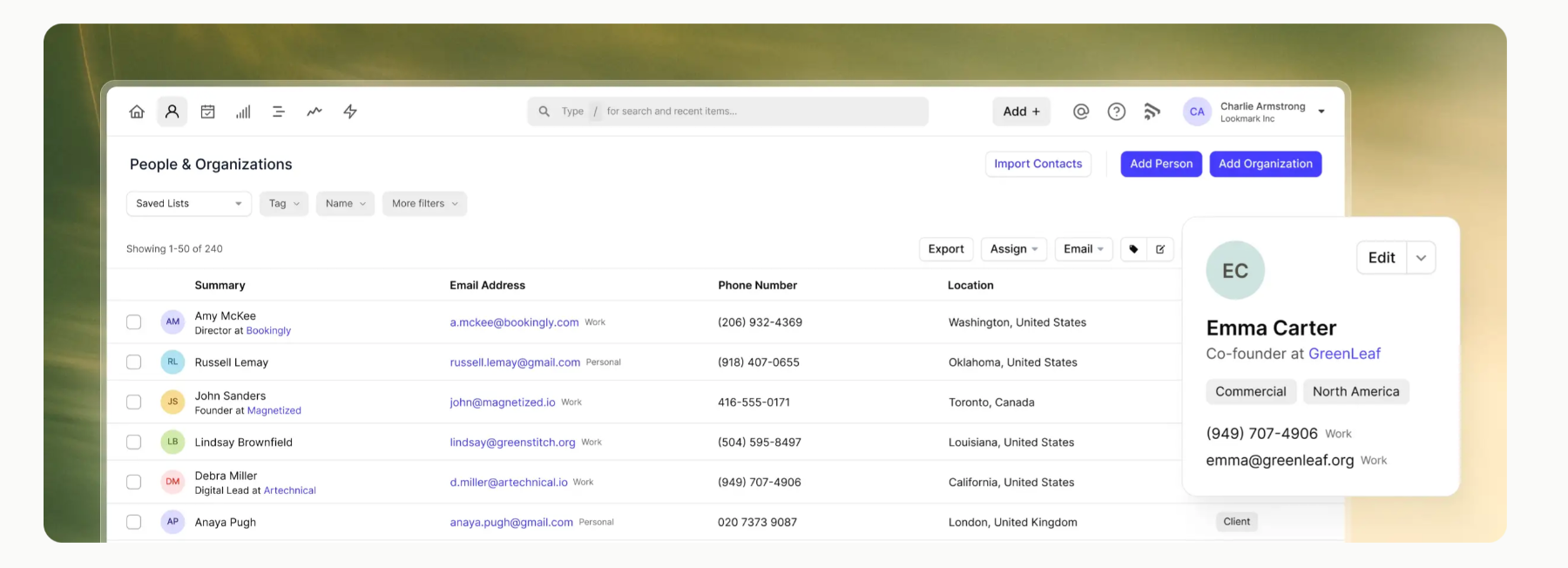
Capsule's projects feature handles long-running internal initiatives, like a major contract renegotiation, an HR policy refresh, or a regulatory compliance project. Each project pulls in the relevant stakeholders and external advisors, holding documents, notes, and tasks against the work itself.


For outside counsel management, Capsule tracks engagement history, fee arrangements, performance notes, and contact information across multiple firms in one place. When the CEO asks, "who handles our IP work and what have we spent with them?" the answer is one search away.
Capsule doesn’t handle matter management the way dedicated legal ops platforms do. It won’t generate matter budgets, run e-billing workflows, or track outside counsel guidelines compliance. Teams that need those functions pair Capsule with a separate matter management tool.
Pricing: Free plan available. Starter from $18/user/month. AI features from $36/user/month.
SimpleLegal (Onit)
SimpleLegal is built specifically for in-house legal operations, with strong matter management, e-billing, vendor management, and reporting capabilities.

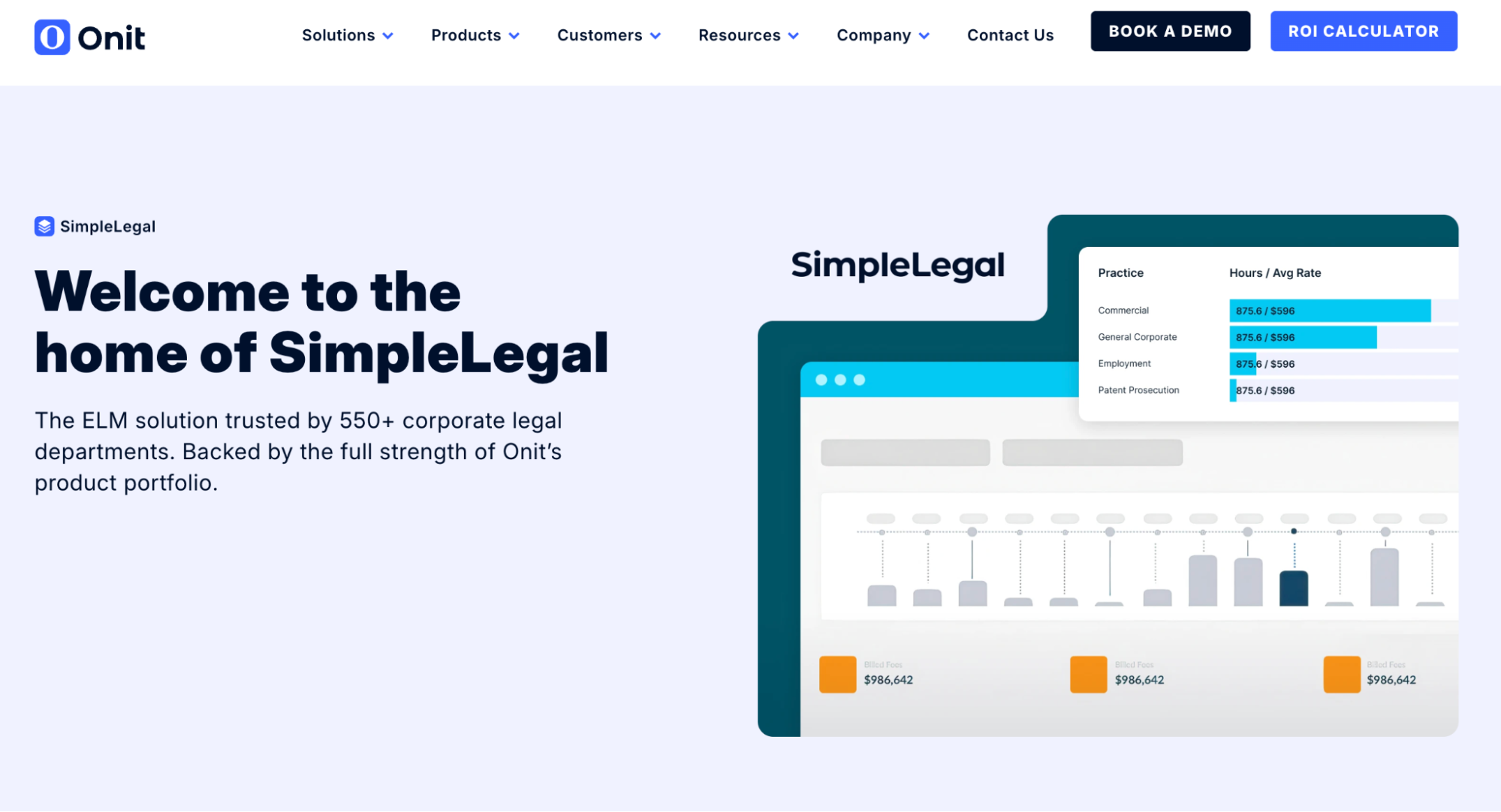
The product is positioned for legal departments that have moved past the "GC plus a paralegal" stage into a real legal ops function. Spend visibility across outside counsel, automated invoice review, matter budgets, and detailed reporting to the C-suite are all native.
SimpleLegal is built first for operations, with CRM-style capabilities layered around that core. Teams focused mainly on relationship management, stakeholder tracking, and the more human side of in-house legal work get more platform than the job calls for.
Pricing: Custom pricing on request.
Salesforce (with legal industry configuration)
Salesforce shows up in larger in-house teams that have either inherited it from the broader company or want a CRM that integrates with the firm's existing tech stack.

The strength is configurability. Salesforce can model legal-specific workflows, integrate with contract management platforms, show data to executive dashboards, and handle the access controls that large corporate environments require.
The cost is exactly what every Salesforce review mentions: implementation time, admin overhead, and per-user licensing. For in-house teams under twenty people, the operational tax is rarely worth it. In legal departments embedded in a Salesforce-standardized enterprise, the integration value can justify the commitment.
Pricing: From $25/user/month for Sales Cloud Essentials, scaling steeply with industry-specific configurations.
How to choose for your kind of practice
Three questions cut through most of the noise:
- Where does the current workflow break? If intake is the problem, the answer is in the front-of-funnel CRM category. If post-client relationships are the problem, the answer is in relationship CRM. If matter coordination is the problem, the answer is in a practice management platform with embedded CRM features. Solving the wrong problem is the most common reason firms abandon legal CRM software within a year.
- How much implementation time does the firm actually have? A solo attorney running active matters can’t spend three weeks configuring a complex CRM. A firm with an office manager who can own the implementation has different options. The best legal CRM is the one your firm can get operational quickly enough to use it before the urgency fades.
- Does the tool support real conflict and privilege workflows? A CRM that requires a separate process for conflict checks creates friction every intake. A CRM that supports proper access controls and audit trails reduces risk. In legal services, this is a baseline requirement.
A clean migration from spreadsheets is often the first concrete step, and one that pays off well before any advanced features get used. Most firms have years of contact history, referral notes, and matter context locked in sheets or email folders. Getting that data into a structured system is the foundation that everything else builds on.
The pattern across all three sections
The practices that get the most value out of CRM software are the ones that match the tool to the specific work, instead of buying the most feature-complete platform available.
A solo immigration attorney doesn’t need Salesforce. An in-house team of three doesn’t need Filevine. A 20-lawyer commercial litigation firm doesn’t need MyCase. Pick the tool that solves the actual bottleneck, then leave room to integrate the second tool when a new bottleneck appears.
Capsule sits at the intersection of all three categories because it does the relationship, contact, and pipeline work cleanly, with no attempt to be matter management, billing, or document automation.
That’s exactly the point for firms that want each system to do its own job.