Sales managers sit in an awkward middle. They coach people, fix broken processes, and keep forecasts honest – often all at once. A CRM that works for a sales rep can still fail a manager if it hides patterns or slows feedback.
The best CRM for sales managers makes both sides visible. It shows how deals move and how people work, and where a rep needs support rather than pressure. The picks below focus on that balance – tools built to manage both pipelines and teams.
What sales managers need from a CRM
Sales managers carry the number, the team, and the explanation when things go wrong. The CRM is supposed to help with that. In practice, many systems add noise and surface problems too late to fix.
What matters to managers looks like this:
#1 A pipeline that tells the truth early
The biggest pain for sales managers is false confidence: when deals look fine until they suddenly are not. Managers need a pipeline view that shows stalled deals and inflated stages before the forecast breaks. A CRM only helps when it exposes risk early enough to act.
#2 Visibility into execution, not excuses
Managers constantly hear that “work is happening.” What they really need to know, though, is whether that work moves deals forward. A useful CRM connects actions to outcomes and shows where the process breaks down.
#3 Context to coach
Sales managers do not have time to reconstruct every deal. When context lives across emails, notes, and conversations, coaching becomes reactive. A CRM should give managers immediate deal context so guidance stays specific and tied to real blockers.
#4 Forecasts necessary to reduce pressure
Forecasts shape how managers allocate time and manage both teams and expectations upward. When numbers drift from reality, pressure rises… everywhere.
A manager-ready CRM reflects pipeline health honestly and preserves relationship continuity when reps or accounts change.
Best CRM for sales managers: our ranking
Capsule CRM: best CRM for managers who hate admin and need clarity
Sales managers don’t open a CRM to admire features – they open it to understand what is going on and decide where to step in. Capsule CRM works well in that role because it stays out of the way for reps while still giving managers a usable picture of the pipeline.
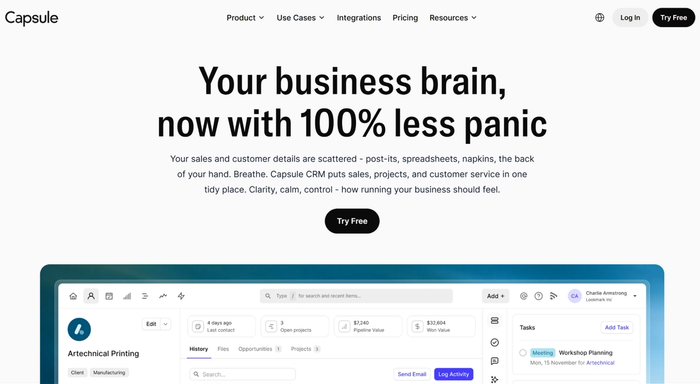
It fits managers who run frequent deal reviews, coach in context, and simply want fewer surprises late in the quarter.
Sales managers like Capsule because it removes friction
- Context lives inside the deal. One of the biggest time-sinks for sales managers is chasing information when they should be deciding what to do next. Capsule keeps everything tied to the opportunity. Calls, emails, and notes sit right there. No tab-hopping or reconstructing the story mid-review.
- Pipeline reviews stay readable. Managers can open the pipeline and immediately see what matters. Where deals stand, what has changed since the last review, and which opportunities need attention. Reviews run faster because the system mirrors how managers actually think.
- The data holds up in real conversations. Updates happen as part of normal sales work, not as end-of-day cleanup. That keeps the pipeline credible enough to talk forecasts and priorities without first questioning the numbers.
- The CRM adapts to the sales process, not the other way around. Sales managers don’t need to retrain the team just to keep the CRM clean. Capsule fits existing workflows, which keeps CRM adoption high and visibility intact.
- Team patterns show up early. With Capsule, it’s really easy to spot where deals stall or where load concentrates. That gives managers room to step in before targets start fading away.
- Ownership and history stay clear. When accounts move or reps change, the relationship doesn’t reset. Managers can see who owns what and what’s already happened, which avoids dropped balls during handovers.
Reviews speak louder than our words
Instead of telling you what Capsule claims to do, it’s worth looking at what keeps coming up in real user reviews.
Different teams, different setups… but the same pain points get solved again and again.
Users keep pointing out how easy it is to keep sales information usable. Notes from calls, emails, and past conversations stay easy to find, even months later. That matters when you need context fast and don’t have time to reconstruct a deal from memory.
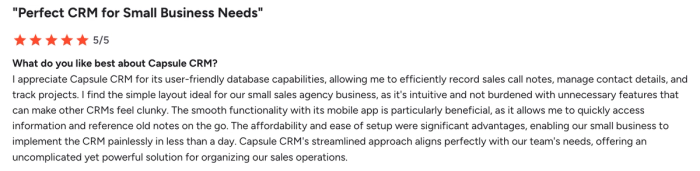
Another recurring theme is how little effort it takes to get value out of the system. Teams mention setup that takes hours, not weeks. Reps adapt quickly. Managers don’t need to chase people to keep the CRM up to date, which is often where other tools fall apart.
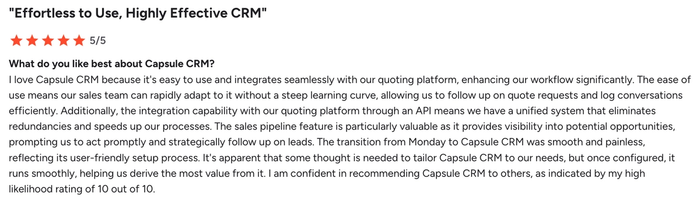
Cost also shows up often, but not as a standalone argument. Reviews compare Capsule to heavier platforms and frame pricing as part of a broader trade-off: fewer features, less noise, and far less friction in daily use. For small teams and growing sales orgs, that balance matters.
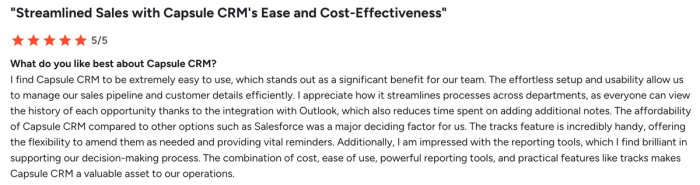
What’s notable is what users don’t complain about. There’s very little frustration around clutter, forced workflows, or overengineering. Instead, the feedback consistently points to a CRM that stays out of the way while still supporting real sales work.
That combination – usable context, a plethora of features, user-friendly interface, fast adoption, low friction, and more – explains why managers stick with Capsule once it’s in place.
Try it today.
Pricing note
Capsule offers a free tier for small teams, with paid plans starting at $18 per user per month. Compared to most CRMs in this category, it sits at the lower end of the pricing spectrum, which makes it one of the more affordable CRM options for sales managers.
HubSpot CRM
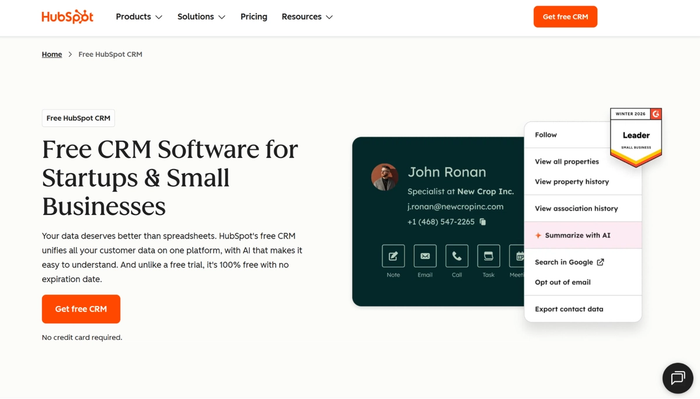
HubSpot CRM is part of a platform that pulls together sales, marketing, and service activity. That breadth is useful when campaigns and touchpoints matter to pipeline health. But that strength also introduces complexity and cost that can frustrate teams focused purely on selling.
Why managers use it
- Customer interactions live in one place. Managers get a clear record of actions and timing, which eliminates the need to hunt through multiple tools.
- Lead tracking is connected to the pipeline. HubSpot ties inbound leads to actual deals, which gives managers a continuous view of prospects as they move from first touch to close.
- Process enforcement with automation. Workflows and task automation help keep teams standardized. Managers use this to make sure handoffs happen, and key steps aren’t skipped.
- Shared reporting across functions. HubSpot’s dashboards span sales, marketing, and service data. For managers running cross-functional reviews, this can reduce context-switching.
Watch-outs for sales managers
- Meaningful reporting is rarely free. The free CRM is fine for basic tracking, but dashboards and analytics that support real decision-making usually require paid tiers. That affects budget planning early.
- Setup complexity grows fast. The more modules you connect, the more time you spend on configuration. Managers who just want clean sales tracking can find this distracting.
- Forecasting depends on disciplined reps. HubSpot’s pipeline is only as good as the data inside it. If reps don’t consistently update deals, forecasting accuracy drops quickly.
- Feels heavy for deal-execution-only teams. If all you need is a tool to run sales (and not inbound marketing or service workflows), HubSpot can feel like overkill. Some HubSpot CRM alternatives stay leaner and force less cognitive overhead.
HubSpot offers a free CRM, but manager-critical CRM features and automation typically require higher tiers. Hubspot CRM pricing plans start at $20/mo/seat.
Zoho CRM
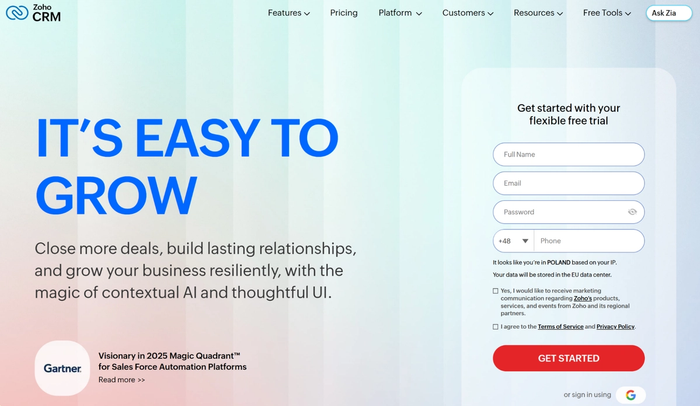
Zoho CRM its teams where sales managers need strong control over data configuration. It’s especially valuable in environments with complex sales operations or multiple team layers. That flexibility is interesting, but it comes with a usability cost that managers should consider up front.
Why managers use it
- The sales process you can shape to fit reality. Zoho lets you tailor pipelines, fields, and workflows so they reflect how your team actually sells. Managers with varied segments or multiple products appreciate that level of control.
- Deep visibility when you need it. Configurable dashboards mean managers can track performance and deal movement across lenses that suit their reviews. If you want data sliced by territory, rep role, product line, or cycle stage, Zoho can deliver it.
- Operational consistency at scale. Automation helps keep work from drifting. For managers responsible for predictable outcomes across teams, having rules and triggers that enforce flow brings stability to execution.
- Built for larger or layered teams. Role-based access and granular reporting make more sense when you’re managing many reps, segments, or hierarchical structures. If you oversee a larger sales org, Zoho’s controls give you options other CRMs don’t.
Watch-outs for sales managers
- Setup takes effort and planning. All that flexibility means a fair amount of configuration. Managers should be prepared to invest time up front – or involve someone who understands sales ops – to get the system aligned with reality.
- Power can feel overwhelming in reviews. The interface and breadth of options can slow you down when you just want quick answers. For managers who run rapid, recurring deal reviews, that friction shows up.
- Data quality still matters. Like every CRM, Zoho’s insights are only as good as the data inside it. The outcome depends on disciplined input from reps.
- Not plug-and-play for smaller teams. Teams with no dedicated sales operations support can struggle to extract value quickly. Zoho delivers depth, but that depth comes with cognitive load.
Pricing note
Zoho offers a free tier for very small teams, but most of the features that matter to managers sit behind paid plans. Paid Zoho CRM tiers start at around $23 per user per month, which unlocks advanced automation, reporting, and customization options.
Monday CRM
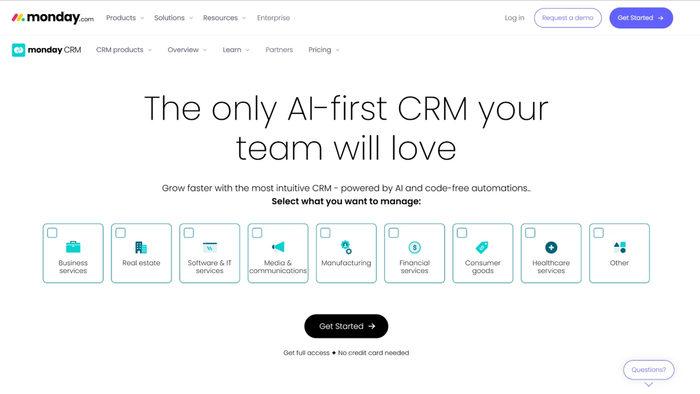
Monday CRM appeals to sales managers who want a highly visual, flexible CRM that feels more like work or project tracking than a traditional CRM. It works particularly well for teams transitioning from task-based tools.
Why managers use it
- Visual pipeline and customizable boards. Managers can track deals and ownership through boards that look and behave like boards from project tools. That visual layout helps coordinate tasks and makes it easier to orient a team that’s used to spreadsheets.
- Teamwide visibility. Shared boards and timelines let teams stay in sync by referencing the same up-to-date information, reducing the need for constant check-ins.
- Automation to cut manual work. The CRM includes a no-code automation builder, which allows managers to reduce repetitive follow-ups and enforce basic workflow steps.
- Integration with other business tools. Monday CRM connects easily with email, calendars, Slack, and other tools, which can be useful if you want pipelines feeding into broader operational systems.
Watch-outs
- Shallow relationship context compared with deeper CRMs. Monday CRM excels in tracking tasks and statuses, but it doesn’t dig as deep into contact histories or relational intelligence as more traditional CRM systems do. Managers focused on long-term customer relationships may feel the engine is light on nuance.
- Reporting leans toward a task view, not sales performance insight. Reporting leans heavily on task status, so you often see what’s been done but need extra context to understand the impact on revenue or conversion.
- Boards can get cluttered. Customizability is powerful, but it cuts both ways. If boards aren’t carefully organized around your actual sales process, they can become inconsistent and hard to interpret in reviews.
- Less suited for deeper CRM-centric teams. Teams focused purely on traditional CRM outcomes (e.g., pipeline forecasting, contact scoring, relationship signals) may find Monday CRM feels like it was built for work coordination first and CRM second.
Pricing note
Monday CRM does not offer a free CRM tier. You can try the full platform with a 14-day trial, but after that, paid plans begin at around $12 per user per month, with a three-user minimum on paid plans.
Sales manager CRM evaluation checklist
Use this as a pre-demo/trial checklist. It’s written as questions you can literally tick off when you evaluate any CRM.
Pipeline & forecast clarity
- ☐ Does the CRM make the pipeline easy to interpret in a way that matches how you run reviews?
- ☐ Can you identify risk and pipeline gaps from the CRM’s default views?
- ☐ Does forecasting reflect current deal health rather than optimistic stage movement?
Coaching & deal context
- ☐ When you open a deal, do you immediately see all relevant context (interactions, notes, next steps)?
- ☐ Is it easy to prepare for coaching from what the CRM shows?
- ☐ Does the CRM help you understand why deals move (or stall), not just that they did?
Adoption & daily use
- ☐ Is the system intuitive enough that reps use it naturally as part of their workflow?
- ☐ Does daily use feel like sales work, not admin overhead?
- ☐ Can managers easily run reviews?
Process fit & flexibility
- ☐ Can you configure pipelines, fields, and stages to reflect your sales process?
- ☐ Can you adjust this configuration easily as the process evolves?
- ☐ Does the CRM support exceptions and edge cases?
Reporting
- ☐ Do built-in reports answer the questions you ask in recurring reviews?
- ☐ Can you slice and dice data (by team, rep, product, segment)?
- ☐ Are key metrics visible without exporting to spreadsheets?
Data quality & discipline
- ☐ Does the CRM nudge reps toward data entry that actually matters for managers?
- ☐ Are data gaps obvious, not hidden?
- ☐ Does the system reduce the need for manual clean-ups before reviews?
Customer & relationship depth
- ☐ Does the CRM give you meaningful relationship context for contacts and accounts?
- ☐ Can you view interaction history in a way that informs decisions?
- ☐ Can you follow relationships over time, even if ownership changes?
Scale & organizational fit
- ☐ Can this CRM grow with your organization?
- ☐ Does it support role-based access and team segmentation in a way that fits your structure?
- ☐ Does it fit the cadence of your sales cycle (fast cycle vs long cycle)?
Cost & value alignment
- ☐ Does the pricing fit your budget with the features you actually intend to use?
- ☐ Are you comparing total cost (including upgrades you’ll need)?
- ☐ Does the value you expect to get justify what you’ll pay?
Integration & workflow fit
- ☐ Does the CRM integrate with your existing tools (email, calendar, communication platforms)?
- ☐ Will connecting this CRM to your stack make daily work easier for the team?
- ☐ Are essential sales functions available directly in the CRM, so you’re not constantly patching workflows together?
Capsule ticks ALL of these boxes
If you go through this checklist with Capsule CRM, you’ll see that it checks the core items managers care about:
- It gives a clear pipeline view that matches how managers run reviews.
- Deal context and interaction history sit where managers expect them.
- The simplicity of the interface supports real adoption, not admin fatigue.
- You can shape pipelines and sales fields to match your process.
- Reporting is usable for decision discussions.
- Data quality is easier to maintain because the system doesn’t punish reps with busywork.
- Contact and relationship context stays visible across deals.
- Pricing is predictable and aligned with the features most managers actually use.
- Integrations cover essential workflows.
Ready to validate it yourself? Try Capsule CRM today and check these items yourself.
Conclusion
If you’ve ever sat through a pipeline review wondering “why we’re still chasing data instead of deals,” you’re not alone. Only about 31% of CRM users feel their system genuinely does the job, and around half say their current CRM simply isn’t good enough, yet most feel stuck with it anyway.
That frustration translates into real wasted time and revenue left on the table. A CRM should sharpen clarity, not blur it. If you want a tool that keeps pace with execution, test Capsule and see how it feels in real use; you might finally stop dreading your next review meeting and start managing with confidence!