Machinery manufacturers run long, technical sales cycles across dealer networks and direct buyers. The commercial team manages much of that work through manual tools and separate records. It holds together at one or two people… but it starts to break at five.
A CRM for machinery manufacturers is the system that closes that gap. It gives the commercial team one shared view of every dealer account and every active opportunity. This guide covers what a CRM does in a machinery business, the problems it solves, and what to look for if you're considering one for the first time.
What is CRM for machinery manufacturers?
CRM stands for customer relationship management. For a machinery manufacturer, that translates into one shared place where dealer and direct buyer accounts live. Every conversation and quote revision is attached to the account record, so the full commercial team can see what's active and what needs attention this week.
It's a structured version of what the commercial team is already doing across inboxes and spreadsheets. The structure is the difference. Account history stops depending on one person's memory, and pipeline visibility stops depending on the Monday meeting.
For machinery businesses with 10 to 100 employees, a CRM looks closer to a shared notebook with structure than to enterprise sales software. The core building blocks are accounts and pipeline stages – together, they cover the commercial workflow from enquiry to won order.
When does a machinery business need a CRM?
The trigger is usually team growth. With one or two people, the commercial workflow holds together through direct conversation. Between three and six people, fragmentation starts.
CRM usually becomes urgent when the business outgrows “ask John, he knows the account.
At first, that works. A sales manager remembers which dealer prefers which machine range, and a senior rep knows why a quote stalled. Someone in the office can dig out the last conversation. But as the team grows, that informal knowledge starts to leak. New hires need too long to get useful, follow-ups depend on memory, and pipeline reviews turn into status-checking sessions instead of sales decisions.
For machinery manufacturers, a CRM is less about adding extra processes and more about protecting commercial knowledge before it gets trapped in people’s heads, inboxes, and old quote files.
The problems a CRM solves for machinery manufacturers
Three problems show up across growing machinery businesses. They compound as the commercial team grows:
Missed dealer and reseller follow-ups
Dealer follow-ups happen in personal inboxes and individual memory. A rep agrees to send updated lead times by the end of the week, then gets pulled into a different account. No follow-up detected. The dealer doesn't chase, because they assume the manufacturer is working on it. Two weeks later, the deal has gone quiet, and the order is with a competitor who followed up first.
A CRM attaches a follow-up date to every active account. The full team can see what's overdue before it goes cold, and dealer relationship continuity stops depending on one rep's diary.
Complex quotes are losing context between stages
A machinery quote is tied to a technical spec, a site visit, and often two or three revisions. When that context lives in one rep's email, anyone covering the account starts from scratch. The verbal commitment on extended warranty, the spec change in version two, and the reason behind the discount: all of it disappears if the rep is away or leaves. A new hire taking over the account a year later has to rebuild the picture from forwarded threads and partial notes.
A CRM holds quote history against the account record. Spec notes and conversation context are visible to anyone on the team who needs to pick the deal up.
No shared view of the pipeline
In many machinery businesses, the pipeline looks “known” until someone asks a simple question: What is likely to close this quarter?
The sales manager has a forecast, reps have their own notes, admin sees quote activity. But dealers mention opportunities that never made it into the main tracker. Some deals look active because they sit in a spreadsheet, while others move forward quietly in email threads.
A CRM gives the team one commercial view of the account pipeline: active quotes, stalled opportunities, dealer-led conversations, next steps, and likely close dates. Not because every deal needs more reporting, but because growth makes private sales knowledge too risky to rely on.
How growing machinery businesses manage this today
The default commercial setup in a 10 to 100-employee machinery business looks like this:
- Dealer enquiries land in a shared inbox or get forwarded to the rep covering that territory.
- The rep replies from their personal email.
- Site visit notes go into a notebook or a Word doc.
- Quotes get drafted in Excel or pulled from the ERP and emailed out.
- A spreadsheet, maintained by one person, tracks which deals are live and where they are in the process.
But when it breaks, it rarely breaks quietly.
The spreadsheet stops being updated because nobody owns the upkeep. The shared inbox accumulates emails nobody is sure who should answer.
At this point, growing teams reach for alternatives. They extend the spreadsheet with more tabs and columns, or they look at the ERP and ask if it can do the job.
Neither solves the problem.
Why spreadsheets and ERPs fall short
Spreadsheets give a basic structure for tracking accounts, but… they enforce nothing.
Two reps can overwrite each other in the same cell. There are no follow-up reminders. There's no link between a contact and the quote sent to them. Account history has to be reconstructed manually every time. Spreadsheet upkeep becomes a job nobody wants, and trust in the data erodes.
ERPs do a different job well. SAP Business One, Epicor Kinetic, Infor CloudSuite and Sage X3 manage production and invoicing across the operations side of the business. They're built for what happens after an order lands, but they aren't designed for dealer relationships or pre-sale pipeline work. The commercial strain shows up before the operational one in growing machinery businesses.
CRM and ERP do different jobs and growing machinery manufacturers eventually need both. The CRM handles relationships and pipeline, while the ERP handles production and invoicing. They run alongside each other on different parts of the operation.
Learn more about CRM vs ERP here.
What to look for in a CRM for a machinery business
A CRM should formalise what the commercial team is already doing, with structure layered on top. Anything that requires the team to rebuild their workflow from scratch creates resistance and slows adoption. The tool fits the work; the work doesn't change to fit the tool.
An easy system that your team will adopt
Adoption is the single biggest predictor of CRM value. A system that the team can pick up in an hour gets used. A system that takes three days of onboarding and requires a dropdown menu for every action stalls within six months. Reps return to inboxes and spreadsheets, and the investment is wasted.
Small commercial teams need a CRM that reduces the number of things reps have to remember, not another system they need to decode.
Shared visibility across the team
The point of a CRM in a small commercial team is one shared view of the work.
Account history and pipeline stage should be visible to anyone who needs them. Permission settings should make sharing the default, with restrictions as the exception.
Tools built for large enterprise sales teams often default to individual ownership of records. That's the wrong model for a 10 to 100-employee machinery business where territory cover and holiday handovers depend on the team picking each other up.
Account-level context for dealer networks
Machinery sales work at the account level. A single dealer often has a buying contact and a technical contact involved in the same deal. The CRM needs to treat the dealer as the account, with multiple contacts attached to a shared history. Tools designed mainly around individual contacts fit consumer or transactional sales better than B2B dealer networks.
No heavy implementation
Setup for an SMB CRM should be measured in hours. Import contacts, configure pipeline stages, and invite the team. Anything that requires a dedicated admin, a six-week implementation project or a consultant on retainer is the wrong fit at this size.
Teams that have lived through a difficult ERP rollout often assume CRM will be similar. With Capsule CRM your team can get up and running in minutes.
How a CRM fits into a machinery manufacturer's day-to-day
The workflow change is small. The visibility change is large.
- Dealer enquiries get logged as opportunities against the dealer account.
- The rep covering the territory owns the record.
- Email threads attach to the account automatically.
- Site visit notes go into the same record.
- Quote versions live in the quote history.
- Each opportunity has a pipeline stage and a follow-up date.
A typical machinery enquiry-to-order workflow inside a CRM breaks down across five stages: dealer enquiry, qualification, site visit or technical spec review, quote sent, and negotiation through to close. Each stage has a clear owner and a defined exit criterion. The full team can see where every active opportunity is positioned with no need to ask the rep.
Trade show and exhibition follow-up runs through the same system. Contacts captured at events are logged as accounts on the same day, with assigned owners and follow-up dates. The post-show two-week window stops depending on the business cards left in pockets.
The sales manager no longer has to rebuild the pipeline from fragments before every review. Open quotes, dealer conversations, machine enquiries, expected order dates, and stalled opportunities sit in one place.
That changes the quality of the conversation. Instead of asking reps what happened, the team can look at the same record and decide what to do next: chase the dealer, revise the quote, involve technical support, check stock availability, or let the opportunity go.
How Capsule fits the machinery manufacturing use case
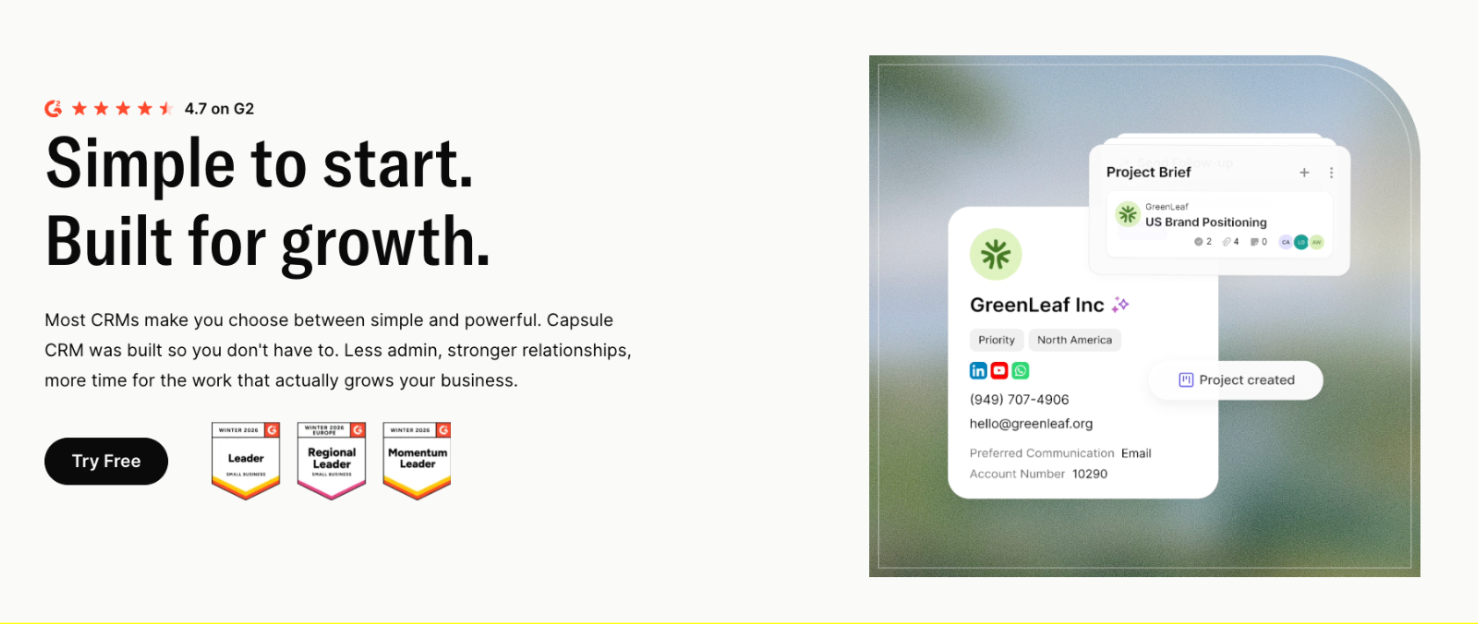
Capsule is a CRM built for small and mid-sized businesses, with active use across SaaS, B2B services, and industrial sectors. It maps cleanly to the core building blocks a machinery manufacturer needs: accounts, a shared pipeline, and follow-up reminders. Setup is a quick exercise for a 10 to 100-employee commercial team.

Pricing breaks down across three tiers.
- The free plan covers two users and 250 contacts, suitable for a very small team testing the approach.
- The Starter plan runs at $18 per user per month and includes the AI Pipeline Generator.
- The Growth plan at $36 per user per month opens up the full AI feature set: AI Summaries, AI Email Assist, and AI Business and Contact Enrichment.
Paid plans come with a 14-day trial and no credit card requirement.
AI features that make a difference

AI Pipeline Generator
Capsule's AI Pipeline Generator builds pipeline stages from a plain-language description of the sales process. A machinery business can describe its enquiry-to-order flow once and have the pipeline configured automatically. This removes the setup blocker that stalls many CRM rollouts, where the team can't agree on stage definitions before going live.
AI Summaries
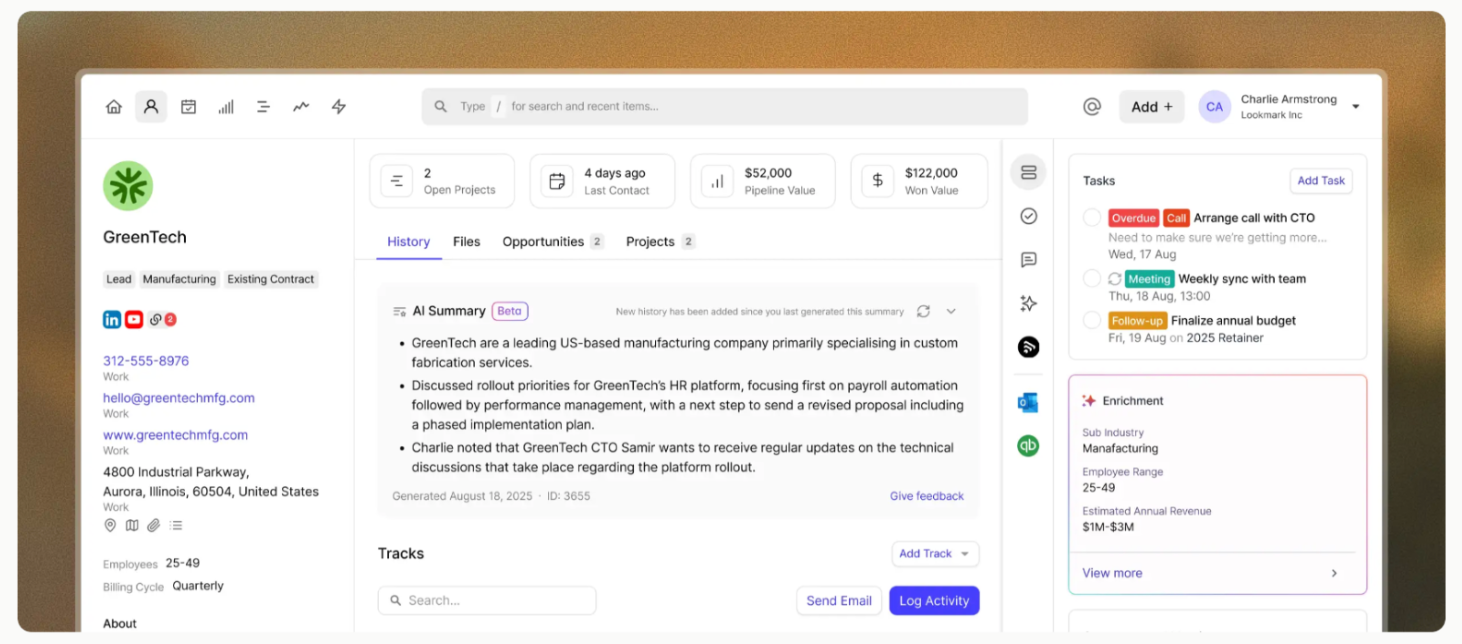
AI Summaries condense an account's last 50 activities into a paragraph. Before a follow-up call with a dealer who's been in the pipeline for six weeks, a rep can read a one-paragraph history covering site visits, quote revisions and recent technical questions. Account handovers between reps stop costing days of email scrolling.
AI Email Assist
AI Email Assist drafts emails from a short prompt against the account context. After a site visit, a rep can prompt a follow-up email with the spec change discussed and the proposed next step. The draft uses the account's existing thread and contact details, saving the blank-page moment after a long meeting.
AI Business and Contact Enrichment
AI Business and Contact Enrichment fills in company data from public sources, such as revenue and headcount. New dealer enquiries arrive with the company context already attached. Qualification calls start with the basic facts in hand instead of being a research exercise.
The practical value for a machinery business lands in three places:
- The shared pipeline removes the need for weekly status chasing.
- Follow-up reminders catch dealer conversations between site visits and quote revisions.
- Account records hold full relationship history, so handovers between reps stop losing context.
Stop running sales from people’s heads
In many machinery businesses, the commercial system is half CRM, half memory.
One person knows which dealer always asks for attachments, while someone else remembers why a quote stalled. The manager knows the big opportunities, but not always the small movements happening between emails, calls, and trade show follow-ups.
That works until the team gets busier.
Capsule gives those moving parts a place to live: dealer accounts, machine interest, quote stages, follow-up dates, call notes, and account history.
Reps can see what happened before they pick up the phone, and sales managers can see which opportunities are active, stale, or close to order. AI features sit on top of that foundation, helping the team catch up on account context before a call.
For a 10 to 100 employee machinery business, that means CRM stops being a “system to maintain” and becomes the commercial memory the team can actually use.
Setup doesn’t need to become a six-month project either. The basics can be in place the same week.
Try it today.
Frequently Asked Questions
Usually yes. The ERP handles production and invoicing on the operations side. A CRM handles the commercial work that happens before an order lands: dealer conversations and pipeline visibility. Both tools are needed for the full operation; the CRM closes the pre-sale gap the ERP isn't designed to fill
For an SMB tool like Capsule, setup is a matter of hours. Import contacts from a spreadsheet or accounting system, configure pipeline stages, invite the team. The training side is informal: a ten-minute walkthrough per rep on how to log a contact and move a deal through the pipeline.
Adoption depends on tool choice. A simple CRM with shared visibility and a low learning curve gets used, while a complex enterprise system with heavy configuration requirements often stalls. The right test before committing is a 14-day trial with two or three reps logging real accounts and using a live pipeline.
A CRM treats dealer and reseller accounts the same way it treats direct buyer accounts: one record per dealer, with full history of contacts and conversations attached. Pipeline stages and account tags handle territory and product line. Capsule supports custom fields and tags.
Many SMB CRMs offer ERP integration through native connectors or middleware platforms. The integration typically syncs customer master data and order information between the two systems. The CRM holds the pre-sale relationship and pipeline data, and the ERP holds the post-order production and invoicing data. Direct integration removes duplicate data entry between sales and operations.