
Small construction businesses deal with a wide range of activities that pull teams in different directions. Leads arrive from phone calls, referrals, and onsite conversations, while bids and estimates must be tracked carefully as they move toward contracts. Projects run at different speeds, and office staff and field crews need the latest information at the same time.
When all of this doesn't live in a unified system, it becomes harder to keep track of what matters and easier for details to be lost. A CRM helps so the business isn’t reacting to chaos.
In construction, this matters because relationships are tied to real work in the field. Today, we'll show you the best construction CRM software options for your business.
What to look for in a construction CRM
✔ Lead & contact management
A good CRM organizes all your customer data (leads from job sites, referrals, and inquiries) into one central contact database. It should help you capture leads and manage client details so you never lose track of potential work. This is the foundation of effective lead management and customer management in the construction industry.
✔ Sales pipeline & follow-ups
Look for tools that let you easily visualize your sales process and sales pipeline: from first contact to signed contract. A responsive pipeline view helps you see where each opportunity stands and keeps follow-ups timely, increasing your chances of landing more jobs.
✔ Mobile & job site usability
Your team isn’t always in the office. A CRM must be usable on phones and tablets so project managers and crews can update project details and job progress directly from the field. Real-time access from the job site improves communication and reduces the need for after-hours data entry.
✔ Integration with project tools
The best CRM solutions link with your existing project management tools, estimating software, and accounting systems. This reduces duplicate work and lets you see client data alongside job status, estimates, and financials without switching systems.
✔ Construction-focused features
Choose a CRM that supports construction-specific workflows. Look for project tracking, document management for contracts/blueprints, and automated reminders for bids, proposals, or follow-ups. You can manage complex jobs and keep client communication consistent throughout the project lifecycle.
✔ Ease of use & price
A CRM should be complex enough to support your business needs BUT simple enough that your team will actually use it. For small construction firms, affordable CRM pricing and straightforward setup matter as much as advanced features. Scalability also helps if you plan to grow.
The best CRMs for a small construction business
1. Capsule CRM
Capsule CRM is a clean, user-friendly customer relationship management system built with simplicity in mind.
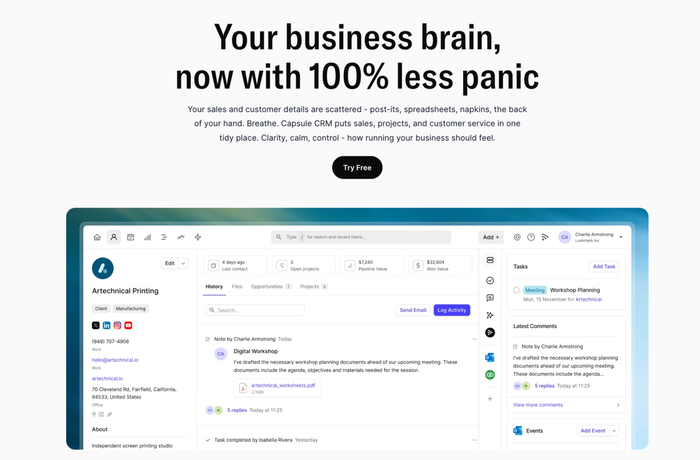
It gives businesses one place to store contact information, record interaction history, and track every opportunity through a visual sales pipeline. The interface is intuitive, so teams spend less time learning software and more time using it.
Why does it work especially well for small construction firms
For small construction companies, keeping job-specific customer data, bids, and follow-ups organized is more than essential. Capsule’s approach focuses on the essentials that matter most:
- It offers 360-degree contact profiles, where you can log calls, attachments, notes, and job-related communication in one place. This helps preserve context about a lead or client even months after an initial conversation.
- The sales pipeline view makes it easy to see where each opportunity stands – from initial inquiry to winning the job – without overwhelming users with features they won’t use.
- Capsule supports mobile access and integrations, so project managers can update contact details or next steps right from a job site device. Integrations with tools like Google Workspace, Microsoft 365, and accounting systems (e.g., Xero) help keep construction workflows connected.
Why teams adopt it quickly
Many small teams get up and running with Capsule in a matter of hours because the setup doesn’t require technical expertise or a long onboarding. The interface centers on the core CRM functions (contact management, opportunity tracking, task reminders) so construction professionals don’t have to sift through unrelated modules just to track leads or customer communication.
Try it today.

JobNimbus
JobNimbus is a combined CRM and project management solution built with contractors in mind. It helps teams track leads, manage jobs, schedule tasks, and handle estimating and billing from one place.
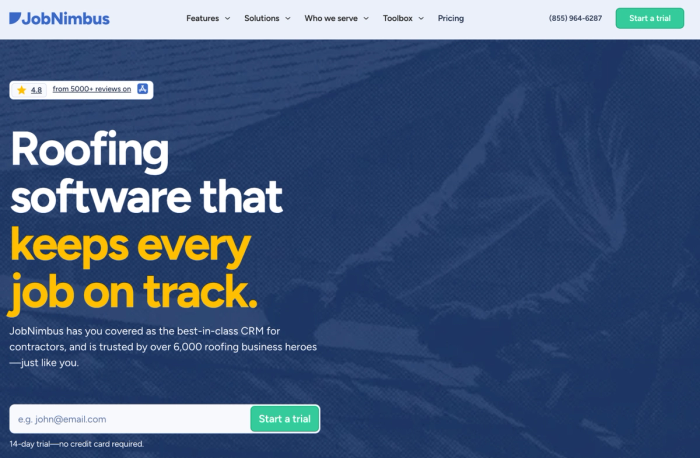
It’s especially popular with roofing, siding, and exterior trades because it blends customer relationship management software with construction-centric workflows.
Pros
- Contractor-focused CRM and job tracking. JobNimbus doesn’t just list contacts; it connects leads and customer interactions to job records and workflows that mirror real construction processes. This helps teams see where each opportunity stands in the builder's pipeline and what needs to happen next.
- Mobile app built for field use. The mobile experience lets crews update job status, upload photos, take notes, and even collect signatures on site. You can keep project information accurate while teams are working far from the office.
- Estimates for invoices in the same system. Users can generate proposals, turn estimates into invoices, and track payments without exporting data to a different tool. This cuts down on repetitive tasks and improves cash flow visibility.
- Automation and customizable workflows. JobNimbus gives users the ability to set up automated reminders or task triggers. Reduce manual work on routine follow-ups and help keep jobs moving forward on schedule.
Cons
- More than a pure CRM, it can feel heavy for simple use. Because it includes estimating, task boards, and project management, some small teams may find it more than they actually need. It’s powerful, but that can mean extra setup and complexity.
- Pricing isn’t transparent upfront. JobNimbus doesn’t list fixed prices on its website for all feature tiers, which can make cost comparisons harder before hands-on evaluation.
- Learning curve for a larger feature set. Users report that while core features are intuitive, getting the most out of automation and customization takes time and some investment in learning the system.
- Mobile features vary by use case. The apps are strong overall, but some users note occasional performance issues or limitations compared with desktop workflows; worth testing if mobile use is critical for your team.
How it compares in context
JobNimbus works well when your construction business needs a robust CRM that spans the entire job lifecycle: from capturing a lead to managing the final invoice and tracking project progress. That makes it a strong contender if you handle multiple projects and field-to-office communication through one platform. However, if your main goal is straightforward lead and client management with minimal setup, a tool with a lighter focus might fit better.
HubSpot CRM
HubSpot CRM is a widely used customer relationship management system that helps teams manage leads, contacts, and deal pipelines in one central place.
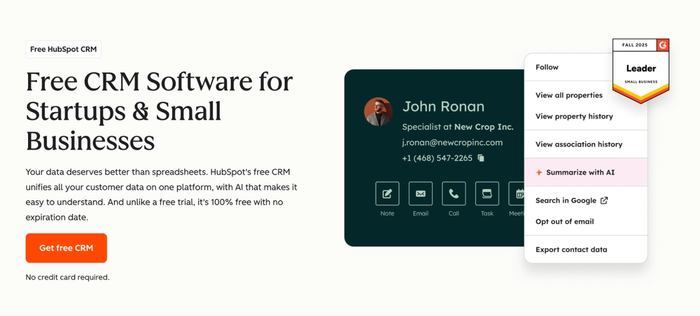
It’s free forever at the core level and offers a range of CRM features (from contact and deal tracking to basic task automation and email logging) that help roofing contractors organize customer data. Its interface is intuitive and easy for teams to adopt quickly.
Pros
- Free plan with strong core tools. HubSpot’s free tier includes contact management, pipeline tracking, task management, and email logging at no cost. For small construction firms watching budgets, this means you can manage client relationships and track leads through key stages of your sales cycle without initial software fees.
- Unified view of customer and deal data. The CRM stores communication history, deal stages, and client details in one place. Keeping this information centralized can improve client satisfaction over time.
- Scales as your business grows. HubSpot allows you to add more capabilities as needed. You can start with the free CRM and later unlock marketing automation, advanced reporting tools, or deeper sales features. This scalability helps businesses expand from simple lead tracking into broader business development and customer service workflows without switching platforms.
- Strong reporting and analytics. Even on free and lower-tier plans, HubSpot offers dashboards and insights that help teams understand deal progress, sales performance, and client engagement patterns.
Cons
- Core features might feel basic for complex job tracking. While excellent for CRM fundamentals, HubSpot’s free CRM doesn’t include native tools for project planning, construction job tracking, or job completion workflows out of the box. It's not a CRM for construction per se. For deeper construction-centric features, you may still need dedicated construction software alongside it.
- Advanced features require paid plans. Capabilities such as advanced automation, custom reporting, or predictive lead scoring – useful for larger teams or more sophisticated workflows – sit behind paid tiers. As you scale, costs can rise quickly if you adopt multiple hubs (Sales, Marketing, Service).
- Learning curve for full platform usage. Getting the most out of HubSpot’s broader ecosystem requires time to learn how everything fits together. Teams unfamiliar with integrated platforms may need onboarding or training to manage projects and get the sales process organized.
How it compares in context
HubSpot CRM gives small construction firms a free, scalable way to centralize contacts, organize deal stages, and keep communication history in one place. However, it is a general-purpose CRM rather than one built around complex construction projects or financial management.
Capsule CRM, by contrast, stays focused on straightforward CRM features that small construction teams use most.
How to choose the right CRM
Choosing the right CRM means finding a system that helps you manage customer relationships, work the way your team does, and support the parts of your business that matter most with no unnecessary extras that slow you down. Follow these three steps to pick the best contractors CRM:
Match CRM to your team size & workflows
Start by thinking about how your team actually works day-to-day. A CRM should fit your sales process, communication tools, and task management needs so that teams aren’t switching between scattered tools just to get simple work done. Look for a system that supports your workflows without forcing you to change how you operate.
Don’t overpay for features you won’t use
Construction businesses vary in complexity. Some need basic lead tracking and contact history, others need deeper project planning, job tracking, and even accounting software integrations. List the key features you truly need (like pipeline visibility, online payments, or reporting tools) and avoid systems that lock you into costly plans for functionality you’ll never use.
Importance of trial periods
Almost all CRM vendors offer trial periods. Use them. Trials let you test how well a CRM supports your real work – from managing customer relationships and critical tasks to evaluating team adoption and performance – before you commit. Trialing multiple CRMs side-by-side can also help you make data-driven decisions on what fits your business best.
A thoughtful selection process reduces frustration later and increases the chance your CRM becomes a tool that genuinely improves both team performance and business development.
Conclusion
You now have a set of top CRM system picks tailored for different needs in small construction businesses – from Capsule’s balanced simplicity to tools with strong pipeline focus or field-oriented workflows. Each can help bring clarity to customer data and support better communication tools and customer satisfaction, but their fit will depend on your team and priorities.
Before you settle on one, try a couple in practice. A short trial lets you see how each CRM handles routine tasks, supports your entire business, and helps with managing customer relationships in daily use.
If you want a system that feels immediately familiar, keeps leads and client details in one place, and stays focused on the essentials without complexity, Capsule CRM is an excellent choice, and you can get started with a trial right away to see how it fits your workflows.