
Choosing a CRM matters more for a growing tech startup than most teams realize. As pipelines tighten and hiring picks up, your CRM becomes your central hub where leads, customer signals, and internal alignment all live. A good system helps you make smarter decisions based on real engagement history.
For startups, metrics like conversion pace and forecasting quality often depend on how well your CRM fits the way you work. This article walks through the best CRM options for tech teams that need tools built for real growth, not extra complexity.
What startups should prioritize in a CRM
For a growing tech business, a CRM should help you use customer data to understand your sales cycle and improve outcomes. At early stages, the right priorities look like this:
- A unified customer database. Having one place for customer data reduces noise from scattered tools and spreadsheets. When teams can quickly see past customer interactions, they spend less time hunting for context and more time building solid customer relationships.
- A clear, flexible sales pipeline. Startups benefit from a pipeline that mirrors how they actually sell. A visual setup with flexible stages lets teams track progress as leads move through the process and align around priorities without added complexity.
- Strong email and calendar integration. Your CRM should connect with existing tools so customer touchpoints live in one place. When email threads, tasks, and meetings link to contacts, data stays cleaner, and workflows stay focused rather than fragmented.
- Simple automation for repetitive work. Workflow automation that triggers follow-ups or task creation based on events keeps teams on schedule without manual steps. Automating basics leaves more time to focus on customer satisfaction and retention signals.
- Easy adoption that doesn’t slow growth. The best CRM for startups fits into operations with minimal setup. An easy-to-adopt platform lets teams start tracking leads, capturing feedback, and turning insights into action quickly, while still scaling as lead management becomes more central.
Top CRM picks for growing tech startups
Capsule CRM
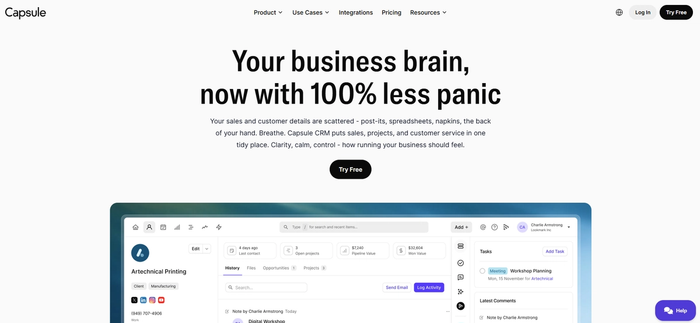
Capsule CRM provides growing tech startups with the core capabilities like: organised contact records, a visual sales pipeline, and task reminders. Everything in one place.
Capsule lets you add new contacts, link notes from the call, and schedule next steps. When you’re shifting deals through your sales funnel, the pipeline view makes progress visible. You see where opportunities are and what needs attention. You can rearrange stages or update contacts with a simple drag motion. Stay confident about what’s ahead and where your revenue pipeline stands.
Capsule also links with email and calendar tools like Gmail and Google Calendar, so your communications stay connected to the current tasks.
Workflows that help create reminders as deals move forward take pressure off manual tracking. You won’t have to rebuild the same steps every time you reach a new sales phase. This frees up time for talking to customers and improving your product’s fit.
Best for: Startup founders and small sales teams
Try Capsule CRM free today and start organising leads with tools that feel built for your pace.
HubSpot CRM
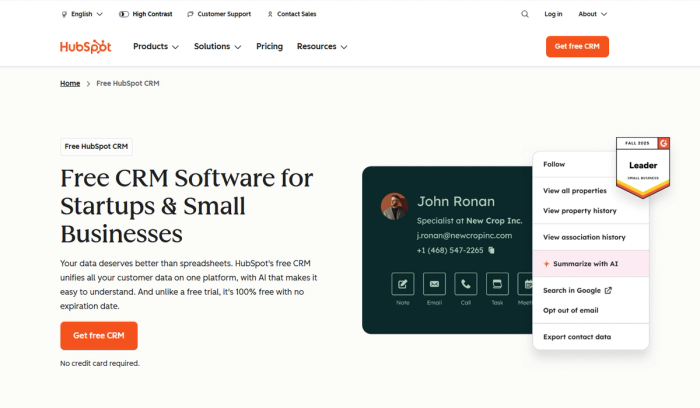
HubSpot CRM stands out in the CRM space for its free plan. On its free tier, you get essential customer relationship management features like contact records, deal tracking, basic task management, and email integration.
For startups that are building early pipelines and running lead tracking across multiple channels, HubSpot gives you a platform where you can handle contact activity and basic automation.
Where HubSpot really flexes is its integration capabilities and ecosystem. As your business grows, you can extend the free CRM with paid hubs for marketing, sales, and customer service tools, turning it into a more comprehensive platform that supports more advanced features like deeper reporting and campaign automation. Learn more about HubSpot pricing.
Best for: Startups that want a free CRM to start, with the option to scale into workflows and automation as needs evolve.
Salesforce Sales Cloud
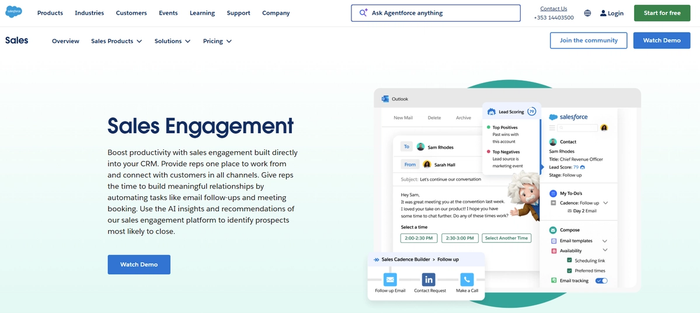
Salesforce Sales Cloud is a flagship CRM platform built for complex revenue operations and enterprise-level sales teams. It provides extensive tools for managing customer interactions and analysing performance across large organisations. CRM systems like Sales Cloud suit organisations with complex sales stages that need strong reporting and centralised control over customer data.
Sales Cloud suits teams ready to invest in customization and automation. Forecasting tools use real-time pipeline data to support revenue planning. Integrations with email and analytics tools bring customer data into a single system.
At the same time, this power comes with complexity. Teams often need specialist admin support to configure roles and custom objects. Smaller startups or lean sales teams may find the learning curve and operational overhead heavier than lighter CRM tools. Training and setup time can stretch into weeks or months as workflows are tailored and data structures are refined.
Best for: Series B+ startups with structured revenue operations and a clear need for advanced analytics and scaling workflows.
Zoho CRM
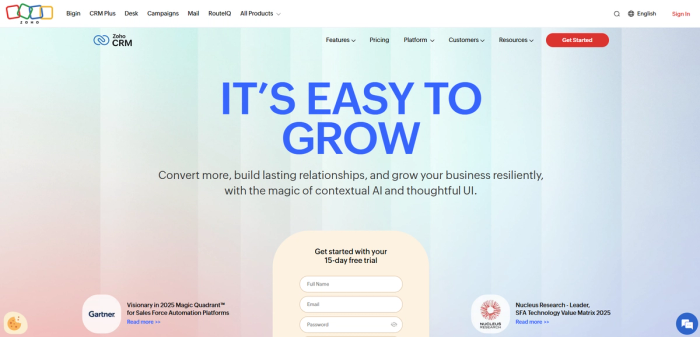
Zoho CRM offers a wide range of basic features early on, then expands into lead scoring, reporting, and workflow tools as your needs grow. For teams that start with CRM early and plan to scale carefully, Zoho CRM lets you manage customer data, sales stages, and communication in one system rather than juggling multiple tools.
A key reason startups choose Zoho is value. Flexible Zoho pricing plans make it easier to control spend while still supporting complex business processes like lead routing or multi-stage pipelines. Zoho CRM integrates with other tools in its ecosystem, which helps reduce data silos and improve operational efficiency.
Zoho CRM works well for bootstrapped startups that need CRM plus analytics and communication tools under one roof. It supports structured data entry and clear customer records, which helps teams understand the customer’s entire journey and build data-driven insights over time. As teams grow, user accounts and permissions can be adjusted to match evolving responsibilities.
The trade-off is usability. The interface can feel dense, and setup requires some planning, especially for teams that want to avoid manual tasks or overly complex screens. User adoption often improves once processes are defined, but it may take longer than with simpler CRM solutions.
Best for: Startups that prioritise value, flexibility, and breadth of features over ultra-simple setup.
Pipedrive
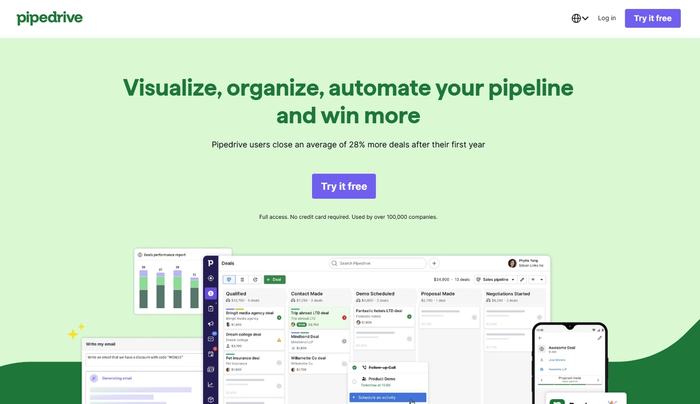
Pipedrive’s strength lies in visual pipeline management, where each stage reflects a step in your sales process and deals move through the funnel in a clear, logical way. For startups with a defined outbound motion, this structure supports focus and momentum rather than distraction.
The platform handles contact management and deal tracking without friction. The interface supports clean data entry and consistent use across the team. Sales reps can see what needs attention and keep notes attached to each opportunity.
Pipedrive also offers add-ons for forecasting and automation, which can help teams plan capacity and improve productivity as they scale. Integrations with existing tools mean it can slot into a broader stack without forcing major process changes, supporting operational efficiency for growing businesses. Read the guide on Pipedrive CRM pricing.
Where Pipedrive may feel limited is outside pure sales workflows. Its ecosystem is smaller than some larger CRM platforms, and teams that rely heavily on marketing automation or complex cross-department processes may need additional tools.
Best for: Small sales teams with a clearly defined funnel who want to improve team communication through a focused, sales-first CRM.
Close CRM
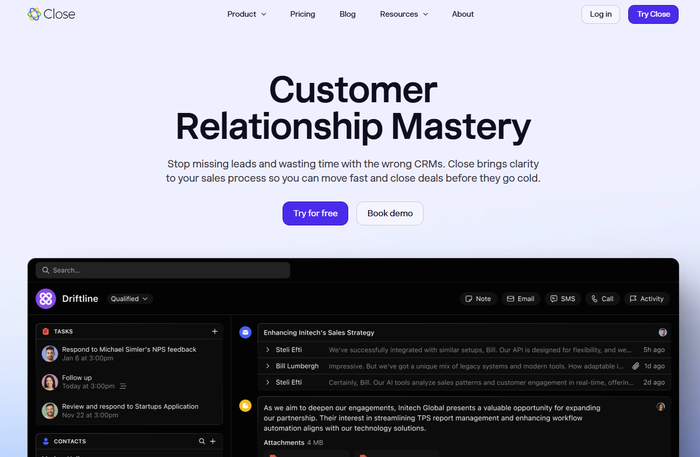
Close CRM is designed for teams spending most of their time actively selling. It focuses on helping sales reps move quickly through complex tasks such as call follow-ups, deal updates, and account handovers while keeping data entry structured and consistent. For small businesses with established outbound motions, this setup supports scale without adding friction. Close CRM pricing starts at $29/user/month.
One of Close’s defining traits is its focus on clear data entry standards and activity tracking. Calls, emails, and notes stay closely tied to each deal, which helps key stakeholders understand what’s happening across accounts and where attention is needed. This level of visibility supports customer retention and better internal handovers as teams grow.
Close integrates well with common sales tools and workflows, making it easier to slot into an existing stack rather than replace everything at once.
The trade-off is focus. Close prioritises sales execution over broader feedback management or cross-team workflows, which may matter for startups with heavy product or marketing involvement.
Best for: Sales-driven startups and small businesses that want to scale efficiently with a CRM built around speed, structure, and core selling activities.
Copper CRM
Copper CRM is built for teams that run their day inside Google Workspace. It integrates directly with Gmail, Google Calendar, and Google Drive. Emails and meetings turn into CRM records automatically.
The platform focuses on key features that support everyday sales work. Contacts, deals, and activity history stay closely connected to email threads and calendar events. This setup works well for relationship-driven sales and account-based workflows.
Copper fits teams that want a CRM to support their work quietly rather than reshape processes from scratch. Companies with heavier reporting or advanced automation needs may find it limiting over time.
Best for: Growing teams that rely heavily on Google Workspace and want a CRM that fits naturally into existing workflows rather than replacing them.
Agile CRM
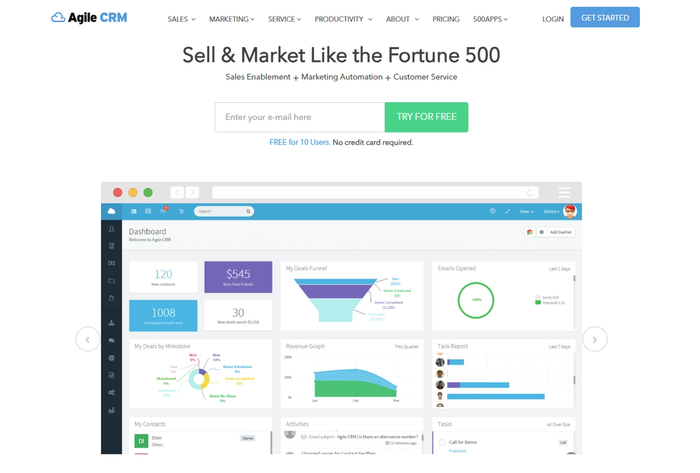
Agile CRM positions itself as an all-in-one platform. It combines sales, marketing, and basic service features in a single system. For startups that want one tool to cover contact management, deal tracking, and automation, this breadth can look appealing early on.
The platform includes core CRM capabilities like pipelines and lead scoring, alongside marketing features such as email campaigns and web forms. This makes Agile CRM usable for teams that want sales and marketing data in one place rather than spread across multiple tools.
Because Agile CRM tries to do many things at once, the interface and workflows can feel less streamlined than sales-first or simplicity-first CRMs. Setup usually requires more configuration, and teams need clear internal processes to avoid clutter as data grows.
Best for: Startups looking for a single, budget-friendly CRM that blends sales and marketing features, and are willing to invest time in setup to make it fit their workflows.
How to decide based on your startup stage
- Pre–product market fit: You need minimal admin, fast data entry, and clear visibility into conversations. The goal is learning. A CRM should help you capture insights from prospects and spot patterns quickly, not slow you down with configuration.
- Post-PMF, pre-scale: Teams benefit from defined pipelines and shared views of what’s in progress. Onboarding new hires becomes easier when the CRM reflects how deals move and who owns what.
- Scaling stage: Sales and support need access to the same customer context. Workflows, integrations, and clearer reporting help teams stay coordinated and avoid missed signals.
- Series B+: Enterprises need deep customization, data governance, and support for global teams. CRMs become platforms that standardize processes across regions while supporting advanced reporting and control.
Conclusion
Choosing a CRM shapes how fast your startup moves and how clearly teams work together. The right system helps you build the strategy that supports growth. As your startup evolves, simplicity early on often creates better foundations than jumping straight into heavy platforms.
If you want a CRM that stays focused while your business grows, try Capsule CRM free. See how a clear pipeline and lightweight workflows can support traction now before you need a more complex stack later.
Frequently Asked Questions
A budget-friendly CRM should cover core needs like contact management, deal tracking, and tasks, while keeping pricing predictable. Many startups start with a free or low-cost plan to validate their sales motion, then upgrade only when volume and complexity increase. The key is paying for features you actively use, not for future promises.
Yes, if the CRM supports flexible pipelines, user roles, and reporting that adapts as your team expands. Early on, simplicity helps adoption. Later, shared views, permissions, and basic automation make it easier to onboard new reps and keep processes consistent as headcount grows.
It depends on your model. For product-led or usage-driven startups, connecting product signals to CRM records helps sales and success teams understand context and timing. If sales are still founder-led or outbound-focused, CRM plus email and calendar integrations may be enough at first.
Choose a CRM that works out of the box and requires minimal configuration. Start with a simple pipeline, clear data entry rules, and a small set of workflows. Review usage regularly and remove unused fields or processes so the system stays useful instead of becoming a maintenance task.