If you’re based in Australia, it is required that you use Capsule for business purposes. The accepted way to verify your business status is by entering your Australian Business Number (ABN) into Capsule when signing up. If you do not need an ABN or you have yet to get one, you are still welcome to sign up to Capsule, but there are a couple more steps involved, which are explained below.
Further information regarding ABN can be found on the Australian Business Register website: www.abr.gov.au/
Understanding ABN
ABN stands for Australian Business Number. The Australian law requires each business in Australia to have an ABN and that it is included on each tax invoice and other tax-related documents.
Capsule is a UK company, so there are ABN processing rules for users from Australia that we're legally required to follow. We need to confirm that you're using Capsule for business purposes when you sign up.
- You can be a limited company, partnership, or sole trader, or individual
- You don’t need to be making money to use Capsule however, it needs to be your intention to do so in the future.
The simplest way to prove your business status is to enter a valid ABN. This isn't always possible, and there are ways we can help with this.
What if I don’t have an ABN?
If you're not registered for an ABN, then you can still use Capsule as long as it is for business purposes. In that case, it's important that you contact us with some alternative proof that you'll be using Capsule for business purposes.
Here are some examples of details you'd need to share with us to confirm that you're using Capsule for your business:
- Company number (if available)
- The purpose of your business
- The URL for your website
- Confirmation of the newly assigned ABN that might not yet have been registered.
How to add or update your ABN
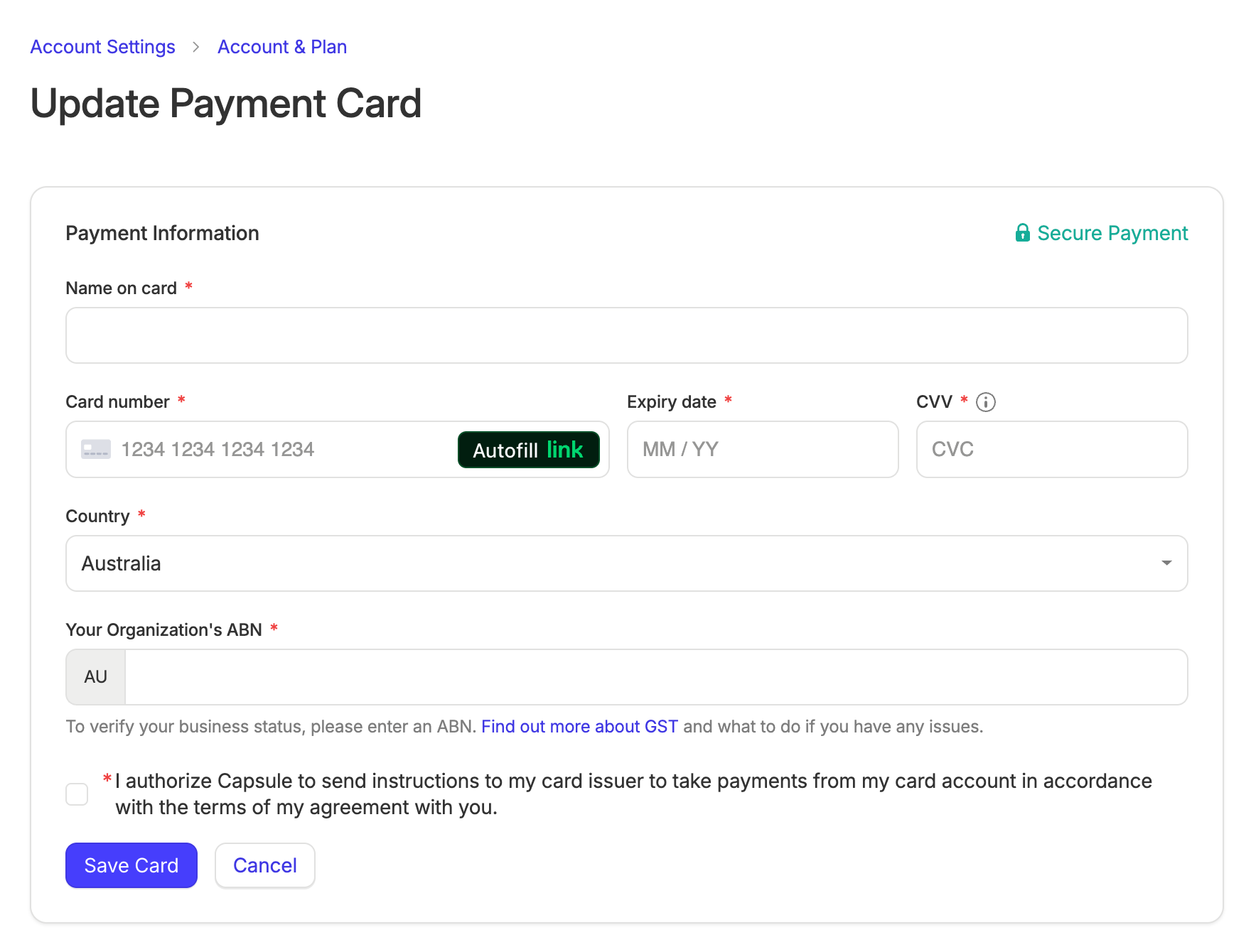
When you sign up or upgrade to a paid Capsule account using an Australian payment card, you'll be asked to enter an ABN. It will look like this:

Keeping your ABN up to date
If your number changes or you get an ABN number for the first time, these changes must be added to your Capsule account by the Super Administrator.
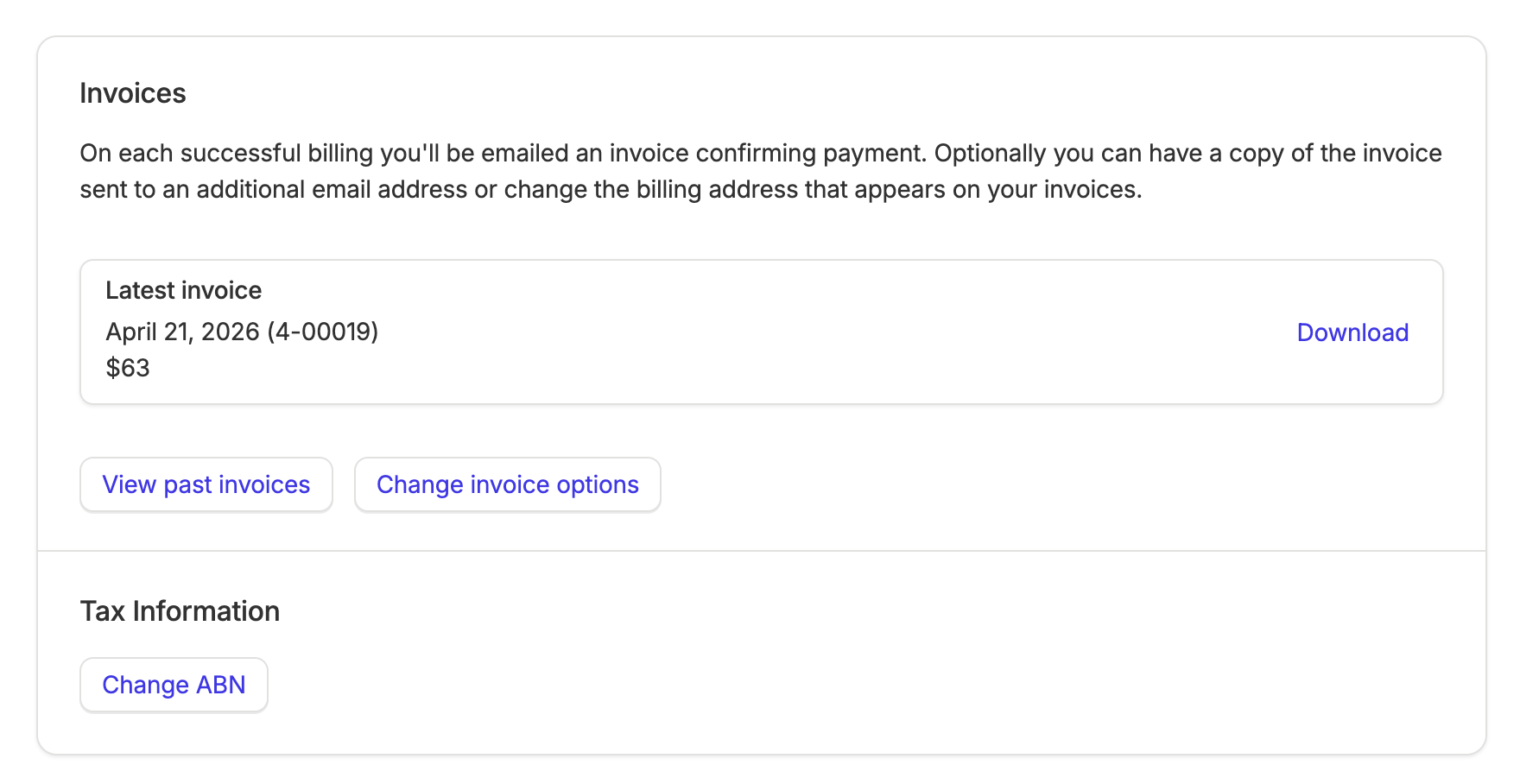
1. Go to Account Settings > Account and Plan
2 Under the Tax information heading, click the link to Change ABN.

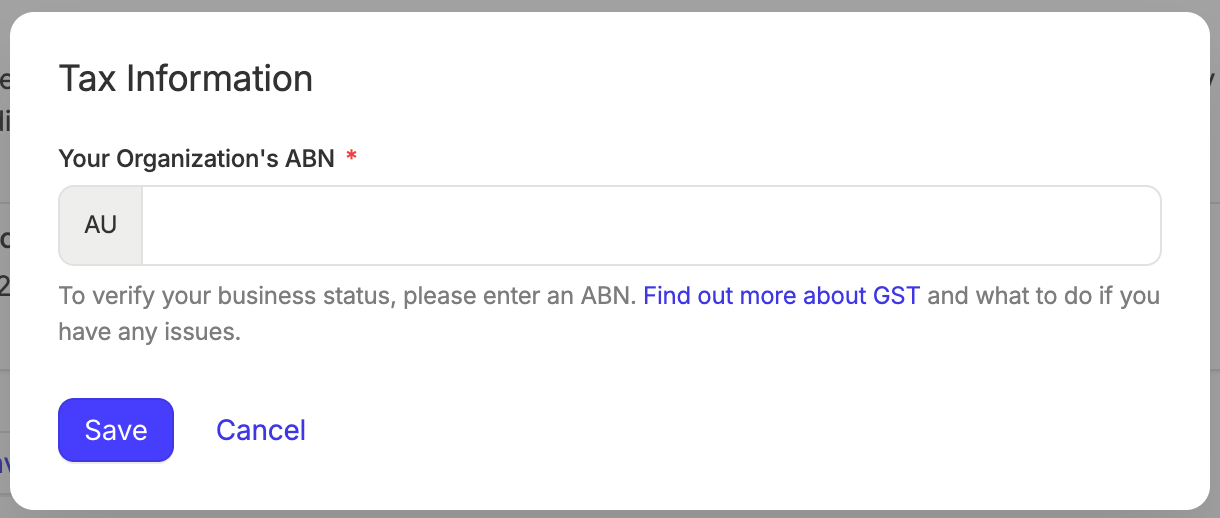
3. From there, enter the ABN and Save it.

ABN number troubleshooting
When you enter an ABN number, it is checked using this ABN lookup service. Capsule checks:
- Your ABN number is current
- Your business is currently registered for GST (Goods and Services Tax)
This is important to know, as your company can be registered as a business and have an ABN, but not be actively registered for GST.
If you believe that your ABN details are incorrect, you can use the ABN lookup service - Help information to resolve the matter.