
If your CRM treats WhatsApp like a bonus channel, you’re already last season’s news. With messaging now where 83% of customers actually go to learn about products and 75% of them end up buying through it, ignoring WhatsApp can be a self-sabotage. The right WhatsApp CRM turns that chaos of chats into sales-ready conversations you can automate and scale.
Want the tools that actually help you win? Read the article.
Why should you add WhatsApp to your business strategy?
1. Billions of people already live on WhatsApp
WhatsApp isn’t a niche anymore. Over 3.14 billion people use it every month, which is roughly 69% of the global internet population choosing messages over email or phone calls. If your customer communication doesn’t include this kind of reach, you’re basically sending postcards in 2026.
2. WhatsApp messages get seen
With message open rates hovering around 98%, WhatsApp handily outperforms older channels like email, which means your CRM integration actually matters. When you integrate WhatsApp into your sales and support workflows, those messages turn into real conversations instead of drafts stuck in some forgotten tab.
3. Businesses are already betting on WhatsApp – and winning
More than 50 million businesses use WhatsApp Business to manage customer interactions, and the WhatsApp Business API adoption keeps climbing as teams look to automate responses and connect customer data back into their CRM. That’s why native WhatsApp integration becomes a gateway into scalable sales and happier support experiences.
Best CRM for WhatsApp: our ranking
Capsule CRM earns its place among the best WhatsApp CRMs by treating WhatsApp conversations as part of the customer story, not a side-channel you have to chase down. At its heart, Capsule is known for being intuitive and easy for small to medium teams to adopt.
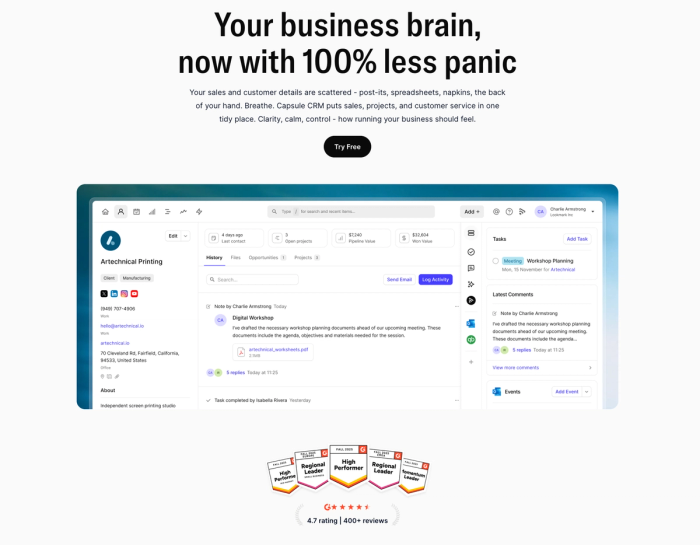
What makes Capsule especially strong for WhatsApp is how it ties messaging into your existing workflows using two solid integration options: Wati and CallBell.
- Wati integration taps into the WhatsApp Business API to pull conversations directly into Capsule. This means incoming messages are automatically logged against the right contact record, keeping WhatsApp chats alongside emails, tasks, and follow-ups: all inside your CRM. It’s ideal for teams scaling WhatsApp sales or support who want structured API-backed workflows and access to templated and automated messages.
- CallBell integration takes a simpler route: in just a minute you can hook up WhatsApp conversations to Capsule via webhook and start logging chats automatically. It’s perfect for small businesses or support teams that want minimal setup but still want WhatsApp messages tied to contact histories.
Both integrations are available across Capsule plans, including entry levels, so you don’t need an enterprise budget to unify WhatsApp contacts and CRM data.
When chat, email, and follow-ups sit on the same contact timeline, Capsule turns “Did anyone reply?” into “What’s the next step?”; and that shift shows up fast in deal velocity.

But if you need more than just WhatsApp conversation logging, Capsule has plenty else to offer beyond the basics:
- Complex contact and lead management. You get a 360° contact view where notes, interaction history, files and comms are all accessible at a glance. It’s a real digital Rolodex that helps you remember context.
- Flexible sales pipelines. You can fully tailor the stages to reflect how your team actually sells, and watch deals flow through with visual cues that make it easy to spot what’s ready to close.
- Tasks, reminders and activities. They sit directly alongside contacts and opportunities so follow-ups feel natural instead of like extra admin.
- Email tools. Capsule doesn’t treat email like an “attachment” to your CRM data; it makes it part of the fabric of the relationship history. You can send emails directly from Capsule using a connected Gmail, Google Workspace or Outlook account, and every message you send or receive gets logged against the right contact automatically.
- Workflow automations. With workflow automations (called Tracks) you define what should happen when a deal hits a new stage; Capsule will then automatically set tasks or remind you to launch subsequent steps.
- Integrations and customisation. Capsule plays well with a wide variety of tools you likely already use: Gmail and Outlook inboxes, Google Contacts, Google Calendar, Mailchimp, Xero, QuickBooks and Zapier to tap into hundreds more. Unlike many CRMs, Capsule isn’t a silo. It’s the hub of your customer ecosystem, syncing the data and actions you’d otherwise chase across apps.
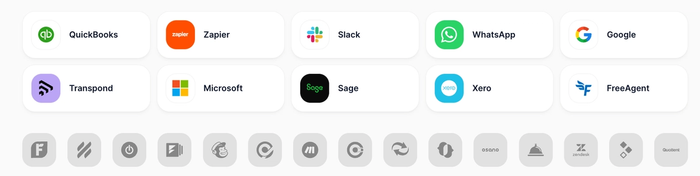
This mix of clean, relationship-centric CRM fundamentals and powerful connectivity makes Capsule a standout choice for teams that want to start efficiently and scale.
Try it today.

Zoho CRM
Zoho CRM offers a built-in route to WhatsApp CRM integration that lets sales teams connect WhatsApp Business with their core customer data. Its Business Messaging channel includes support for the WhatsApp Business API, so once you link your WhatsApp Business account you can send and receive messages directly from Zoho’s interface and log them alongside leads and deals.
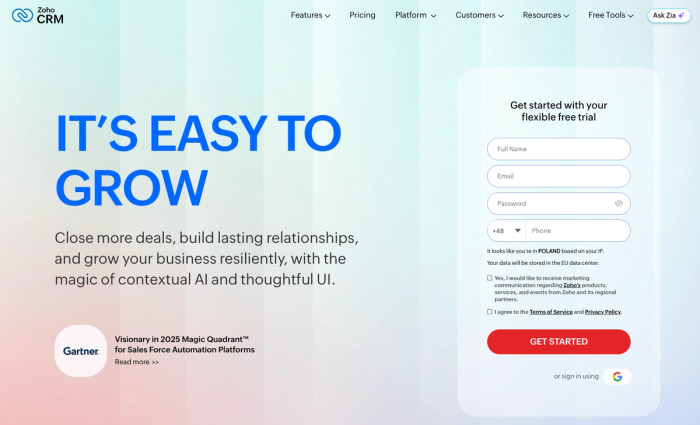
This isn’t the slickest WhatsApp experience out there, and the setup requires a WhatsApp Business account and Business Manager integration, but it does mean Zoho can pull message history, attachments and response times into the same CRM view where you manage sales processes and customer communication.
For teams that rely on WhatsApp marketing or want to connect WhatsApp to workflows and automations, Zoho’s marketplace extensions and third-party tools expand what’s possible: from broadcasting messages to shared inboxes and chatbot triggers.
In short, Zoho CRM’s approach is practical and functional. It gives you visibility into your WhatsApp conversations and doesn’t force you into a separate messaging app, but it won’t feel as native or effortless as some dedicated WhatsApp CRM integrations.
Folk CRM
How should WhatsApp fit into your sales strategy? If you’ve ever wished you could capture leads from WhatsApp and manage conversations but don’t want to flip between apps, Folk’s take on WhatsApp CRM integration might catch your eye.
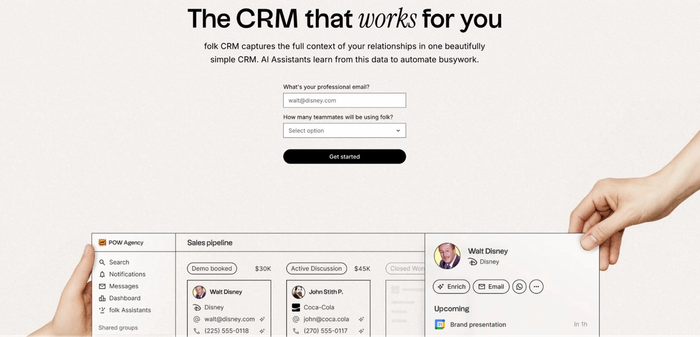
At its core, folk CRM is a simple, contact-centric CRM system that brings your messaging history, email threads, and notes into a shared timeline. Now, it also lets you sync WhatsApp conversations and contacts into that same workspace once you connect your WhatsApp account or WhatsApp Business app. The idea isn’t to replace the WhatsApp API or turn folk into a dedicated messaging app, but to ensure your customer engagement through WhatsApp lives alongside the rest of your CRM data.
With this setup you can capture leads that start as WhatsApp queries, link those chats to customer profiles, and see them in context with purchase history, email campaigns, and other touchpoints. That’s particularly useful for teams where spontaneous WhatsApp contact plays a crucial role in nurturing relationships or managing customer queries, because you don’t lose those insights in a separate messaging thread.
It’s worth noting that folk’s approach currently focuses on sync and visibility rather than deep native features like WhatsApp templates or AI-driven message automation. Third-party tools (e.g., Zapier) can extend what’s possible if you need more customization.
Kommo
Kommo is a CRM built around messaging first, which makes it a notable alternative if you want to offer native WhatsApp integration without shoehorning chats into a separate tool. With Kommo you can connect WhatsApp, Instagram, and other messaging channels into a single inbox, so your team sees all customer conversations alongside deals.
What sets it apart is how it blends communication channels with core CRM workflows: every inbound WhatsApp chat can automatically generate a lead card, giving sales reps immediate visibility into next steps. That avoids the common trap of WhatsApp threads living outside your CRM system.
Kommo also supports features many teams care about (WhatsApp templates, broadcast messaging and built-in bots that can qualify leads or automate replies) which means repetitive tasks don’t clog up your team’s day. And even though it’s designed for messaging, it still gives you a unified view of sales pipelines and messages, balancing the immediacy of WhatsApp with the structure of a CRM.
It’s not the simplest “plug-and-play” WhatsApp CRM out there, and deeper automations or chatbot sophistication may require extra setup. However, for teams that treat instant messaging as a core part of how they manage leads and customer conversations, Kommo offers a strong, integrated experience.
NetHunt CRM
NetHunt CRM brings full WhatsApp integration into a traditional CRM setup in a way that’s genuinely practical for teams that want omnichannel communication. It offers a native WhatsApp CRM integration, meaning you can capture WhatsApp chats as leads and send messages right inside your CRM workspace.
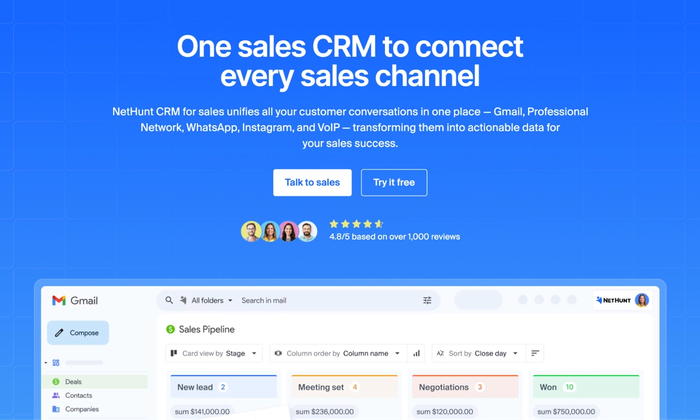
Instead of switching between the WhatsApp Business app and your CRM, NetHunt logs chats into customer records so sales reps have context on every interaction. It’s a straightforward way to tie personalized messaging into your pipeline and move leads between stages efficiently from the moment someone contacts you via WhatsApp.
This approach saves time compared with workarounds that require scanning QR codes or paying for third-party integration platforms, and it works across multiple devices so your team stays in sync.
While it’s not the richest feature set you’ll find in heavyweight CRMs, it’s a simple yet capable way to bridge messaging and customer data. Nethunt CRM will be good for teams that want to fold WhatsApp into their sales and engagement processes.
Freshdesk
Freshdesk (by Freshworks) is a help-desk style CRM that doesn’t pretend to be a lightweight WhatsApp toy. It treats WhatsApp as one of several communication channels feeding into a unified ticket system.
With Freshdesk, customer calls, emails, chats and even WhatsApp interactions can be funneled into a workspace where tickets are created, assigned and tracked, which can cut down response time.
Instead forcing you to set up an external provider and stitch things together manually, its omnichannel ticket management means conversations from web forms, social, live chat or messaging apps become actionable items in the CRM. That translates into fewer missed queries and a smoother way to follow up, prioritise and resolve customer issues.
Freshdesk also supports automation rules, canned replies and workflow triggers. It's not a full-fledged chatbot creation platform, but offers tools that save time on repetitive tasks so agents can focus on higher-value interactions.
And while it isn’t primarily built as a WhatsApp CRM per se, its multichannel focus lets you see WhatsApp alongside other channels and manage customer experience holistically, which can be especially useful for small teams that want one place for all customer tickets and history.
Hubspot CRM
HubSpot CRM is a widely used platform that lets you connect WhatsApp Business to your sales and support workflows, bringing those chats into your existing CRM structure instead of leaving them in a separate app. With HubSpot’s official WhatsApp integration, you can manage WhatsApp conversations alongside emails and tickets in a shared inbox.
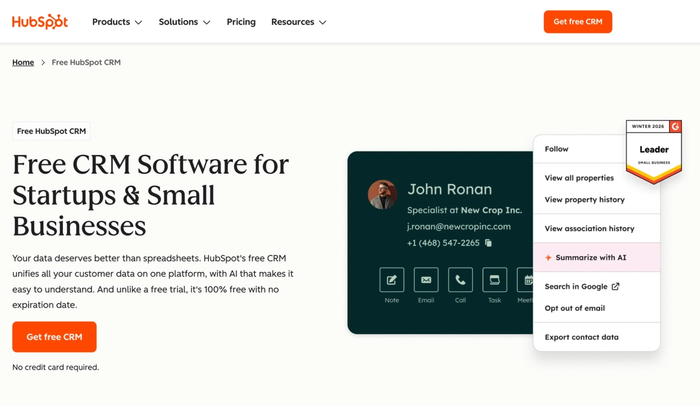
What makes HubSpot appealing is that it treats messaging (including sending WhatsApp messages, viewing message history, and responding within a unified dashboard) as part of a broader CRM workflow rather than an add-on. From there you can tailor custom templates and automated messages to save time on repetitive replies, and your team gets a clearer view of how messaging fits with leads, deals and customer responses.
That said, WhatsApp support in HubSpot typically works best when paired with the WhatsApp Business API and a verified business account, and in many cases teams use third-party integrations or extensions to unlock advanced features like chatbots or deeper automation.
For teams already on HubSpot, WhatsApp simply becomes another channel inside the same CRM, marketing, and ticketing setup. The result is better team productivity.
Vtiger CRM
Vtiger CRM is a long-standing, all-in-one CRM that appeals to teams looking for a simple CRM foundation with room to grow their communication toolkit. Out of the box it covers core sales and support functions (from deal tracking and contact timelines to ticket management) while integrations are available to bring WhatsApp conversations into the system via third-party gateways and extensions that sync messages and contact data into Vtiger’s interface.
This approach means you don’t have to bolt on a bunch of separate tools just to open WhatsApp chats or log interactions; once connected, those conversations become part of the customer record alongside calls, emails and support tickets. It keeps your team focused on where the work really happens.
Because Vtiger’s architecture lets you choose the integrations you need, you’re not forced into hidden costs for features you won’t use. You can also scale from a basic plan setup to more advanced workflows as your business evolves.
Like many CRMs that require integration for WhatsApp support, it isn’t a WhatsApp-first platform with deep built-in messaging automation, but it does offer a flexible way to bring WhatsApp into your broader sales and support processes.
Conclusion
WhatsApp isn’t a side channel anymore: it’s where deals start, questions get answered, and relationships either move forward or quietly die.
If you want WhatsApp to actually work for your team, not create more chaos, you need a CRM that treats conversations as part of the customer story. Capsule does exactly that: clean core CRM, flexible WhatsApp integrations, and zero pressure to over-engineer your setup.
Try Capsule CRM and turn WhatsApp chats into trackable customer relationships.
Frequently Asked Questions
Many modern CRMs integrate with WhatsApp, either directly or via partners. Some offer native integration, while others rely on certified WhatsApp Business API providers to sync messages, contacts, and activity into the CRM timeline.
A WhatsApp CRM is a CRM system that lets you manage WhatsApp conversations alongside emails, calls, and deals. Instead of switching apps, teams can select WhatsApp as a communication channel and see those conversations tied to sales activity.
Costs vary widely. Most CRMs charge their usual subscription fee, while WhatsApp usage itself often comes with additional messaging costs set by Meta or the API provider. Pricing depends on message volume, automation, and whether you use third-party integrations.
Setup usually involves connecting a WhatsApp Business account, choosing an integration (native or third-party), and mapping conversations to contacts. Once connected, teams can automate replies, assign conversations, and even create chatbots to handle common questions before a human steps in.