
When you clean homes or offices solo, keeping track of jobs is simple. You know every client, every address, every invoice. But once you hire a few more cleaners and start covering more areas, the system can quickly falls apart. Schedules clash, and clients start calling twice about the same booking.
That’s the moment many cleaning business owners realize their current processes aren’t enough. A CRM designed for cleaning work brings structure where there used to be guesswork. It keeps your schedule and team in sync, even when you’re running jobs across several locations.
In this guide, you’ll see what really matters in a cleaning CRM, and how the right tool helps you clean your data as effectively as you clean your clients’ spaces – bringing order back into your business.
Why cleaning businesses need a CRM
When a cleaning business starts growing, the hardest part isn’t getting new clients: it’s keeping everything in order. As the number of jobs rises, you need more than messages to stay on top of the day.
Here’s why a CRM becomes essential once your business starts to expand:
1. Recurring clients mean recurring chaos
Many cleaning companies thrive on repeat business. The challenge comes when weekly and monthly jobs overlap, and someone forgets a date. A good CRM automates recurring bookings and reminders, giving you clarity. That’s where cleaning service software becomes a real time-saver.
2. Field teams need information, not phone calls
Once you send cleaners to multiple sites, coordination gets tricky. They need client notes, access codes, and updates in real time. With a cleaning company software, field staff can see everything on mobile. No more calling the office for directions or waiting for texts.
3. Growth brings admin overload
More jobs mean more quotes, invoices, and follow-ups. Without a central system, these tasks pile up fast. The best cleaning business software lets you handle new leads, send estimates, and confirm bookings from one place, so your admin work doesn’t double every time your client list grows.
Key cleaning management software features
A CRM supports cleaning business operations best when it matches the rhythm of real fieldwork. Good cleaning management software connects bookings with communication and payments so you can keep control at all times.
1. Job scheduling and calendar management
A clear schedule is the lifeline of any cleaning business. The right CRM helps you schedule jobs across teams and locations. It also prevents double-booked appointments and forgotten visits through automating scheduling features. For maid service owners dealing with recurring services, this structure keeps days predictable.
2. Lead tracking and quoting
Every new inquiry matters. CRM tools capture leads from forms, calls, or ads and help you answer them fast. You can send quotes in just a few clicks and secure more cleaning jobs before competitors react. Built-in advanced lead generation gives you a clear view of demand, which helps plan staffing and forecast business growth.
3. Task automation for repetitive work
Manual coordination slows teams down. A CRM helps automate tasks such as automated reminders, cleaner assignments, and invoice creation. You can assign tasks directly to the right team member, keeping work steady and reducing idle time.
4. Client communication history for improving customer satisfaction
Lost notes or forgotten details damage trust. With a CRM, every message and service history stays visible to your staff. You know what was done and when. That clarity improves client relationships, which is key for long-term contracts.
5. Mobile access for team members in the field
Your cleaning crew needs clear instructions, not constant phone calls. With a mobile-friendly CRM, they can view tasks, mark jobs complete, and add quick updates from their mobile devices. This easy-to-use platform helps you streamline operations and react fast when schedules change.
6. Reporting and recurring jobs
A good CRM shows what’s working. Reports reveal repeat clients and revenue flow. These valuable insights help you plan smarter and improve business performance over time.
Best CRMs for cleaning businesses
Choosing a CRM for a cleaning company is all about what actually works when you’re managing cleaners, routes, and clients every day. The tools below prove their worth in the field, helping cleaning businesses be ready for growth.
Capsule CRM: best cleaning service software
A cleaning company with growing teams and multiple locations needs one tool that works for all parts of the job. Capsule CRM fits that bill by offering a simple, powerful system that handles client data, job scheduling, and communication in one place.
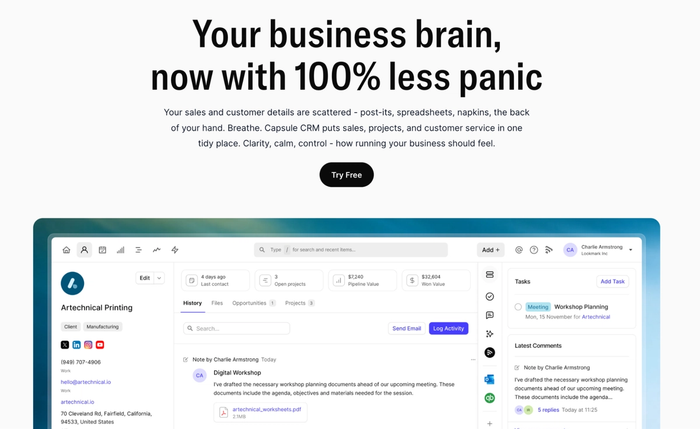
5 key features for cleaning companies
- Job-and-client scheduling in one view. You can assign a cleaner to a job, track repeat visits and see your calendar at a glance instead of managing separate apps.
- Lead capture and quoting. When a new inquiry comes in (call or web form), you can convert it into a quote within minutes, helping you win more cleaning jobs.
- Task automation for follow-ups and assignments. Set up rules that automatically assign team members, send reminders, or mark jobs complete, reducing manual admin.
- Complete client communication history. Every job, email, note, and change is tied to the client record, so your team knows exactly what was done last time and what the expectations are.
- Mobile access for field teams. Cleaners on the go open the app, check their next job, update status, and even log photos or notes; the office sees progress in real time.
Pricing
Capsule CRM offers a free plan for small teams, plus paid plans starting around $18 per user/month for the “Starter” tier. A 14-day free trial of the full feature set is also available.
For a cleaning business that wants control without complexity, Capsule CRM delivers.
Try Capsule CRM for free today and bring your cleaning operations into one clean system.

Jobber
For cleaning businesses that dispatch multiple teams across sites each day, Jobber offers powerful CRM capabilities. It’s built to support larger operations focused on routing, tracking, and managing client interactions in the field.
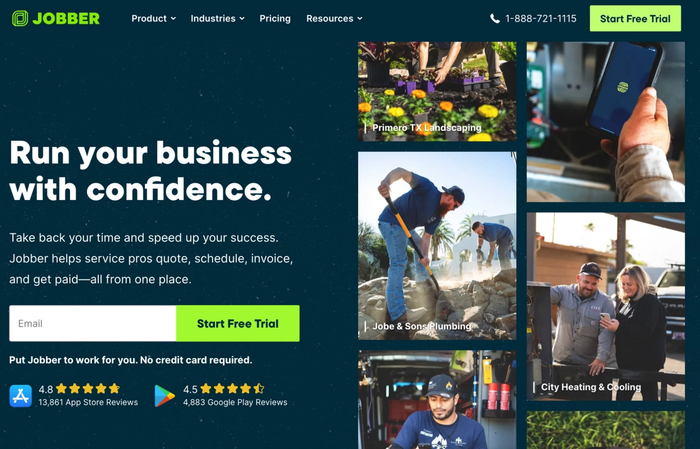
3 key features for cleaning companies
- Scheduling and routing with mobile access. Jobber lets you assign crews, plan their routes, and see job status live on a map. Thanks to that, your cleaning teams get to jobs promptly and deliver great service consistently.
- Client communications and reminder automation. You can set up automated messages and follow-ups so clients are notified of upcoming visits, changes, or completed jobs. These timely updates support strong client retention.
- Client hub plus business performance dashboard. Clients see their booking history and pay online through the built-in portal, while you get visibility into your entire business performance: jobs completed, team productivity and new opportunities.
3 considerations before you commit
- Pricing escalates quickly as you scale users and advanced features.
- For smaller teams or simpler routes, the depth of features may feel heavy.
- Some cleaners may need training to take full advantage of the mobile and routing functionality.
Pricing
Plans start from around $39/month for the Core tier, rising to $199/month or more for up to 15 users, with no free plan beyond a trial.
Jobber performs well for cleaning companies with complex field operations, but compared to Capsule CRM’s simplicity, Jobber can feel like over-engineered machinery.
Housecall Pro
For cleaning businesses that focus on generating leads, scheduling with ease and handling payments, Housecall Pro offers a focused platform. It helps cleaning teams book jobs fast and maintain client records.
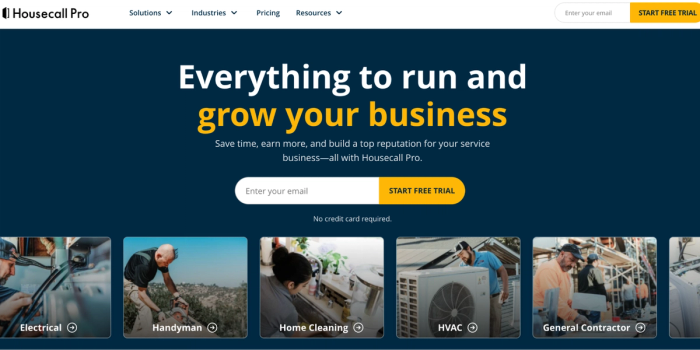
3 key features for cleaning companies
- Online booking and scheduling. Clients can book appointments 24/7 via your website or app, new jobs appear in the calendar automatically and field teams know exactly where to go.
- Invoicing and payment collection. Create invoices at the job site, send them immediately, and accept cards or bank payments. It supports prompt cash flow and cleaner admin.
- Service history and client communications – Every job, message and update is logged so you have full visibility of customer interactions, which supports customer retention and consistent quality in the cleaning industry.
3 considerations before choosing
- The tool may feel rigid for multi-service or B2B cleaning operations that need heavy customisation of workflows.
- Inventory management (e.g., tracking cleaning supplies, chemicals, or equipment) is not the standout feature, so if you rely heavily on materials, you may find gaps.
- Costs rise as you add more users or advanced features, so for smaller teams, this can become an unnecessary burden.
Pricing
Plans start at around US$59/month for the Basic tier and around US$149/month for the Essentials tier when billed annually. There is a 14-day free trial available, but no fully free plan.
Housecall Pro is a capable platform for automating many tasks in a cleaning business, but when compared with Capsule CRM, it lacks the same flexibility and simplicity for smaller teams.
HubSpot CRM
HubSpot CRM brings an impressive suite of tools to the table and can manage your entire business end-to-end. For cleaning companies with a dedicated marketing team and complex workflows, it’s a powerful choice, but for simpler operations, it might be more than needed.
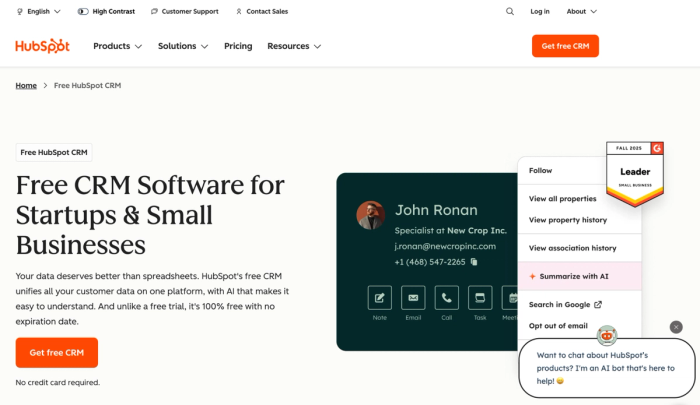
3 key features for cleaning companies
- Comprehensive contact and deal tracking. HubSpot keeps every job, every client interaction, pipeline stage, and follow-up under one roof, which helps cleaning businesses track cleaning tasks and manage client lifecycles.
- Marketing automation and customer-facing portal. With built-in automation, you can nurture leads, send reminders, and handle client-facing portals where customers view past bookings and pay invoices.
- Project management and workflow tools for teams. If your cleaning business has multiple services (residential, commercial, janitorial) and you need a janitorial software-level structure or more advanced project management, HubSpot gives you the depth and integrations to scale.
3 considerations before choosing
- The platform includes all the tools one might need, but that breadth adds complexity and cost; so smaller cleaning businesses might end up paying for functionalities they don’t use.
- If your team is focused only on field cleaning operations and straightforward scheduling, HubSpot can feel heavy and require significant setup and training.
- While excellent for marketing and outreach, it may not offer the streamlined simplicity of software built just for scheduling cleaners and dispatching teams. You might still need to integrate with other apps, which brings extra overhead.
Pricing
There is a free CRM tier for basic contact management. Paid HubSpot plans start from around US$15–20 per user/month for the Starter tier. As you add hubs (Marketing, Sales, Service) and increase contacts or seats, pricing can quickly rise into the hundreds or thousands per month.
HubSpot CRM is a very capable platform, but when compared to Capsule CRM’s clean, focused simplicity for cleaning businesses, it can feel overly complex and heavy.
Zoho CRM
For cleaning business owners who want wide-reaching control without switching platforms later, Zoho CRM presents itself as a very capable option.
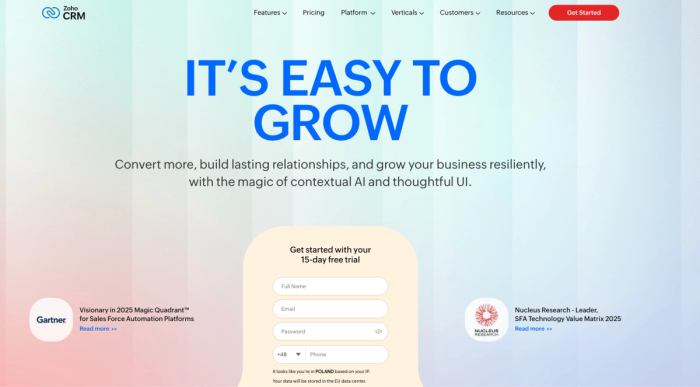
It offers much of the infrastructure of a full suite of management software, making it a strong choice for those comfortable with technology and willing to invest time.
3 key features for cleaning companies
- Custom workflows and module setup. Cleaning companies can tailor the CRM to track client jobs, service categories, and team progress. It supports the sort of detailed structure you might find in niche cleaning software.
- Inventory management and resource tracking. Particularly useful for companies managing cleaning supplies, equipment or contracted teams, this feature allows you to monitor stock, reorder items and connect resources to jobs.
- Advanced client and service analytics. With Zoho, you can measure the performance of cleaning crews and review job completion rates within your cleaning operations.
3 considerations before you start
- The platform’s flexibility means an initial setup and significant customising work: it’s not plug-and-play for most cleaning teams.
- While it can serve as a broad-reaching system (akin to maid service software for larger enterprises), that breadth can lead to complexity for small operations.
- As you unlock advanced features, costs and training demands can rise quickly; smaller cleaning businesses may find simpler tools more immediately effective.
Pricing
Zoho CRM offers a free plan for up to three users with basic features. Paid tiers begin at around US $14–20/user/month (Standard plan) and climb to US $50+/user/month for higher-tier plans with deeper features.
Zoho CRM is flexible for cleaning businesses that want comprehensive control, but compared to Capsule CRM, it demands more setup and tech comfort and may not be the fastest path to getting job-tracking live.
How to choose the right cleaning company software for your business
Here’s a context-specific checklist to help you evaluate CRM options for your cleaning operation.
- Team size: Are you working solo, running a 5–10 person crew, or managing a franchise with multiple locations? If your team is small, focus on a CRM that lets you onboard cleaners fast and keep cleaning professionals productive.
- Field vs. office operations: Do you dispatch crews and work mostly outside the office or is the bulk of work done from a central hub? If your field team carries mobile devices and handles jobs on the go, you’ll need a system that supports routing, job status updates, and avoids scheduling conflicts.
- Budget and learning curve: How much can you invest in software setup and training? A tool that requires extensive customization or hours of training may delay launch and reduce your ability to save time.
- Required integrations: Does the tool connect with your email, accounting/invoicing systems, SMS reminders or payment gateways? A CRM that links these ensures you avoid lost client information and makes payment processing smoother.
- Scalability: Will the system still serve you if you double the number of clients or expand services? Look for solutions that support client retention, let you track CRM data across teams, and adapt as your business evolves.
Capsule CRM strikes the right balance between usability and flexibility. It supports client management, scheduling, and communication without overwhelming your team, making it the safest long-term pick for a cleaning business.
Start cleaning business operations with CRM
A CRM isn’t a luxury for cleaning companies. It’s essential to stop losing time and clients. The right software for cleaning helps you efficiently manage schedules and teams, and ensure timely service delivery. Capsule CRM gives cleaning business owners a clean, simple system to oversee quotes, jobs, and invoices.
Start your free trial of Capsule CRM today and bring order to your cleaning business before your next busy season begins.
Frequently Asked Questions
The answer depends on how your business works. For most small to mid-sized cleaning companies, a tool that supports customer management, scheduling software, task management, and offers a simple client portal is ideal. Among these, Capsule CRM stands out for its simplicity and clean interface. Reviewers highlight that it helps users organise contacts and track work without over-complicating things. For clean, effective CRM use in the cleaning sector, Capsule CRM is hard to beat.
When narrowing to “house cleaning business” (residential, local scale), the piece that matters most is usability and speed to value. A CRM with minimal overhead, quick setup and intuitive workflow wins. Capsule CRM once again is a strong candidate: users say it “organizes my workload without having to manually chase 100 things” and it lowers the barrier to entry. That means you spend less time learning the tool and more time growing your business.