
If you’re hunting for the best LinkedIn CRM, you already know that turning connections into opportunities depends on smart contact data and seamless workflow. LinkedIn Sales Navigator helps you discover the right people, but without a system to capture and organize that info, you won't fully leverage your deal potential.
In this guide, we walk through CRM options that work well with your LinkedIn account, helping you centralize contacts, track follow-ups, and run a structured sales process. Whether you’re pulling lists from Sales Navigator, enriching data automatically, or syncing engagement into your pipeline.
What makes a CRM work well with LinkedIn
If you’re using LinkedIn as a lead source, you need more than a spreadsheet. The right CRM software helps you manage contacts and turn conversations into real opportunities.
What separates a generic CRM from a LinkedIn-focused CRM is how easily it pulls in LinkedIn data and fits into your daily workflow.
At its core, customer relationship management is about keeping all contact details in one place and knowing what to do next. With LinkedIn, there’s extra context: LinkedIn profiles, connection requests, messages, and the history of your LinkedIn outreach.
Think about it this way: when a sales professional finds a promising lead on LinkedIn or using LinkedIn Sales Navigator integration, they shouldn’t have to hop between tools, copy and paste info, or guess what they said last time. The best systems let you save LinkedIn contacts and track interactions alongside other leads.
Some CRMs offer direct LinkedIn integration or plug into LinkedIn workflows via extensions and automation platforms. Others support broader CRM integrations with email, calendars, and task apps to make your lead nurturing more efficient.
Best CRM for LinkedIn: our ranking
Capsule CRM
If your sales flow starts with conversation, Capsule CRM gives you a CRM that feels intuitive while staying powerful under the hood.
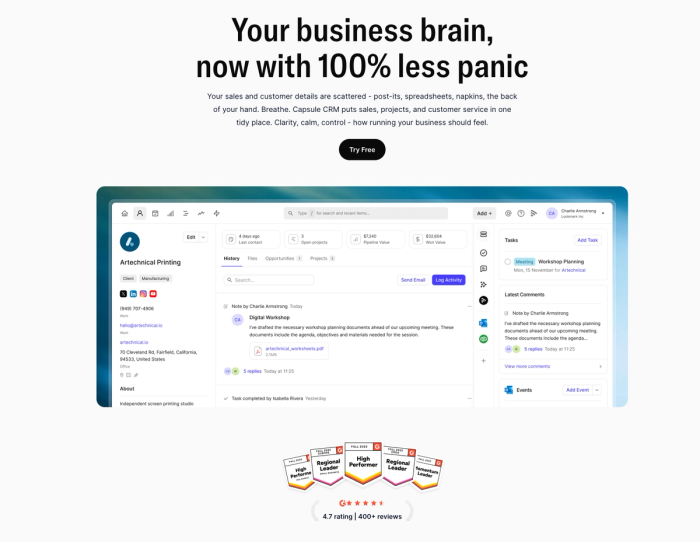
At its core, Capsule helps you capture and organize contacts, keep track of your sales pipeline, and schedule the tasks and reminders that make a difference between a missed connection and a closed deal. Its clean contact records and structured layouts make it easy to see every touchpoint and interaction at a glance – so you’re always prepared.
One of Capsule’s strengths is its simplicity. Unlike complex systems that require weeks of training, most teams can get up and running in a day. The clear navigation means you spend less time figuring out the tool and more time building relationships.
For LinkedIn-focused sellers, Capsule plays nicely with your workflow. While it doesn’t come with a built-in LinkedIn API, you can bring LinkedIn prospect info directly into Capsule with one click using integrations like Magical or Add to CRM, instantly pulling key details from a LinkedIn profile into a clean contact record.
Beyond contact capture, Capsule keeps your communication flowing with task and activity management that helps you send emails and set reminders tied to each lead and opportunity. You can connect your inbox and calendar via Gmail, Outlook, or calendar integrations so everything lives in one place.
And if your processes go beyond simple click-to-add, you can extend Capsule’s reach using automation platforms like Zapier to sync LinkedIn actions, lead forms, and other tools with your CRM – automating parts of your lead management and keeping your data fresh.
Capsule is especially well-suited for small to midsize teams, agencies, and consultants who want a CRM that supports action. Its user-friendly interface and practical feature set mean you can focus on qualifying leads and moving deals forward.
👉 Ready to see how easy it is to bring LinkedIn prospects into your CRM? Try Capsule today and start turning your connections into a structured sales pipeline you can rely on.
Zoho CRM
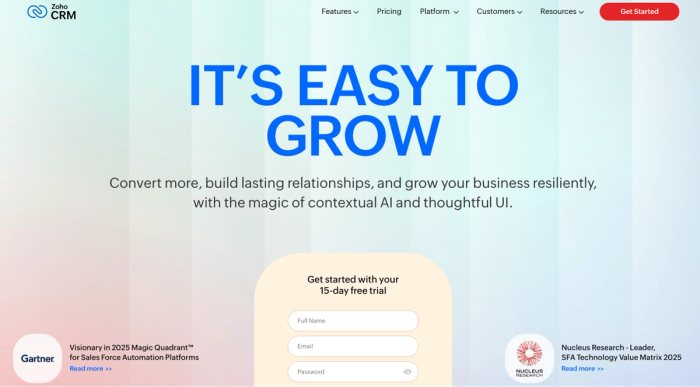
Zoho CRM is a full-featured customer relationship management platform that helps sales and marketing teams manage leads and automate key parts of the sales cycle. It’s built to support teams of all sizes with contact management, pipeline tracking, sales automation, and analytics; all within a single interface you can scale over time.
Zoho CRM lets you organize potential clients and LinkedIn leads alongside other inbound and offline sources, and then nurture them through your sales funnel with customizable stages and rules. You can set up workflow automations that assign tasks or notify reps when certain conditions are met, helping you stay on top of every opportunity.
For teams that rely on LinkedIn for lead generation and networking, Zoho CRM can be extended to work with LinkedIn data through integrations and connection syncs. Many setups pull basic LinkedIn contact details and profile enrichment into a Zoho CRM record with just a few clicks, which cuts down on manual data entry and keeps your database up to date with valuable social profile information.
For example, you can automate tasks like creating a new CRM lead when you add a LinkedIn connection or push Sales Navigator-generated leads into Zoho for various follow-ups at scale.
Beyond lead capture, Zoho CRM covers the essentials most modern CRM tools are measured by: complex contact and deal management, customizable pipelines, AI-assisted insights, and integrations with email, calendars, and productivity suites like the Google ecosystem.
While it doesn’t transform Zoho into a LinkedIn automation engine on its own, the platform provides the data structure and integration flexibility to bring LinkedIn-generated leads into your sales processes alongside other channels, making it a solid choice for teams that want a well-rounded CRM with room to grow.
Agile CRM
If you’re considering tools beyond the usual names, Agile CRM is worth a look. It’s an all-in-one customer relationship management platform that combines sales tracking, marketing automation, and even helpdesk features into a single interface, which can be appealing for smaller teams trying to consolidate tools.
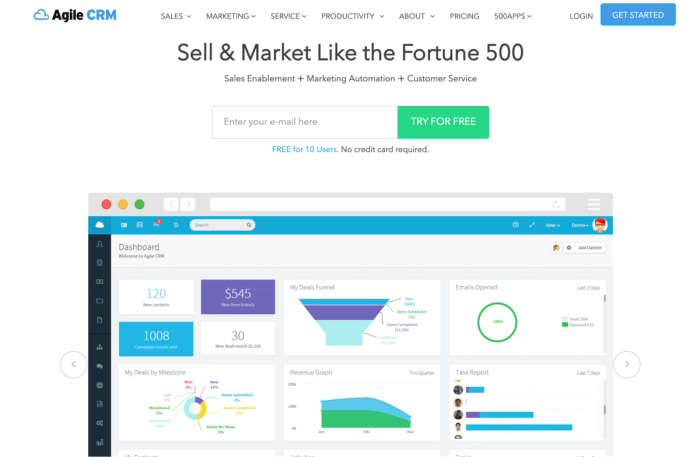
Agile CRM lets you build and manage a visual sales pipeline, track deals as they move through stages, and connect activities like calls, emails, and tasks directly to the people you’re engaging. That gives teams a snapshot of where every opportunity stands without having to switch between separate systems.
On the automation side, it supports workflows that can help automate sales and marketing processes, from lead scoring to follow-up emails and task assignments. You also get basic reporting tools to monitor pipeline health and performance metrics.
Agile CRM offers a free plan for small teams and affordable paid tiers, which is a plus if budget matters and you want one platform to cover both sales and marketing workflows.
On the LinkedIn side, Agile does provide a LinkedIn integration widget that lets you connect your LinkedIn account to a contact’s profile within the CRM and view basic professional info, or even send LinkedIn messages from the Agile interface. That said, this isn’t the same as a deep LinkedIn CRM integration where every message or interaction automatically syncs back into your CRM records; achieving more complex sync usually still relies on third-party tools or extensions.
Because it combines so many capabilities in one place, some teams find Agile CRM’s interface and setup a bit more complicated than more focused tools. It’s solid for general lead management and workflow automation, but if your priority is tight LinkedIn-to-CRM workflows or something that feels built around networking platforms, other tools may offer a clearer experience.
Salesforce Sales Cloud
Salesforce Sales Cloud is one of the most widely used CRM systems in the world, designed to support complex lead tracking and sales automation for teams of all sizes. It centralises activities and pipeline data in one place, giving organisations a single source of truth for their sales processes.
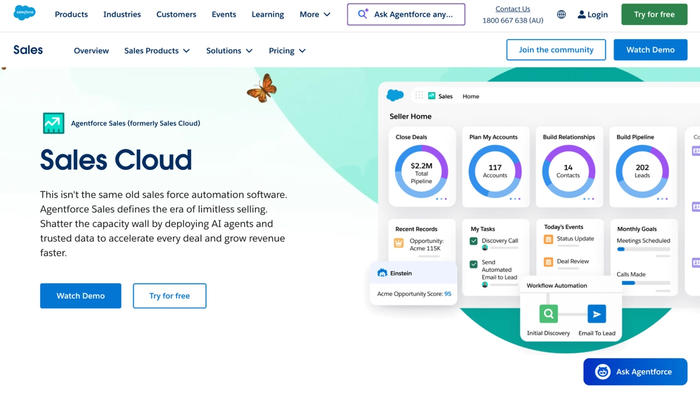
At its core, Sales Cloud helps you manage leads, contacts, and opportunities, as well as forecast revenue. You can scale it smoothly from small sales teams to enterprise-level operations with complex customization and reporting.
Through the LinkedIn Sales Navigator and Salesforce integration, teams can bring LinkedIn insights and signals directly into your CRM. With the linked Sales Navigator app, account and contact records flow between Sales Cloud and LinkedIn, and you can view key LinkedIn profile insights and engagement history alongside your existing CRM data.
Salesforce CRM also supports connecting LinkedIn Lead Gen Forms to automatically sync leads into Sales Cloud as new lead records, so your team doesn’t have to manually upload or transfer LinkedIn-generated leads into the CRM. This smoother flow of data ensures that contact details captured from LinkedIn campaigns go right into your lead management processes.
In addition to LinkedIn workflows, Salesforce’s native automation tools help teams route leads and enforce consistent sales processes across departments. Its reporting and dashboard tools provide visibility into performance metrics so managers can stay aligned with quotas and forecast trends.
Because of its breadth of features and depth of customisation, Salesforce Sales Cloud can feel complex to set up compared with lighter CRM tools. It’s often chosen by organisations that need advanced integration with broader business systems and enterprise-grade scalability, including marketing and analytics workflows tied into the same platform. However, it may require way more configuration and training compared with simpler CRM alternatives.
CRM evaluation checklist for LinkedIn-focused sales
1. Contact capture & sync
- Can you quickly sync contacts from LinkedIn profiles without copy-paste?
- Does the CRM make it simple to tag contacts and add custom fields?
2. LinkedIn integration
- Is there a way to integrate LinkedIn data or signals into CRM records?
- Can you attach LinkedIn profile links or insights to a contact’s history?
3. Pipeline & lead management
- Does the CRM support a visual LinkedIn sales funnel or deal stages?
- Can you move prospects through your workflow in a way that matches your process?
4. Task & communication tracking
- Are tasks and reminders easy to set and tied to contact records?
- Does the CRM help you streamline communication across internal teams?
5. Automation & workflow
- Can you automate repeatable work like reminders, follow-ups, or task assignments?
- Does it reduce manual admin so your team can focus on selling?
6. Collaboration & integrations
- Does the CRM sync with tools you use, like Google Workspace or Microsoft Teams?
- Is it easy for multiple people to work together on deals and contacts?
7. Usability
- Is it an easy-to-use CRM that your team can adopt quickly?
- Are the core actions intuitive — adding contacts, tracking progression, updating stages?
8. Broader tools & ecosystem
- Does the system play nicely with other apps (email, calendars, project management tools)?
- Can you extend functionality without heavy custom development?
Conclusion
Closing the gap between browsing LinkedIn and pipeline progress means picking a CRM that supports contact syncing or helps with managing LinkedIn connections. Look for tools that let you enrich profiles and automate follow-ups tied to LinkedIn activity. When your CRM supports real workflows, your networking efforts become scalable and efficient for all LinkedIn users you engage.