That’s a wrap on Q1, so let’s unpack uncap it, shall we?
We recently hosted our very first Uncapped Live, where over 500 of you joined me and my wonderful colleagues, Anna and Jade, to get a behind-the-scenes look at what we’ve been building, including a first look at our brand new AI tools.
If you were there: thank you for the brilliant questions, feedback, and energy. It was my first time hosting a webinar, and I was petrified!
If you didn’t make it, well, I won’t hold it against you. But you did miss getting early access to some seriously exciting stuff. Don’t worry, we’ll take a quick look in this newsletter.
Meet your new AI toolkit
We’ve been dropping hints about all the new AI capabilities available in Capsule CRM. But our Q1 AI extravaganza is finally fully rolled out!
AI Summaries: Skip the scroll, get the story
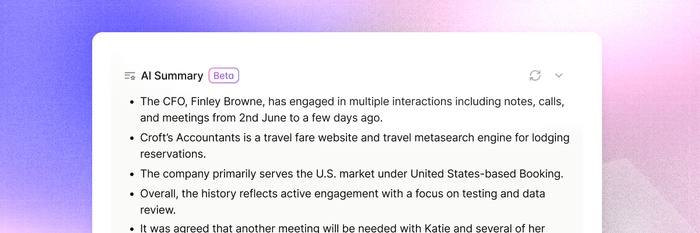
Now available on Contact records, Opportunities, and Projects, AI Summaries gives you quick context before every call.
Instead of digging through notes and history, we’ll generate a clear summary of what’s happened so far, checking out your most recent activities on the record (Contact, Opportunity, or Project), and laying out the top info in just a few bullet points.
It’s fully live for anyone on Growth plans and above. Got thoughts on how it could be improved? Let us know using the feedback button near the AI Summaries tool in app.
AI Pipeline Generator: Set up your sales process in moments
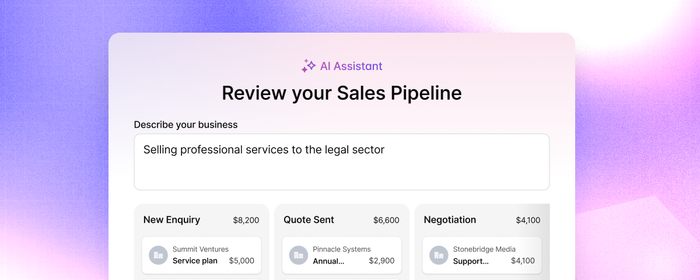
Not sure where to start when setting up your pipeline? Or looking to refine what you’ve already got?
Simply describe your sales process, and our AI Pipeline Generator will generate a structured pipeline for you, complete with stages tailored to how you actually sell.
It’s a faster way to get set up, stay organized, and focus on moving deals forward.
If you haven’t been managing your sales in Capsule, the AI Pipeline Generator is available on Starter and above to help you set up and map your sales process in a jiffy. Simply visit the Sales Pipeline area and click the button at the top to generate your new pipeline.
Or, if you’re managing multiple sales processes for your various products or services, you can use the Generator to quickly create additional pipelines for each use on the Growth plan. Head to Account Settings > Sales Pipelines to generate more pipelines with ease.
Get started with your new pipeline today
AI Email Assist: Take the fuss out of follow-ups
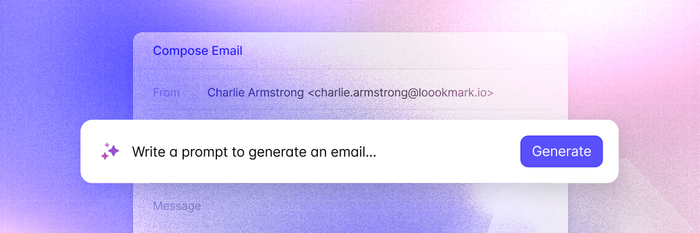
Banish writer’s block …for good. Whether you’re following up with a lead, checking in with a customer, or sending a quick intro, AI Email Assist helps you draft clear, professional emails in seconds.
We gave our content assistant a makeover, with better prompting and improved AI behind the scenes so you can fly through follow-ups to get more out of your day - without compromising your customers’ experience.
No more staring at a blank screen: just tweak, send, and get on with your day.
Sign in and send off more emails with AI Email Assist.
AI Email Assist is available on all plans.
Let’s talk about AI in Capsule CRM
We know there’s a lot to consider when connecting new technologies to data in your CRM. We’re all about transparency and ensuring our customers’ data is safe and secure. So we wanted to address some frequently asked questions.
Frequently Asked Questions
We never use your account information or the data stored within it to train our AI tools.
Any AI outputs generated by users in your account are stored privately alongside your account data. Your outputs are never shared with Capsule CRM or other accounts.
You can switch AI features off at any time from your account settings, choosing to enable AI for some features, all, or none. It’s completely up to you.
We never use your data to train AI models. What you put into Capsule remains your data - always.
Access to AI-generated content in Capsule is the same as access to Contacts, Opportunities, and Projects: standard users can only view records - and the associated AI content - shared with them. Admins have access to all records, notes, and summaries.
Our AI tools are still in beta. This is partially to get a better understanding of how our customers use them, but also we can see what plans they work best on. Currently, our AI tools are available on the following plans:
- AI Email Assist: Free, Starter, Growth, Advanced, Ultimate
- AI Pipeline Generator: Starter, Growth, Advanced, Ultimate
- AI Summaries: Growth, Advanced, Ultimate
We also offer AI-powered Business Enrichment and Contact Enrichment, both of which are available from our Growth plan. Find the right plan for your needs: click Help me choose a plan here.
For more information, please visit our Privacy Policy, which covers our Data Processing Agreement, GDPR, and list of sub-processors.
Missed Uncapped Live? Catch up here
People are busy. I know I’ve signed up to a ton of webinars I couldn’t end up joining. We’re not about gatekeeping insights so we’re sharing the recording of the session here.
The webinar covered:
- Insights straight from our CTO and product team
- Live demos of our new AI features
- A peek into our product roadmap
Discover all the use cases, how we decided to build your new tools, and what's coming next in Capsule CRM - watch on demand here.
Contact Forms in Capsule CRM
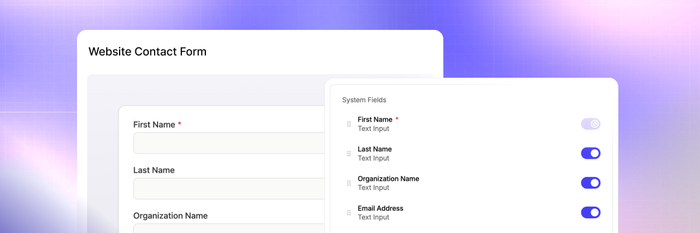
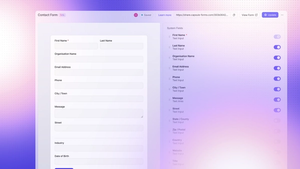
Contact Forms are now easier to find and simpler to use inside Capsule.
Create Contact forms to capture new leads or help your customers get in touch on your website.
You can embed Contact Forms in your website or use them as a standalone page. You can even use it in outreach or at events.
Discover more uses for Contact Forms or log in to build yours.
New in Transpond: Connect Facebook Messenger with Conversations

You can now connect Facebook Messenger to Transpond’s Conversations tool, so you can meet your customers where they are.
That means your leads and customers can message you directly via Facebook, your on-site chatbot, or your email inboxes. Then, you can handle it all from one inbox with Conversations. Easy, centralised comms, managed in the same place as your social campaigns, emails, and more: in Transpond.
Explore Conversations from Transpond.
Our customers shape Capsule CRM
We regularly speak to our customers to hear their thoughts and experiences, offering early access to our latest tools. With their feedback, we can build and iterate to create functional, valuable tools that positively impact your working days. So, we want to give a huge shoutout to everyone who's joined us on our CRM journey and paved the way for a sophisticated and straightforward CRM.
We’ve got a lot planned for 2026, and this is just the start.
I’ll be back with more updates in the summer,
– Liv at Capsule CRM