
Electrical contractors move through packed days. Jobs shift without warning, and customers expect fast answers. Work feels manageable until enquiries drift into separate places. That split creates delays that turn into unpaid invoices.
A CRM changes the pattern. This guide walks through several CRM options that fit electrical contractors at different stages of growth.
What electrical contractors really need from a CRM
- Job-based structure that reflects real work. Each request needs fields for site details, job type, urgency, materials, and projected value. This helps the team understand the scope before anyone arrives on site.
- Contact records that support repeat clients. Property managers, builders, and domestic customers often return with new jobs. A full history linked to each profile helps contractors quote faster and take care of client communication.
- A smooth path from quote to payment. Contractors need a flow that moves from estimate to approval, then into the active job, invoicing, and reminders.
- Mobile access for teams on the road. Electricians need quick visibility into notes, schedules, deadlines, and updates while standing on-site.
- Clear responsibility across the team. Office staff should see who owns each lead, who handles visits, and who follows up on payments.
- Helpful integrations that cut admin time. Email, calendars, accounting tools, and field-service apps plug into one system that supports the full electrical workflow.
Best electrician CRM software for electrical contractors: our picks
Capsule CRM: best all-round CRM for growing electrical contractors
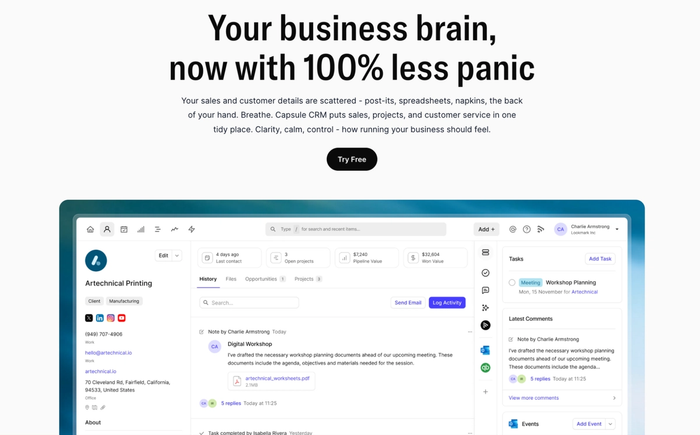
Why Capsule fits electrical contractors
Capsule gives you a simple contact list and a clear sales process view. You can build a visual sales pipeline that reflects the flow of real electrical jobs: from initial call or website enquiry to quoting, scheduling, and final payment.
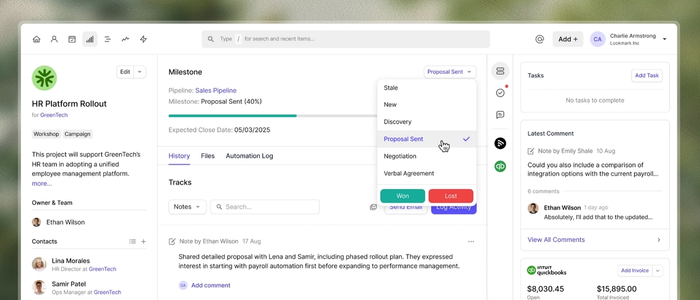
It lets you add custom fields for property type, job category, priority level, or contract details. That flexibility ensures the CRM matches the way electricians work, not some generic sales process.
Features that matter on a busy electrical team
- Full client timeline. Contacts store not just names and phones but notes, past jobs, site visits, emails, and documents. This gives full context whenever someone checks a client record.
- Calendar and email sync. With those in sync, scheduling site visits or follow-ups becomes reliable.
- Project support for larger jobs. For bigger rewiring tasks or commercial contracts, Capsule includes tools to manage jobs beyond quick repairs. That helps when a job stretches over days or weeks.
- Solid integrations. You can connect with business software, marketing tools, help desk, or other tools to reduce double-entry and keep all data in one ecosystem.
Pros for electrical contractors
- Capsule sets up fast. It’s intuitive enough for the whole team – from office staff to on-site electricians – to adopt without resistance.
- It’s flexible for both residential and commercial work. You don’t get unnecessary field-service complexity if you don’t need it.
- Pricing stays predictable for small to mid-sized teams, so you scale without surprise costs.
- For contractors who want a core CRM now, and maybe add specialized field-service tools later — Capsule offers a stable, clean base.
Best for
- Capsule works best for small and mid-sized electrical contractors who want to make sales and operations more professional without complexity.
- It serves teams that favour clarity over complexity: teams that value clean pipelines, full customer history, and useful integrations more than heavy field-service features.
Try Capsule today!

Jobber
Jobber combines a full CRM system with scheduling, job dispatch, invoicing, and online payments. That makes it a solid option for electricians: you can store customer data, track job history, manage service calls, and handle payment processing all in one platform.
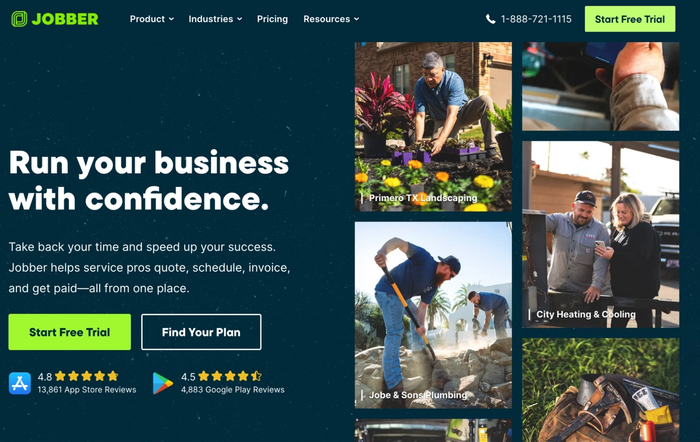
Key features: a drag-and-drop calendar for job scheduling, built-in route planning (with GPS routing), and team push notifications for field techs. That setup helps crews stay coordinated, respond fast to emergency calls, and avoid double-booking.
You also get quoting, a client hub where customers approve estimates and pay online, automated reminders to reduce no-shows, and a centralized record of invoices and past jobs.
On the plus side, Jobber provides a comprehensive solution for growing electrical teams. It simplifies job scheduling, invoice follow-ups, customer communication, and even links to tools like accounting software (e.g., QuickBooks Online) or marketing apps to nurture leads and manage existing clients.
But it isn’t perfect. As your company scales and handles complex commercial contracts, multi-step B2B sales, or heavy inventory management, Jobber’s scope can feel limited. Customizations are constrained, and advanced reporting or deep-project tracking may be missing.
ServiceTitan
ServiceTitan aims to be a comprehensive solution for larger electrical contractors or firms with multiple crews, high job volume, and complex operations. Its CRM features extend to dispatching, call-booking, marketing tools, technician performance analytics, and business operations dashboards: a true all-in-one field-service ecosystem.

For companies needing detailed call tracking, lead attribution, and deep reporting per job, ServiceTitan delivers. It tracks service history and project jobs, enables dispatch based on job urgency or technician availability, and helps keep service calls and job progress organized.
The platform’s strong reporting and performance tracking give owners insight into which teams or job types deliver the best margins.
However, the complexity comes at a cost. Onboarding and training take time, setup can be heavy, and license or subscription costs tend to scale steeply with company size. For smaller contractors, using ServiceTitan may be overkill.
Housecall Pro
Housecall Pro is built for home-service contractors, including electricians doing residential or small commercial work. It combines CRM, scheduling, invoicing, and online payment management. That makes it a practical tool when the bulk of work involves on-site service calls and quick jobs.

With Housecall Pro, you can schedule jobs with ease, dispatch technicians, send professional quotes, update job status (from “scheduled” to “done”), and accept payments on-site (card reader or online). That streamlines both job scheduling and payment processing.
The system also helps track customer history, store job details, and service records, which supports customer communication and repeat business. Its biggest strengths are simplicity
Housecall Pro lacks the flexibility and advanced reporting of a full CRM, though. It doesn’t handle complex B2B workflows or large-scale project management well. For contractors chasing growth or managing many jobs per day with varied complexity, its limitations may become apparent over time.
Zoho CRM
Zoho CRM offers high customizability and broad functionality. For electrical contractors willing to invest time into setup and configuration, it can serve as a powerful hub for job tracking and project control. It lets you build custom modules, track customer information, manage job details, and integrate with other tools for project management, invoicing or even email marketing.
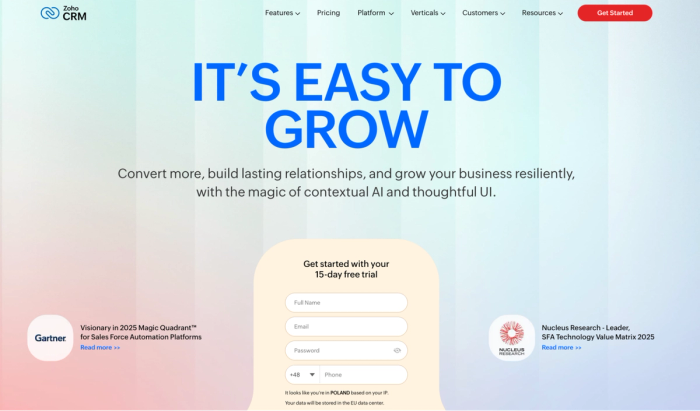
With Zoho CRM, you can keep detailed customer records, including past jobs, service history, invoices, and notes on customer requests. That helps nurture leads and deliver a consistent customer experience. It also supports workflows; you can automate task assignments, reminders, or email sequences when a lead reaches a certain stage, which helps maintain better customer communication and reduces manual admin work.
On the upside, Zoho CRM’s flexibility and pricing tiers make it a versatile choice for growing contractors who want a scalable system for both CRM and operations.
On the downside, it can feel heavy for small teams. Without someone dedicated to configuration and upkeep, setup can be time-consuming, and the interface may overwhelm crews focused on field work rather than administration. That can slow down adoption and risk inconsistent data if not managed properly.
How to choose your CRM: next steps for your electrical business
- Begin by listing your biggest pain points. Maybe you lose potential customers, scheduling gets messy, follow-ups lag, quotes sit idle, or payments arrive late. Target those real issues, not vague ideas of what a CRM might do.
- Next, score each CRM against those problems. Ask: Does it help you track leads, manage job scheduling, log customer interactions and job notes, send automated notifications, or streamline payment processing? That tells you whether a tool will tangibly save time and improve customer satisfaction.
- Get both a technician and an office person involved in testing. Field techs see whether job details, customer records, and on-site work flow neatly. Office staff judge lead management, invoicing, and follow-up work from a centralised location. Real-world use reveals what works for your team, not what looks good on paper.
- For many small electrical businesses, a solution that combines simplicity, flexibility, and core CRM functionality wins. A lightweight but capable CRM lets you track customers and service history, nurture leads, manage jobs and follow-ups: then scale as business grows. That balance makes it the safest starting point.
- Once you get comfortable, you can add specialised tools if needed: dispatch, GPS tracking, inventory, or full field-service modules. But beginning with a well-chosen CRM keeps admin minimal and keeps the focus on delivering more jobs and strong client relationships.
Key questions to ask when evaluating CRM software for electricians
- Does this system give me a centralized location for all customer information and job notes? You want customer records, job history, past service calls, and client interactions in one place; easy to access for the whole team.
- Will this CRM streamline scheduling and job dispatch for field teams? Look for job scheduling, calendar or route planning, real-time notifications, or GPS tracking features. That helps you stay organized when crews are out on electrical jobs.
- Can the CRM handle both new customers and repeat clients smoothly to build better customer relationships?You need lead management for new work and tracking/service history for existing clients to support customer satisfaction and repeat business.
- Does the system support tasks like quotes, invoicing, payment processing, or automated reminders? For an electrical business, managing quotes, invoicing, and follow-up or payment reminders helps reduce delays and improves cash flow.
- How easy is the CRM to use by both office staff and field technicians? A tool only works if everyone adopts it. Evaluate whether the interface fits your crew’s tech comfort level; too complex, and it may slow you down instead of speeding you up.
- Will it integrate with existing tools (email, calendar, accounting software, maybe Google Workspace)? If you already use common tools for communication or accounting, the CRM should plug into them, so data stays in sync, and you avoid double-entry.
- Is this CRM scalable: able to grow with my business as I get more customers, crews, and complexity?Startups often grow. Choose CRM software for electricians that won’t become a limitation after a few months or years, but supports more users, more data, and more complex workflows.
Conclusion
The right CRM can make the difference between chaos and smooth, organized day-to-day electrical work operations. For small businesses looking to build better customer relationships and stay ahead of scheduling conflicts, the many benefits of a CRM are real.
When you choose the best CRM software, you give your team a powerful tool that supports team collaboration and helps you save time.
For electrical contractors ready to bring structure into their business operations, starting with Capsule CRM is a smart move. Its clean interface and focused features make it simple to adopt and powerful enough to grow with your business.
Try it and see how much easier managing customers and day-to-day work can become.