
Picking a CRM when you're running a SaaS business isn't the same as picking one for a traditional sales team. You're managing trials, tracking product-led journeys, fighting churn, and trying to turn free users into paying customers… often simultaneously. The right SaaS CRM makes that manageable. The wrong one just adds another tab to ignore.
Why SaaS businesses have different CRM needs
Most CRM software was built with a relatively straightforward sales model in mind: find a lead, work the deal, close it, move on. SaaS doesn't work like that.
The SaaS customer journey is non-linear and ongoing. Someone might sign up for a free plan, use the product sporadically for two months, upgrade, downgrade, refer a colleague, and churn; all before your sales team has had a single meaningful conversation with them. A CRM that only tracks deal stages misses most of what actually matters in that journey.
There are a few specific things that make SaaS CRM requirements distinct from the general case.
Trial-to-paid conversion is a sales process in itself.
Free trials and freemium tiers are the primary acquisition channels for most SaaS businesses. Managing that conversion (knowing who's active, who's stuck, and who needs a nudge) requires a CRM that can handle that stage of the customer journey, not just the pipeline that follows it.
Churn is as important as acquisition.
In a subscription model, losing a customer has compounding consequences. A good SaaS CRM should support customer retention as actively as it supports new business: flagging disengaged accounts and keeping customer communication consistent across the lifecycle.
Product data needs to talk to customer data.
The most useful signal about a SaaS customer's likelihood to convert or churn often lives in the product, not the CRM. Saas CRM systems that integrate with product analytics tools (or at a minimum support custom fields and API connections) give sales and customer success teams the full picture.
Revenue is recurring, which means the sales cycle never really ends.
Upsells, expansions, and renewals are as much a part of the SaaS sales process as the initial close. A CRM that treats the deal as finished at the point of conversion will leave money and relationships on the table.
What to look for in a SaaS CRM
Not all CRM solutions are built for the SaaS model. Here's how to evaluate them honestly.
🟢🟡🔴 Trial and lifecycle management
Can the CRM handle pre-conversion contacts: trial users, freemium accounts, leads who haven't entered a formal sales process yet? Look for flexible contact categorization, custom fields that can store product usage data, and the ability to segment your contact database by lifecycle stage rather than just deal status.
🟢🟡🔴 Sales automation for recurring revenue
Repetitive tasks in SaaS sales are different from those in transactional sales: renewal reminders, expansion opportunity alerts, and re-engagement sequences for churned customers. Check whether the CRM's workflow automation covers these scenarios, and which plan they're available on.
🟢🟡🔴 Integration with your existing stack
SaaS businesses typically run on a lean but specific set of essential business tools: product analytics, billing software, support platforms, and marketing tools. A SaaS CRM that doesn't integrate cleanly with those tools creates data silos that cost more time than the CRM saves. Check native integrations carefully before committing.
🟢🟡🔴 Customer segmentation and marketing automation
The ability to analyze customer data and segment your customer base by behaviour, plan type, or engagement level is essential for SaaS marketing teams. Look for CRM tools that support meaningful customer segmentation and connect to your email marketing and marketing campaigns infrastructure.
🟢🟡🔴 Reporting that reflects SaaS metrics
Pipeline value and close rate are useful, but SaaS businesses need more: churn rate visibility, expansion revenue tracking, and trial conversion rates. The best SaaS CRM for your business is one whose reporting can be adapted to reflect the metrics that actually drive SaaS growth.
🟢🟡🔴 Scalable pricing
SaaS startups move fast. A CRM that's affordable at five users needs to still make sense at twenty. Check the per-user month pricing across tiers carefully, and map out what the tool costs at your projected team size in twelve months, not just today.
🟢🟡🔴 Ease of adoption for small teams
Advanced CRM features are only valuable if the team actually uses them. For small SaaS businesses where the sales team might be one or two people, an intuitive interface and a short onboarding path matter as much as the feature list. A CRM that requires training sessions to use consistently is a CRM that won't get used consistently.
The best SaaS CRM solutions for small businesses
Capsule CRM
If you want a SaaS CRM that your team will actually use from day one, Capsule is the place to start.
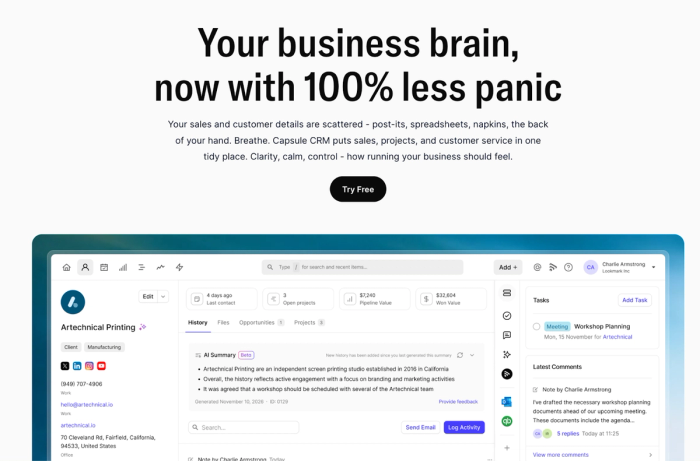
Capsule is a customer relationship management software built for small and growing businesses – designed around the principle that managing customer relationships shouldn't require a dedicated admin to keep the system healthy.
It's used by over 10,000 businesses globally, holds a 4.7 rating on G2, and has become one of the more trusted CRM tools in the SMB market.
For SaaS businesses specifically, Capsule's combination of flexible contact management and AI-powered automation makes it well-suited to the non-linear customer journeys that define the SaaS model. The contact database handles more than just deals. You can track trial users, free plan customers, churned accounts, and active subscribers in a single CRM system.
Key AI features
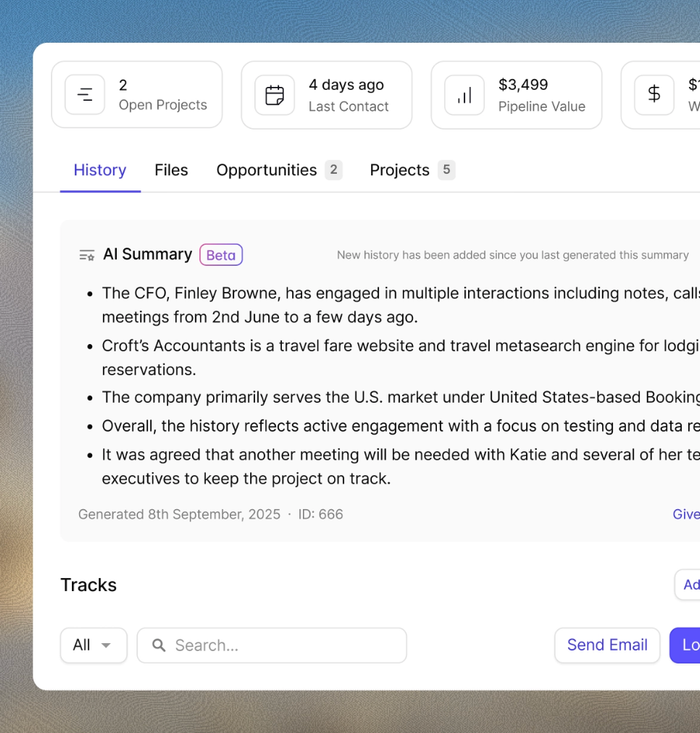
AI Summaries pull together the last interactions for any contact or opportunity (emails, notes, activity) and produce a briefing before a call or customer communication.
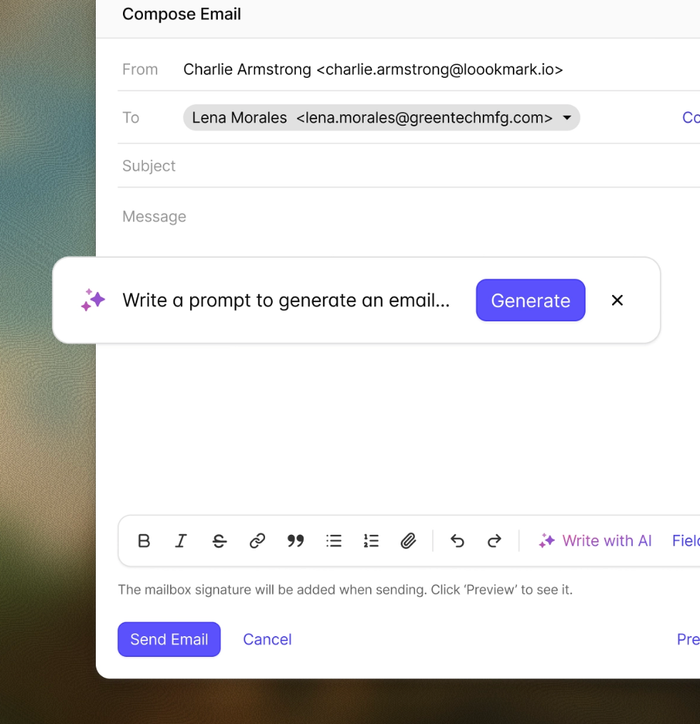
AI Email Assist drafts customer communications based on a brief description of what needs to be said and the tone required, reducing the time cost of keeping customer interactions consistent across a growing contact base.
The AI Sales Pipeline Generator builds a custom sales pipeline from a description of your sales process, which for SaaS businesses often means reflecting trial stages, onboarding milestones, and renewal touchpoints.
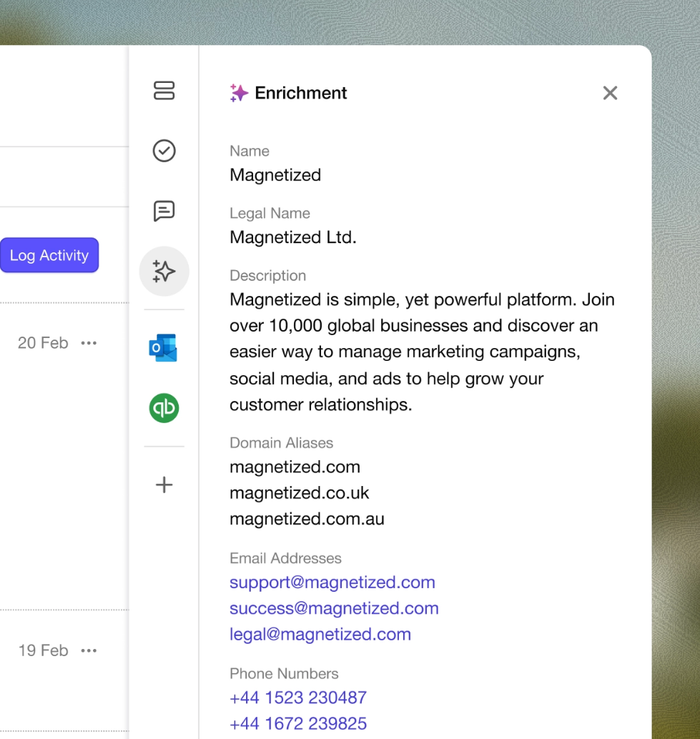
And AI Business & Contact Enrichment automatically populates contact records with company data – removing the data entry overhead that tends to make CRM records unreliable as the contact database grows.
Workflow automation handles repetitive tasks across the customer lifecycle so SaaS teams can automate daily tasks. Capsule integrates natively with Google Workspace, Microsoft 365, Mailchimp, Slack, Xero, QuickBooks, and 60+ other tools, covering most of the essential business tools in a typical SaaS stack.
Capsule's pricing starts at $18/user/month on the Starter plan, with AI-powered features and workflow automation unlocking on Growth at $36/user/month, scaling without the pricing cliff that catches fast-growing SaaS businesses off guard.
Key features: Flexible contact and lifecycle management, AI Summaries, AI Email Assist, AI Pipeline Generator, AI Contact Enrichment, workflow automation via Tracks, built-in project management, 60+ native integrations, mobile app with offline access.
Considerations: AI features and workflow automation require the Growth plan.
Pricing: Free plan available. Starter from $18/user/month, Growth from $36/user/month, Advanced from $60/user/month, Ultimate from $75/user/month. 14-day free trial on all paid plans, no credit card required.

HubSpot CRM
HubSpot CRM is one of the most widely used CRM solutions in the SaaS world, and its free plan makes it a natural starting point for SaaS startups that want to validate their sales processes before committing any budget.
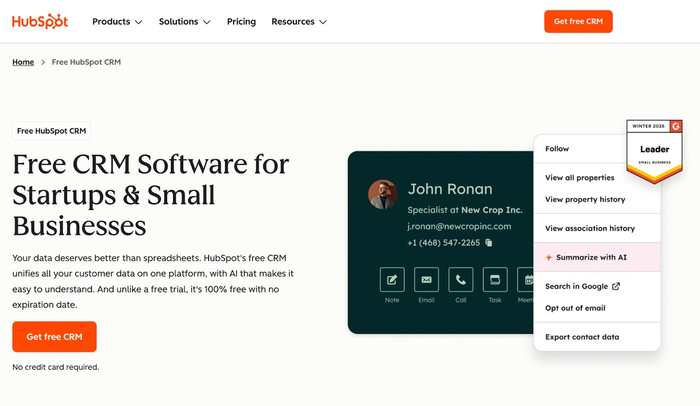
As a cloud-based solution, HubSpot covers the full customer journey (from lead capture through to deal management, customer communication, and marketing automation) in a single platform. Its AI layer, Breeze, adds an AI assistant across the product that handles email drafting and customer segmentation recommendations.
Key features
- Free CRM with contact management, deal tracking, and basic sales pipeline; genuinely capable at the free tier for early-stage SaaS teams
- Marketing automation and email marketing tools built natively, covering both lead nurturing and customer retention campaigns from one platform
- Lead scoring and advanced CRM features, including sales forecasting and customer segmentation, on higher tiers
Considerations
- The free plan and the plan a growing SaaS business actually needs are very different products: workflow automation and reporting require Sales Hub paid tiers that escalate sharply in cost
- SaaS businesses that need Marketing Hub, Sales Hub, and Service Hub together will find the combined cost significant, particularly relative to more focused alternatives
- The platform's breadth can slow down small SaaS teams who need to move fast – configuration time is a real cost that doesn't always show up in pricing comparisons
- Advanced CRM features like predictive lead scoring and in-depth sales forecasting are locked behind the higher tiers, making the entry-level offering feel limited for data-driven SaaS teams
HubSpot CRM is a good tool for SaaS businesses that want a unified platform across marketing, sales, and support, but the real cost of getting there is higher than the free plan entry point suggests.
Zoho CRM
Zoho CRM is a solid CRM software with a broad feature set and pricing that makes it accessible to SaaS startups and growing teams that need more than the basics.
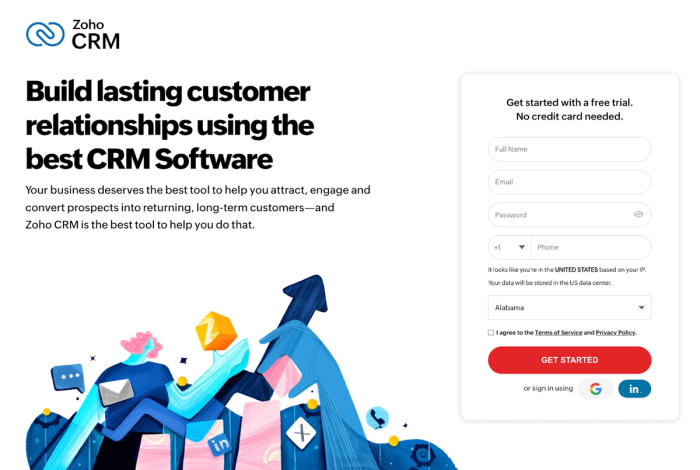
Its AI engine, Zia, adds conversational AI across the platform: handling customer inquiries, analysing customer data for sentiment and engagement signals, and surfacing predictive insights on deal health and customer behaviour.
Key features:
- Zia AI for predictive insights, lead scoring, and customer behaviour analysis, surfacing which deals need attention and which customers are at churn risk
- Marketing automation and customer segmentation tools that connect sales processes and marketing efforts in a single CRM system
- Solid integration library including Google Workspace, Mailchimp, and a wide range of communication tools, with an API for custom connections to SaaS-specific data sources
Considerations:
- The interface can feel dense and dated compared to more modern SaaS CRM solutions. The intuitive interface that newer tools prioritize isn't consistently Zoho's strongest suit
- The breadth of Zoho's product ecosystem can be as much a source of confusion as capability; SaaS teams that need a focused tool may find the options overwhelming
- Advanced AI features and deeper sales forecasting are gated behind higher-tier plans, meaning the entry-level experience undersells what the platform can actually do
- Customer support quality can be inconsistent, which matters for SaaS startups that need reliable help during implementation
Zoho CRM is a good platform for SaaS businesses, but the interface complexity means it rewards patience more than some alternatives.
Freshsales
Freshsales is an AI-powered CRM built by Freshworks, designed to help SaaS sales teams move deals forward with less manual effort.
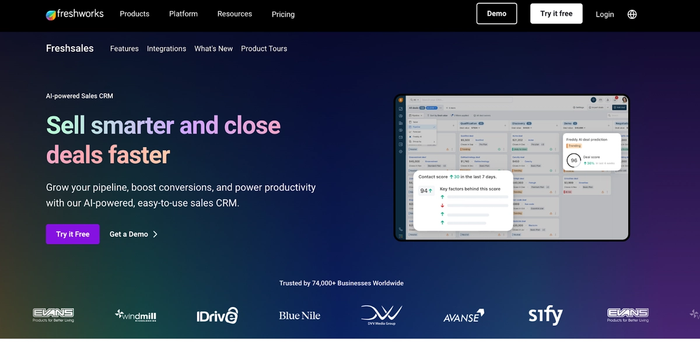
Its AI engine, Freddy AI, handles predictive lead scoring by analysing customer behaviour and historical data to show which leads are most likely to convert, useful for SaaS businesses managing large volumes of trial users who need prioritization..
Key features
- AI-powered deal tracking and follow-up reminders triggered by customer engagement signals
- Workflow automation for repetitive tasks across the SaaS sales cycle, from trial follow-ups to renewal reminders
- Integrations with essential business tools, including Google Workspace, Slack, Mailchimp, and a wide range of marketing tools via native connections and Zapier
Considerations
- Freddy AI's most powerful features are locked behind higher-tier plans, which can make the entry-level offering feel underpowered relative to what the marketing promises
- The platform's breadth means there's a real learning curve. SaaS startups that need to be operational quickly may find the setup investment harder to justify
- Reporting is solid but can require configuration effort for SaaS-specific metrics that go beyond standard sales forecasting
- Works best within the broader Freshworks ecosystem; less compelling as a standalone tool if you're not already using other Freshworks products
Freshsales is a solid tool for SaaS sales teams, but very early-stage SaaS businesses might struggle with Freddy AI’s implementation.
Pipedrive
Pipedrive is a sales-focused CRM built specifically around pipeline management, designed for sales teams that want a visual view of every deal in progress.
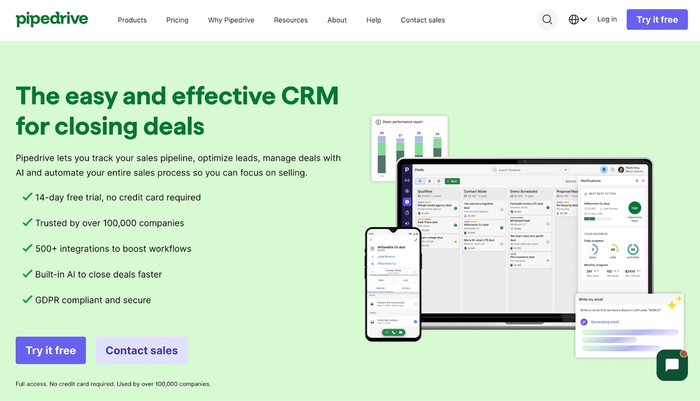
It's one of the more popular CRM software options among SaaS businesses for good reason: the automation tools cover most of what a small SaaS sales team needs to streamline workflows.
Key features:
- Visual pipeline management with drag-and-drop deal tracking that gives sales teams instant clarity on deal status across the entire sales cycle
- Sales automation covering repetitive tasks like follow-up reminders and activity scheduling
- AI-powered sales assistant flags which opportunities need attention based on activity patterns
Considerations:
- Pipedrive is built primarily for pipeline management; it handles the sales process well, but offers limited support for the broader customer lifecycle that SaaS businesses need to manage post-conversion
- Marketing automation features are limited natively; SaaS teams that need to run marketing campaigns and sales processes from the same platform will need additional tools
- Reporting covers sales productivity and pipeline health, but doesn't go deep on SaaS-specific metrics like expansion revenue or trial conversion rates
- Customer segmentation capabilities are more limited than dedicated marketing-focused CRM solutions, which can restrict how SaaS marketing teams use the CRM data
Pipedrive is a good tool for SaaS sales teams that want excellent pipeline management and clean sales automation. However, teams that need the CRM to support the full SaaS customer journey beyond the initial sale will find it falls short.
Salesforce
Salesforce is one of the most established names in CRM software, and its Sales Cloud product remains the benchmark for enterprise-grade customer relationship management. However, its relevance for small SaaS businesses depends heavily on where those businesses are in their growth.
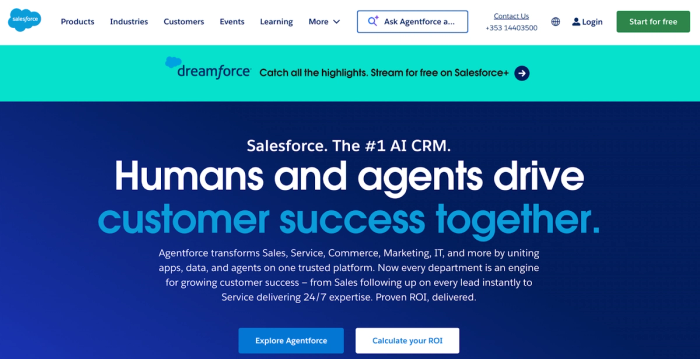
For SaaS companies that have outgrown simpler tools and need deep customisation, advanced sales forecasting, and the ability to connect sales data with product, marketing, and support data in a single platform, Salesforce is really capable.
Key features:
- Einstein AI for predictive lead scoring analysis that surfaces actionable recommendations across a large CRM database
- Highly customizable data model with custom objects and flexible fields, adaptable to complex SaaS business processes that standard CRM structures don't accommodate
- Advanced sales forecasting and pipeline reporting that give SaaS sales teams real-time visibility into revenue and expansion opportunities
Considerations:
- Implementation requires a dedicated resource; Salesforce typically needs an admin or a consulting partner to configure and maintain, which is a huge cost for small SaaS businesses
- Pricing escalates sharply with team size and feature requirements; it’s difficult to justify for SaaS startups that don't yet need the full depth of what it offers
- The complexity that makes Salesforce powerful for large teams makes it hard to adopt for small SaaS businesses that need to move quickly
- Onboarding and training sessions are a real investment; the intuitive interface that smaller tools prioritize is not what Salesforce is optimized for
Salesforce is a good tool for SaaS businesses that have reached a scale where its depth and customisation justify the cost and complexity, but for most small SaaS companies, it's a tool to grow into rather than start with.
Monday CRM
Monday CRM is the sales product within the Monday.com platform, making it a natural fit for SaaS teams already using Monday for product management.
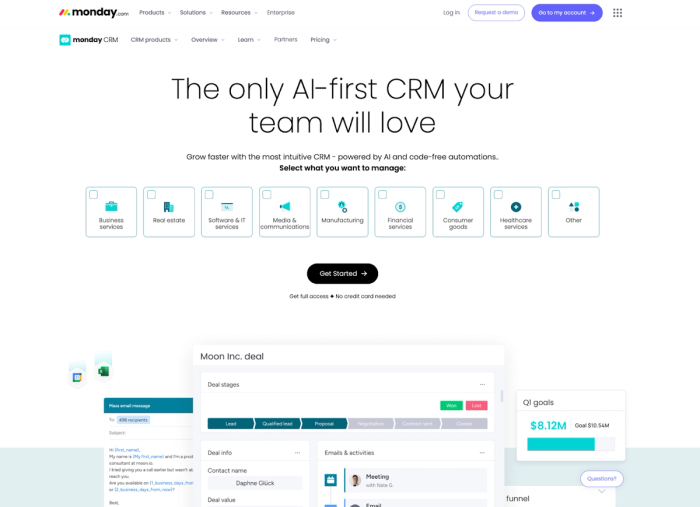
It's built around visual sales pipelines and a highly customisable board structure, with AI-powered automation layered in for follow-up reminders.
Key features:
- Strong project management integration; SaaS teams already using Monday.com can connect sales and post-sale delivery
- Flexible board structure with custom objects that adapt to different SaaS sales processes and customer journey stages
- Team collaboration features that give visibility across sales and marketing teams without requiring separate communication tools
Considerations:
- Monday CRM is built on a project management foundation, and sales-specific depth around lead scoring, advanced sales forecasting, and customer segmentation is less developed than dedicated CRM solutions
- Marketing automation features are limited; SaaS marketing teams that need to run campaigns and manage CRM data from the same platform might find it falls short
- Pricing adds up when combining Monday CRM with the broader Monday.com suite, particularly for SaaS teams that need features across both products
- The visual board interface works well for some teams but can feel less intuitive for managing high volumes of customer interactions compared to a purpose-built CRM
Monday CRM is a good tool for SaaS teams already embedded in the Monday.com ecosystem, but as a standalone SaaS CRM solution, it lacks the depth that more focused tools offer.
Less Annoying CRM
Less Annoying CRM earns its name. It's a stripped-back CRM for small business owners who find most CRM software overcomplicated and want something they can set up quickly, and actually use the next day.
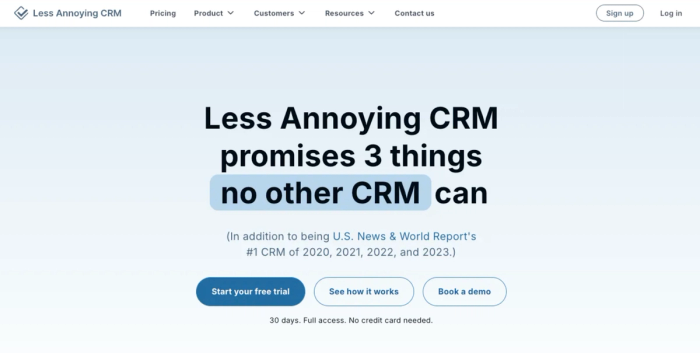
For very early-stage SaaS businesses (pre-revenue, or with a handful of customers and no formal sales process yet), it covers the basics.
Key features:
- Simple contact management and pipeline tracking with an easy-to-navigate interface that requires no training to use
- Task and calendar management built in, with basic reminders to keep customer interactions on track
- Flat rate pricing with no feature tiers; every user gets the same product at the same per-user monthly cost
Considerations:
- No workflow automation, no marketing automation, and no AI-powered features of any kind. Less Annoying CRM is deliberately basic, which becomes a real constraint as a SaaS business scales
- Integration options are limited compared to most SaaS CRM solutions; connecting it to the rest of a SaaS stack requires workarounds rather than native connections
- Reporting is minimal; SaaS businesses that need to track metrics beyond basic pipeline status will need additional tools
- The simplicity that makes it appealing early on becomes a ceiling; most SaaS businesses will outgrow it faster than they expect
Less Annoying CRM is a good choice for SaaS founders at the very beginning, but it's a starting point, not a long-term SaaS CRM solution.
How to switch CRMs without losing your mind
At some point, most SaaS businesses outgrow their first CRM.
The tool that worked for ten customers doesn't scale to a thousand, and the process of switching (migrating CRM data, rebuilding workflows, re-training the team) can feel like more trouble than it's worth. It isn't, but it does require a plan.
#1 Export everything before you do anything else.
Before touching a new platform, export your full CRM database in a usable format: contacts, deals, notes, and activity history. Don't assume the new tool will import everything cleanly; treat the export as your safety net and verify it's complete before deactivating the old system.
#2 Map your current workflows before rebuilding them.
Switching CRMs is an opportunity to fix the things that weren't working, not just replicate them in a new tool. Before configuring the new platform, document your current sales processes or automation rules — then decide deliberately what to keep, what to change, and what to drop.
#3 Run both systems in parallel briefly.
For a short overlap period, keep the old CRM live while the new one is being populated. This gives the team a fallback while CRM data is being verified, and reduces the risk of losing active deal context during the transition. Two weeks of overlap is usually enough for a small SaaS team.
#4 Migrate in stages, not all at once.
Start with active contacts and open deals: the data your team needs immediately. Historical data, closed deals, and archived contacts can follow once the core migration is stable. Trying to move everything at the same time is where migrations tend to go wrong.
#5 Get the integrations working before the full rollout.
The CRM is only as useful as its connections to the rest of your stack. Before the team switches over fully, verify that the integrations with your essential business tools are working correctly. A CRM that's live but disconnected from the rest of the stack will create more problems than it solves.
Getting the most from your SaaS CRM
Choosing the right CRM for SaaS is only half the work. How you use it determines whether it actually helps businesses manage customer relationships effectively or just becomes another tool the team logs into occasionally and forgets about.
Connect it to your existing tools from day one
A CRM for SaaS that sits disconnected from your billing platform, product analytics, and marketing tools is working with incomplete information. The ability to access customer data across systems (not just what's been manually entered into the CRM) is what separates a useful tool from an expensive contact list.
Prioritize getting your existing tools integrated before rolling out to the wider team. The time invested upfront pays back quickly in data quality and team adoption.
Use automation to protect team performance
The SaaS sales cycle generates quite a volume of repetitive tasks: trial follow-ups, renewal reminders, and re-engagement sequences for churned accounts. A well-configured CRM should automate repetitive tasks across those touchpoints so the team's attention goes to conversations that actually require a human.
Teams that automate routine tasks consistently outperform those that don't, not because they work harder, but because they spend their time on work that moves deals forward.
Understand what you're actually paying for at scale
Most SaaS CRM pricing is straightforward at small team sizes and gets complicated quickly. The per-user monthly cost on an entry plan looks reasonable until you factor in the features you actually need, which are typically locked behind higher tiers. For growing SaaS businesses, it's worth mapping out the cost at your projected team size on the plan you'd use, including any enterprise discounts that might apply. A CRM that looks affordable today can become a significant line item faster than expected.
Make customer data work harder than deal tracking
The most valuable use of a SaaS CRM isn't recording what happened; it's using what happened to decide what to do next. Teams that regularly analyze customer data across their contact base consistently find opportunities to reduce customer loss that wouldn't be visible from pipeline reports alone. For a small SaaS business, the CRM itself needs to deliver those insights automatically, which is why AI-powered features matter more as the contact base grows.
Finding the right fit
The best SaaS CRM for your business is the one that reflects how your customer journey actually works, not just how a generic sales pipeline is supposed to work. Most small SaaS businesses should start with something that's fast to adopt, flexible enough to handle more than just deal tracking, and priced sensibly for a team that's still growing.
If you're looking for a SaaS CRM that balances simplicity with genuine AI-powered capability, Capsule's free trial covers all paid plan features for 14 days, no credit card required.
It's a low-friction way to find out whether it fits how you sell.