
Service businesses don’t sell products. They sell time, expertise, and trust. Every booking, proposal, renewal, or follow-up depends on knowing what was agreed, what has been delivered, and what needs attention next.
What works for ten clients rarely works for one hundred. As volume increases, spreadsheets and inbox threads stop giving real clarity.
That’s why choosing the right CRM for a service business matters. Today, we’ll show you the best CRMs built for service industry teams in 2026 and break down which platforms actually support client work and growing operations.
The role of CRM in service-based businesses
Better client experiences lead directly to loyalty
In service businesses, your reputation travels faster than your pricing. Customers today expect personalised, consistent service across every interaction. Over 70% of consumers say personalised interactions motivate them to buy again, and repeat buyers tend to spend up to 67% more than first-time customers. These behaviours matter because just a 5% increase in retention can boost revenue by 25%–95%.
CRMs make that possible by unifying customer data across touchpoints (phone calls, email, forms, field visits, and messages) so your team doesn’t lose context.
Visibility into every interaction improves service quality
Service teams juggle multiple channels and changing schedules. Without centralised records, details get lost, and experiences suffer. CRM users report up to a 27% improvement in customer retention rates after implementing a system that consolidates interactions, feedback, and history in one place. Nearly half of businesses also say CRM usage significantly improves customer satisfaction.
That kind of visibility means teams can jump into support confidently, avoid repetitive questions, and proactively solve problems; all factors that matter more in services than in transactional product sales.
CRM systems drive growth beyond just data storage
A CRM isn’t just a digital address book. It becomes the operational hub that automates outreach, tracks follow-ups, and connects workflows to outcomes. Companies using CRM tools often see better coordination across teams, improved productivity, and stronger retention; outcomes that directly support the long-term, relationship-based revenue models service firms depend on.
Top 5 CRMs for service businesses in 2026
#1 Capsule CRM
The CRM that keeps service work human and organised
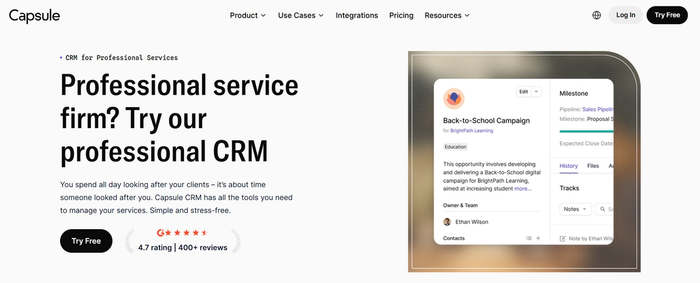
Service industries thrive on relationships and continuity, not rigid processes or complex setups. Capsule CRM stands out by giving teams one clean, intuitive system to track contacts, jobs, follow-ups, and workflows without ballooning complexity or cost. Trusted by thousands of small and medium-sized businesses, it balances simplicity with capability perfectly.
Key features that matter for service teams
Here’s what makes Capsule especially relevant for service-oriented businesses:
- Contact & interaction hub. Everything from emails to notes and files connects back to the right customer, so service history stays visible and actionable.
- Visual pipelines & project tracking. See where each job or engagement stands at a glance; ideal for consultancies, agencies, and field services alike.
- Workflow automations. Automate routine steps like follow-up reminders or task assignments.
- AI-assisted email support. Capsule’s AI content features help write engaging emails and follow-ups faster, improving response quality and consistency.
- Contact enrichment & insights. Powered by automation, Capsule can enrich contact records and surface contextual cues that help teams respond faster and more personally.
Why service teams love Capsule
Service teams appreciate Capsule because it stays out of the way while solving their core problems: keeping customer details organised, ensuring consistency across touchpoints, and reducing admin overhead. Its clean interface makes setup fast and onboarding painless, even for team members who aren’t tech-heavy.
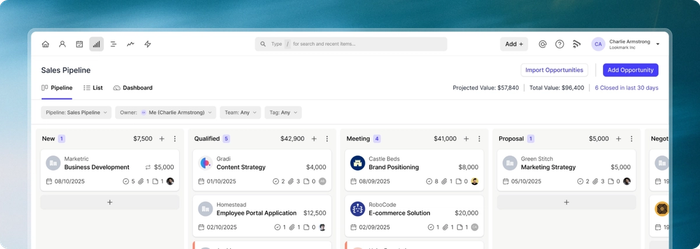
Users also highlight how centralised records, pipelines and reminders help them pick up work smoothly even when staff change or workloads spike.
Pricing that fits growing service businesses
Capsule CRM offers a flexible pricing structure that scales with your business needs:
- Free plan. Available forever with up to 250 contacts and basic CRM essentials.
- Starter. Around $18/user/month, ideal for core CRM usage.
- Growth. Roughly $36/user/month, unlocked automation, and multiple pipelines.
- Advanced & Ultimate. Up to $54–$72/user/month with advanced analytics, integrations, and premium support.
This tiered model helps service businesses start small and add features only as they grow.
Ready to organise your service business?
If you’re tired of dealing with multiple spreadsheets or inbox threads, try Capsule CRM free today. It’s a simple, capable way to organise client work and give your team a single source of truth for every engagement.

#2 HubSpot CRM
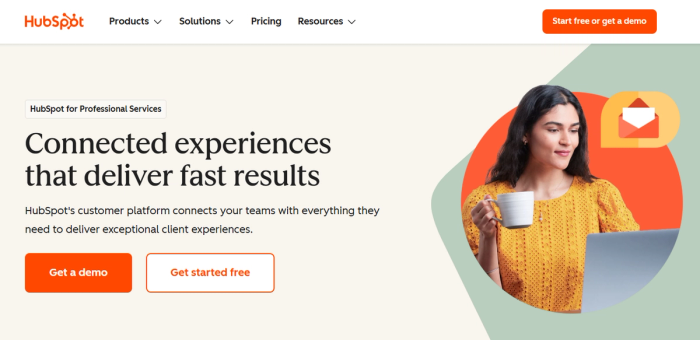
HubSpot CRM is a cloud-based customer relationship management platform that centralises contacts, interactions, and customer data, then layers on capabilities like ticketing, automation, and analytics through additional hubs (Sales, Service, Marketing, etc.). It aims to break down silos between teams so everyone works off the same record.
Key features for service businesses
Here’s how HubSpot supports service-oriented workflows:
- AI-powered automation & insights. HubSpot’s Breeze AI assistants help draft messages, summarise CRM data, research prospects, and automate routine actions that save time.
- Unified contact management & pipelines. Store every interaction from calls to emails to forms in a single view so customer history stays accessible.
- Customer ticketing and help tools. Service teams can route inquiries, manage tickets and track resolution status without external helpdesk tools.
- Marketing and communication integration. Built-in email, live chat, forms, and marketing tools let service teams communicate proactively and consistently with customers from the same platform.
Considerations before choosing HubSpot
Before you commit to HubSpot, keep these points in mind:
- Pricing can escalate quickly. While the free CRM is generous, unlocking advanced automation, reporting, and service tools often requires paid hubs and higher tiers.
- Complexity at scale. Combining marketing, sales, and service features is powerful, but it can feel overwhelming for teams that only want basic CRM functions.
- Modular cost structure. Each hub (Sales, Service, Marketing) has its own pricing, which may make budgeting more complicated compared with single-tool CRMs.
- Advanced features behind higher plans. Some AI automations and deep analytics are tied to mid-to-enterprise tiers rather than being available out of the box.
HubSpot CRM offers a strong balance of usability, connected features, and growth potential for service teams that want to unify customer data and tie marketing and support efforts together. It starts with an impactful free tier that lets you centralise contacts and basic activity tracking, but many teams find value in upgrading to paid hubs as their needs expand.
Whether you need ticketing, AI-assisted workflows, or seamless communication across teams, HubSpot can deliver. However, budget planners should be ready for costs to increase as features scale.
#3 Monday CRM
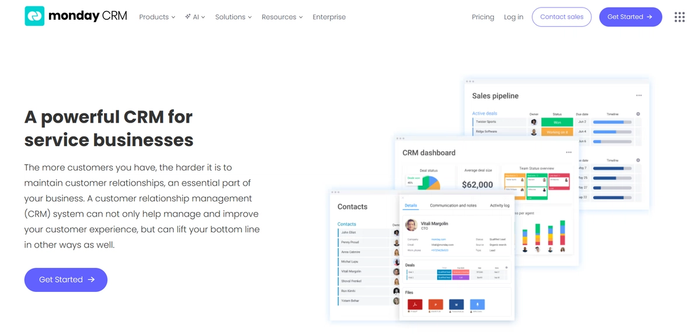
Monday CRM brings customer relationship management into a highly customisable workspace rooted in visual boards and drag-and-drop logic. It sits on the same platform that made Monday.com popular for work and project management, but focuses on pipeline visibility, automations, and connected workflows.
Key features for service businesses
Here are the elements that make Monday CRM relevant for teams delivering services:
- Customisable pipelines. Create and adjust pipelines that reflect your service lifecycle, from initial inquiry to delivery and follow-up.
- Two-way email sync and activity tracking. Link Gmail or Outlook to capture client messages automatically and see communications alongside tasks.
- No-code automations. Set triggers for routine actions like task assignment or status changes without writing code, freeing up time for client work.
- AI-powered insights and workflows. Integrated AI can help automate repetitive processes and suggest workflow improvements based on usage patterns.
Considerations before you choose Monday CRM
Before selecting Monday CRM for a service business, weigh these points:
- Pricing per user can add up. Plans are charged per seat, and costs increase as you add features or automate more.
- Requires at least three users. Some CRM plans expect a minimum of three seats, which may not suit solo professionals.
- Learning curve for customisation. The highly customisable interface can take time to set up in a way that matches your workflows.
- CRM depth isn’t as specialised as some competitors. While solid for pipeline and task management, advanced CRM-specific features like deep analytics or territory controls are still maturing.
Monday CRM is an adaptable choice for service teams that value visual clarity. It works well for teams that want to connect service tasks, customer interactions, and follow-ups under one roof. However, its pricing structure and need for upfront setup may make it better suited to teams with multiple users rather than solo operators or very small groups.
#4 Zoho CRM
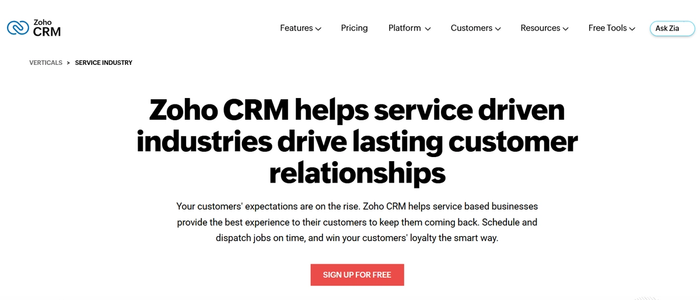
Zoho CRM supports contact and lead management, sales pipelines, workflow automation, analytics, and integrations with a wide variety of tools. The platform also connects deeply with other Zoho applications for marketing, support, billing, and more.
Key features for service businesses
- Omnichannel contact and pipeline management. Manage leads, contacts, deals and activity history in one place so teams always have full customer context.
- Advanced workflow automation. Zoho’s automation tools let you trigger actions based on events, reducing repetitive admin and keeping teams focused on service delivery.
- AI-powered assistant (Zia). Zia uses machine learning to suggest optimal actions, forecast trends, and surface insights that help teams prioritise work and follow-ups.
- Custom dashboards and business intelligence. Build dashboards and reports that reflect service KPIs and client health, enabling data-driven decisions.
Considerations before choosing Zoho CRM
- Learning curve. Because it offers extensive features and customisation, new teams may need time to fully master Zoho’s interface and setup.
- AI across plans. Advanced AI capabilities like Zia are often limited to upper-tier plans, so smaller teams may need to upgrade for full benefits.
- Features spread across tiers. Core CRM functions are included upfront, but deeper customisation, advanced automation, and portals typically require higher subscriptions.
- Setup effort. Some users report that configuring Zoho to align with unique workflows can take more time than simpler CRM tools.
Pricing snapshot
Zoho CRM offers multiple tiers to fit different team sizes and needs:
- Free. $0 for up to 3 users with essentials like contact, lead, and simple workflow tools.
- Standard. ~$14 per user/month (annual billing) with contact management, web forms, and basic automation.
- Professional. ~$23 per user/month adds advanced workflows and process customisation.
- Enterprise. ~$40 per user/month with AI assistant, multi-user portals and security controls.
- Ultimate. ~$52 per user/month with priority support, advanced analytics and maximum customisation options.
Zoho CRM is a capable option for service businesses that want flexibility and advanced tools without a hefty price tag. Its AI-assisted insights and automation features help teams stay organised and responsive, while custom dashboards and integrations support evolving workflows. However, complexity and tiered access to advanced features mean it’s often best suited to teams willing to invest time in setup and progression to higher plans as needs grow.
#5 Pipedrive CRM
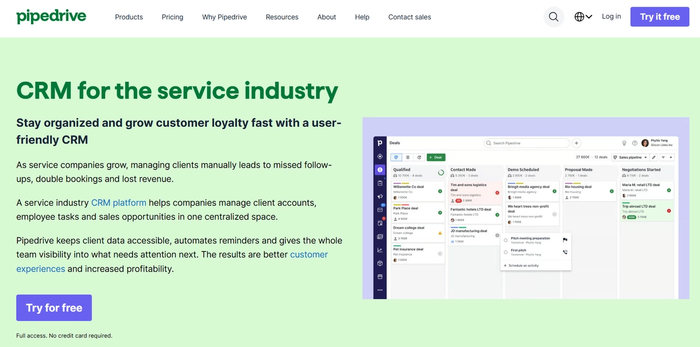
Pipedrive is a cloud-based CRM built around a sales pipeline that makes it easy to see where every contact or opportunity stands at any moment. Originally designed for sales teams, it appeals to service businesses that prize clarity in customer interactions, especially when tracking multiple jobs and recurring opportunities.
Key features for service businesses
- Visual pipeline management. A drag-and-drop board shows where each engagement stands, keeping service queues, bookings, or follow-ups easy to scan and act on.
- Contact and activity history. Centralise client details, emails and touchpoints so teams stay aligned on past interactions and next steps.
- Workflow automations. Set up automated triggers that streamline routine tasks like reminders, status changes, or lead routing.
- AI-assisted insights & email tools. Built-in AI helps with writing and summarising emails and can surface insights on which deals or tasks deserve attention first.
Considerations before choosing Pipedrive
- Sales-first design. Pipedrive is optimised for pipeline and sales-oriented workflows, so post-sale service features (like case/ticketing tools) are limited without add-ons or integrations.
- No permanent free plan. You can try it free for 14 days, but after that all plans are paid, which may not suit very small teams or solo professionals.
- Add-ons can increase cost. Features like advanced email tools, marketing (“Campaigns”) or project management often require extra subscriptions beyond the base CRM plan.
- Basic reporting at lower tiers. Entry plans include core pipeline views, but deeper analytics and custom reporting often require upgrading to mid- or upper-tier subscriptions. (
Pricing snapshot
Pipedrive’s plans start with a range of paid tiers and no free forever option. Typical pricing (billed annually) includes:
- Essential. ~$14–$15 per user/month for core contact, pipeline, and activity tracking.
- Advanced. ~$24–$25 per user/month adds email sync and basic automations.
- Professional. ~$49–$59 per user/month with expanded automation, reporting, and goals.
- Power & Enterprise. Higher tiers (often $64–$99 per user/month) extend limits, add support and advanced tools.
All plans include a 14-day free trial so teams can test pipelines and basic workflows before committing.
If you prefer a straightforward CRM that prioritises visibility and momentum over layered features, Pipedrive is worth exploring; just plan for the costs of add-ons and higher tiers as your service needs increase.
CRM decision checklist for service businesses
1. What specific business problem are you solving?
Before talking about features, clarify the outcome you need. Capsule helps centralise customer history and communications so nothing gets overlooked.
2. Will this CRM grow with your business?
You want a system that can handle increasing contacts, pipelines, and process complexity without forcing a tool switch. Capsule’s scalable plans support expansion from small teams to larger service operations.
3. Can your team adopt it easily?
Ease of use and quick onboarding are key; low resistance means higher adoption and real impact. Capsule is recognised for its intuitive interface and straightforward setup.
4. Does it integrate with your ecosystem?
Your CRM shouldn’t sit alone; it needs to play nicely with your email, calendars, billing, and automation tools. Capsule offers broad integrations out of the box, helping data flow instead of being fragmented.
5. Is the cost transparent and sustainable?
Understand pricing tiers, add-ons, and future costs before you commit. Capsule’s pricing is clear with a free tier and progressive paid plans, so you can budget without surprises.
6. Can you try it in real workflows first?
Free trials or demo access let you test how a CRM handles your actual processes before you lock in. Capsule offers trial options that help you validate fit before buying.
This checklist focuses on business needs, scalability, ease of adoption, integration, cost clarity, and testability: decisions that matter more than browsing feature lists. Capsule CRM meets these criteria with a user-friendly setup, scalable plans, solid integrations, and transparent pricing, becoming a strong fit for service-focused teams evaluating CRM options.
Conclusion
Choosing the right CRM can be transformative for a service business. It keeps your customer history in one place and supports smoother client interactions as your workload grows. Capsule CRM hits the sweet spot for service-oriented teams; it’s intuitive, quick to adopt, integrates with tools you already use, and scales with your business. Its pricing is transparent, and there’s even a free plan to get started.
If you want a CRM that feels like a natural extension of how your team works, try Capsule CRM free today.