
Your CRM holds the most valuable asset in your business: customer data.
Not leads. Not deals. Data.
Every conversation, renewal date, billing detail, consent checkbox, product interaction, and support note lives somewhere. When that information is accurate and connected, your team moves with confidence. When it’s fragmented or outdated, even simple decisions slow down.
The right CRM turns raw information into reliable context. It gives your team one version of the truth. If customer data is the engine of your revenue, your CRM is the system that keeps it running smoothly.
Below, you’ll find the best CRM platforms for managing customer data in 2026, reviewed based on structure, control, scalability, and long-term reliability.
Top CRM software for customer records management
Capsule CRM: best CRM for managing customer data
Capsule CRM feels like it was built for teams who care about keeping their customer data clean without turning CRM management into a full-time job. It doesn’t overwhelm you with endless modules or force you into rigid enterprise workflows. Instead, it focuses on helping you store, structure, and maintain customer information in a way that actually makes sense day to day.
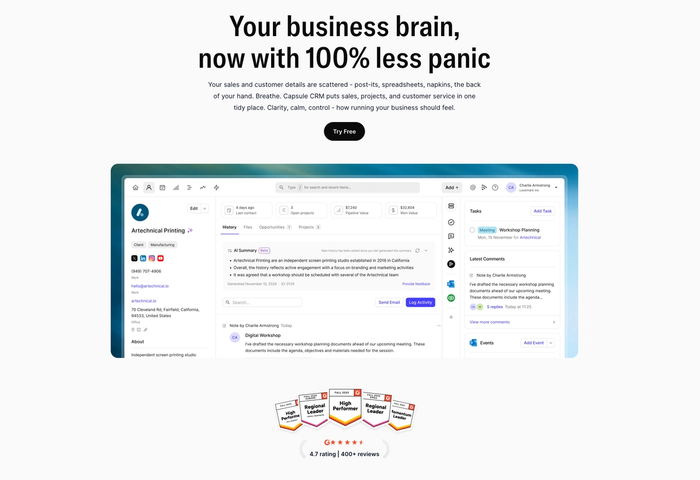
At its core, Capsule helps you answer simple but critical questions fast: Who is this contact? What have we discussed? Where are we in the relationship? When your database grows from a few hundred contacts to several thousand, that clarity becomes essential.
Key features for managing customer data
- Structured contact and company records. Capsule separates people and companies but links them clearly. You can customize fields to match your sales or service model, which prevents random notes from replacing real data. Over time, that consistency makes segmentation, reporting, and filtering far easier.
- Tags and data segmentation. Tags let you categorize contacts by industry, lifecycle stage, priority level, or any internal system you use. Instead of exporting spreadsheets to sort manually, you can filter your database in seconds.
- Complete activity timeline. Every email, note, file, task, and deal is attached to a central timeline. That means anyone on your team can open a record and immediately understand the relationship history without asking around.
- Built-in data cleanliness controls. Capsule helps reduce duplicate records and keeps your database organized as it grows. This matters more than most teams realize. Clean data directly affects forecasting, targeting, and internal trust in the CRM.
- Integrations that prevent data silos. With integrations like Gmail, Outlook, Xero, and Mailchimp, information syncs directly to the right contact record. Conversations and financial data don’t sit in separate systems.
Best use case
Capsule works particularly well for small to mid-sized service businesses, consultancies, agencies, and growing B2B companies that want their CRM to act as a reliable customer data hub.
Three real-life small business scenarios
- A boutique marketing agency. They manage retainer clients and project-based work. Using Capsule, they tag contacts by service type and renewal period. Account managers open a client profile and see campaign history, past conversations, invoices, and upcoming tasks in one place.
- A legal advisory firm. They handle ongoing client cases with strict confidentiality requirements. Custom fields track case stage and document status. Permissions restrict access to sensitive accounts. Every client interaction is logged under a structured timeline.
- A SaaS startup with a lean sales team. They track demo requests, onboarding status, and renewals. Capsule organizes contacts by lifecycle stage. Mailchimp syncs marketing engagement, so sales reps know who opened which campaigns before reaching out.
Pricing
Capsule offers a free plan that works well for very small teams getting started. Paid plans are priced per user per month and scale based on feature depth and contact limits. As you move up tiers, you unlock advanced reporting, workflow automation, and more integrations.
For growing businesses, the pricing feels accessible compared to larger CRM platforms that charge heavily for advanced functionality.
Reviews
Users consistently describe Capsule as intuitive and easy to adopt. Many mention that their team starts using it properly without long onboarding sessions.


Reviews also highlight the responsive support team and the balance between flexibility and simplicity. It’s often praised as a CRM that stays organized as the database grows, which directly supports long-term customer data management.
Try Capsule
If your current CRM feels cluttered or your customer records feel unreliable, Capsule offers a more structured approach. You can start with the free plan and build your database properly from day one. As your contact list grows, you’ll have a system that keeps your data clean, connected, and easy to act on.

HubSpot CRM
HubSpot CRM remains one of the most widely adopted CRM platforms in 2026.
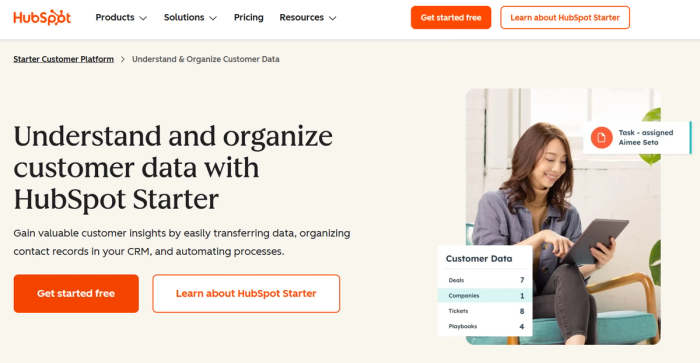
However, its breadth is also its trade-off: as an all-in-one platform, it can sometimes feel heavier and more complex than what smaller teams need specifically for data management, and many of its most useful data hygiene and reporting tools are locked behind higher-tier plans.
Key features (data-specific, with one-sentence explanations)
- Custom properties and segmentation. You can define and filter records by tailored fields to build clean, detailed segments based on behavior.
- Automated activity tracking. Email opens, form submissions, and website interactions sync automatically into contact timelines.
- AI-powered enrichment & Breeze AI. Built-in AI tools populate company and contact data using AI and enrich CRM records with external insights and summaries.
- Reporting dashboards across teams. Shared dashboards let sales, marketing, and customer success see up-to-date data in one place, though some advanced reports require higher-tier plans.
Pros
- Strong unified CRM foundation that centralizes customer records and activity in a way most teams find reliable.
- Wide adoption and ecosystem mean it integrates with many tools and is familiar to teams across functions.
- Free tier with unlimited contacts lets small teams start organizing data with no upfront cost.
Cons
- Can feel overly complex for data-focused use cases, especially without purpose-built views or configurations.
- Many data hygiene and advanced reporting tools are tied to more expensive tiers, making cost a barrier to deeper CRM use
- Duplicate detection and cleanup tools are limited unless you invest in high-end add-ons or tiers.
- Value for pure CRM data management can be diluted because the platform includes many marketing and support features that teams may not need.
Pricing
HubSpot CRM offers a free plan with unlimited contacts and basic CRM capabilities, which is great for small teams. Paid tiers start around $15–$18 per user/month for Starter plans and climb significantly for Professional and Enterprise levels, especially once you want advanced automation, reporting, or AI features.
Salesforce Sales Cloud
Ever opened your CRM and felt like you were looking at a giant jigsaw puzzle missing half its pieces? That’s the kind of problem Salesforce Sales Cloud aims to solve, with immense depth and enterprise-grade power.
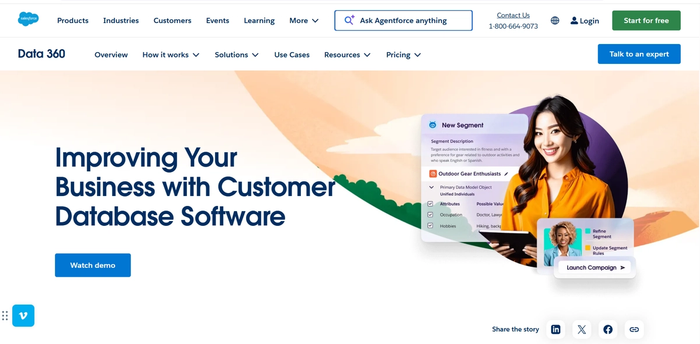
But for many teams that just need clean, structured customer data, it can feel like wielding a chainsaw to cut dandelions.
Key features
- 360° customer profiles. Sales Cloud pulls together leads, contacts, accounts, and activity histories into comprehensive records.
- AI-driven insights and scoring. Built-in AI tools (like Einstein and Agentforce) can surface patterns and automate tasks like lead scoring and contact prioritization.
- Configurable data model. You can define custom objects, fields, and relationships, which means your customer data structure can be tailored to fit unique business logic.
- Extensive integration ecosystem. Through AppExchange and APIs, Sales Cloud connects customer data from marketing platforms, support tools, finance systems, and more, reducing silos.
Pros
- Enterprise-level data visibility. Sales Cloud gives a unified view of customer interactions and pipeline data across an organization, no matter how many teams use it.
- Scales with growth and complexity. Its configurability and automation tools make it viable for businesses that need deeply customized workflows.
- Strong analytics and AI support. Salesforce’s AI and forecasting capabilities help teams predict customer behavior and prioritize high-impact actions.
Cons
- Steep learning curve. New users and smaller teams often find its breadth overwhelming and difficult to master without training.
- Costs add up quickly. Advanced automation, AI, and customization often require higher-tier editions or add-ons, increasing total spend.
- Overkill for simple data management needs. Teams focused solely on maintaining clean customer records may find the platform too heavy and too expensive.
- Set up time and admin requirements. Implementation often requires dedicated admins or consultants to get the data model and workflows right.
Pricing (2026 snapshot)
Salesforce pricing starts at around $25 per user/month for the Starter Suite, which includes basic CRM functionality. Higher-tier editions (Pro, Enterprise, Unlimited, and Agentforce-enhanced plans) range from roughly $100 to $550+ per user/month depending on features and AI capabilities, usually billed annually. Most Salesforce customers also factor in implementation, consulting, and potential add-on costs when budgeting.
Zoho CRM
Zoho CRM is a cloud-based platform built to help teams eliminate data silos and automate repetitive tasks.
However, its broad feature set can feel more than what teams solely focused on customer data hygiene need.
Key features
- Centralized contact and account records. Zoho CRM brings together leads, contacts, accounts, and interactions in a unified database so you don’t have to toggle between tools to understand customer history.
- Workflow rules with Zia AI assistance. Built-in automation enables triggers and reminders based on changes in customer data.
- Customizable dashboards. Turn your CRM records into visual insights so you can see trends in pipeline health and customer engagement at a glance.
- Integration with the Zoho suite and third-party apps. Connections with other business systems help pull email, support, and billing data into customer profiles.
Pros
- Accessible for small teams because it offers a free tier and competitively priced plans, making structured data management feasible without high upfront costs.
- High level of customization lets teams shape CRM records and workflows to match how they collect and use customer data.
- Automation support from Zia and built-in workflows reduce manual updates and ensure certain customer data quality tasks happen automatically.
Cons
- Complex setup for some teams because so many options and modules can make initial configuration time-consuming.
- Interface can feel cluttered for users focused strictly on contact management rather than broad CRM workflows.
- Advanced functionality often sits in higher-tier plans, meaning data enrichment and deep automation may require more budget.
- Support experience varies with plan level, which can lead to slower resolution times for urgent issues.
Pricing
Zoho CRM has a free plan for up to three users with basic contact and lead management. Paid plans in 2026 begin at an entry level of around $14 per user per month, with higher plans offering enhanced automation, analytics tools, AI capabilities, and greater customization capacity as you scale.
Pipedrive CRM
Pipedrive CRM is a cloud-based sales CRM designed around a visual pipeline view and activity-based workflow that helps teams manage client interactions in a straightforward way.
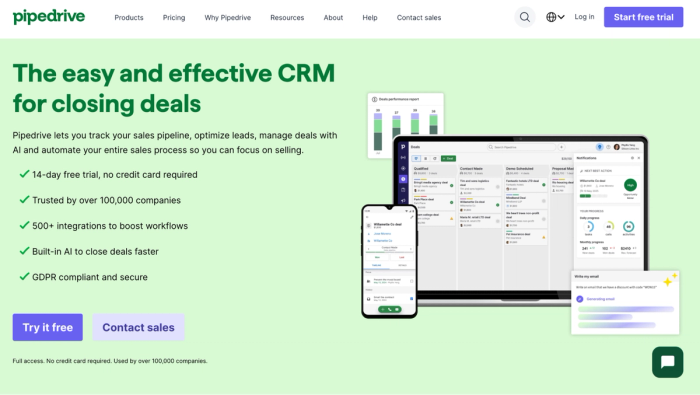
It is particularly favored by small to midsize sales teams for its ease of use, though its focus on sales means it may not always deliver the broad data use cases that more general-purpose CRMs do.
Key features
- Visual deal pipeline. Pipedrive uses an intuitive drag-and-drop pipeline to show where each deal stands and what activities are associated with each contact.
- Activity tracking for contacts. Every call, email, meeting, task, and note can be logged against a contact profile to maintain up-to-date records of all interactions.
- Multiple pipeline view. You can customize fields and set up separate pipelines for different product lines or processes for better categorization and segmentation of customer data.
- AI sales assistant. Built-in automation can generate follow-up tasks or reminders based on changes in contact or deal status, and AI-enhanced tools help with email drafting and lead prioritization.
Pros
- Clear and intuitive interface that allows teams to adopt Pipedrive quickly.
- Strong pipeline and activity focus help teams stay on top of what needs to happen next with any given customer.
- Flexible integration ecosystem supports syncing customer data from other tools into the CRM.
Cons
- Sales-centric design means teams outside of sales (like support or marketing) may find fewer data tools aimed at their workflows.
- No permanent free plan. Only a limited trial period is offered before payment is required.
- Advanced features locked behind higher tiers, making comprehensive automation or enrichment more expensive.
- Reporting and analytics depth vary depending on the plan, and some users report that deeper insights require upgrades.
Pricing (2026)
Pipedrive uses tiered pricing per user per month, with a 14-day free trial available, but no free forever plan. Annual billing can reduce costs. Typical tiers include Lite (~$14 when billed annually), Growth (~$39), Premium (~$59), and Ultimate (~$79) per user per month, with more advanced automation and data enrichment features coming at the higher levels.
Salesflare CRM
For many small B2B teams, Salesflare feels almost like a personal assistant for customer data; it pulls information from your inbox and calendar instead of forcing you to type everything in. That makes it fast to get contact records up to date and keeps interaction histories lively and relevant.
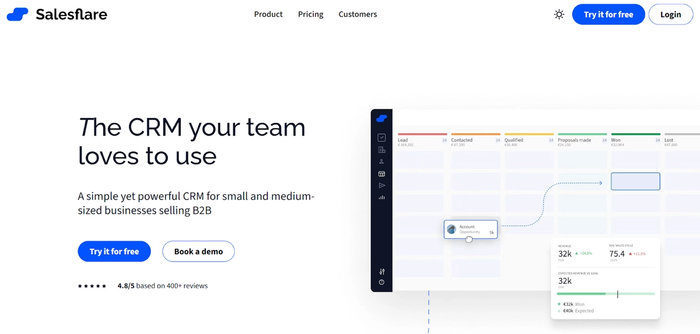
But that very focus on automation and simplicity also means it doesn’t always suit businesses that expect deep customization or enterprise-grade analytics.
Key features (focused on managing customer data)
- Automatic data capture. Salesflare grabs contact details from emails, calendars, social profiles, and signatures so your CRM fills itself as you work.
- Interaction tracking. Emails, meetings, calls and link engagement show up in contact timelines, giving you a clear picture of interaction history with zero copy-pasting or tagging.
- AI-enhanced suggestions. Built-in intelligence helps surface follow-up reminders or organize leads based on activity.
- Email and calendar syncing. Deep integration with tools like Gmail, Outlook, and calendars means customer interactions are logged automatically.
Pros
- Easy to start and use with minimal setup.
- Strong integration with everyday tools means data flows into the CRM.
- Automation cuts down manual data entry, reducing the time spent keeping records current.
Cons
- Less complete feature set for larger teams, which can feel limiting if you need broader workflow or automation options.
- Advanced customization and reporting are comparatively light, so teams that depend on detailed analytics might look elsewhere.
- No free forever plan; only a trial, after which ongoing use starts at a paid tier.
- Some users report missing features or occasional errors, particularly when loading larger or more complex datasets.
Pricing (2026)
Salesflare generally offers tiered plans billed monthly or annually. Common configurations are:
- Growth tier around $29–$35 per user/month (when billed annually), which includes core CRM automation and pipeline features.
- Pro tier around $49–$55 per user/month, adding email sequences and enhanced automation.
- Enterprise tier around $99 per user/month, with custom permissions and onboarding support.
A free trial is available so you can explore capabilities before committing.
Close CRM
Close CRM is built around the idea that your CRM should actively help you close deals instead of just storing names and numbers.
Its tight focus on sales outreach and communication makes it very effective for teams that live and breathe outbound engagement, but it also means it may feel too specialized for businesses that want a broader CRM platform with deep service-oriented data features.
Key features
- Integrated communication. Close automatically saves emails, calls, and SMS directly to contact profiles so customer touchpoints stay attached to the right record.
- Smart views and filtering. You can filter leads and contacts by activity and custom criteria, helping teams find high-priority customer segments quickly without manual sorting.
- Automation options. Built-in workflows trigger follow-up reminders and sequences based on data changes in a record.
- Power-dialer. Predictive dialer capabilities automate bulk calling and move reps faster through contact lists.
Pros
- Centralized communication in one workspace. All customer channels are automatically tracked in the CRM, so teams don’t lose context.
- Fast, intuitive interface that sales reps adopt quickly. Focused workflows keep CROs and SDRs productive from day one.
- Strong automation for follow-ups and reminders. Less manual upkeep means customer data stays cleaner over time.
Cons
- Sales-centric design may feel narrow for teams that want deeper marketing automation or broader CRM use cases beyond outreach.
- Advanced features live in higher-tier plans, which can make the platform expensive for smaller teams.
- No permanent free plan; you get a trial, but ongoing use requires a paid tier.
- Some users note limits in reporting complexity compared with larger all-in-one CRMs.
Pricing (2026 reference)
Close uses tiered subscriptions with a free trial to start. Pricing varies by plan and whether you choose monthly or annual billing, with typical tiers including Essentials, Growth, and Scale. Essentials often sits around the mid-range price point for sales CRMs and includes core features, while Growth and Scale add automation, advanced filters, and enhanced calling tools; all priced per user and increasing with capability depth.
8-question CRM checklist for managing customer data
- Does the CRM let you customize fields and record structure? Can you define exactly what types of customer data you want to collect and enforce consistency across records?
- Can it centralize all interaction history on a single timeline? Will emails, calls, notes, and activities automatically attach to the right contact or company without manual effort?
- Does it prevent duplicate records and help maintain clean data? Are there built-in tools or workflows that detect and merge duplicates, or flag inconsistencies?
- Are tags, segments, and filters flexible enough for real business logic? Can you group and slice your database based on meaningful criteria: industry, lifecycle stage, purchase behavior, and so on?
- Does it sync with essential communication tools (email, calendar) you already use? Is email syncing seamless so that outreach and replies automatically enrich the CRM record?
- Does the CRM support automation that improves data quality over time? For example, can it trigger reminders for missing fields, automatically update statuses, or enrich profiles with external data?
- Can teams control who sees and edits what data? Are there permission layers so that sensitive customer information is protected and access is governed by roles?
- Is the reporting and dashboard experience useful for customer data insights? Can you turn your CRM records into dashboards or analytics that surface clean, actionable patterns rather than raw lists?
If a CRM can confidently answer “yes” to these questions, it’s likely to serve well as a customer data management system. Capsule CRM ticks these boxes with customizable fields, unified timelines, smart tagging, automated workflows, integrations, and strong data hygiene support – but the checklist is equally useful when evaluating alternatives.
Over to you
Managing customer data matters whether you have five clients or five hundred: the clearer your records, the better your team can act on them.
Time lost fixing records is time lost closing deals. Choose a CRM that keeps every record reliable; start with Capsule and build clarity into your growth.