Your CRM holds all your sales data, but that doesn't mean it's helping you sell. When your team spends more time updating contact records than actually talking to customers, something's broken.
This is the promise of AI-powered CRMs: less administrative work, more time selling. AI features can write follow-up emails, flag at-risk deals, and surface insights from your pipeline data, all without you manually building reports.
But "AI CRM" is a vague term. Some tools just help you write better emails. Others predict which deals will close or automatically log every customer interaction. The features vary wildly, and so does the actual usefulness.
In this guide, we'll help you figure out which AI features actually matter for your team, what to look for when comparing tools, and which CRMs offer the best AI capabilities for small businesses in 2025.
What is AI CRM software?
Let's clear something up first: there's no such thing as a "pure" AI CRM. What people call AI CRMs are traditional customer relationship management platforms with AI features layered on top.
An AI CRM uses machine learning and language models to automate tasks that sales reps would otherwise do manually. The core is still a standard CRM: contacts, deals, pipelines, activities, and reporting. The difference is that AI now handles parts of the workflow that used to require human input.
What AI features actually do in a CRM:
- Suggest next actions based on deal stage and past patterns (e.g., "Follow up with this lead; similar deals closed after a second call")
- Flag at-risk accounts by analyzing engagement drops or missed follow-ups
- Draft emails and notes using context from the contact record and recent activity
- Auto-log interactions like calls, meetings, and message threads
- Surface insights from closed deals to help reps prioritize who to contact next
When these features work well, your team spends less time on busywork and more time having actual sales conversations. That's the goal, at least.
AI-native CRMs vs. traditional CRMs with AI add-ons
If you start shopping for an AI CRM, you'll notice two categories:
- Traditional CRM platforms with new AI features → tools that have been around for years and recently added AI capabilities
- AI-first CRMs → newer platforms built with AI baked into the core experience from day one
Neither approach is automatically better. Established CRMs have mature integrations and proven workflows, but their AI features might feel tacked on. AI-native tools are designed around automation, but they may lack the depth or ecosystem of older platforms.
The right choice depends on what your team actually needs.
How to choose an AI-powered CRM system: a buyer's guide
The number of CRMs offering AI features is growing fast. But not all AI tools are created equal, and what works for one team might be overkill for another. Here's how to cut through the marketing and find what you actually need.
1. Define what AI means for your team
"AI" is a catch-all term that means different things in different CRMs. Before you start comparing tools, get specific about what problems you're trying to solve.
Ask yourself:
- Do you need automatic summaries so reps spend less time writing notes?
- Do you want forecasting based on your pipeline data?
- Are you looking for help drafting personalized outreach emails?
- Do you need the system to flag at-risk deals or stalled conversations?
Sometimes you'll find that your current CRM already does what you need, or you can get similar results by connecting a tool like ChatGPT. Other times (like with predictive lead scoring or automated activity logging), dedicated AI features genuinely save hours of work.
2. Check how deeply AI is integrated into the workflow
Some CRMs slap an AI email writer on top and call it a day. Others weave AI into contacts, pipeline management, forecasting, and reporting.
The difference matters. Surface-level AI might help you draft a follow-up email. Deeply integrated AI can automatically update deal stages, flag accounts that haven't been contacted in 30 days, and tell you which leads are most likely to convert based on past behavior.
Before you evaluate AI features, look at which parts of your CRM your team actually uses every day. If your reps live in the pipeline view, AI that only helps with email won't move the needle.
3. Understand the data dependency
Here's the hard truth: AI is only as good as your data. If your CRM is full of missing notes, outdated contact info, or inconsistent field entries, even the best AI won't help.
AI needs clean, structured data to:
- Analyze patterns in closed deals
- Predict which opportunities will close
- Generate accurate summaries of customer history
- Personalize outreach based on past interactions
If your data is a mess, fix that first. Otherwise, you're paying for AI features that can't deliver on their promises.
4. Test the quality of summaries and insights
Not all AI-generated insights are useful. Some CRMs give you surface-level stats like "You have 47 leads in the manufacturing industry." Others analyze your historical data and tell you "These 12 accounts have the highest churn risk based on engagement drops" or "Your best leads come from referrals that close within 14 days."
This is where free trials are essential. Upload your actual CRM data and see what insights the AI surfaces. Are they actionable, or just restating what you already know? This will tell you whether the AI is genuinely smart or just rephrasing your data.
5. Look for natural language query tools
The best AI CRMs let you ask questions in plain English instead of building reports or filtering views.
Examples:
- "Which deals in my pipeline haven't been touched in 30 days?"
- "What's my forecasted revenue for Q2?"
- "Who's my top-performing rep this month and why?"
This kind of conversational interface makes CRMs easier to adopt, especially for teams that aren't used to working in structured sales software. Instead of learning where to click, you just ask.
6. Evaluate whether AI makes onboarding easier or harder
AI should reduce complexity, not add to it. During your trial period, pay attention to the onboarding experience:
- Are the AI prompts clear and helpful, or do they require you to already understand the system?
- Does the AI suggest logical next steps, or do you have to configure everything manually first?
- Can new team members get value from AI on day one, or does it require weeks of setup?
For small teams, a steep learning curve kills adoption. If the AI features feel like extra work instead of shortcuts, keep looking.
7. Check for transparency in AI recommendations
Good AI doesn't just tell you what to do. It also explains why.
If the system flags a deal as "at risk," it should tell you why: "No activity logged in 45 days" or "Email open rates dropped 60% compared to similar deals." If it suggests following up with a specific lead, it should explain what pattern it's seeing.
Transparency builds trust. Your team is more likely to act on AI suggestions when they understand the reasoning behind them.
8. Research pricing and feature gating before you trial
AI features are almost never included in free plans, and they're often locked behind the most expensive tiers.
Before you invest time in a trial, check:
- Which AI features are available in which pricing plan?
- Are they included, or do you pay extra as an add-on?
- Is there a usage limit (e.g., "100 AI-generated emails per month")?
- Do you need to buy a minimum number of seats to access AI tools?
Some CRMs hide their best AI features in enterprise plans that start at $100+ per user per month. Know what you're getting into before you get attached to a tool you can't afford.
Once you've worked through this checklist, you'll have a clearer sense of what you actually need.
When does upgrading to an AI CRM actually make sense?
Not every business needs AI in its CRM right now. If you're a solo consultant managing 20 clients in a spreadsheet, AI forecasting won't help you; you already know where every deal stands. But if you're experiencing specific friction points, AI features can genuinely save hours every week.
Signs you're ready for AI CRM features
You're spending more time logging activity than selling
If your reps are manually copying email threads into contact records, writing call notes from memory, or updating deal stages hours after conversations happen, AI can handle that grunt work. Features like automatic activity logging and AI-generated summaries mean reps spend less time documenting and more time following up.
Your team is missing follow-ups
When deals start stalling because no one remembered to check in, AI follow-up recommendations become essential. Tools that flag stalled deals or suggest next actions based on past patterns help smaller teams stay on top of their pipeline.
You can't remember who said what three months ago
If you're scrolling through email threads trying to remember what a prospect asked for in July, AI contact summaries save you. Instead of re-reading entire conversation histories before calls, you get a condensed view of what matters—last touchpoint, current concerns, open questions.
You have enough data for AI to learn from
Most AI features need clean data to work properly. If you've been using a CRM (or even organized spreadsheets) for at least 3-6 months with consistent logging, you likely have enough history for AI to spot patterns. If your CRM is brand new or half-empty, fix your data first; AI can't make predictions from nothing.
Your team size is growing past "everyone knows everything."
In a 3-person team, everyone remembers every deal. At 10+ people, handoffs get messy, and context gets lost. AI summaries, shared contact histories, and pipeline insights help larger teams stay aligned.
When basic automation is enough (and cheaper)
Sometimes you don't need AI; you just need better workflows. Before paying for AI features, consider whether these simpler solutions solve your problem:
- Email templates instead of AI writing. If your outreach is mostly standardized, pre-written templates work just as well as AI-generated emails.
- Zapier instead of predictive scoring. For basic lead routing or task creation, simple if/then automation is faster to set up and more transparent.
- Calendar blocking instead of AI prioritization. If you just need to remember to follow up, scheduled tasks might be all you need.
If you find yourself thinking, "I wish this would just do it for me," that's when AI starts making sense.
The Capsule approach: AI where it actually helps
Some CRMs add AI everywhere (forecasting, sentiment analysis, conversation intelligence, predictive churn models) whether you need it or not. Others, like Capsule, focus on the AI features that small businesses actually use daily:
- Contact and pipeline summaries so you can quickly catch up before a call.
- Email writing assistance that speeds up follow-ups without trying to replace your voice entirely
- Natural language queries (coming soon) so you can ask "which deals haven't moved in 30 days?" instead of building custom reports
This focused approach means you're not paying for complex AI features that require a data science team to configure. Instead, you get practical tools that work out of the box for teams of 5-50 people.
The best AI-powered CRM tools for sales teams in 2025
AI features in CRMs fall into three categories: tools that reduce manual work (writing emails, logging calls), tools that surface insights (flagging at-risk deals, predicting close dates), and tools that answer questions (copilots and natural language search).
The CRMs below represent the strongest AI implementations available in early 2025. Some excel at automation, others at predictive intelligence, and a few manage to do both.
If you're evaluating these tools, focus on which AI capabilities actually solve problems you're facing right now, not which platform has the longest feature list.
Capsule CRM
Best for: Small businesses that want practical AI

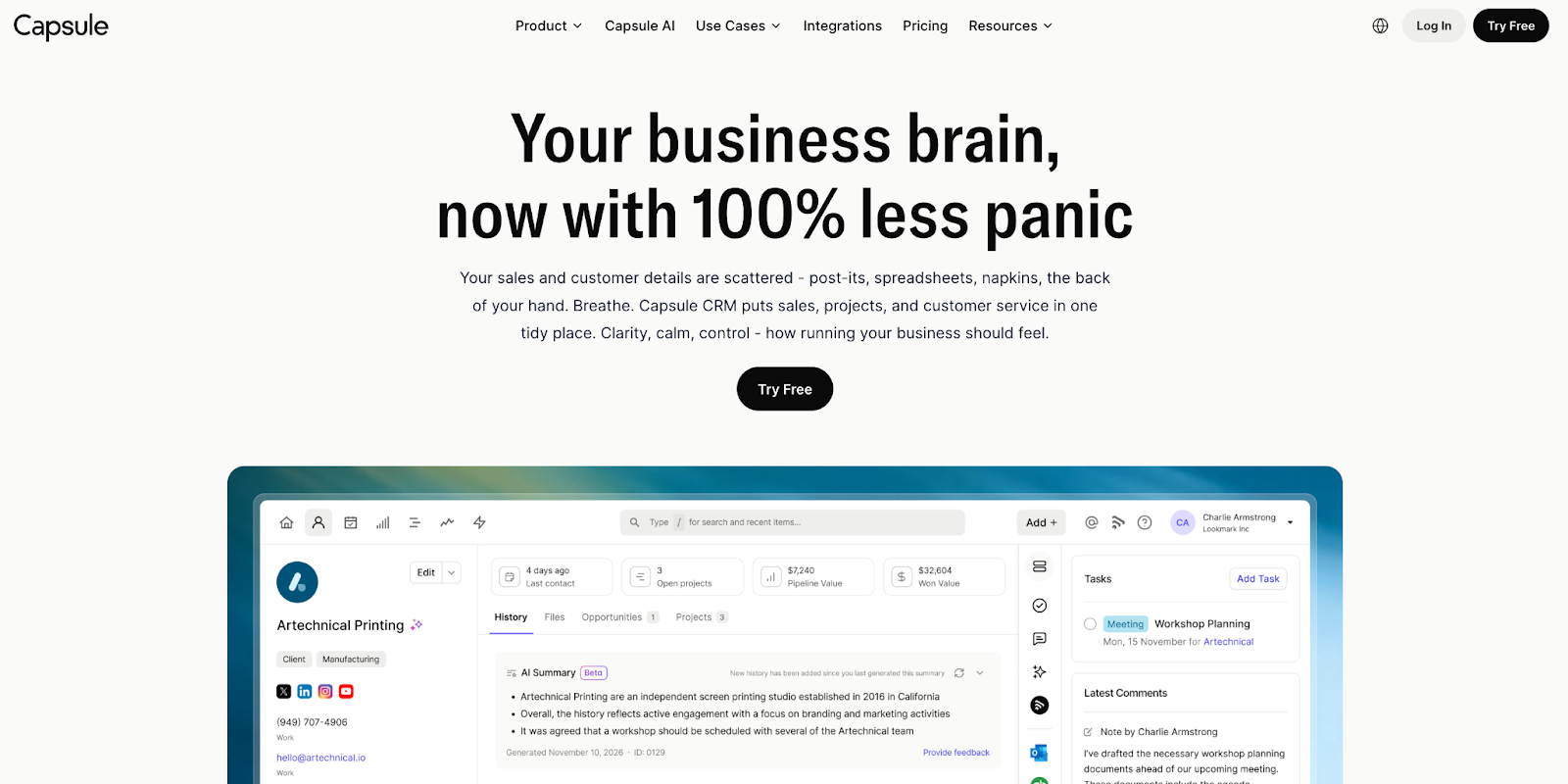
Capsule takes a deliberate approach to AI: instead of adding every possible feature, it focuses on the automation and intelligence that small sales teams actually use daily. The result is a CRM where AI feels integrated into your workflow rather than bolted on as an extra layer.
What sets Capsule apart is how its AI features work together. Contact summaries give you context before calls. Email Assist speeds up your writing. Pipeline summaries show you where deals are stalling. And the upcoming Copilot lets you ask questions in plain English instead of building custom reports.
For teams that have struggled with CRM adoption in the past, Capsule's AI makes the system easier to use, not harder.
AI capabilities

AI contact summaries
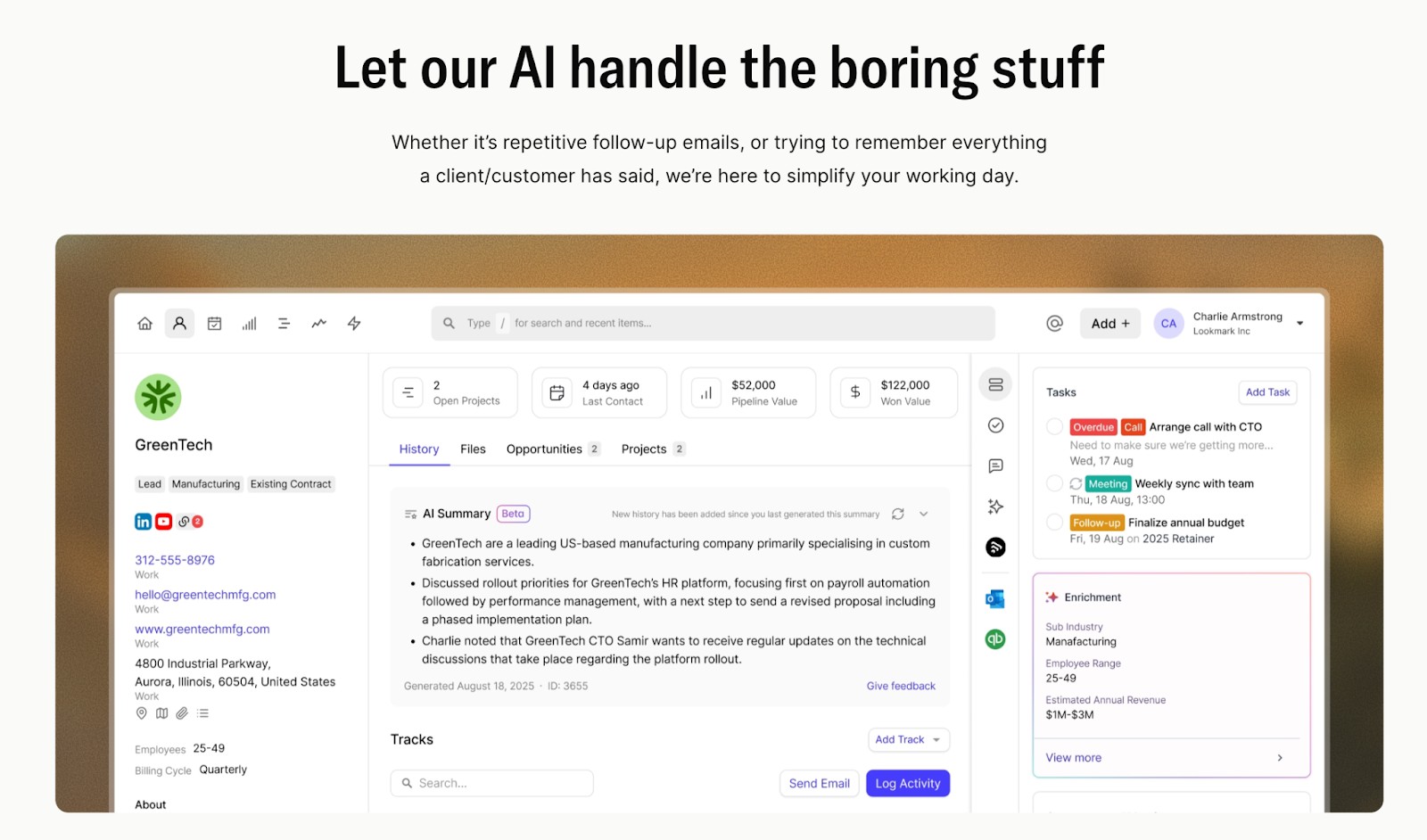
Capsule scans the last six months of activity—notes, calls, emails, deal updates—and generates a condensed summary of what matters most. You see the current state of the relationship, recent concerns, and outstanding questions.
Why this matters: Reps can prepare for calls in 30 seconds instead of 10 minutes, and new team members can get up to speed on an account instantly.
AI Email Assist
Draft and refine sales emails directly in the CRM using guided prompts. Email Assist uses GPT models to help you write follow-ups, check-ins, proposals, and responses based on the contact's history and deal context. You stay in control of tone and content, but the AI handles the first draft.

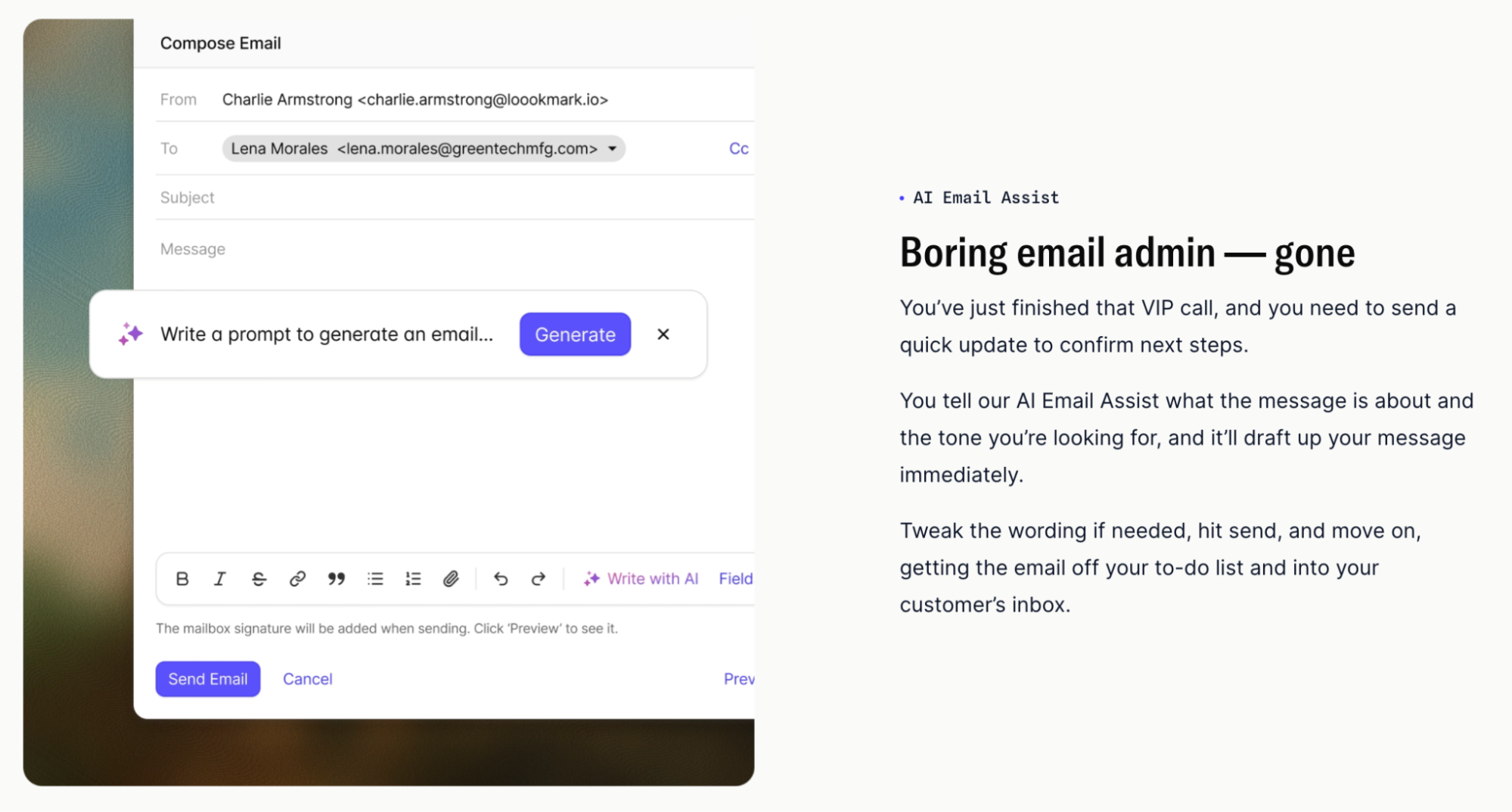
Why this matters: Faster email responses mean shorter sales cycles. And because the AI writes from CRM context, your outreach stays relevant and personalized.
CRM copilot for natural language queries (coming soon)
Instead of learning where to click or how to filter data, you'll be able to ask Capsule questions in plain English: "Which deals in my pipeline haven't moved in 30 days?" or "What tasks are overdue this week?" The copilot surfaces answers instantly from your CRM data.
Why this matters: Lowers the barrier to entry for new users and makes reporting feel conversational instead of technical. Teams get insights faster with no need for training on how to build views or run reports.
AI pipeline summaries and forecasting
Applied to your sales pipeline, AI analyzes deal movement patterns and progress rates to show you what's advancing, what's stalled, and where your team should focus attention. You get a clear snapshot of pipeline health with zero manual tracking, stage velocity, or building forecast models.

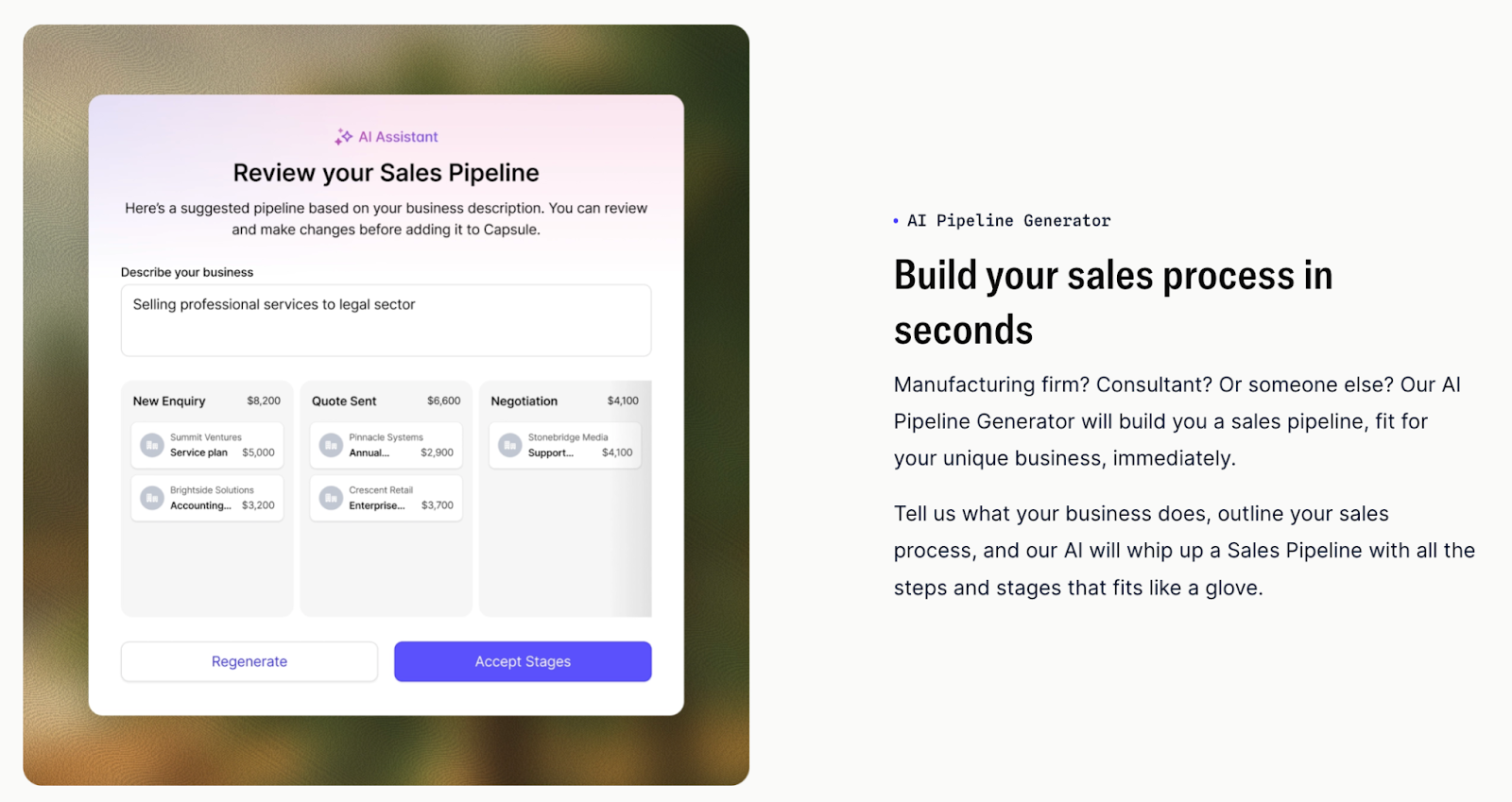
Why this matters: Small teams don't have dedicated sales ops people. Pipeline AI gives you the kind of visibility that larger companies get from analysts, but automated and always up to date.
Pricing and AI access
Capsule's AI features start at the Starter plan ($18/user/month), which includes AI Email Assist. Contact summaries, pipeline AI, and the upcoming Copilot unlock in the Growth plan ($36/user/month) and above.
This makes Capsule one of the most affordable AI CRMs for small businesses—most competitors lock AI behind $50-100/user/month tiers or charge per AI action as add-ons.
Try Capsule free for 14 days — no credit card required.
Attio
Best for: Teams that want a customizable CRM with automated data capture

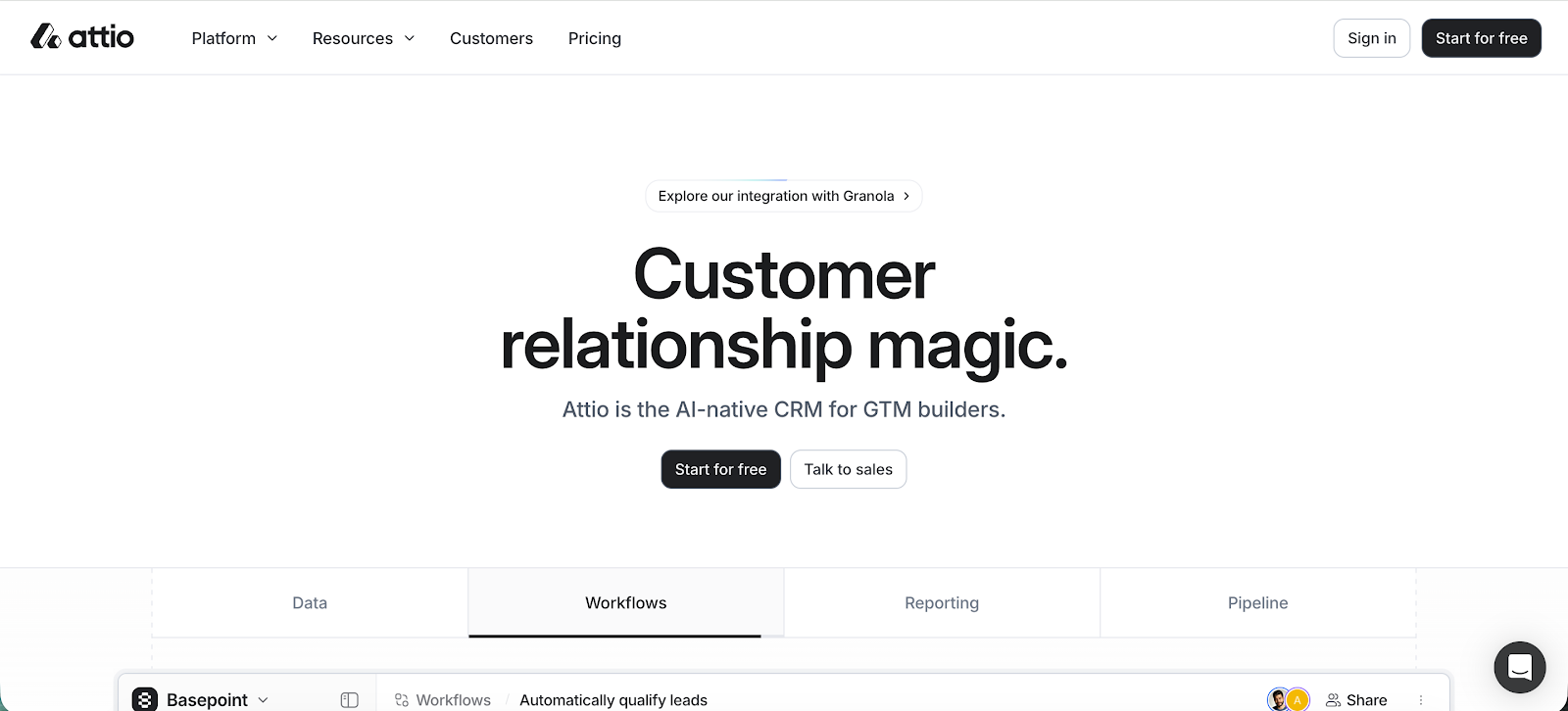
Attio is a modern, data-first CRM that functions more like a flexible database than a traditional pipeline tool. Over the past year, it has introduced AI features focused on automatic data capture and intelligent search, making it easier for teams to maintain clean records.
Attio works well for small teams that want full control over how their CRM is structured but don't want to spend hours updating fields and logging activities manually.
AI capabilities
Automatic data capture and enrichment
Attio connects to your email and calendar to pull in relationship signals: who you're talking to, when, and how often. It then structures that information into contact and company records automatically. The system updates records as conversations happen, reducing the need for manual logging after every interaction.
AI-generated record summaries
For any person or company in your CRM, Attio can generate a brief summary based on stored data: recent activity, deal status, and outstanding issues.
Natural language search
Instead of building filters or custom views to find specific accounts, you can search your CRM using conversational queries. This works even in heavily customized databases where traditional search might struggle, helping teams locate the right contact or deal history quickly.
Notes and content assistance
AI helps convert rough notes into polished write-ups and assists with drafting internal updates. If you need to log activity consistently across your team but don't want to spend time on formatting and structure, this feature keeps records in check.
AI-powered data organization
As your database grows, Attio's AI helps maintain organization through smart tagging and field suggestions. This isn't predictive AI; it's focused on keeping your data structured and usable as you scale.
Pricing and AI access
Attio's AI features are available starting on the Pro plan at $36 per user per month. Higher tiers (Plus and Enterprise) add advanced permissions, workflow controls, and features for larger teams.
Pipedrive
Best for: Sales teams that live in their pipeline and need AI to flag what needs attention

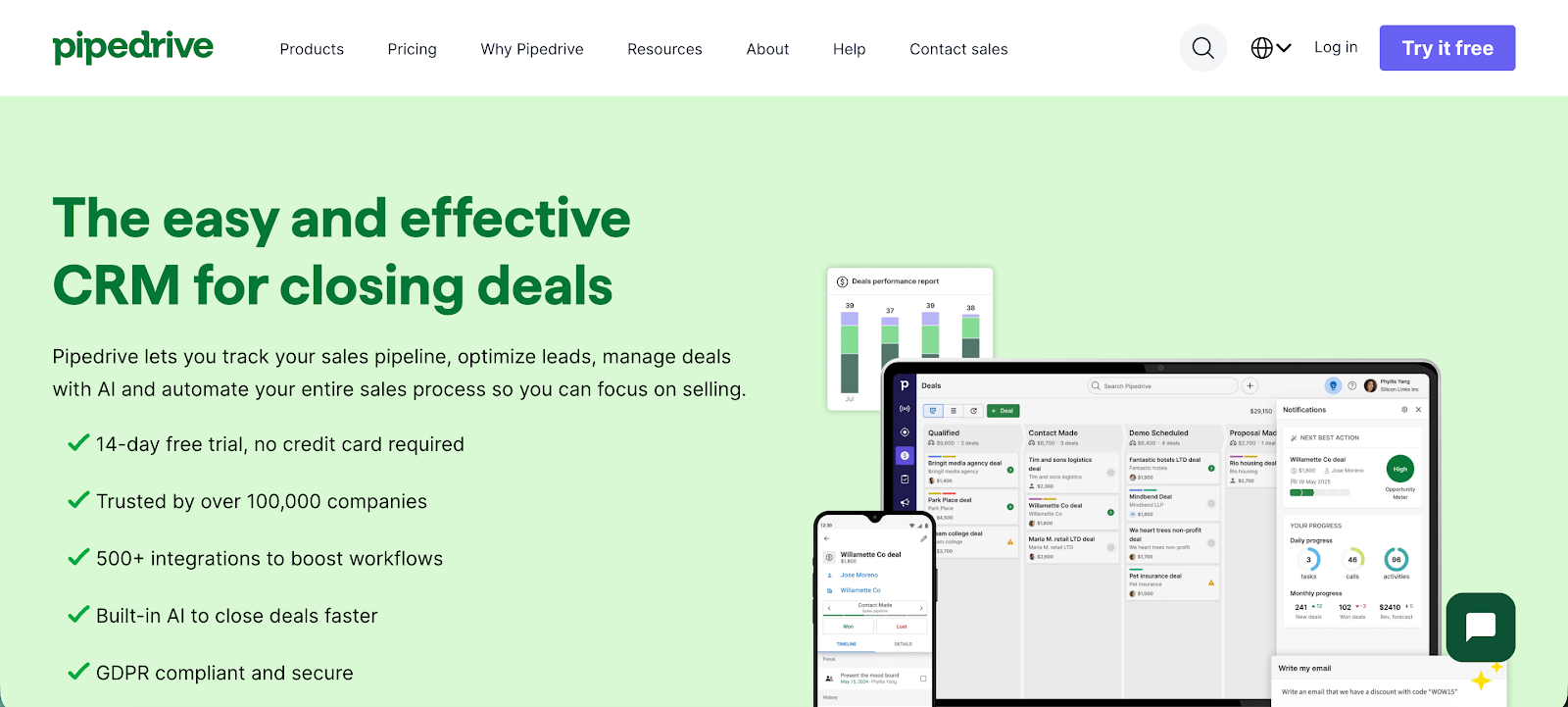
Pipedrive is a sales-centric CRM built around visual pipeline management and activity-based workflows. In recent years, it has introduced AI-driven tools that surface deal insights and suggest next actions, designed to complement the pipeline view rather than replace how sales teams already work.
AI capabilities
AI Sales Assistant
Pipedrive's AI assistant analyzes your current deals, logged activities, and historical patterns to highlight opportunities that need attention. It flags stalled deals and suggests logical next steps based on what worked in similar situations—making it easier to know where to focus effort each day.
Deal probability and forecasting
Using past win-loss data and engagement signals, Pipedrive estimates the likelihood of each deal closing. These probabilities roll up into simple revenue forecasts, giving you pipeline projections on the spot.
AI email drafting
Inside the CRM, you can generate or refine email content for follow-ups and outreach. The AI uses deal context and recent interactions to create suggestions, which you can edit before sending to maintain your voice and tone.
Follow-up recommendations
The system monitors activity levels and engagement patterns to suggest when a follow-up is needed. This helps prevent deals from going quiet because no one reached out at the right moment.
Pipeline pattern insights
AI identifies trends across your pipeline stages; where deals typically slow down, where they drop off most often. These insights help teams spot process bottlenecks without building custom reports or analyzing data manually.
Pricing and AI access
Pipedrive's AI features are available starting on the Growth plan at $49 per user per month. This tier includes the AI Sales Assistant, deal probability scoring, and AI email drafting.
Zoho CRM
Best for: Teams that want deep AI-driven insights and predictive capabilities

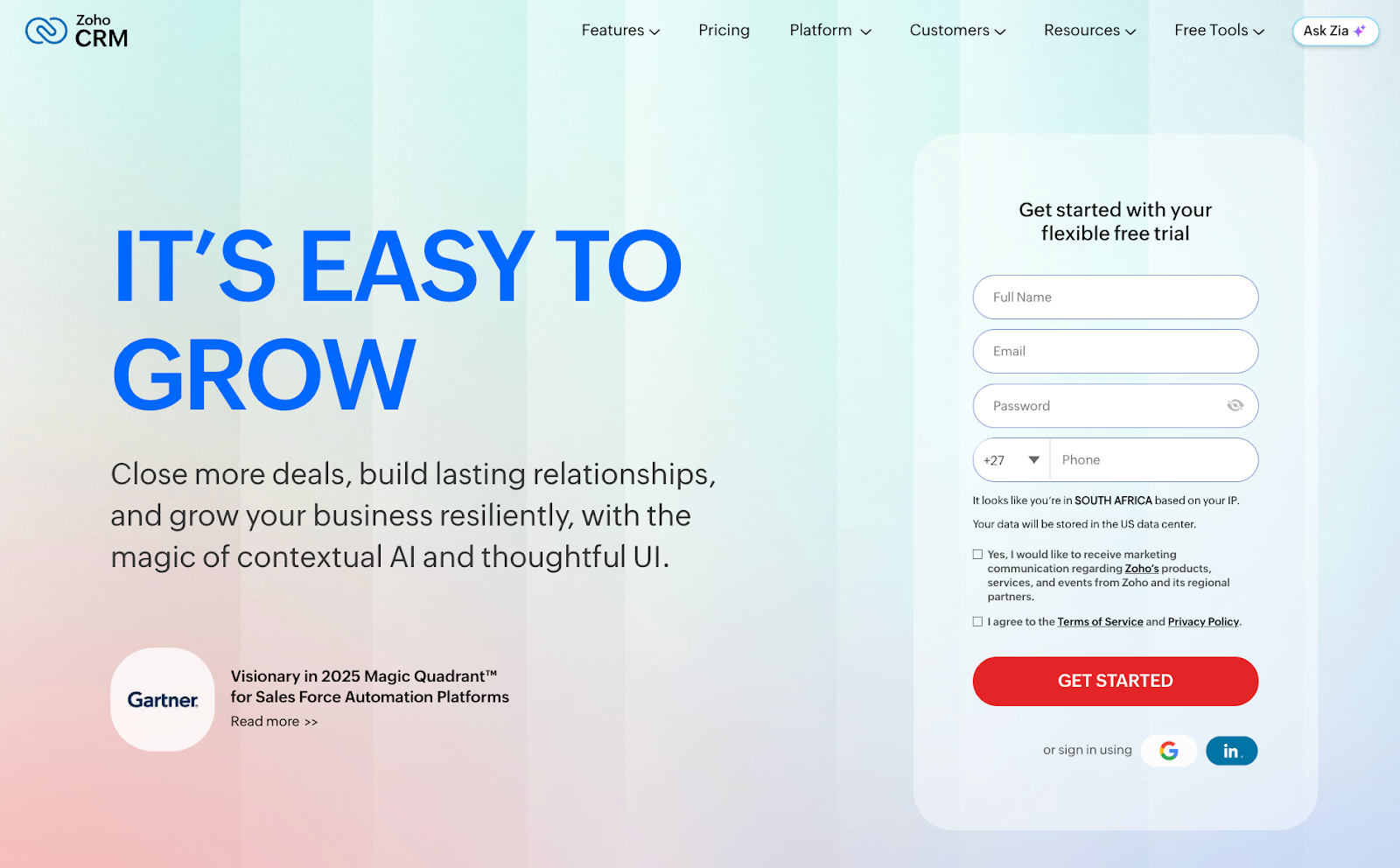
Zoho CRM is a highly configurable platform aimed at small and midsize teams that need flexibility but can’t afford enterprise-level pricing. Its AI capabilities are built around Zia, Zoho's AI assistant that has evolved from basic alerts into deeper analysis and prediction tools. Rather than focusing solely on generative features, Zoho emphasizes data-driven insights and pattern recognition.
AI capabilities
Zia AI assistant
Zia functions as an analytical layer across your CRM, answering questions about deals, pipeline performance, and activity trends in plain language. It can surface unusual changes in conversion rates or deal behavior that might signal problems, helping teams catch issues before they escalate.
Predictive lead and deal scoring
Zoho applies machine learning to historical sales data and engagement signals to score leads and opportunities automatically. Scores update as contacts interact with emails, calls, and workflows, helping reps prioritize accounts with higher conversion potential.
Sales forecasting and pipeline analysis
AI analyzes how deals move through stages over time to predict revenue and identify bottlenecks. Forecasts update dynamically based on both current pipeline activity and past performance patterns, giving teams reliable projections.
Email insights and sentiment detection
Zia reviews email content to identify customer sentiment and engagement signals. This helps sales reps understand urgency or risk in customer communications.
Data quality monitoring and anomaly detection
The system flags missing fields, inconsistent entries, and unexpected activity patterns. This helps teams maintain clean CRM data as the database grows, catching quality issues before they compound.
Pricing and AI access
Zoho CRM's AI features are available starting on the Enterprise plan at $50 per user per month. This is the lowest tier that includes Zia AI, predictive scoring, forecasting, and advanced analytics.
Salesforce CRM
Best for: Larger teams that need enterprise-grade AI and can invest in setup and configuration
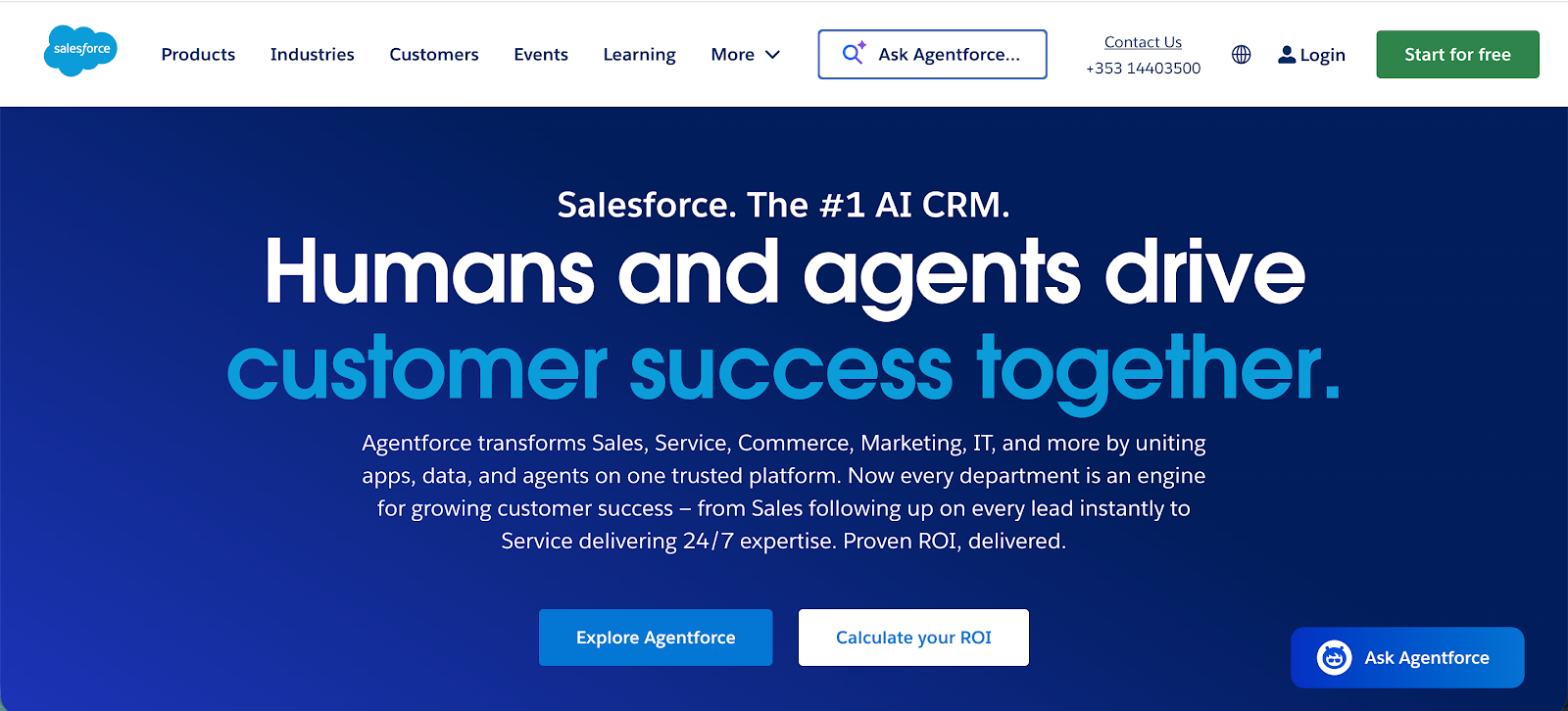
Salesforce is the most widely used enterprise CRM globally, with AI embedded through Einstein and its broader AI stack. The AI layers power insights, predictions, and content assistance across sales, service, and analytics workflows.
For small businesses, Salesforce offers depth and configurability, but the AI capabilities require more setup and higher investment compared to lighter CRM options.
AI capabilities
Einstein deal insights and predictions
Salesforce's AI models scan historical pipeline data and recent activity to highlight deals that may be at risk alongside those progressing well. These insights appear directly on deal records, helping teams spot patterns that might otherwise remain hidden in large datasets.
AI-generated summaries for accounts and opportunities
Salesforce produces concise summaries of recent activity across emails, tasks, notes, and calls. Sales reps get full context before engaging a customer or advancing a deal.
Forecasting and pipeline intelligence
Einstein adds predictive forecasting by analyzing trends in your sales data using machine learning. This helps teams set revenue expectations without building custom models manually or relying on gut estimates.
Generative email and message drafting
Salesforce's AI assists with drafting emails, follow-ups, and customer communications. Generated text uses CRM context such as deal stage and contact history, and users retain full control to edit before sending.
Next step recommendations
AI suggests logical next actions (follow-ups, task creation, stage movement) based on what has worked in similar situations in your database. This allows reps to move deals forward systematically rather than guessing what to do next.
Pricing and AI access
Salesforce AI features are available starting with Salesforce Pro at $100 per user per month. To access the most advanced generative AI features, such as summaries and email drafting, organizations typically need the Einstein 1 Sales add-on, which incurs additional cost.
This makes Salesforce's AI capabilities generally more expensive and complex to implement than most small business-focused CRMs.
Common AI CRM implementation mistakes (and how to avoid them)
Buying an AI CRM is one thing. Getting your team to actually use it is another. Here are the most common mistakes teams make after purchasing, and how to avoid them.
Turning on every AI feature at once
When you first set up your CRM, it's tempting to enable all the AI capabilities immediately. This usually backfires. Your team gets overwhelmed with suggestions, alerts, and recommendations they don't understand yet, and they start ignoring the AI entirely.
Better approach: Start with one or two AI features that solve your biggest pain point. If reps are drowning in follow-ups, begin with AI email drafting. If deals are slipping through the cracks, start with follow-up recommendations. Add more features once the team is comfortable with the first ones.
Expecting AI to fix broken sales processes
AI can't repair a fundamentally broken workflow. If your team doesn't know when to follow up, what questions to ask prospects, or how to move deals forward, AI predictions won't help. According to Gartner research, 54% of CRM implementations fail because of poor process definition, not technology limitations.
Better approach: Document your current sales process before adding AI. Identify where deals actually stall (qualification? pricing discussions? contract negotiation?) and choose AI features that address those specific bottlenecks.
Not cleaning your data first
AI needs clean, consistent data to work. If 40% of your contact records are missing key fields, your deal notes are inconsistent, or you have duplicate entries, AI-generated insights will be unreliable or flat-out wrong. A study found that 30% of CRM data becomes outdated within a year, making AI predictions based on that data increasingly inaccurate.
Better approach: Before enabling AI features, spend 2-3 weeks cleaning your existing data. Merge duplicates, fill in missing fields, standardize how your team logs notes and activity. AI works best when it has complete, uniform information to analyze.
Ignoring AI suggestions until the team stops trusting them
When AI flags a deal as "at risk" or suggests a follow-up, and your team consistently ignores those prompts with no investigation, the AI becomes background noise. Within weeks, reps stop looking at suggestions entirely because they've learned nothing happens when they ignore them.
Better approach: In the first month, have managers review AI recommendations with reps weekly. When the AI flags something, discuss whether it was accurate and why. This builds pattern recognition in your team and helps them learn when to trust AI insights versus when to override them with human judgment.
Choose an AI CRM that matches how your team actually works
The right AI CRM isn't the one with the most features. It's the one your team will use every day.
Start by identifying your biggest friction point. If reps spend hours on data entry, prioritize automation and summaries. If deals stall because follow-ups get missed, focus on AI recommendations and pipeline insights. If you're not sure where your sales process is breaking down, look for tools with natural language search that surface answers.
Test with your real data, not demo data. Upload your actual messy pipeline during trials and see what the AI does with it. If contact summaries aren't useful before calls, or if AI suggestions feel like noise, keep looking.
And remember: AI amplifies what's already there. It makes good processes faster and bad data more obviously broken. Clean up your CRM before expecting AI to work miracles.
Capsule delivers what actually matters: contact summaries, email assistance, and pipeline insights that help you sell smarter.
Try Capsule free for 14 days, no credit card required.