- Open up Outlook and click the File tab in the top left-hand corner
- Click Options on the right-hand side.
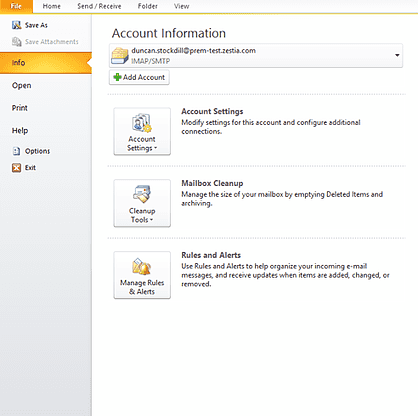
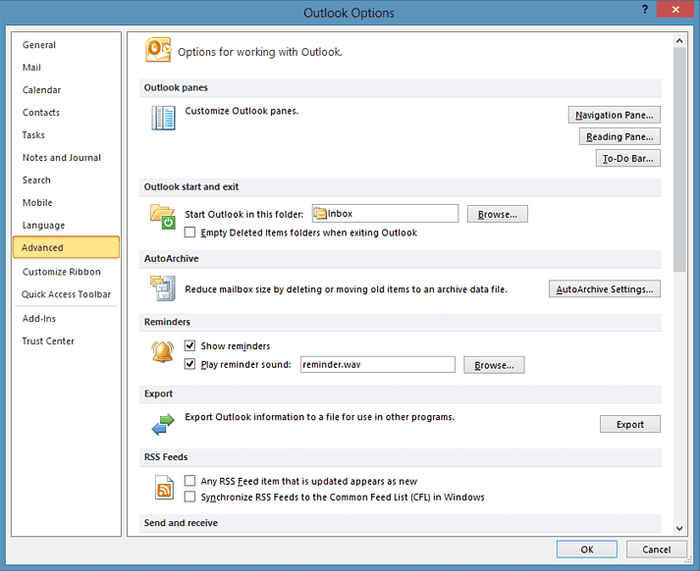
- Go to Advanced
- Under the Export heading, where it says 'Export Outlook information to a file to use in other programs, click Export
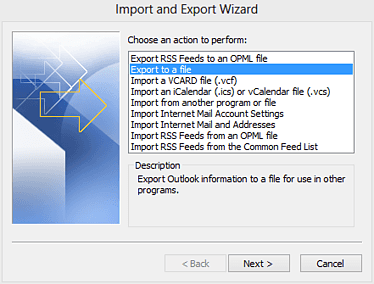
- An Import and Export Wizard will open and ask you to choose an action to perform. Select Export to a file and then click Next
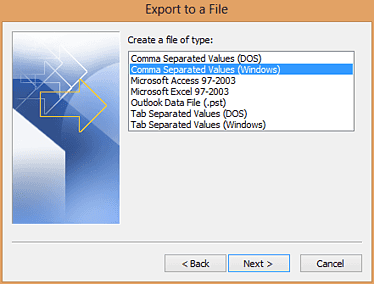
- Now you're asked to 'create a file of type'. Here you need to select Comma Separated Values. Then go on to the next step.
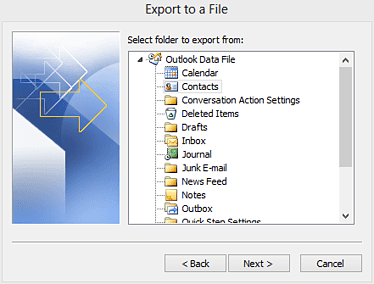
- The next step is to choose what folder to export from. Here you want to choose Contacts and then click Next
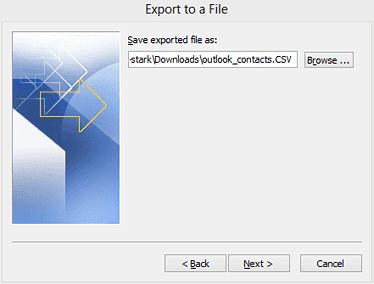
- Now choose where to save the exported file. You can use 'Browse' to find the folder where you want to save the file and then choose an appropriate file name to give the export. Click Next again to move on to the final step.
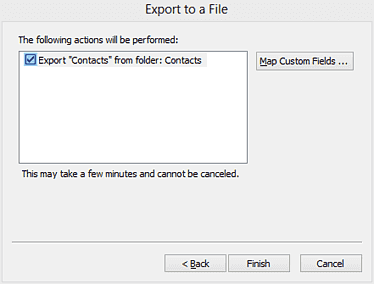
- Here you confirm the action that is being performed. No need to do anything other than click Finish
There you have it. The contacts from Outlook has been exported and you can now move on to import them into Capsule.