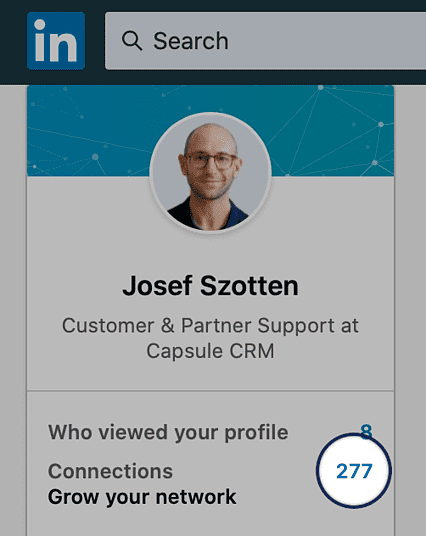
1. Log in to LinkedIn and click the number next to Connections
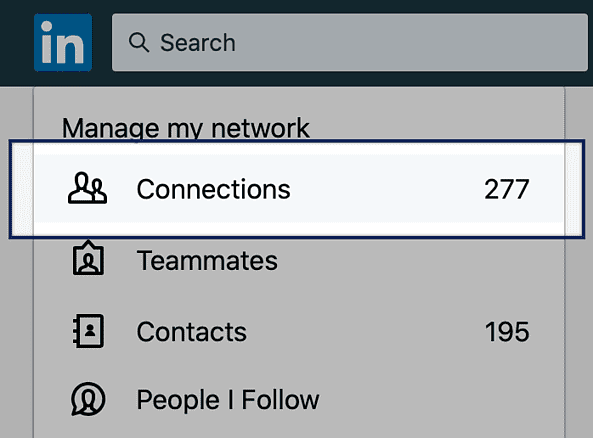
2. Then click on Connections under the Manage my network heading.
3. After that, use the link to Manage synced and imported contacts at the top right-hand side of the page.

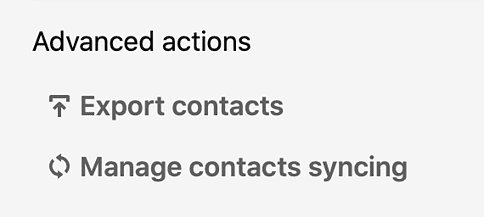
4. On the next page, click the option to Export contacts under the 'Advanced actions' heading.
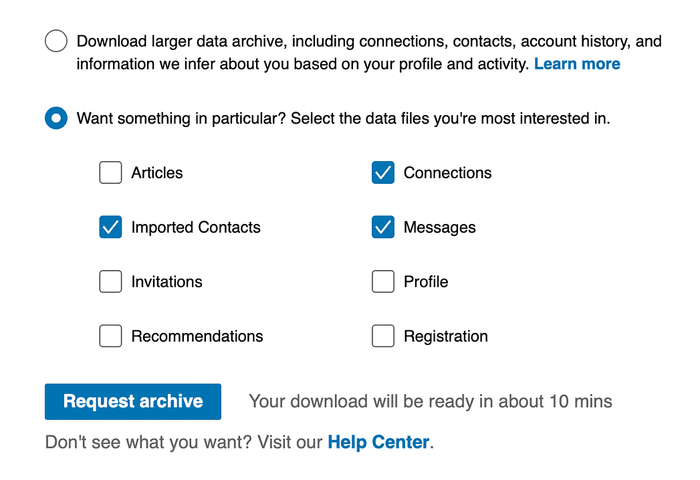
5. When you've done that you'll get to a settings page with two options to export your data. Now you can either select the option for Download larger data archive or you can use the section for Want something in particular? to select just specific details to export and then click to Request Archive.
6. At this point, you might be asked to enter your LinkedIn password again. Once you've done that, you normally just have to wait a few minutes before you get an email with a link to download the data.
7. Follow the link in the email and then use the button to Download.
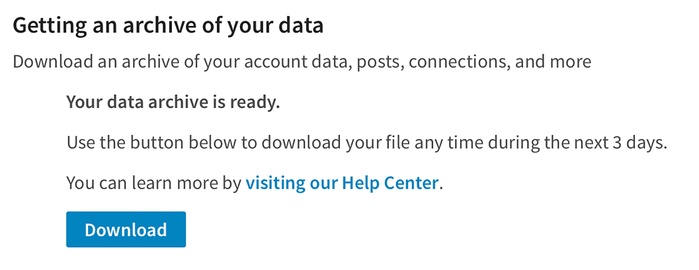
The file you get will be a zip file which in turn contains a number of csv files. You'll want to use either the Connections.csv file which contains your LinkedIn connections and/or Contacts.csv which contains any contacts you've imported into LinkedIn. The other files aren't suitable to be imported into Capsule.
8. Now continue to import the csv file(s) into Capsule using our csv import option.