Capsule API

Import Google Mail


Exporting your Google Mail contacts to a vCard File


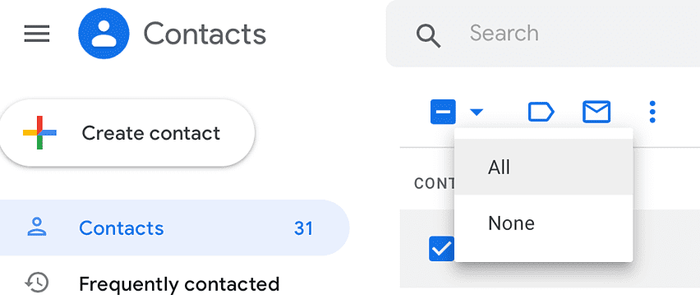
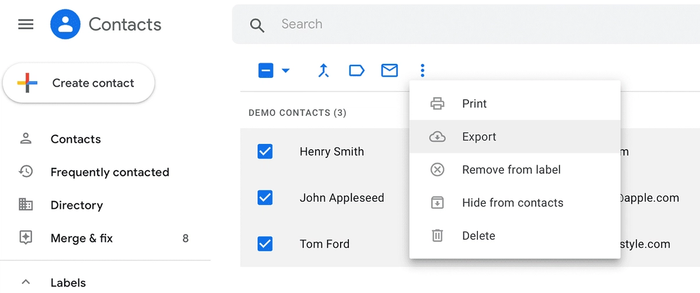
In your Gmail, click on Contacts > More Actions > Export:


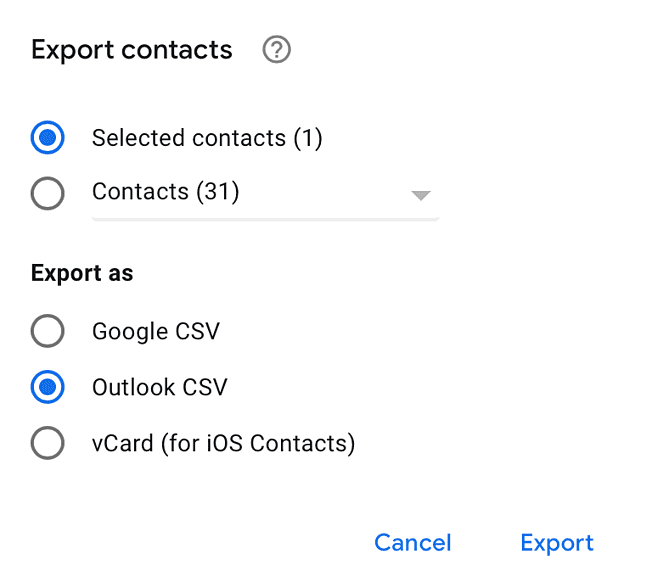
Select the contact file you want to export and your export format as vCard format:


Export from Google Mail


Your contacts are now in the vCard file ready for import into Capsule.


Importing your vCard file into Capsule


In Capsule, go to People and Organizations > Import:


You select to import from vCard file:


You select your vCard file by clicking browse:


Before the final upload, Capsule attempts to match all contacts and highlights which appear to be a duplicate with red type and 'ignore'. You can overwrite each of the decisions before finalizing the import.


You click I'm happy, import now and Capsule will import your contacts.

Capsule is a service of Zestia Ltd which is a company registered in England with company number 06418281. © 2008-2012 Zestia Ltd. All Rights Reserved.